Best WordPress Security Practices for Multiple Client Sites

The best WordPress security practices for multiple client sites are strong unique logins, regular updates, a repeatable security checklist, automation across sites, reliable security plugins and a clear recovery plan. A single weak password or outdated plugin can put your whole portfolio at risk, not just one site.
This post shows you how to build a scalable security process for agencies and growing businesses, including workflows to secure many sites, streamline updates and manage logins.
Table of Contents:
The Real Risks of Multiple Client Sites
The real risk of managing multiple client sites is treating security as a one-time task, because most WordPress security problems do not start with complex zero-day exploits.
They begin with minor, easily overlooked oversights that scale poorly across dozens of client sites.
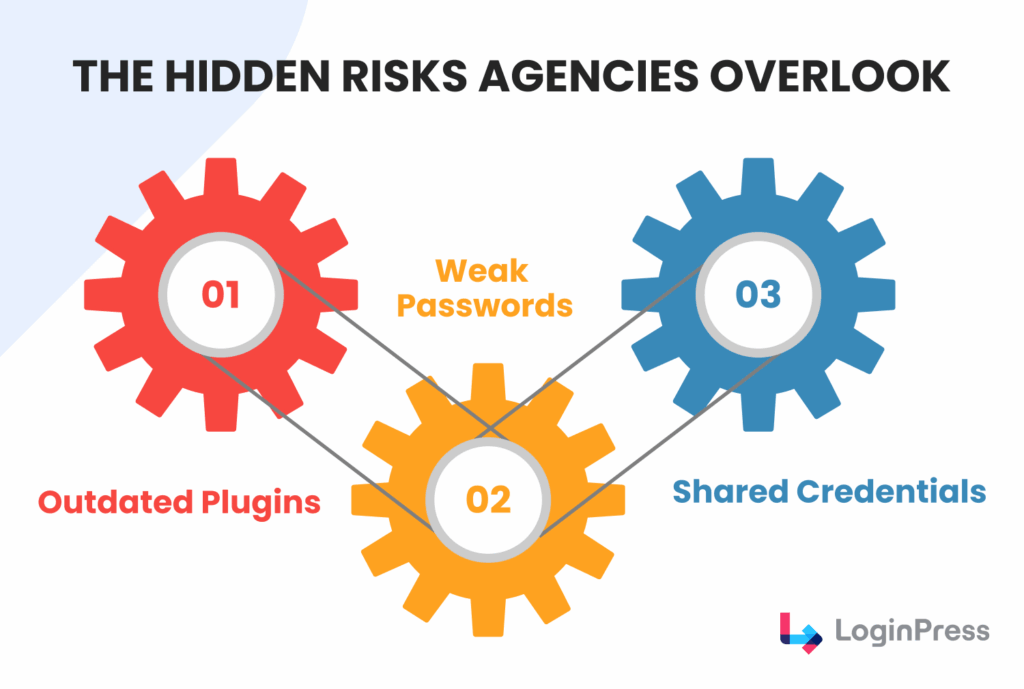
These minor factors, ignored for now, become serious security risks later on.
You might have 99% of your sites perfectly secured. Still, a client with an outdated, unpatched contact form plugin or a team member using a weak password can lead to a compromise.
Let’s go through some of the ignored risks and vulnerabilities that agencies ignore:
1. Outdated Software
This is the most common cause of WordPress security vulnerabilities.
Although developers constantly find and patch WordPress security issues, working on outdated software can lead to costly vulnerabilities later.
- What is Overlooked: Agencies tend to delay routine maintenance. This type of flaw allows attackers to take full control of the server without needing to log in.
- What Agencies can Do: Use centralized management tools to standardize WordPress maintenance and security.
2. Weak and Shared Credentials
Bots often target the default login page (/wp-admin) by trying combinations of stolen passwords and usernames.
This method is called a brute-force attack. One study shows that 7.36% of all detected attacks are brute-force attempts.
If a client or a junior staff member uses “admin” as a username or a weak password, access is inevitable.
- What Agencies Ignore: Relying on clients to choose strong passwords or sharing client IDs for client sites. This introduces a human element risk.
- What Agencies can Do: Enforce a strict password policy and mandatory Two-Factor Authentication (2FA) for all users with privileges.
3. Cross-Contamination
The most severe disadvantage for an agency isn’t the cleanup cost, but the damage to the client’s trust.
For example, an attacker exploits a known WordPress security vulnerability in an old version of a page builder plugin on a client’s site.
The hacker installs a malicious backdoor script.
- Client A: Gets blacklisted by Google; their site is defaced or redirects users to spam sites.
- Client B and C: Hear about Client A’s breach. They immediately question your competence and the security of their own sites.
- Your Agency: Faces hours of emergency cleanup, a costly de-indexing process, and the potential loss of multiple recurring maintenance contracts.
This is why you need to treat every site as a critical point.
A strong security strategy must focus on eliminating the common flaws that turn minor breaches into agency crises.
Non‑Negotiable Security Foundations
Non-negotiable security foundations matter because a single WordPress security problem can trigger a domino effect across your agency.
These are the best WordPress security practices for client sites:
1. Emergency Crisis and Opportunity Cost
- Non-profit work: Your senior developers are instantly pulled away from paid work to perform emergency cleanup, backend scanning, and client management.
- Revenue Drain: Hours spent fixing the hack are hours not spent earning revenue. This is the hidden financial loss of WordPress maintenance and security.
2. Reputation and Network Damage
- Blacklisting: Google flags the infected site, halting traffic and affecting the client’s business.
- Contagion Risk: The WordPress security vulnerability can damage your IP reputation on shared hosting, causing emails from all your clients to be flagged as spam.
3. The Blame Game
- Client Tension: Agencies are typically blamed, regardless of whether the client caused the breach (e.g., a weak password or a bad plugin).
The Solution:
To protect your agency and set clear professional boundaries, ensure your contracts clearly outline your WordPress security practices for all client sites.
You should also require the use of top WordPress security plugins for the client sites.
If you overlook scalable security, you could put your whole client portfolio at risk.
The Challenge of Securing Multisite WordPress
Securing multisite WordPress is hard because traditional site-by-site security methods fall short once you manage dozens of sites.
- Fragmented Access Management: Tracking each different admin credentials without a centralized system is impossible.
- The New Updates Flow: Checking each site individually for hundreds of plugin updates, running backups is a day-long manual task.
- Security Drift: Unnoticed access given to outsiders by clients can make you lose the consistency needed to guarantee a reliable defense.
The Solution: Centralized Command and Control
For agencies, using a Centralized Management Tool (CMT) is the most effective way to do this.
These tools give you a single, secure dashboard to manage all your clients at once.
CMTs also handle routine tasks like updates, backups, and security scans automatically.
Making this change turns your security work from a time-consuming task into a reliable service for your agency.
Best WordPress Security Practices for Multiple Sites
The best security practice for multiple sites is a checklist you can apply to every domain, so you are not scrambling when problems appear.
1. Keep WordPress Updated
This is the most critical and often overlooked step.
Approximately 90% of WordPress security vulnerabilities are traced back to outdated software.
Your central management tool (CMT) should be set to run automated updates by validating:
- All major version updates must be deployed to a staging environment for testing before deployment.
- Delete all unused themes and plugins. Only use plugins from trusted sources and developers with clear update histories.
2. Enforce Strong Password Policies and 2FA
The password is the weakest link in cybersecurity.
In June 2025, it was reported that a data leak contained 16 billion stolen passwords and user credentials.
For agencies, ensuring consistency across password-related processes is key.
- Enforce Strong Passwords: Use one of the best WordPress security plugins to require all users, including agency staff and clients, to use complex passwords and to change them periodically.
- Enable Two-Factor Authentication (2FA): 2FA must be mandatory for all Administrator and Editor roles. This makes brute-force attacks virtually useless.
3. Limit Login Attempts and Change Default URLs
You need to shut down automated brute-force attacks at the door, which is your login page.
To prevent these automated bots from draining your resources, enable these security practices for multiple client sites:
- Limit Login Attempts: Configure your security plugin to lock out an IP address after 2-3 failed login attempts. You can use LoginPress’s built-in Limit Login Attempts add-on, which protects your login form from constant brute force attacks.
- Change Default URLs: Replace the predictable login page slug (/wp-login.php or /wp-admin) with a unique, custom URL. With LoginPress’s Hide Login add-on, instantly hide your login page from irrelevant traffic and bots trying to hammer the URL.
4. Use SSL and HTTPS Across the Board
An SSL certificate encrypts the data moving between the user’s browser and the server.
This is no longer optional; it’s a crucial aspect of trust and SEO.
- Enforce HTTPS: Ensure all client sites are running on HTTPS. Use a plugin or server-level configuration to redirect all HTTP traffic to HTTPS, ensuring encrypted communication.
5. Restrict Admin Privileges
One of the best security practices is to grant access only to what is strictly necessary.
This role-based access limits users’ ability to install vulnerable plugins or interfere with critical settings.
This also helps prevent accidental WordPress security problems.
Here is how it can be implemented:
- Limit Administrators: Only the core agency team and, at most, one client contact should have the Administrator role.
- Use Proper Roles: Clients who only need to write and publish content should be given the Editor or Author role.
6. Disable XML-RPC and Directory Browsing
These features are either entry points or provide hackers with unnecessary information.
To prevent these vulnerabilities from becoming exploitable, enable:
- Disable XML-RPC: This feature is primarily used for mobile publishing. If not explicitly needed, use your security plugin to disable it entirely.
- Disable Directory Browsing: Configure your server (via .htaccess) to prevent visitors from viewing directory contents (e.g., /wp-content/plugins/). This stops hackers from scanning for vulnerable files.
7. Regularly Back Up Sites
Backups are not only a security feature but also a guarantee of recovery.
Your WordPress maintenance and security plan is incomplete without these regular backups.
- Automate Off-Site Backups: Implement daily or real-time backups using your CMT or a dedicated solution.
- Remote Storage: Store all backups on a secure, off-site cloud service (Amazon S3, Google Drive, etc.), separate from the hosting account. If the server is compromised, the backup must remain protected and unchanged.
8. Monitor Activity Logs and File Integrity
Proactive monitoring is how you detect breaches in their earliest stages.
Here are some monitoring checks you can add to your site for maintenance:
- Activity Logging: Use a security plugin to monitor and log all critical user actions (successful/failed logins, core file modifications, plugin installations, user role changes).
- File Integrity Checks: Schedule regular scans that compare your live site’s files against the official WordPress repository versions.
- Automate Alerts: Add instant alerts on unexpected file changes, which are often the first sign of a hidden backdoor installed by a successful exploit.
When you add strong security practices for multiple client sites to your agency’s regular checks, you change how your team works.
Security becomes part of a steady routine instead of a stressful task.
This approach helps keep your clients happy and protects your agency’s reputation by following these security practices.
Best WordPress Security Plugins for Agencies
Agencies that manage multiple client websites should use reliable security plugins, because they help agencies:
- Keep client trust
- Meet compliance needs
- Work more efficiently by applying proven WordPress security practices to all their sites.
The plugins below offer strong security features and can scale to fit the needs of agencies.
1. LoginPress: Login Hardening
LoginPress specializes in securing the most vulnerable point of any WordPress site: the login page.
While often overlooked, customizing and protecting this gateway is one of the best WordPress security practices for multiple client sites.
This helps prevent automated attacks and establishes immediate user confidence.
- Core Agency Benefit: Keep your brand consistent and protect your clients from the start. Agencies can quickly set up a custom, branded login for every client site, making your service look more professional from the start.
- Multi-Site Suitability: Excellent for ensuring a consistent, professional brand experience across all sub-sites in a network. It focuses on the login layer and is a high-value addition to every build.
2. Wordfence Security
Wordfence is known for its powerful Endpoint Firewall and deep integration with its Malware Scanner.
It executes its security checks directly on the server, offering high-precision defense.
- Core Agency Benefit: The premium version of real-time threat intelligence provides firewall rules and malware signature updates. This means any closing vulnerability gaps left open by free versions for 30 days.
- Multi-Site Suitability: Wordfence offers Wordfence Central, a free centralized dashboard designed specifically for agencies. This tool allows you to monitor the security status, configure settings, and manage licenses for hundreds of sites from a single interface.
3. Sucuri Security
Sucuri operates as a cloud-based security platform which means that its core defenses sit outside your server.
This approach blocks malicious traffic before it ever reaches the client’s site.
- Core Agency Benefit: The cloud WAF offloads security processing from the client’s host, improving site speed. Crucially, Sucuri’s paid plans include guaranteed malware removal and cleanup by their security team, providing a stress-free emergency plan for hacked client sites.
- Multi-Site Suitability: Ideal for managing diverse hosting environments, as the cloud WAF protects any site regardless of its host. The centralized management portal streamlines handling security and malware incidents across a large portfolio.
4. Solid Security
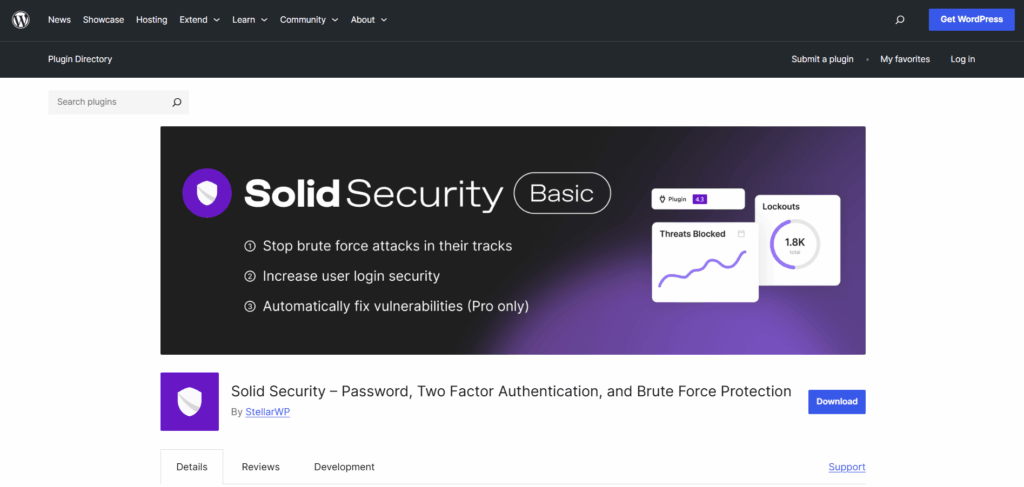
Solid Security uses proven WordPress security practices to protect every part of your site.
It secures areas such as logins, user settings, file permissions, and core settings across all your client sites.
- Core Agency Benefit: It excels at enforcing best practices like Two-Factor Authentication (2FA), strong password requirements, and regular database backups.
- Multi-Site Suitability: The Pro version offers features that are easily managed across multiple client sites, including security grade monitoring and the ability to schedule and automate many security tasks, minimizing manual agency effort.
5. All-In-One WP Security and Firewall (AIOS)
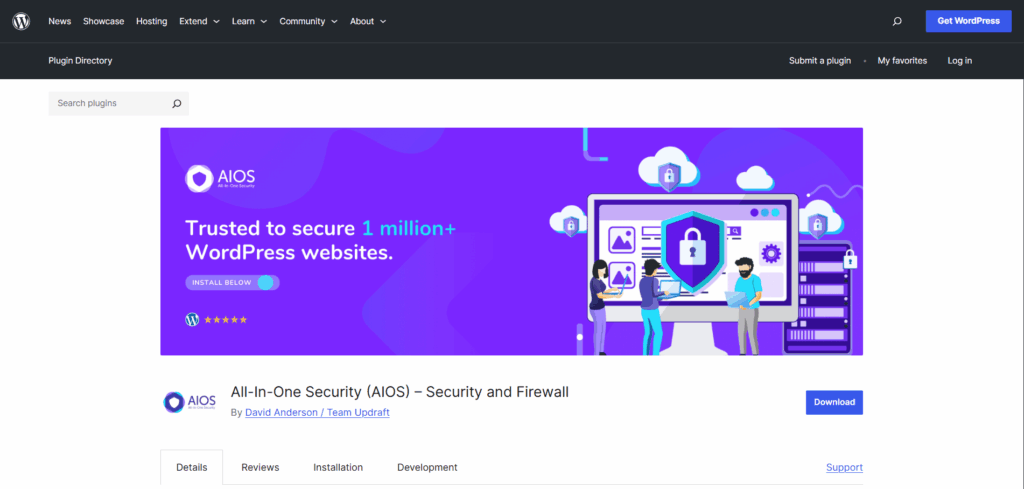
AIOS offers flexible features in its free version, including file protection, database security, and firewall functionality, through a user-friendly security-grading system.
- Core Agency Benefit: For smaller client sites or those on tight budgets, the free version offers strong features. Its security point system provides an easy-to-digest metric for client reporting.
- Multi-Site Suitability: AIOS is fully compatible with WordPress Multisite, allowing Super Admins to manage and enforce security policies across the network.
Free vs. Premium for Agency Scalability
When implementing best WordPress security practices for multiple client sites and selecting tools for multi-site management, the choice between free and premium versions is often a decision about risk management and operational efficiency:
| Feature | Free Version (Trade-off) | Free Version (Trade-off) |
| Threat Intelligence | 30-day delay in firewall rules and malware signatures | Real-Time Updates |
| Malware Remediation | Manual cleanup required | One-Click or Guaranteed Cleanup |
| Scalable Management | Site-by-site configuration required | Centralized Dashboards |
| Support | Community forums only | Priority, Dedicated Support |
While free versions are excellent for initial setup and basic hardening, relying on them introduces unnecessary risk.
Premium licenses are a justifiable business expense that protects client investments, minimizes emergency work for high-value development.
How to Show Clients Their Sites Are Secure
You show clients their sites are secure by sharing regular, clear proof of your security and maintenance work, because clients trust what they can see.
This also helps retain long-term customers and sell higher-value maintenance plans.
The Power of White-Labeled Reporting
Agencies should move beyond handling security tasks and clearly report their work, following best WordPress security practices for all client sites.
The best way to do this is by using white-labeled security reports and activity logs.
These reports turn technical details into easy-to-read, client-friendly summaries that feature your agency’s branding and help reinforce good security habits.
Key Report Components That Build Confidence:
- Security Status Score: A simple, high-level score (e.g., A+ to F) provides an instant snapshot of the site’s health.
- Activity Log Summary: Detail all maintenance and security tasks completed during the reporting period, including:
- Successful plugin/theme/core updates.
- Malware scans executed (with clean results).
- Firewall activity (number of blocked malicious login attempts or attacks).
- Successful scheduled backups.
- Performance Metrics: Include metrics like site uptime and page speed improvements, reinforcing that security does not slow the site down.
Tools for Automated Reporting
Using specialized WordPress management platforms helps agencies create consistent security reports for many client sites, saving time and reducing manual work.
| Tool | Primary Benefit for Agencies | Report Customization and Branding |
| ManageWP | Comprehensive Automation | High-level white-labeling and detailed customization |
| MailWP | Self-Hosted and Privacy-Focused | Strong white-labeling capabilities to entirely remove plugin branding and feature your agency’s logo |
| Custom Dashboards | Deep Integration and Customization | Total control over presentation; reports are embedded directly where the client logs in |
Clients see the value of their monthly retainer when they receive a clear report showing that 500 brute-force attacks were blocked or that their WAF is being monitored daily.
- Justification: The reports move the security spend from a hidden cost to a proactive service that directly protects their business interests.
- Upselling: Use the data to highlight areas of potential risk (e.g., “We recommend upgrading to the Premium WAF to eliminate the 30-day delay on threat intelligence, as noted in this month’s status report.”)
Using data-driven WordPress security practices for multiple client sites helps agencies show that security upgrades are essential, not just an extra cost.
When agencies highlight their security efforts, clients trust them more and see security as a key part of the service.
How to Recover a Hacked Client Site (5 Steps)
You recover a hacked client site by acting quickly and following a clear five-step plan.
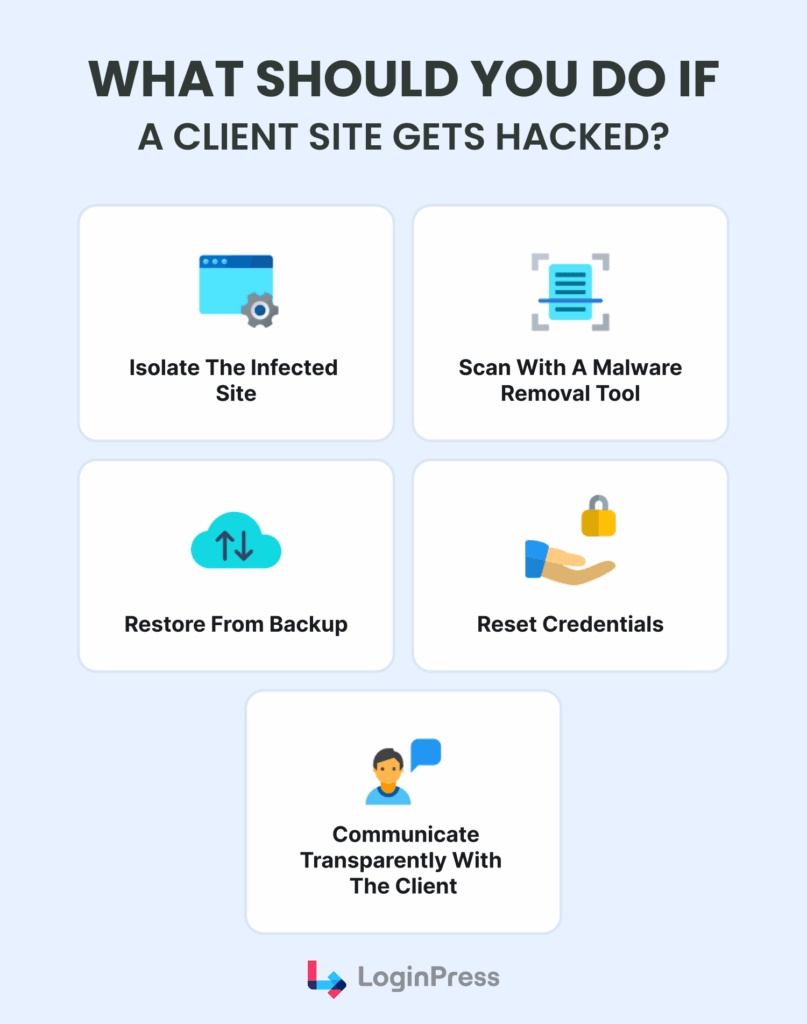
Use these steps to protect your clients’ sites, fix problems quickly and keep their trust.
Step 1: Isolate the Infected Site
The absolute first step is containment to prevent the spread of malware and further damage.
- Take the Site Offline: Temporarily rename the root .htaccess file, or use a plugin/hosting feature to display a simple static Maintenance page.
- Change File Permissions: Restrict file permissions to prevent attackers from creating new files.
- Block Access: If the attack vector is known (e.g., a specific IP address), block it using the WAF or hosting firewall.
Step 2: Deep Scan for Malware
According to the best security practices, once the system is isolated, identify and eliminate any infections.
- Run a Full Security Scan: Use a premium security tool to identify all compromised files, backdoors, and database injections.
- Clean Core Files: Compare all core WordPress, theme, and plugin files against clean versions. Immediately delete or replace any files that have been modified or newly added by the attacker.
- Review Database: Manually inspect or use the scanner to clean up malicious code injected into the database, especially within user tables or option fields.
Step 3: Restore from Backup
The next step is to ensure a complete cleanup to revert to a pre-attack state.
- Identify the Last Clean Backup: Determine the exact date/time before the infection occurred.
- Full Restoration: Start by restoring the whole file system and database from your verified clean backup. Make sure to update or remove it before you bring your content back.
Step 4. Reset Credentials
Assume that all current login details, API keys, and server credentials have been compromised.
- Change All User Passwords: Force a password reset for all administrators, editors, and other high-level users.
- Update Hosting Credentials: Change the cPanel, SSH, and FTP/SFTP passwords immediately.
- Generate New Security Keys: Regenerate the keys in the wp-config.php file to invalidate existing cookies and sessions.
Step 5. Transparent Client Communication
Maintain client trust by proactively managing expectations and providing clarity to avoid misunderstandings.
- Immediate Notification: Inform the client that the site was breached but has been isolated and is under control.
- Status Updates: Provide brief updates during the recovery process, avoiding overly technical jargon.
- Post-Mortem Report: After recovery, deliver a concise report detailing the vulnerability (if known), the steps taken, and the assurance that the site is now secure.
Prevention: Hardening for Future Incidents
To help prevent future incidents, start using a proactive hardening strategy.
For example, follow the best WordPress security practices across all your client sites.
- Enforce Two-Factor Authentication (2FA) for all administrator accounts.
- Maintain Automatic Updates for all core, theme, and plugin files.
- Implement a strong WAF to block known exploits.
- Audit Users to remove unnecessary or inactive accounts.
Automation Tools for WordPress Security
Agencies need automation to keep many client sites secure, because manual processes are slow and prone to error.
WordPress management platforms help agencies enforce security protocols and respond quickly to threats.
These tools make it easier to follow the best security practices across multiple sites.
Below are the key tools agencies can use to manage WordPress security best practices across many client sites:
| Tool | Primary Automation Focus | Key Agency Benefit |
| ManageWP | All-in-One Dashboard. Automates backups, updates, uptime monitoring, and security scans from a single interface. | Efficiency and Reporting. Provides a centralized, commercial solution ideal for agencies that need professional client reporting built in. |
| MainWP | Self-Hosted Management. Automates core tasks, including security checks, plugin/theme updates, and performance monitoring. | Control and Privacy. Gives the agency complete control by keeping all client data on its own secure, self-hosted platform. |
| InfiniteWP | Multi-Site Management. Focuses on efficient, one-click execution of updates, backups, and staging across an unlimited number of sites. | Bulk Execution. Streamlines high-volume tasks, allowing staff to perform critical security maintenance across all clients quickly. |
| BlogVault | Real-Time Backups and Staging. Recognized explicitly for its incredibly reliable, off-site, incremental backups and one-click staging environment | Reliable Recovery. Ensures a verified, clean backup is available at all times, enabling fast, guaranteed recovery from a security incident. |
Why Automation is Essential for Security
Automating routine maintenance is not only about saving time. It directly improves your risk profile:
- Eliminates Human Error: Repetitive manual tasks are prone to human error. Automation ensures these tasks are executed precisely, every single time.
- Guarantees Response Time: Automated tools provide instant alerts for critical security events, such as malware detection or site downtime. This immediate notification shortens the window between an attack and your agency’s response.
- Ensures Consistency: You can standardize security practices across all clients, providing a consistent, high level of WordPress maintenance and security regardless of which team member manages the site.
- Enables Scaling: By eliminating the need for staff to manually log in to dozens of individual client sites. This automation helps free your team to focus on high-value work.
When agencies connect these platforms, they shift from reactive problem-solving to proactive security management.
This approach helps them use the best WordPress security practices across all their client sites.
How to Turn Security Into a Retainer
You turn security into a retainer by offering clients ongoing, stable service instead of only fixing problems, which makes security a source of recurring income for your agency.
You’re offering protection, not just features, following the best WordPress security practices for managing multiple client sites.
1. Selling Reliability Keeps Clients
Clients put their trust in solutions that are reliable and easy to understand.
A site crash or hack can quickly destroy client trust.
It is important to explain that ongoing WordPress security is like insurance; it helps keep their business running smoothly.
Using the best security practices across all client sites is essential.
- Focus on Uptime: Tell clients you guarantee their site stays online and open for business every day, protecting their money.
- Show What You Stop: Use easy-to-read reports to show them the hundreds of threats you successfully blocked that month. This proves your service is worth the money, moving it from an invisible cost to a valuable defense.
2. Offer Different Service Packages
If you want to sell security services effectively, create clear service packages tailored to multiple client sites.
Each package should offer more protection than the previous one, and your highest tier should include the strongest security features at a higher price.
3. The Smart Business Move: The Retainer
It makes sense to combine security and maintenance into a single monthly fee, often called a Digital Reliability Retainer.
This approach is recommended in top WordPress security practices for managing multiple client sites.
- Monthly retainer fees provide your agency with steady, predictable income, which is important for growth.
- When you handle the technical side, you become the main guardian of your client’s website, their most valuable digital asset. This makes your agency much harder to replace.
- Simple Sale: Instead of selling complex tools or one-time fixes, you simply sell the result: guaranteed uptime, expert protection, and the assurance the client needs to focus only on running their business.
By selling security as a mandatory operational service, you turn technical tasks into a reliable source of income.
FAQs on Best WordPress Security Practices for Multiple Client Sites
How do I ensure my clients use strong passwords and 2FA without constant policing?
To eliminate the human factor risk, you must enforce security policy through technology, not just requests. Relying on clients to adhere to policy is a major WordPress security problem.
Enforce 2FA: Use a dedicated plugin that prevents users with high-level roles (Administrator, Editor) from accessing the dashboard until they have successfully configured 2FA. Make this a non-negotiable step during client onboarding.
Set Password Lengths: Configure the security plugin to enforce a minimum password length and a password complexity requirement.
Educate and Report: Provide white-labeled reports (via your Centralized Management Tool) showing the security score and 2FA status of their site. This demonstrates value while shifting the responsibility for non-compliance back to the client, preventing future disputes over WordPress security vulnerabilities.
Is it better to use a free security plugin on all sites, or invest in a premium, centralized solution?
For an agency focused on scalable and profitable WordPress maintenance and security, a premium, centralized solution is a critical investment, not an expense. Invest in a premium, agency-tier service that offers a single dashboard for managing security across all clients. This allows for bulk updates, centralized alert monitoring, and, crucially, off-site scanning. This ensures consistency and saves thousands of emergency hours annually.
How often should I update core, themes, and plugins for multiple client sites?
To minimize exposure to known WordPress security vulnerabilities, your agency’s protocol should prioritize daily checks for updates, with automated deployments based on risk level.
Core and Critical Plugins: Deploy security patches and minor core updates (e.g., 6.4.1 to 6.4.2) automatically or immediately after a quick check.
Major Updates: Major core or plugin version changes should be scheduled weekly or bi-weekly and must be deployed to a staging environment first. The goal of effective WordPress maintenance and security is to balance speed with stability. Your Centralized Management Tool should flag available updates daily, allowing your team to action them within 24-48 hours.
What’s Next?
You now have a clear plan to manage security across client sites, from choosing the right plugins to creating valuable maintenance packages.
To fully secure your client experience and focus on WordPress maintenance and security, the most crucial place to start is the login screen.
This is the front door of the website.
A secure, custom-branded login page that immediately builds trust and stops many common automated attacks.
If you are interested, we have a complete guide on How To Customize WordPress Login Page For Clients (Detailed Guide).
By taking control of this entry point, you eliminate most vulnerabilities and deliver a piece of branding that your clients will instantly value.
This move will solidify your agency’s position as a provider of high-quality digital security across multiple client sites.