
How SMBs & Agencies Can Grow a WordPress Website for Business?

Editorial Team
How to grow a WordPress website for SMBs when traffic looks healthy, but results don’t?
For many SMB owners and digital agencies, the most frustrating realization isn’t a lack of visitors.
You might have a professional-looking interface, yet your WordPress website isn’t growing in the ways that actually matter: revenue, retention, and recurring engagement.
When a business website isn’t converting, it’s often not an SEO problem alone; it’s a friction problem inside the user journey.
We see it across every niche. Suppose your membership site has successfully onboarded 2,000 users, but most of them never return after their first session because they weren’t greeted with a clear path forward.
Or maybe your WordPress site not generating leads is the direct result of an e-commerce checkout flow where potential customers vanish the moment they hit a multi-step registration wall.
These friction points, the moments where a user struggles to find what they need, are the silent killers of WordPress growth for SMBs.
For those tasked with growing client WordPress sites, the challenge is redoubled. You aren’t just fighting for the first click; you’re fighting for the second session. Agencies need strong WordPress growth strategies that go beyond basic plugin updates and surface-level SEO.
The success of your site often hinges on high-intent moments; choosing exactly what to show users after WordPress login is a critical step that decides if your WordPress growth strategies for agencies will actually deliver results.
In this guide, you’ll learn the technical and psychological shifts required to remove friction, increase engagement, and turn a dormant WordPress site into a high-performance growth engine.
How to Grow a WordPress Website for SMBs (TOC):
Why 80% of Membership Website Users Do Not Return After Their First Login?
A high bounce rate immediately following the first login is the ultimate growth killer. Most users leave not because they lack interest, but because they lack direction. If your WordPress website is not growing, the problem likely begins the moment a user authenticates their account for the first time.
When a new member logs in and asks, “What did I just sign up for?”, your site has already lost the customer. This initial confusion is why a business website that does not convert its registered users into active participants remains stagnant. The first-login experience must provide instant orientation and value.
Common Post-Login Growth Killers (Seen Across SMB Sites)
To understand how to grow a WordPress website for business, you must identify the patterns that drive new users away before they even start.
Pattern 1: Generic Dashboard Fatigue
The most common mistake is dumping new members into a cluttered WordPress back-end or a generic homepage. This creates immediate friction. Users shouldn’t have to hunt for the resources they just purchased. Deciding exactly what to show users after WordPress login is a strategic choice that defines the success of WordPress growth for SMBs. A “Welcome” dashboard should be clean, branded, and focused entirely on the user’s first steps.
Pattern 2: No Contextual Call-to-Action (CTA)
If your WordPress site isn’t generating leads from its own membership area, it’s likely because there is no clear CTA button. New users need orientation CTAs. Without a “Complete Your Setup” or “Watch Orientation Video” prompt, the user journey hits a dead end. Effective WordPress growth strategies for agencies prioritize these initial value triggers to ensure users feel successful within the first 60 seconds.
Pattern 3: Initial Login Friction
First impressions are permanent. If a new member encounters redirect errors or a slow, unoptimized login screen during their first attempt, they won’t return. For those growing client WordPress sites, ensuring the first-login redirect is seamless is the fastest way to prove value. If the technical entry point is broken, the user will assume the content is too.
Delivering Immediate Value through Orientation
To solve these growth killers, you must customize the entry point for every membership level. A first-time user should be met with:
- Role-Based First-Login Redirects: Send them to a specific orientation page tailored to their tier.
- Orientation Dashboards: A simplified view that removes distractions and highlights “Step 1.”
- Instant Access: Ensure their first win, whether a download or a lesson, is front and center.
By focusing on this high-stakes first login, you transform a confusing onboarding process into a professional experience that justifies the user’s investment.
Why Do Customers Abandon the Checkout When Asked to Log In?
The checkout page is the most sensitive part of the buyer’s journey. Forcing a user to pause their purchase, recall a forgotten password, or fill out a long registration form creates immediate friction. This friction leads directly to abandoned carts and a WordPress website not growing at the pace your revenue goals require.
To master how to grow a WordPress website for business, you must make the path to purchase nearly invisible. Here is how to break down that barrier:
1. Implement Streamlined Registration
Don’t force users to leave the checkout page for a separate, generic login screen. Instead, use streamlined, inline login or registration forms that appear within the checkout flow. For those growing client WordPress sites, the priority should always be:
- Guest Checkout: Allow users to buy first and create an account later.
- Simple Checkboxes: Let users “opt-in” to account creation with a single click.
- Minimalist Fields: Only ask for essential information to reduce cognitive load.
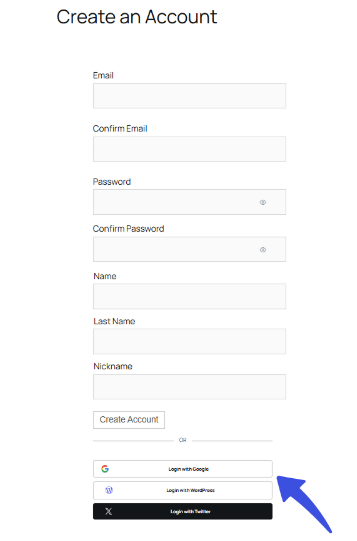
2. Enable Social Logins for Speed
Speed is a core pillar of WordPress growth for SMBs. Social login options, such as “Sign in with Google” or “Login with Facebook, “remove the need for users to manage yet another set of credentials. By reducing the checkout process to a single click, you significantly lower the risk that your WordPress site’s failure to generate leads or sales is due to user frustration.
3. Personalize the Post-Purchase Experience
The strategy shouldn’t end the moment they click “Buy.” Thinking strategically about what to show users after WordPress login can turn a one-time buyer into a lifetime customer. These personalized touches are essential WordPress growth strategies for agencies looking to increase the lifetime value of their clients’ customers.
Consider using role-based redirects to send first-time buyers to:
- A personalized “Thank You” page.
- A limited-time upsell related to their purchase.
- A specialized discount code for their next order.
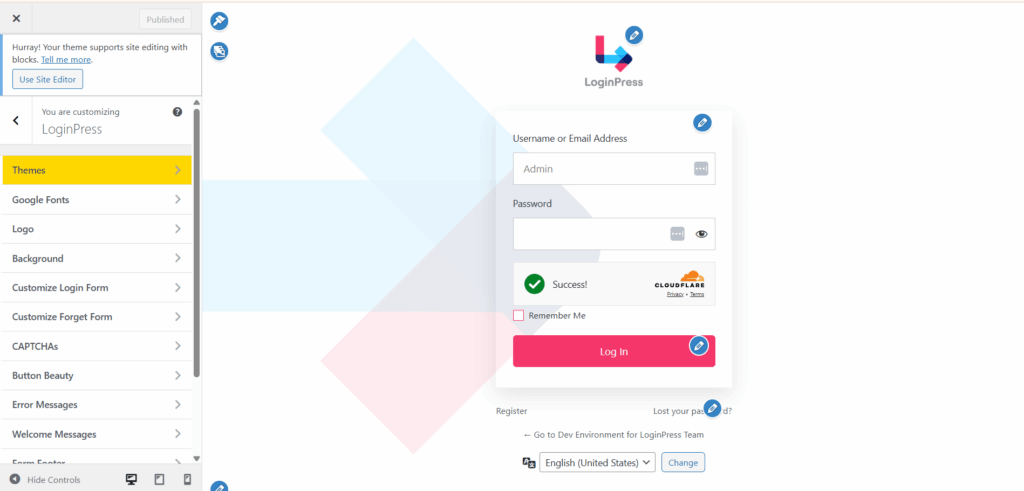
4. Build Trust with Custom Branding via LoginPress
One of the biggest hurdles to conversion is the default, unbranded WordPress login screen. It often looks untrustworthy and disconnected from the rest of your site’s aesthetic. Using LoginPress, one of the best WordPress login customization tools, you can fully align the login and registration experience with your brand.
It ensures a smooth, professional transition from the cart to the login screen. By making the login process feel like a natural, secure part of your brand, you build the necessary trust to encourage users to complete their purchase rather than bounce.
How Can Agencies Prevent Client Confusion and Reduce Support Requests on WordPress Sites?
For digital agencies, the secret to growing a WordPress website for business often lies in what happens behind the scenes. If your team is constantly buried under basic support tickets, you aren’t focused on high-level growth. Client confusion within the WordPress dashboard is a major barrier that can make a WordPress website feel like a failure, even if traffic is high.
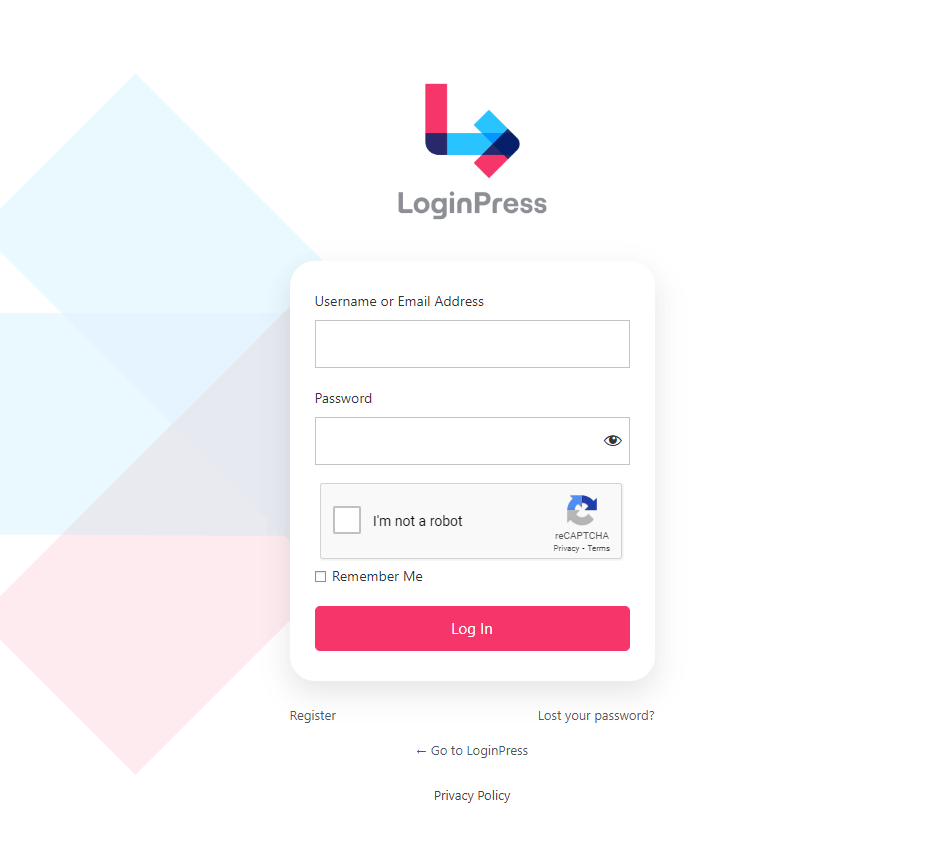
Branded Login Portals Build Professionalism
When growing client WordPress sites, first impressions matter every time a client logs in. A generic WordPress login page feels off-brand and technical. By creating a fully branded login portal, you reinforce your agency’s value. It transforms a standard CMS into a premium, proprietary-feeling platform. This sense of security is a sign of effective WordPress growth strategies for agencies.
Minimize Friction with Restricted Admin Access
A common reason a business website fails to convert is accidental breakage. Clients with too much access might deactivate a critical plugin or break a layout.
To prevent this, agencies should use custom user roles. Restricting the admin view to only essentials, such as blog posting and viewing sales reports, reduces the client’s fear factor. When the interface is clean and straightforward, WordPress for SMBs becomes much easier to manage because clients feel empowered rather than overwhelmed.
Clear Post-Login Instructions and Dashboards
One of the most effective ways to reduce the support load is to plan what to show users after WordPress login. Instead of the default dashboard widgets, provide:
- Video tutorials for everyday tasks.
- Quick-link buttons to support or billing.
- A snapshot of their latest lead generation metrics.
If a WordPress site not generating leads is a concern, seeing a clear “Leads This Month” chart immediately upon login provides peace of mind.
How LoginPress Reduces Friction and Improves WordPress Growth
To effectively prevent friction from blocking conversions, LoginPress provides a set of tools that optimize your site’s login and post-login experience.
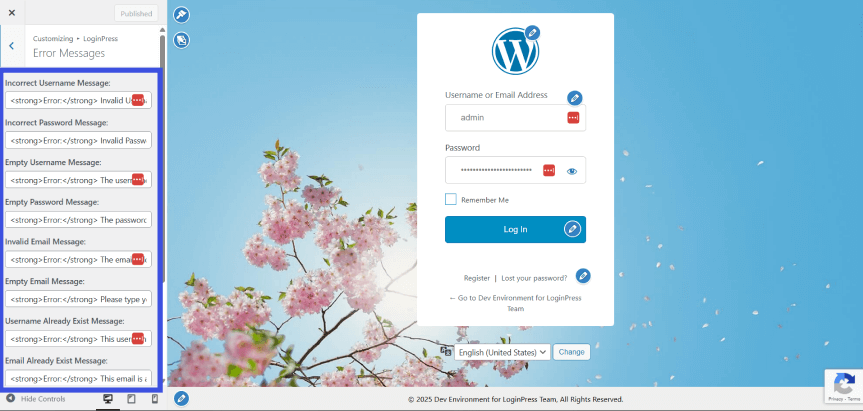
- Customizer Tool: Allows you to build trust and reinforce your brand by aligning the login page with your site’s identity. Custom error and welcome messages guide users and increase engagement.
Using the customizer, you can add custom error and welcome messages, further personalizing the user experience and increasing engagement.
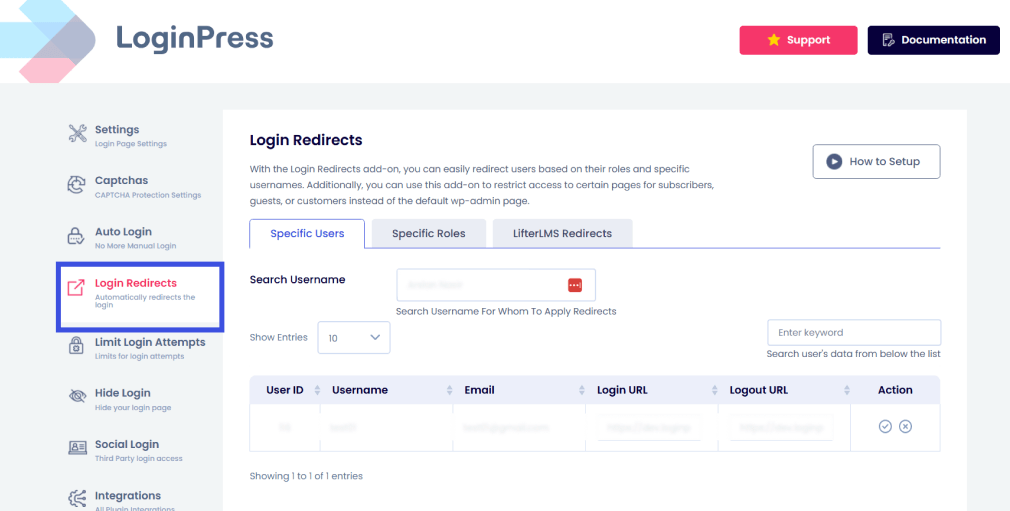
- Login Redirects: Personalize the user journey by sending users to relevant landing pages based on role. This improves retention and ensures users engage with the right content immediately.
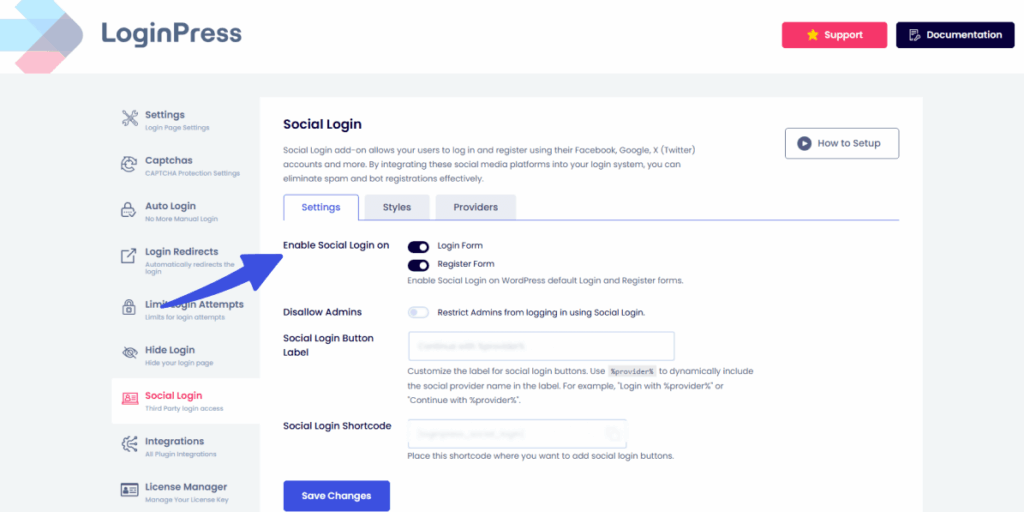
- Social and Auto Login: Reduce friction by allowing users to log in via Google, Facebook, LinkedIn, or auto-login (magic links). This reduces abandoned sessions and forgotten password issues and increases conversion rates.
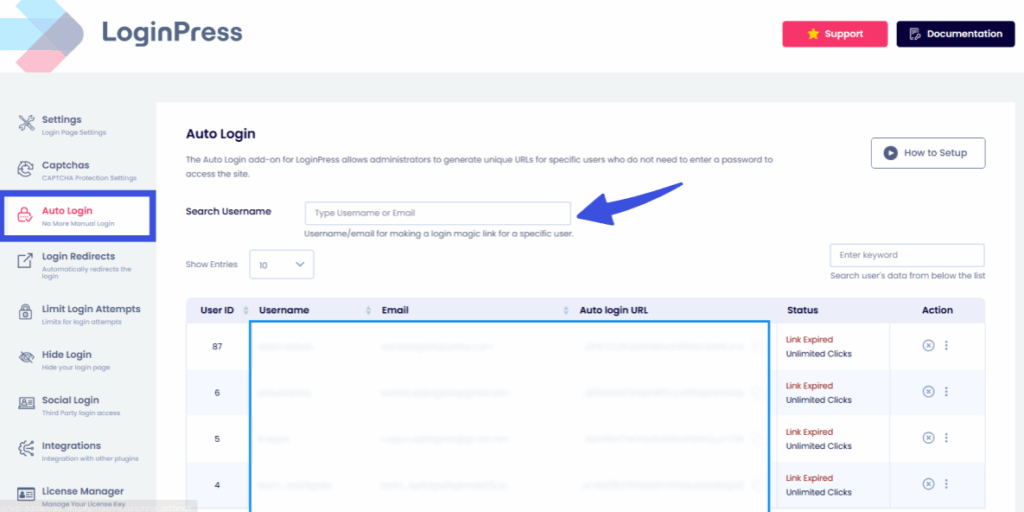
To maintain complete visibility into site access, you can also monitor link history for users who access the site via the auto login feature.
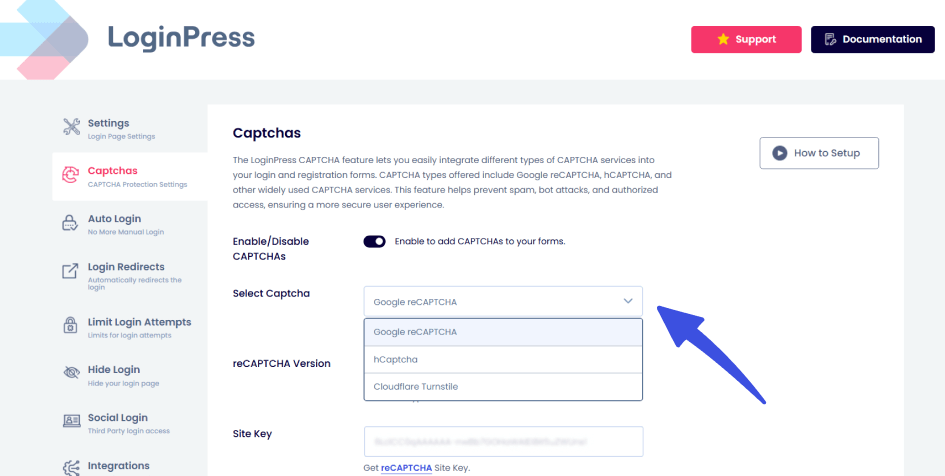
- Add CAPTCHA: Tracks login activity and protects against spam or bots. Actionable insights help optimize engagement and decision-making while keeping your site secure.
Why Do Returning Users Drop Off Instead of Taking Action on My WordPress Site?
Getting a user to return to your site for the second, fifth, or tenth time is a major victory, but if they don’t take a new action, that victory is hollow. Many owners find that their WordPress websites are not growing because repeat visitors often hit a static wall. When a user logs back in and sees the same generic dashboard they saw weeks ago, they lose interest. This lack of progression is a primary reason why a business website that is not converting at higher funnel stages fails to hit its targets.
The Generic Dashboard Problem
For WordPress growth among SMBs, the biggest threat to retention is showing them the duplicate content they’ve seen before. If a returning member is greeted with a generic interface rather than a Welcome Back experience, they feel like just another number in your database.
A dynamic site must evolve with the user. Deciding what to show users after WordPress login on their tenth visit should be fundamentally different from what they saw in earlier sessions. Without showcasing new value or showing progress, the user has no reason to click deeper, so the WordPress site isn’t generating leads from your most loyal audience.
How to Utilize Personalized Dashboards
To maintain momentum, you must transform your site into a dynamic tool that recognizes user history. When growing client WordPress sites, agencies should prioritize progress-based dashboards that highlight:
- Activity Milestones: Showing the user how far they’ve come in a course or project.
- New Content Surfacing: Automatically pushing the latest articles or tools relevant to their specific interests.
- Reactivation Prompts: Reminding users of features they haven’t used in a while to keep them engaged.
By showing users a path forward rather than a static landing page, you turn a passive login into an active session.
Upsells, Cross-Sells, and Reactivation
Returning visits are the perfect high-intent moments for revenue growth. Effective WordPress growth strategies for agencies involve using the post-login space for targeted upsells and cross-sells. If a customer has already purchased a basic tier, their login redirect should point to a dashboard highlighting the benefits of an upgrade or a complementary service.
Maintaining Momentum with LoginPress
Sustaining long-term interest requires a technical setup that remembers the user. LoginPress excels here by allowing you to manage role-based redirects that cater to the returning user’s journey. Instead of a one-size-fits-all approach, it ensures that your repeat visitors are funneled toward new opportunities, specialized promotions, or account renewals.
By automating these “Welcome Back” transitions, you eliminate redundancy in the login process and create a clear path to conversion.
How Can I Identify the Exact Points Where Users Drop Off?
Most growth efforts fail because they are based on guesswork. If you don’t know where your users are getting stuck, you are likely wasting your budget on ineffective campaigns. Identifying these leaks is the first step in learning how to grow a WordPress website for business with precision.
When a WordPress website is not growing, it becomes a chronic issue, and the data usually holds the answer. You need to move beyond general traffic stats and look at the micro-moments of failure.
To help you pinpoint exactly where your site is losing money and momentum, here is a deeper look into the four critical steps for diagnosing user drop-off.
Step 1: Track Failed Logins and Redirect Errors
Many site owners never realize their login page is a significant source of friction. A high volume of failed login attempts often indicates that your password recovery process is broken or that your security settings are too aggressive. If a user tries to log in three times and fails, they aren’t just annoyed; they are likely gone for good.
Furthermore, redirect errors, in which a user successfully logs in but is redirected to a broken “404 Not Found” page, are silent killers. If your WordPress website is not growing despite high traffic, the issue is likely hidden in these technical blind spots.
To solve this, you need a way to visualize these failures. This is where Analytify becomes a critical part of your toolkit, by using Analytify to track 404 errors and broken redirect patterns directly within your WordPress dashboard.
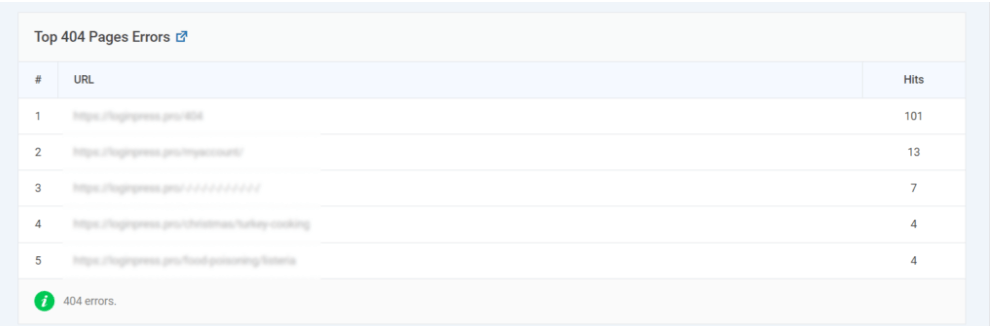
With the overview dashboard, you can see exactly when and where a user’s journey was cut short. Instead of guessing why users are leaving, you can see the specific pages that are triggering errors immediately after a login attempt.
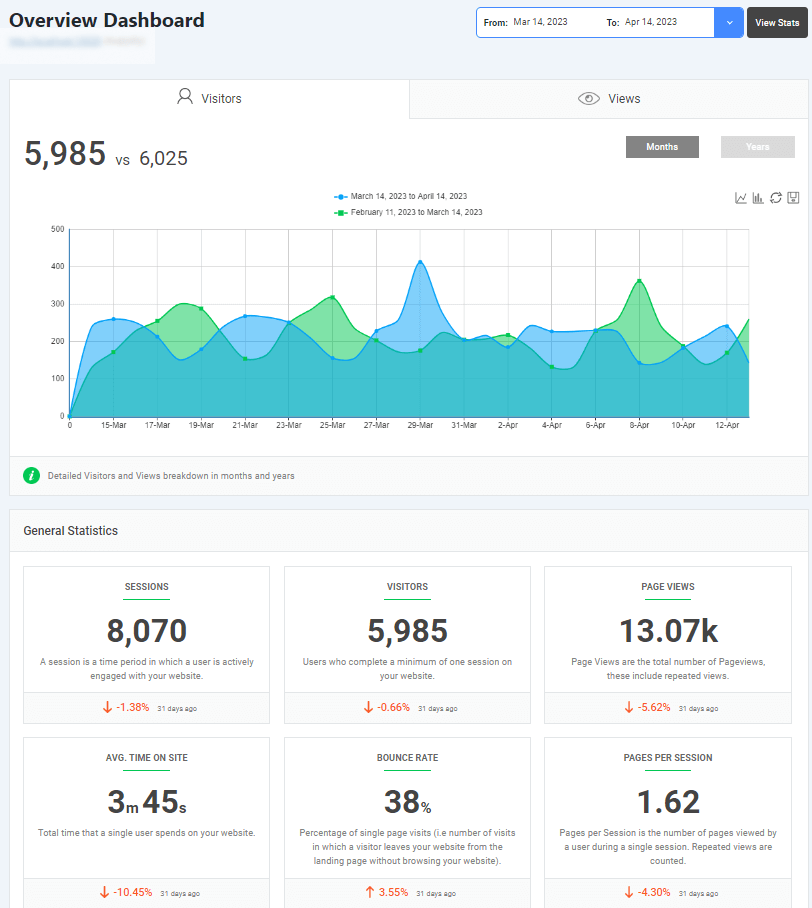
Tracking these technical failures allows you to fix barriers before they permanently damage your brand’s reputation. For agencies, providing a monthly Login Health Report powered by Analytify data is a smart way to justify technical maintenance fees and show clients exactly how to grow a WordPress website for business by maintaining a flawless technical infrastructure.
Step 2: Measure Abandonment by User Type
Not all drop-offs are the same. To grow a WordPress website for business, you must segment your data to identify who is leaving and when they leave.
- New Visitors: Are they abandoning the checkout because the registration form is too long? This is a classic case of a business website not converting due to poor UX.
- Existing Members: Are they logging in but failing to interact with your premium content? This suggests a lack of direction.
- Subscribers: Are they dropping off immediately after authentication? This usually means you need to rethink what to show users after WordPress login.
Understanding these specific patterns is essential for WordPress growth for SMBs. It helps you determine if you have a top-of-funnel traffic problem or a bottom-of-funnel retention problem.
Step 3: Use Data to Prioritize High-Impact Fixes
Data should be the primary architect of your development roadmap. Instead of wasting hours on aesthetic tweaks, focus on the bottlenecks that directly impact your revenue. For example, if your analytics show that 70% of users drop off during checkout, fixing that flow is a much higher priority than updating your sidebar widgets.
Implementing these data-driven WordPress growth strategies for agencies ensures that every billable hour delivers a measurable ROI for the client. When you can show a client that a specific fix led to a 10% increase in successful logins, you prove your value as a growth partner, not just a web developer.
Frequently Asked Questions
Why is my WordPress website not growing despite having consistent traffic?
If you see a steady stream of visitors but your revenue remains flat, you are likely dealing with a “leaky bucket” syndrome. A WordPress website that is not growing in conversions often suffers from high-friction touchpoints, such as a complicated checkout process or a confusing login area. Even the most successful SEO strategy won’t help if your business website is not converting traffic into actionable leads. To fix this, you must analyze the user journey and remove any technical or psychological barriers that cause users to drop off before completing a goal.
What are the most effective WordPress growth strategies for agencies to implement for clients?
For professionals focused on growing client WordPress sites, the most effective strategies move beyond simple plugin updates and theme tweaks. Top-tier WordPress growth strategies for agencies focus on “User Experience Optimization” (UXO). This includes implementing branded login portals to build trust, setting up role-based redirects to ensure clients see relevant data immediately, and using advanced analytics to track failed login attempts. By streamlining the “behind-the-scenes” experience, agencies can reduce support tickets and prove a higher ROI to their clients, positioning the website as a high-performance business tool rather than a static brochure.
Why is my WordPress site not generating leads even though I have great content?
Content is the hook, but the user experience is the closer. A WordPress site that fails to generate leads often fails at the point of commitment. The moment a user is asked to sign up, log in, or provide information. If your registration forms are too long or your login page looks untrustworthy and generic, users will abandon the process. To improve WordPress growth for SMBs, simplify these entry points by using social login options and ensuring the transition from content to conversion is seamless. High-quality content attracts visitors, but a frictionless UX converts them into long-term leads.
What should I show users after they log in to my WordPress business site?
Deciding exactly what to show users after WordPress login is the difference between a high-retention site and a high-churn site. Dumping every user onto a generic WordPress dashboard or a static homepage is a missed opportunity for engagement. Instead, you should use role-based redirects to land users on a personalized dashboard tailored to their needs. For a customer, this might be their recent orders and personalized discounts; for a student in a membership site, it should be the “Continue Learning” button for their latest course. Providing immediate, relevant value the moment they authenticate is a core pillar for growing a WordPress website for business.
Final Words
WordPress growth doesn’t fail at traffic; it fails at moments of hesitation. An optimized login requires a seamless user journey. From low membership retention and high cart abandonment to client confusion and lack of data, the obstacles to WordPress growth for SMBs are often hidden in plain sight. When your WordPress website isn’t growing, it is usually a sign that friction has replaced flow.
To turn things around, your strategy must be actionable:
- For Memberships: Use role-based redirects to ensure users find value immediately.
- For E-commerce: Implement social logins to prevent a business website from failing to convert at the finish line.
- For Agencies: Use branded portals and restricted access when growing client WordPress sites to reduce support tickets.
- For Retention: Carefully design what to show users after WordPress login to keep them engaged.
Mastering how to grow a WordPress website for business is about creating a personalized, professional, and data-driven environment. With the LoginPress login customizer plugin, LoginPress serves as the backbone of this transformation, providing the customization and analytics needed to implement advanced WordPress growth strategies for agencies.
For more information on login optimization, check:
- Modern WordPress Login UX Patterns (What Users Expect
- Optimize WordPress Login Redirects for SMBs and Agencies (Detailed Guide)
Now that you’ve identified the friction points in your user journey, which one will you fix first to unlock your site’s full potential?