Who Should Use LoginPress?

LoginPress is a powerful plugin designed for WordPress websites that allow users to customize the login page with various branding and security features.
It is a useful tool for website owners, web developers, web designers, freelancers, and agencies who want to create a unique and secure login experience for their users.
In addition, it’s useful for websites that require users to log in, such as membership sites, online stores, or e-learning platforms.
By customizing the login page with LoginPress, you can provide a more secure and professional-looking login experience that instills confidence in your users.
In this knowledge base, we’ll see who should use LoginPress.
So without much ado, let’s get started!
Why Do You Need to Use LoginPress?
The default WordPress login form is pretty simple. It typically includes two fields, i.e., one for the user’s username or email address and another for the user’s password.
There is also a checkbox option for users to remember their login information for future use.
Customizing the default WordPress login page makes it consistent with your website designs, such as the perfect brand logo and a background that tells who you are.
You can manually customize your login page, which involves complex coding and demands a lot of time to complete the job.
But it’s much easier with a plugin like LoginPress, where you are not supposed to touch complex coding to make it look exactly how you want.
The point worth noting is that you can customize the login page straight from the WordPress admin dashboard.
A live preview option helps you keep track of the customization before making it live.
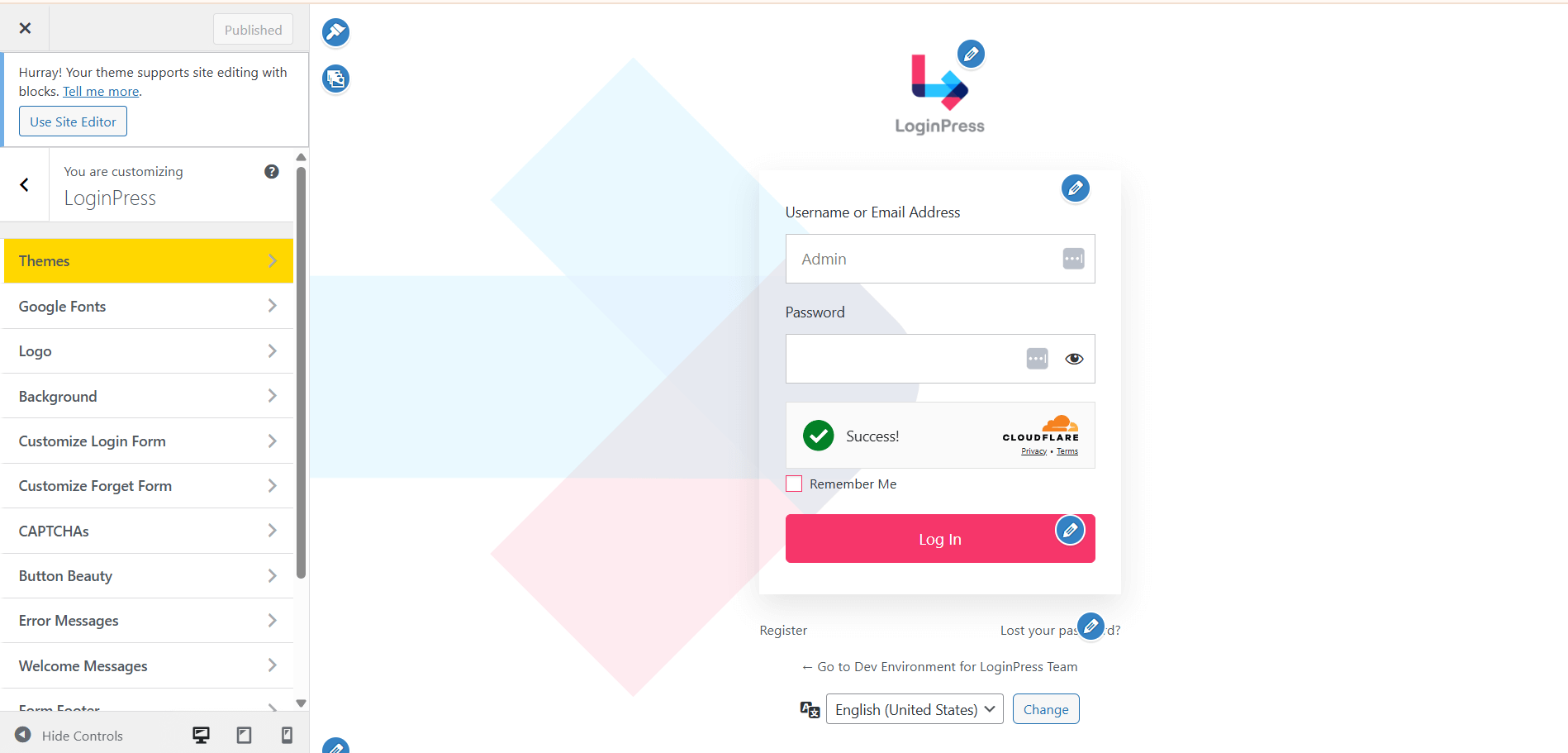
Who Should Use LoginPress?
LoginPress is a beginner-friendly login page customizer plugin. It has customization and security features, making it a must-have plugin for all website owners who want to create a more personalized and branded login experience for their users.
Here we’ve curated a list to help you find out how LoginPress best suits you to customize your login page:
1. Customize the Look and Feel of the WordPress Login Page
LoginPress is the best option for website owners who want to add custom branding to the login pages to match the client’s brand identity.
They can add a custom logo, background, theme, and more.
You can bring changes to the Log In button and customize the error and welcome messages for the login page.
It offers a custom CSS/JS feature that lets you add desired functionality to the login page without hurting the theme.
2. Add Security to the WordPress Login Page
LoginPress is the perfect solution for those looking to increase their site’s security. Upgrade to LoginPress Pro and start using the amazing features that uplift your site’s security, including:
- Session Expire Time: LoginPress lets you customize the session expiration time if you want the users to log out of your site only when they want to. It slows down the chances of security attacks on your site.
- reCAPTCHA: LoginPress helps you add reCAPTCHA to the login form. It shields your WordPress site against bots and other malicious software.
- Limit Login Attempts: WordPress has no restrictions on login attempts by default. It can result in a security attack on your site. The LoginPress Limit Login Attempts Add-on comes forth to help you revert the default behavior. It limits the number of login attempts to gain access to your site.
- Hide Login: WordPress has a default URL for the login page. It looks like www.website.com/wp-admin/ or www.website.com/wp-login.php. The hackers can easily reach your site if they manage to guess your login credentials. LoginPress brings the Hide Login Add-on to enable you to make it something only you know. It’s the best way to outsmart the hackers.
3. Add Social Login To Your Login Page
LoginPress is the best choice if you want to add social logins, i.e., Facebook, Google, Twitter, and more, to your WordPress site.
LoginPress Pro has a Social Login Add-on that lets you integrate Facebook, Google, LinkedIn, and Twitter into your WordPress login form.
It helps users to log in or register to your WordPress site in no time using their social media accounts.
It’s the best way to boost signups to your site, as they do not need to fill out the default WordPress login or registration form for authentication.
4. Smart Redirection For Users
LoginPress Pro has a Login Redirects Add-on that can redirect users to a custom page after they log in/log out of your WordPress site.
To set up the redirect feature in LoginPress, go to the “Login Redirects” or “Logout Redirects” tab in the plugin’s settings.
From there, you can choose whether to redirect users to a custom URL or a specific page on your website. Redirection can be made based on the user’s role.
5. Add A Custom Login Widget
LoginPress has a Login Widget Add-on that enables you to add a login widget to any page or post on your WordPress website.
It lets you provide users with a convenient way to log in to your site other than the traditional way.
Note: LoginPress has added basic styling to the Login Widget. However, you can customize it best fil your site if you know HTML/CSS.
Overall, using LoginPress to add a login widget to your website can provide a more seamless and convenient user experience and help you increase user engagement and retention.
That’s it! We hope you understand what LoginPress is and who should use it.
If you have any doubts or questions related to this matter, please don’t hesitate to contact our support team.