How to Build a Lead Generation Landing Page That Converts (Best Examples)

A lead generation landing page converts best when it has one offer, one short form, and a headline that matches the ad or link that sent the visitor there.
This guide covers what makes a lead generation landing page convert, the design tips that work, and what visitors should see right after they submit the form.
Lead Gen Landing Page Design Tips (TOC):
What Is a Lead Generation Landing Page?
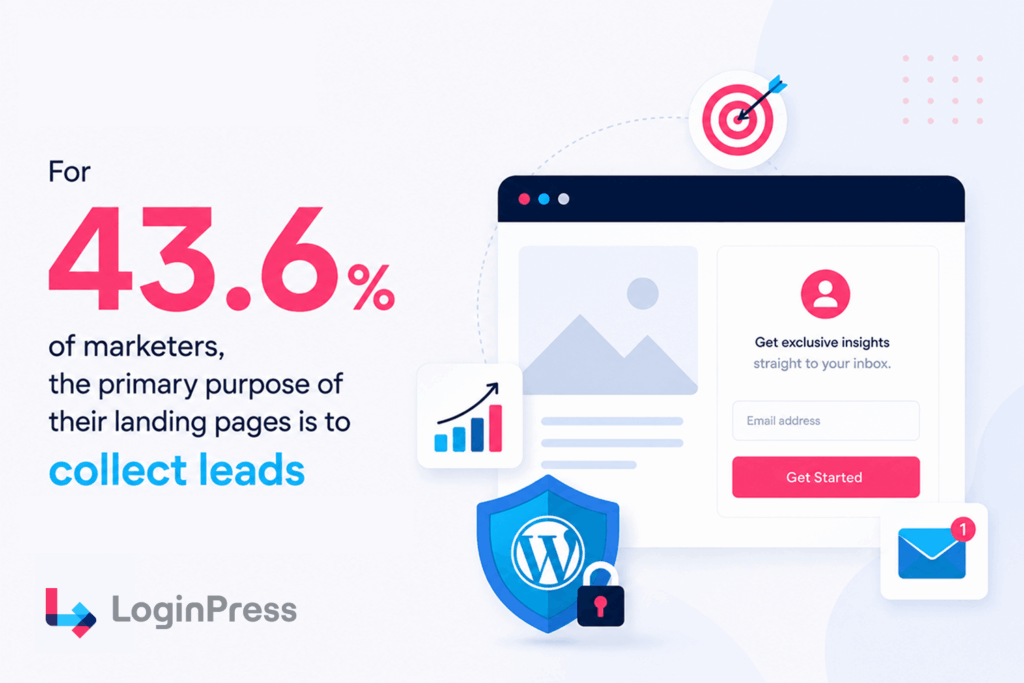
A lead generation landing page is a standalone page built around a single goal. It collects a visitor’s contact information in exchange for a valuable offer, such as a free trial, a downloadable resource, or a consultation.
A typical homepage serves many different audiences with dozens of competing links. In contrast, a high-converting lead-gen landing page features only one offer, one form, and one clear call to action.
According to Hostinger’s landing page benchmarks, Business sites with 10-15 landing pages generate 55% more customers than those with fewer than 10 pages.
Let’s explore why creating this specific layout separation matters for your business.
Why Does a Lead Generation Landing Page Matter?
A dedicated lead generation landing page matters because it removes the usual distractions found on a homepage. There are no navigation menus, extra offers, or competing links. Visitors can either take action or leave.
This focused layout helps you get more value from your marketing budget. It also keeps your message consistent between your ads and your landing page.
If your ad highlights a specific offer, your landing page should display that same offer immediately.
One prominent case study was KlientBoost’s work with B2B client Docket to build landing pages tailored to their needs. As a result, conversions went up by 68%.
Keeping a consistent look and message across your whole site is important. If you use WordPress for membership or registration pages, you need to ensure the experience remains smooth even after someone submits a form.
LoginPress can help by letting you customize your registration screens. This keeps your brand consistent from the first ad click through to the setup of a user profile.
| Plugin | Key Feature | Free Version | Ease of Setup |
| LoginPress | Complete login page visual branding customizer | Yes | Instant WordPress customizer integration |
| Generic Form Builder | Collects user email entry fields | Yes | Requires manual shortcode placement |
| Default WordPress Solution | Standard unbranded system login portal | Yes | No setup needed, but breaks visual identity |
Matching your ad message to your headline builds a solid foundation for conversions. However, several other precise design details dictate whether a visitor fills out your lead capture form.
Let us review the top strategies to maximize your signup volume.
What Are the Best Design Tips for a High-Converting Lead Gen Landing Page?
The best lead-generation landing page examples share a few traits: a headline that matches the offer, a value exchange that’s clear within seconds, social proof placed near the form, and a single CTA repeated at natural points down the page. These patterns also explain why the best landing pages for lead generation outperform pages that skip them.
An example of a lead-generating landing page is Backlinko’s newsletter landing page. It strips the page to one headline, one email field, and a soft CTA, backed by a 180,000+ subscriber count and recognizable logos.
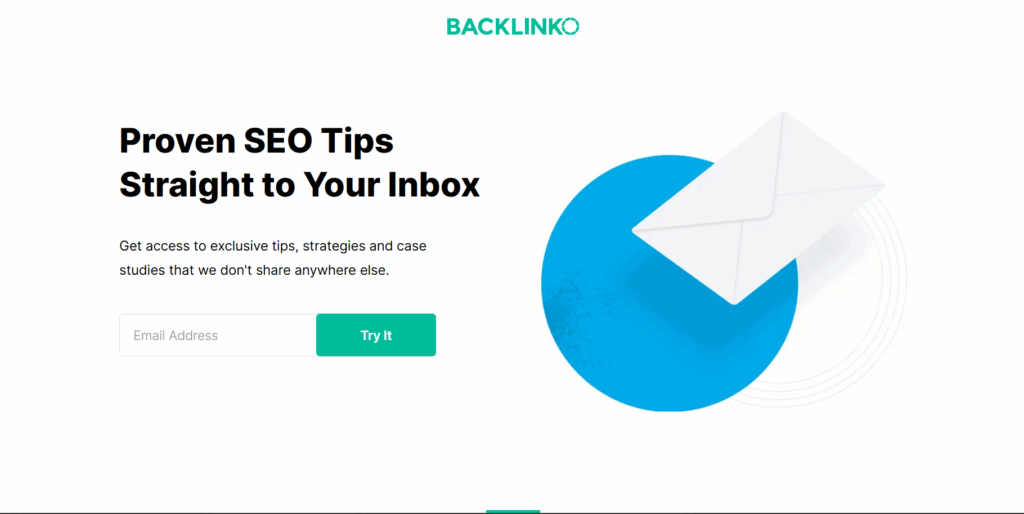
This means that when the ask is small, the page can be almost entirely white space and still convert.
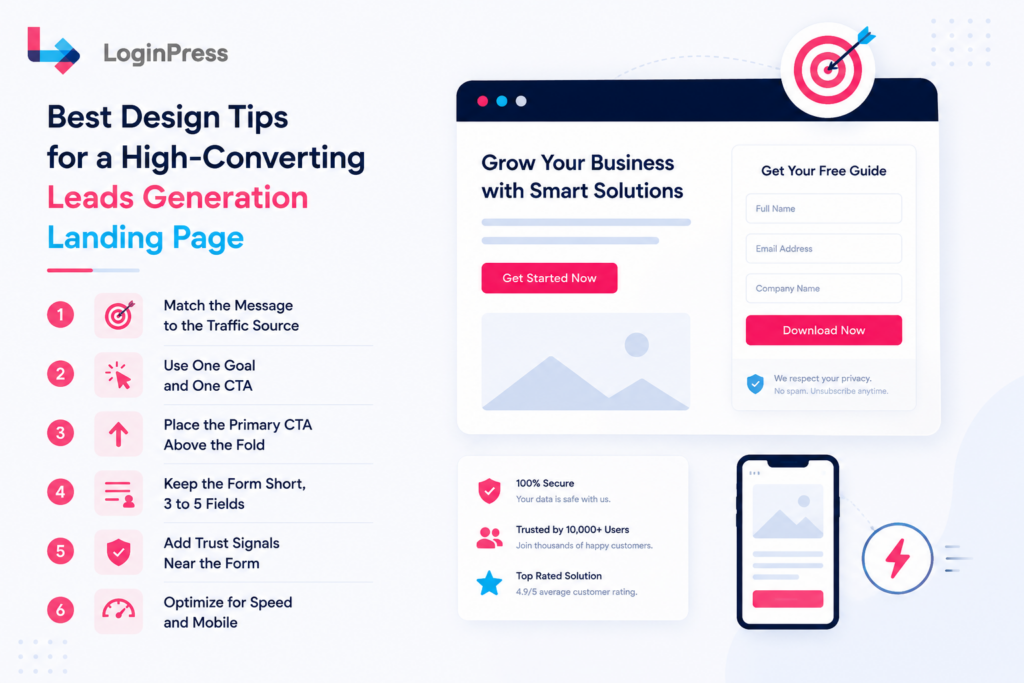
These core components transform standard layouts into high-converting lead generation landing pages. Let’s explore these best design tips now:
- Match the Message to the Traffic Source
Your landing page headline must match the exact promise made in your promotional ad or email. For example, an ad promising a “Free Marketing Audit” that leads to a generic page titled “Our Services” causes immediate confusion.
Visitors bounce instantly because the layout breaks their trust. You must write your primary headline using the exact phrase from your marketing campaign before creating any other supporting body copy.
- Use One Goal and One CTA
A successful lead-gen layout focuses on a single core conversion target. Offering a webinar signup, a newsletter box, and a live product demo simultaneously dilutes user focus. You should repeat the exact same call-to-action text at multiple scroll intervals down your layout.
What you need before starting your layout structure:
- One clear, high-value primary offer.
- Identical button text across the page.
- Zero secondary external navigation links.
- Place the Primary CTA Above the Fold
Visitors must see your main conversion action button immediately, without having to scroll down the page.
For example, a software sign-up page should clearly present its button within the main top hero layout. You must test this view on standard mobile frames, such as a 390px viewport width. Mobile traffic often makes up over half of your incoming link clicks.
- Keep the Form Short, 3 to 5 Fields
Shorter lead capture forms achieve better conversion rates. Recent studies done by Tinyform revealed that complex forms with more than 5 fields show a dramatic increase in abandonment rates, reaching up to 68%.
Asking for excessive corporate data during the initial interaction also adds massive friction.
According to Omnisend research, conversion rates dropped considerably if there are more than three fields.
| Form Fields | Expected Friction Level | Conversion Impact |
| 1 to 2 Fields | Extremely Low | Maximum signup volume |
| 3 to 4 Fields | Moderate | Balanced lead data quality |
| 5+ Fields | High | Severe form abandonment rates |
Your standard form optimization process:
- Ask only for names and email addresses by default.
- Add one extra field only if it alters your direct follow-up process.
- Move secondary question fields to an onboarding sequence after registration.
5. Add Trust Signals Near the Form
Placing social proof directly within your form’s field of view increases submission rates. Ubounce’s data suggests that pages with social proof copy have an average conversion rate of 12.50%.
You can display customer brand logos or high-authority review metrics right next to your submission box. Include an authentic, quantitative quote highlighting a clear user victory.
Add a concise data-privacy reassurance statement below the main button to eliminate hesitation about submitting.
6. Optimize for Speed and Mobile
Slow loading times destroy your advertising conversion performance. Heavy layout code or uncompressed graphic banners make users leave before your headline even appears. You must compress all large hero backdrop graphics to conserve bandwidth.
Hostinger’s landing page statistics showcase that mobile platforms accounted for 62.54% of global website traffic.
Test your operational page load speeds over throttled mobile connections rather than fast company wireless networks. Google’s page experience guidelines explicitly state that your site must be fully mobile-friendly.
Analyzing layout archetypes helps clarify how these best practices function in live environments.
Let us review what the best lead generation landing page examples have in common.
What Do the Best Lead Generation Landing Page Examples Have in Common?
The best lead generation landing page examples have three things in common: one clear offer, one short form, and proof placed next to the button.
To learn more about boosting conversions through landing pages, check out our detailed guide: Top 10 Landing Page Best Practices for More Conversions (2026).
| Example Type | What It Does Well | Takeaway |
| Free trial signup page | Leads with the action above the fold. Couple a value statement with a minimal form. | The offer and form are visible together. |
| Gated ebook download page | Shows a clear visual preview of the guide. Uses a benefit-driven bullet list. | Visuals make the value exchange concrete. |
| Webinar registration page | States the topic, date, and time clearly. Employs urgency framing with limited spots. | Explicit logistics drive faster user signup decisions. |
Some hypothetical use cases for landing pages and how they work best are:
A software free trial landing page works best when it keeps visitors focused on signing up. According to industry benchmarks by Involve.me, landing pages have an average signup conversion rate of 23%, higher than any other type of opt-in form (pop-ups, slide-ins, etc.).
The main registration field sits directly below a headline highlighting the main benefit. This way, people see both the value and how to get started at the same time.
A strong ebook download page makes the exchange feel valuable right away. It shows a clear preview of the cover and lists three quick benefits. This approach helps the guide feel real before someone enters their email.

Quick Tip: Motivate customer action by framing your products and services as solutions to common client problems.
A course registration page needs to make the schedule clear right away. At the top, it shows the date, time zone, and speaker details next to a simple two-field form. This setup answers all the key questions, so visitors are less likely to leave.
Here are the common features of the best lead generation landing pages:
- A clear headline that uses the exact keywords your audience is searching for.
- A brief form that asks for no more than three pieces of information.
- Prominent review star ratings are placed near the submit button.
Getting the look and layout of your page right is a big part of marketing success. But your work should not end once someone clicks the submit button.
Let us explore what should happen after a user converts on your landing page.
What Should Happen After Someone Converts on Your Landing Page?
When someone fills out a lead-generation form, the next screen should match your brand’s look and feel. If it suddenly switches to a plain or unbranded page, it can feel jarring and break trust.
Many optimization guides focus only on the landing page itself, but what happens after matters just as much. If your landing page looks great but the login screen feels disconnected, you risk losing new users. This small moment can decide whether your leads become active users.
To keep your brand experience consistent, you need to address four key areas where users might face friction after signing up.
According to landing page usage statistics, 44% of B2B companies still direct their paid ad traffic to a generic home page rather than a dedicated landing page.
1. Customizing Screen Visuals
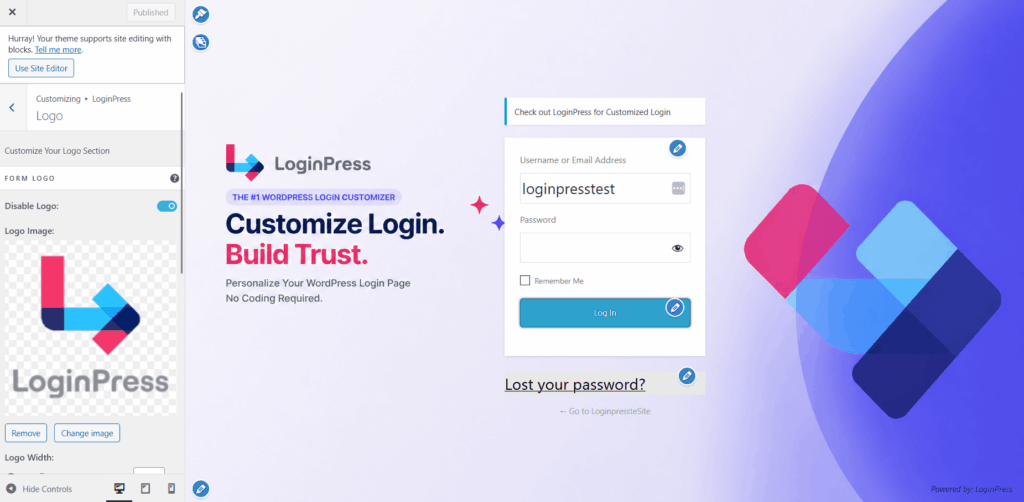
You must style your core login and registration layout portals to match your initial landing page style sheet. LoginPress lets you instantly replace the default WordPress logo icon with your own company graphic.
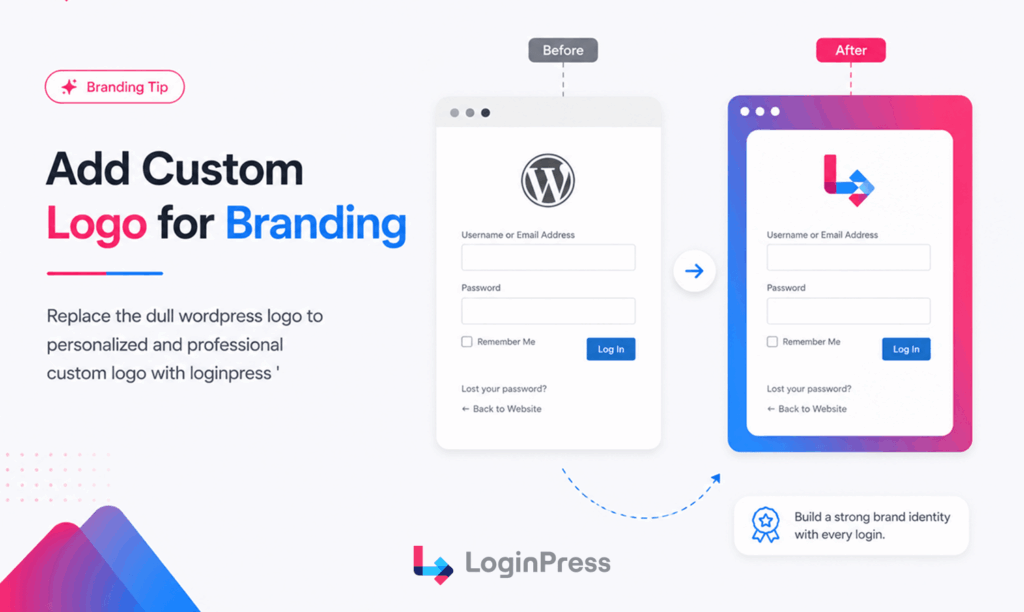
You can adjust the background colors and button styling settings within the native WordPress customizer panel. Keeping colors identical prevents users from feeling anxious during account creation steps.
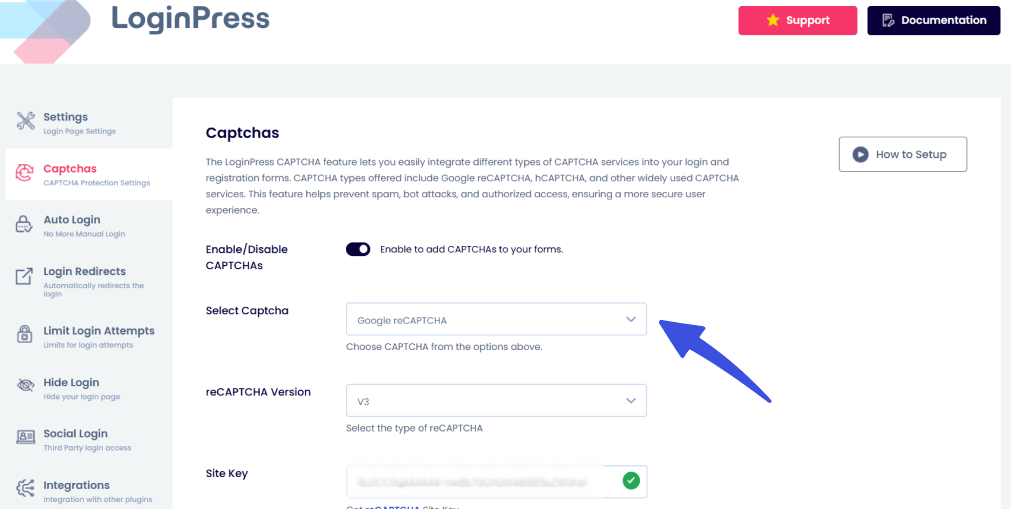
2. Protecting Signups with reCAPTCHA
Unprotected signup forms attract malicious automated scripts that ruin your metric dashboard tracking accuracy. LoginPress Pro addresses this problem by integrating security verification checkmarks or CAPTCHAs into your access forms. Activating this defensive feature keeps your core mailing list accurate and free from spam accounts.
3. Activating Social Login Paths
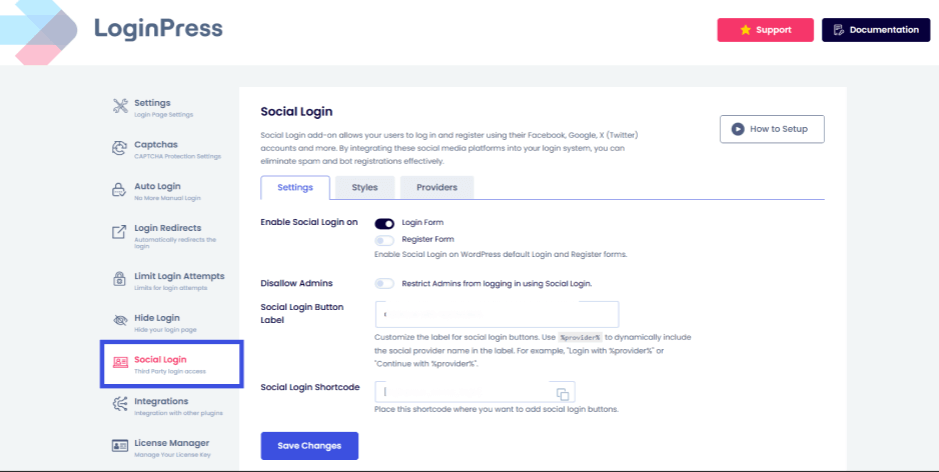
Many users prefer faster signup options that reduce manual form entry. LoginPress Pro Social login add-on includes a dedicated system to bypass this technical hurdle.
Visitors can sign up or log in using existing credentials from major social media accounts. Eliminating manual input fields drops drop-out rates.
4. Setting Custom Login Redirects
New subscribers should never look at a confusing default backend administrative dashboard panel. The LoginPress Pro Login Redirects add-on routes specific user roles to custom landing points automatically.
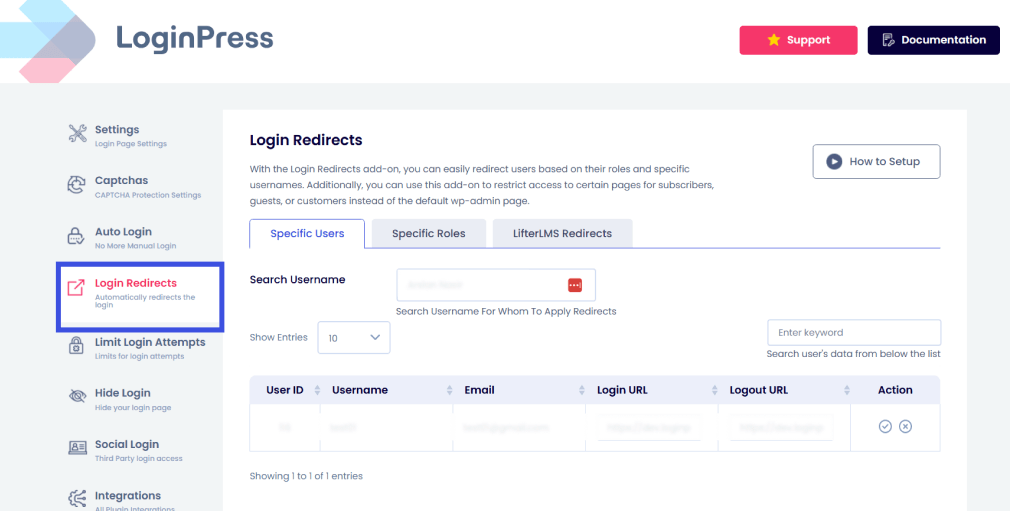
You can send new members straight to a targeted onboarding video page or a custom downloads folder based on their assigned system clearance level.
| Experience Type | Layout Branding | Spam Security Features | Post-Login User Flow |
| LoginPress Solution | Full logo and custom color integration | Advanced reCAPTCHA bot defense | Role-based custom page routing paths |
| Standard Setup | Default unbranded system display layout | Zero native automated spam protection | Forces all users into the main admin panel |
Track Your Landing Page Performance with Analytify
You cannot optimize what you do not measure. While building a stunning landing page is a great first step, you need clear data to see if your efforts actually yield results.
Analytify brings your Google Analytics data directly into your WordPress dashboard. This removes the hassle of jumping between tabs to check your metrics.
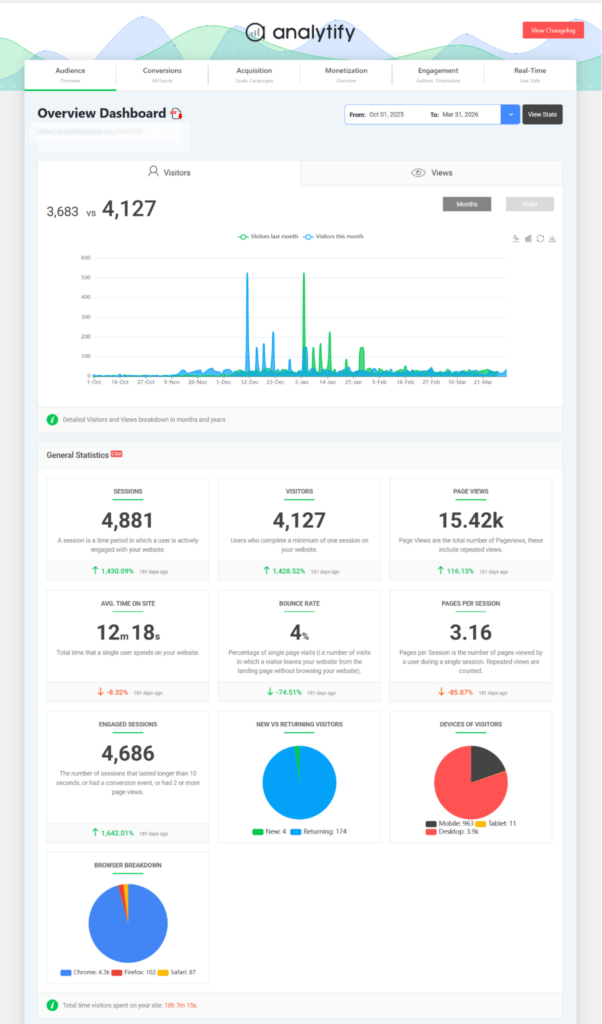
With this integration, you can instantly see which campaigns, traffic sources, and landing pages drive the most form completions.
Get Analytify to Track Your Stats
Frequently Asked Questions
What should a lead generation landing page include?
At minimum, a lead generation landing page should include a headline that matches the traffic source, a clear value proposition, social proof such as testimonials or logos, a short form with 3 to 5 fields, and a single, benefit-driven call to action. The best pages also include a visual of the offer and trust signals positioned near the form.
What is the average conversion rate for a lead generation landing page?
Most lead generation landing pages convert between 2% and 5%. High-performing pages with strong message match, short forms, and clear CTAs can reach 10% or more. If a page is converting well below 2%, the most common causes are a message mismatch with the traffic source, a form that asks for too much information, or a slow page load time.
Should a lead generation landing page have a navigation menu?
No. A lead generation landing page should remove the main site navigation so visitors have only one path: convert or leave. Any links beyond the primary CTA, including a navigation menu, give visitors a way to leave the page without converting, which reduces the page’s overall conversion rate.
How many form fields should a lead generation landing page have?
Three to five fields is the sweet spot for most lead generation landing pages, typically name and email at minimum, with one optional qualifying field if it directly affects follow-up. Reducing a form from 11 fields to 4 has been shown to increase conversions significantly, since each additional field adds friction and a reason to abandon.
What happens after someone fills out a lead generation form?
After someone fills out a lead generation form, they are typically shown a thank-you page or, for offers like free trials and member areas, taken into an account creation or login step. This next screen should match the branding and tone of the landing page, since a jarring or generic screen immediately after conversion can undercut the trust the landing page just built, especially for signups that lead into an account.
Final Thoughts
A high-converting lead generation landing page matches its message to the traffic source, keeps the form short, and builds trust near the CTA.
However, your user conversion journey does not end at the form submission button. What a new lead sees in the next few seconds matters just as much for long-term user retention.
Take these next steps to fix your funnel friction:
- Audit your landing page against message match, single CTAs, above-the-fold placement, form length, trust signals, and speed metrics.
- Review your active user signup or login screens to see if they match your core frontend branding assets.
- Install LoginPress to brand your system entry portal and add active reCAPTCHA protection to keep your databases clean.
That is all for this post. For more related posts, check:
- WordPress Login UX Mistakes That Hurt Trust (And How to Fix Them)
- 10 Custom Login Page WordPress Design Ideas That Actually Convert
Which part of your landing page signup flow will you audit first? Let me know in the comments below!