Modern WordPress Login UX Patterns (What Users Expect)

The seven modern WordPress login UX patterns are a custom login page design, social login buttons, smart redirects, friction-free onboarding, balanced security, mobile-first and accessible design, and ongoing measurement. Users expect a fast, branded and simple login, and a generic WordPress login screen loses them before they sign in.
In this post, I will show you each pattern and how LoginPress helps you move from the default login to a modern one.
WordPress Login UX (TOC):
What is Modern WordPress Login UX
Modern WordPress login UX focuses on a smooth path from visitor to signed-in user, balancing professional design with efficient functionality.
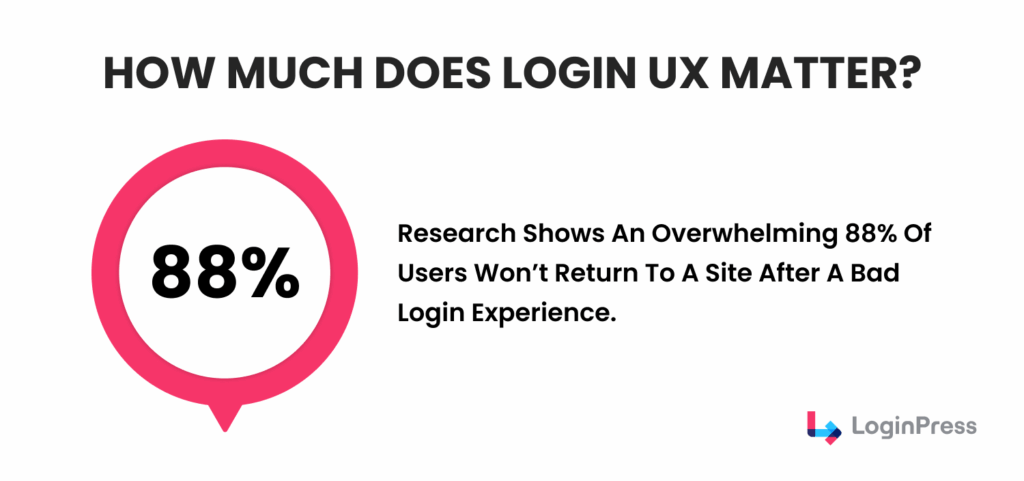
To improve the WordPress login experience, prioritize these three pillars, because any hesitation during login means the design has failed.
- Optimized Speed and Performance: High-speed loading is the foundation of WordPress login UX. In an era of instant gratification, even a minor delay can lead to a “bounce,” where the user leaves the site entirely. A fast-loading login page demonstrates technical reliability and respects the user’s time.
- Reduced Interaction Friction: Modern login forms should eliminate every unnecessary step. Each additional input field acts as a barrier to entry. By asking only for essential information, you reduce the mental effort required of the user, thereby increasing login success rates.
- Mobile-Responsive Design: With the majority of web traffic originating from mobile devices, a “mobile-first” approach is mandatory. This means ensuring that buttons are large enough for touchscreens, that text is legible without zooming, and that the layout scales perfectly to any screen size.
To stay competitive, your login strategy must align with evolving user expectations and UX patterns:
- Consistent Brand Identity: The current WordPress login page design emphasizes brand continuity. A login page that retains your site’s specific colors, logo, and style builds immediate trust. It reassures users that they are in a secure, professional environment rather than a generic backend.
- The Rise of Social Authentication: Users now expect “one-click” access. Integrating social logins (such as Google, Apple, or LinkedIn) is a standard requirement. This allows users to bypass password management entirely, thereby increasing engagement.
- Simplified Security Protocols: In 2026, security should be strong but invisible. Instead of complex puzzles or impossible password requirements, modern sites use smart security measures such as magic links or biometric prompts. This ensures the site remains safe without frustrating the user.
7 Modern Login UX Patterns for WordPress Sites
These are the seven modern login UX patterns for WordPress sites:
1. Custom Login Page Design in WordPress
A generic login page looks suspicious to the modern user. Login page design WordPress trends for 2026 focus on consistency. When your login page matches your site’s colors, logo, and typography, user trust increases significantly.
LoginPress is a login design customization plugin avaliable on WordPress. It ensures that customizing and securing your first gateway is easy for non-technical people. With just a few clicks, you can customize your own login page with full site branding and security enhancements.
How LoginPress helps:
- Pre-built Templates: Choose from professionally designed layouts that instantly improve the WordPress login experience.
- Deep Customization: Easily change backgrounds, button styles, and logo placement without touching a single line of code.
- Brand Alignment: Ensure your login screen is an extension of your marketing, not an afterthought.
2. Enhancing User Experience with Social Login Buttons
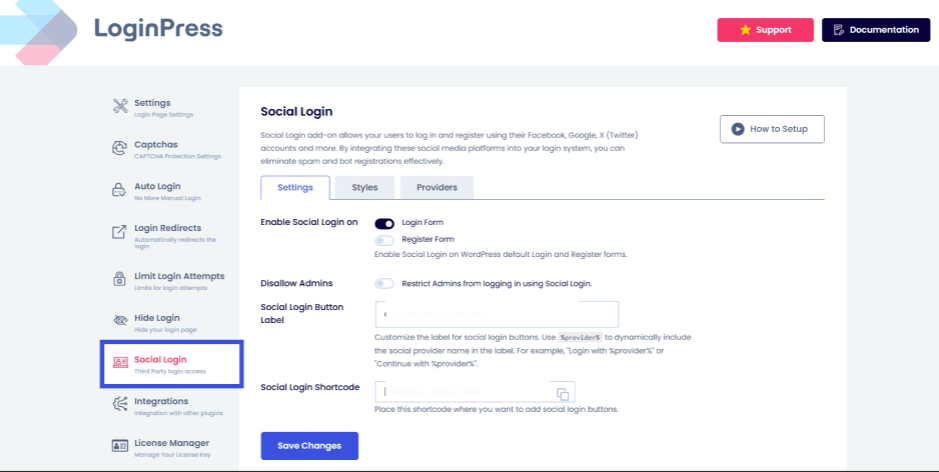
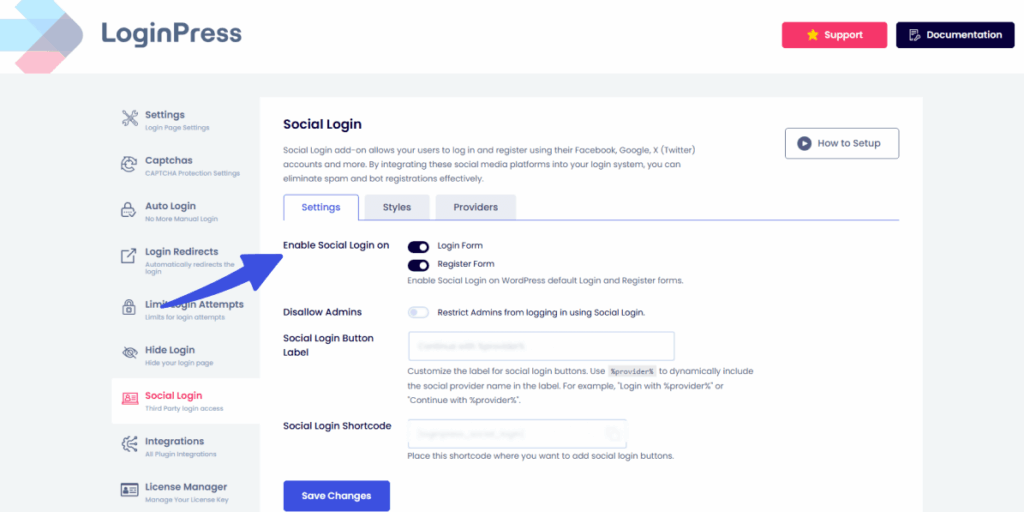
Manual data entry is a significant source of friction for users. This is why Social login buttons allow users to bypass the “forgot password” cycle entirely. With OAuth, users can access your site with one click via Google, Facebook, or LinkedIn.
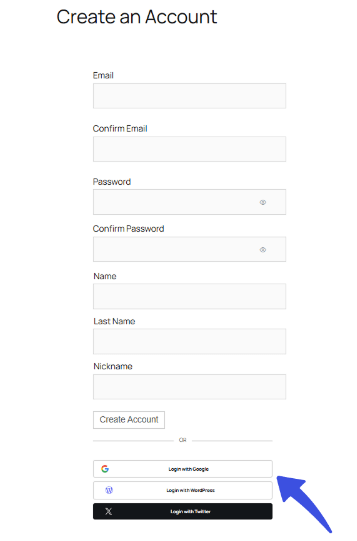
LoginPress provides social login integration with several providers. This keeps users on your site longer because the barrier to entry is almost zero. It also signals that your site uses modern, secure technology.
3. Smart Redirects and Post-Login Personalization
User experience is significantly damaged when users are redirected to a generic Profile page after logging in. User workflows should be designed with clear intent in mind.
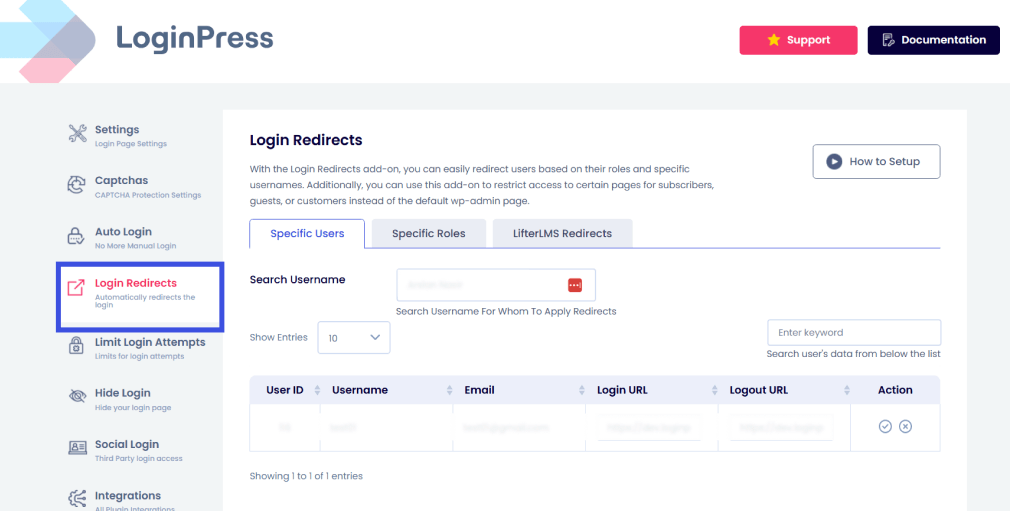
With LoginPress, you can configure user friendly WorPress login redirects based on user roles through the Login Redirects features, where you can:
- Send Editors straight to the post list.
- Send Customers to their recent orders.
- Send Subscribers to a personalized “Welcome Back” dashboard.
4. Friction-Free Onboarding in WordPress
First impressions are often formed during the registration process, meaning your onboarding must be entirely smooth. To create a user friendly WordPress login, you should treat registration as a guided conversation rather than a data-entry chore. Modern login forms achieve this by using progressive disclosure, which only displays necessary fields at each step to prevent user overwhelm.
LoginPress enhances this experience with an inline validation option, such as a password strength indicator, that provides real-time feedback confirming password accuracy as the user types.
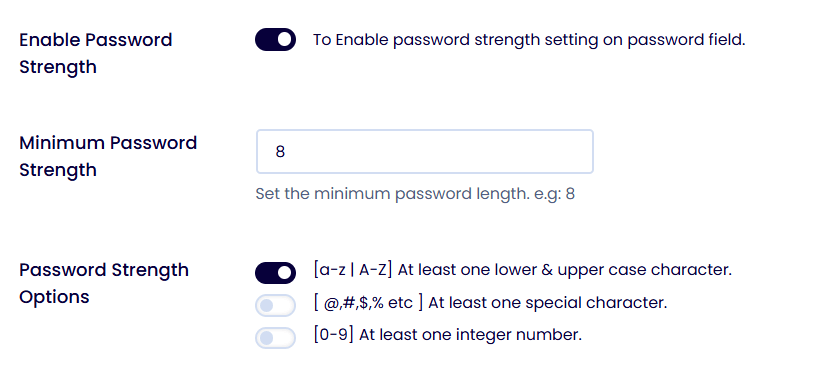
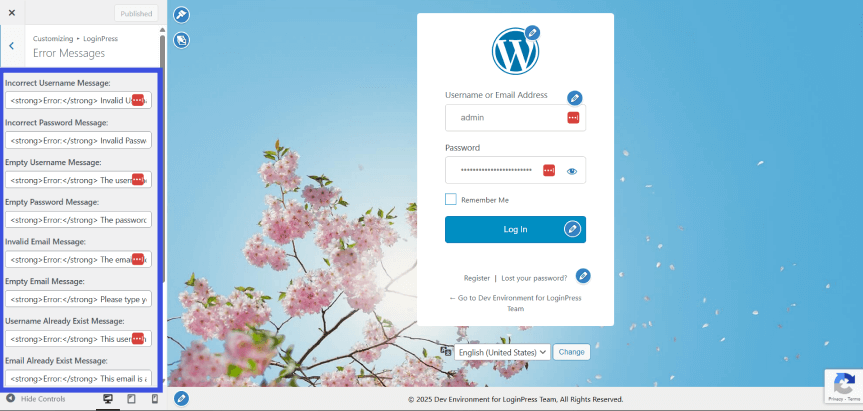
By replacing generic errors with helpful, custom prompts and welcoming messages, you proactively prevent frustration and reduce user anxiety. This creates a frictionless WordPress login user experience that encourages new members to complete their journey and engage with your site immediately.
Registration and login processes should be user-friendly and non-intrusive. Modern login forms that use progressive disclosure can help achieve this goal.
LoginPress provides features such as custom error and welcome messages, and inline validation that confirms password accuracy in real time. These enhancements reduce user anxiety and proactively prevent errors.
5. Security and UX: Balancing Safety with Simplicity
While security remains a top priority for any website, it should never function as a barrier that frustrates your visitors. In 2026, the most effective security strategies are providing strong protection without interrupting the user’s flow. This includes moving toward passwordless login systems, such as magic links sent directly to a user’s email, which eliminate the need to memorize and type complex passwords.
LoginPress makes it easy to integrate these modern security measures, ensuring your site remains a high-security environment that still feels accessible and welcoming to every user. With features like:
- Passwordless Login: Use of magic links sent via email.
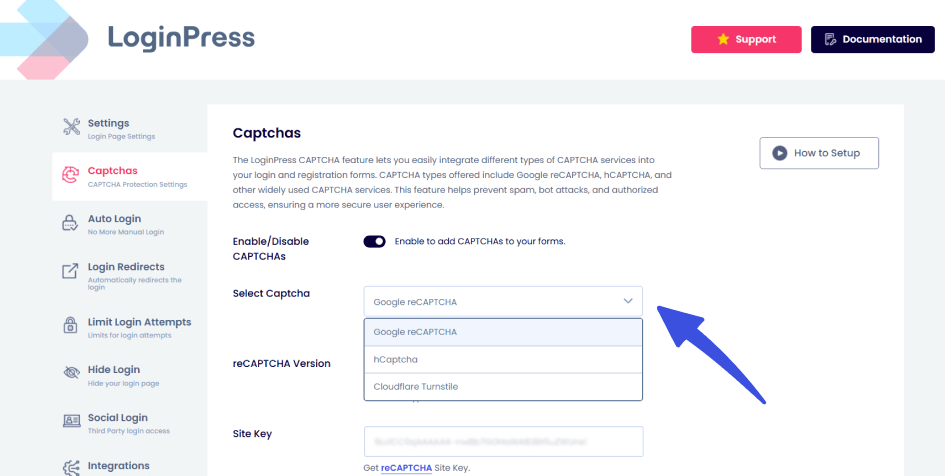
- Invisible CAPTCHA: Protecting your site without forcing users to identify traffic lights in photos.
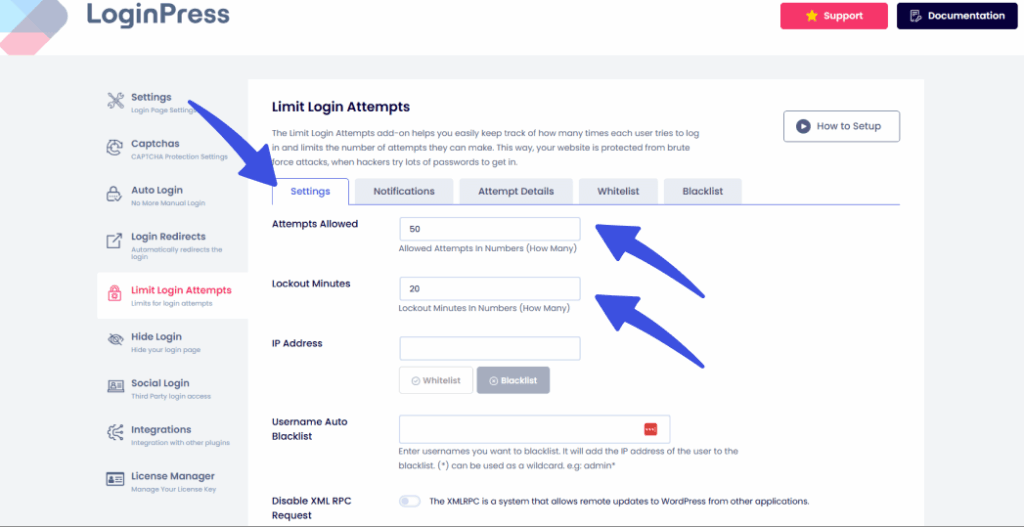
- Limit Login Attempts: Limiting how many times a user can log in in a given period, with further control options like setting lockout minutes and session timeout.
6. Mobile-First and Accessibility Considerations
A modern login form strategy must prioritize accessibility for all users. This includes:
- High Contrast: Ensuring text is readable for those with visual impairments.
- Touch Targets: Making buttons large enough for thumbs on mobile screens.
- ARIA Labels: Ensuring screen readers can easily navigate the form.
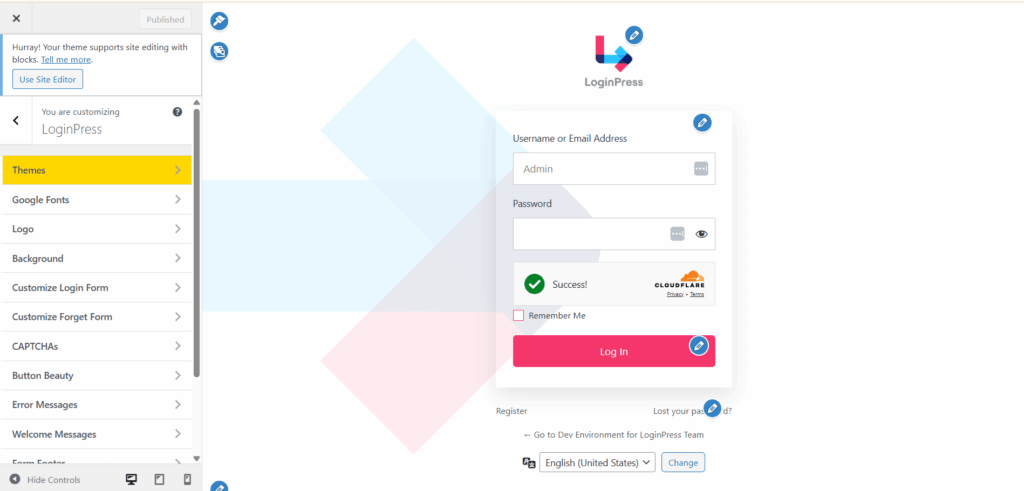
LoginPress is built with accessibility and mobile responsiveness at its core. You can also customize your login page to optimize for each device using the LoginPress customizer, which offers a range of features. This way, you don’t have to worry about the technical details.
7. Measuring and Improving WordPress Login Experience
Proper optimization is impossible without accurate data; you cannot improve what you do not measure. To stay ahead of 2026 standards, you must actively monitor how users interact with your authentication forms. This involves analyzing login success rates to determine if technical errors or forgotten credentials are blocking users.
Furthermore, pinpointing specific drop-off points lets you see exactly where a user encounters too much friction and decides to leave. By tracking the time-to-login metric, you can measure whether your process is fast enough to meet modern users’ demand for instant access.
With the help of the best analytics plugin, Analytify, you can track these key metrics to see when users are struggling with a specific field or a particular security step. You can use the platform to iterate and adjust your WordPress login user experience in seconds.
This continuous loop of measuring and refining ensures your site remains accessible, efficient, and aligned with user behavior.
FAQs on WordPress Login User Experience
Are passwords becoming obsolete for WordPress logins?
While passwords aren’t entirely gone, 2026 marks a significant shift toward Passkeys and Passwordless Authentication as the Gold Standard. Users now expect a frictionless first approach, with the primary login method using device-based biometrics (FaceID, TouchID) or hardware security keys.
Implementation: Developers are increasingly using plugins like Passkeys by Hancom or Trusona to replace the standard /wp-login.php fields with a single-click biometric prompt.
How does AI change the WordPress login experience?
By 2026, AI is no longer just for content; it’s a UX Guardian at the login gate. Users expect “Smart Authentication” that understands context and intent.
Predictive Security: AI models now analyze login patterns (IP address, time of day, typing speed) to assess risk. If the AI detects a “low-risk” login from a known device, it may bypass 2FA entirely; for “high-risk” attempts, it might trigger a more rigorous verification.
Adaptive UI: AI-driven login forms can now adapt to the user’s state. For instance, if a user has failed to log in twice, the UI might automatically switch to a “Magic Link” or “Help” mode to prevent frustration before the user even asks.
Conversational Recovery: Instead of a static “Forgot Password” link, users expect AI-powered chatbots to guide them through identity verification in a conversational, human-like manner.
What are the “Accessibility First” expectations for login forms?
Accessibility is no longer a “nice-to-have” but a core requirement (driven by WCAG 2.2 standards). Users expect login screens to be fully navigable without a mouse and usable under various environmental conditions. -Memorization Flows: login processes should not rely on “cognitive functional tests” such as memorizing a password or solving complex CAPTCHA with blurry images.
Dynamic Visual Feedback: Users expect real-time, high-contrast validation. If a field is filled incorrectly, the error shouldn’t just be a red box; it should be an aria-labeled, descriptive text prompt that explains precisely how to fix it (e.g., “This email is missing an @ symbol”).
Reduced Cognitive Load: The “Single-Task” pattern is dominant. Instead of seeing a screen with social logins, email fields, and “remember me” checkboxes all at once, users expect a multi-step “Identity First” flow: Step 1: Who are you? (Email) -> Step 2: How will you prove it? (Passkey/OTP).
How does “Zero-Trust” architecture affect the user’s login journey?
In 2026, the “Logged In Forever” session is dead. Users now prioritize security and expect a Zero-Trust approach, which paradoxically requires more frequent but easier re-authentication.
Micro-Authentication: Instead of a single login at the start, users expect to “re-verify” (via a quick fingerprint scan) when accessing sensitive areas such as the WordPress Dashboard or WooCommerce billing settings.
Session Transparency: Users expect a clear “Security Dashboard” upon login that shows active sessions and allows them to “Sign out of all other devices” with one tap.
Branded Trust Signals: Because of the rise in phishing, users expect the login page to be fully branded and hosted on a recognizable custom URL to signal that the connection is legitimate and secure.
Final Thoughts: WordPress Login User Experience
A modern WordPress login user experience is now a requirement, and the traditional one-size-fits-all login page has become a liability.
By focusing on branded design, social integration, and friction-free redirects, you turn a boring technical step into a high-value interaction that builds immediate trust.
LoginPress covers branding, onboarding and security in one plugin, so you can move beyond the default WordPress login.
Whether it’s through custom styling or advanced session management, LoginPress empowers you to build the “front door” your users deserve, one that is as secure as it is smooth. That is all for this article.
For more related posts on WordPress login user experience, check out:
- Optimize WordPress Login Redirects for SMBs and Agencies (Detailed Guide)
- How to Build Login Security for Headless WordPress (2026 Guide)
Is your login page a welcoming “front door” for your users, or a barrier that keeps them from accessing your site?