11 Best WordPress Gallery Plugins

My pick for most sites is FooGallery if you want a fast free gallery with good layouts, or NextGEN Gallery if you need albums, client proofing and print sales. Below is a comparison of 11 WordPress gallery plugins on price, active installs, ratings and features, all checked in October 2026.
In this post, I will compare the 11 best WordPress gallery plugins on features, pricing and use case, so you can pick the right one for your site.
WordPress already has a basic Gallery block, but it has no albums, filters, watermarks or advanced lightbox. A gallery plugin adds those.
WordPress Gallery Plugins (TOC):
Best WordPress Gallery Plugins (Pricing Comparison)
Here’s a quick comparison of price, popularity and rating for all 11 plugins:
| Plugin | Free version | Premium from | Active installs | Rating |
|---|---|---|---|---|
| NextGEN Gallery | ✓ | $69.50/year | 300,000+ | 4.3 / 5 |
| Photo Gallery by 10Web | ✓ | $30 (6 months of updates) | 100,000+ | 4.5 / 5 |
| Envira Gallery | ✓ | $39.50/year | 100,000+ | 4.7 / 5 |
| FooGallery | ✓ | $49.99/year | 100,000+ | 4.8 / 5 |
| Modula | ✓ | $39/year | 100,000+ | 4.7 / 5 |
| Robo Gallery | ✓ | $30 one-time | 40,000+ | 4.3 / 5 |
| SimpLy Gallery | ✓ | $24.99/year | 40,000+ | 4.8 / 5 |
| Portfolio Filter Gallery | ✓ | Premium version available | 20,000+ | 4.8 / 5 |
| Video Gallery | ✓ | Premium version available | 10,000+ | 4.8 / 5 |
| Responsive Lightbox & Gallery | ✓ | Extensions from $29 | 100,000+ | 4.9 / 5 |
| Meow Gallery | ✓ | $29/year | 10,000+ | 4.9 / 5 |
Prices from each vendor’s pricing page and stats from WordPress.org, checked in October 2026. Several prices are first-year discounts that renew higher.
What is a WordPress Gallery Plugin?
A WordPress gallery plugin is a plugin that gives you more ways to create, organize and display image or video galleries than the default WordPress Gallery block.
The built-in Gallery block covers simple grids. Gallery plugins add layouts like masonry and justified, plus lightboxes, albums, watermarks and lazy loading.
Here is what a WordPress gallery looks like:

How Do You Choose the Best WordPress Gallery Plugin?
Choose a WordPress gallery plugin by matching its layouts, speed and price to what your site needs to show.
Check these five things before you install one:
- Features: It’s better to list essential features before choosing a WordPress gallery plugin, such as lightbox effects, sliders, video support, image optimization, social media integration, etc.
- Ease of Use: See if the plugin is user-friendly and easy to navigate. It should have a simple interface for uploading, arranging, and managing your images or videos.
- Mobile Responsiveness: Make sure the WordPress gallery plugin displays galleries well on various devices, including mobile phones and tablets.
- Reviews and Ratings: Check user reviews and ratings on WordPress.org or other reliable sources.
- Compatibility: Verify that the plugin is compatible with your current WordPress version and other plugins. It will lower the chance of any possible conflicts.
Tip: If a gallery is meant for clients only, such as a photographer’s proofing page, put it behind a login and brand that login page with LoginPress, so clients see your logo instead of the default WordPress screen.
11 Best WordPress Gallery Plugins
These 11 plugins cover everything from simple image grids to video galleries and client proofing.
1. NextGen Gallery

- Active installs: 300,000+
- Rating: 4.3/5 on WordPress.org
- Price: Free. Premium plans start at $69.50/year (first-year price; renews at $139/year).
NextGEN Gallery by Imagely is the most installed gallery plugin on this list. It lets you organize images into galleries and albums and display them in many layouts.
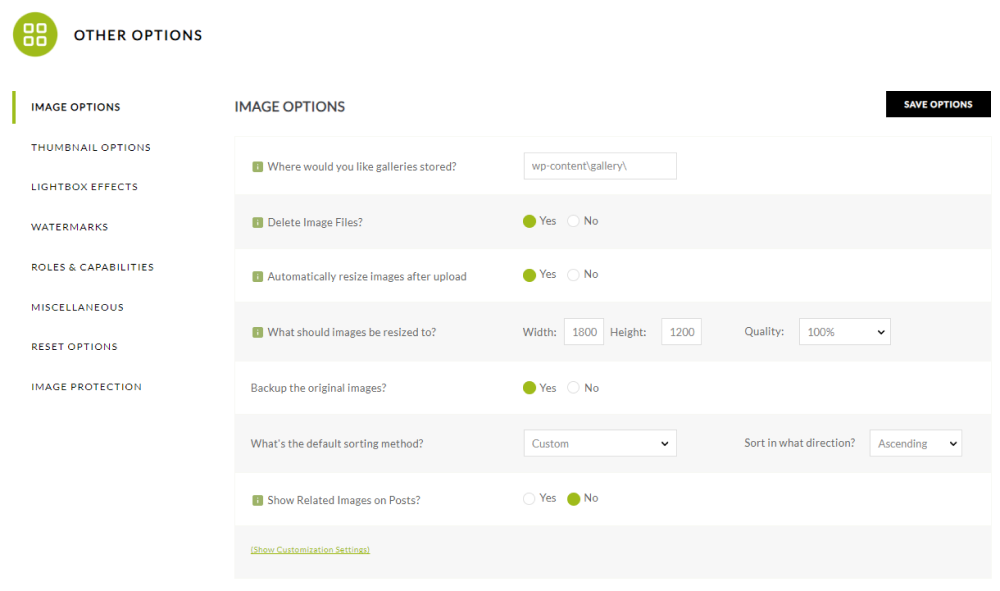
The plugin lets you easily organize, manage, and display your images. It has all the options that let you set images for your gallery in terms of:
- Location of the Image
- Automatic resize
- Backup for original image
… and much more.
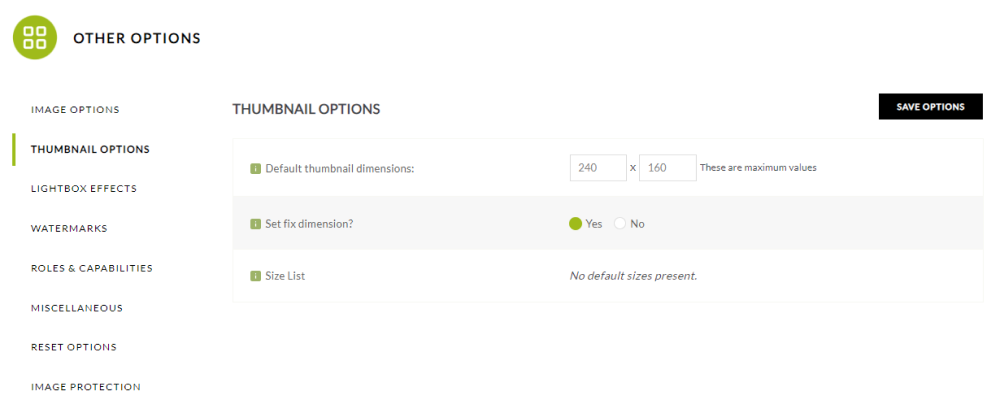
The plugin lets you set thumbnails for your gallery.
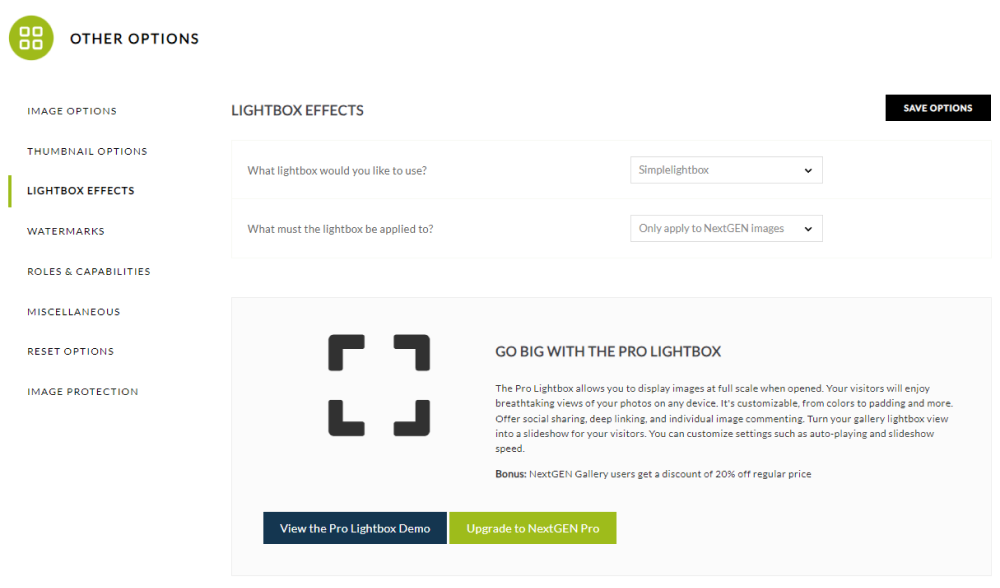
The plugin lets you choose the lightbox of your choice, including:
- Simple Light Box
- Fancy Box
- Shutter
- Thick Box
… and more.
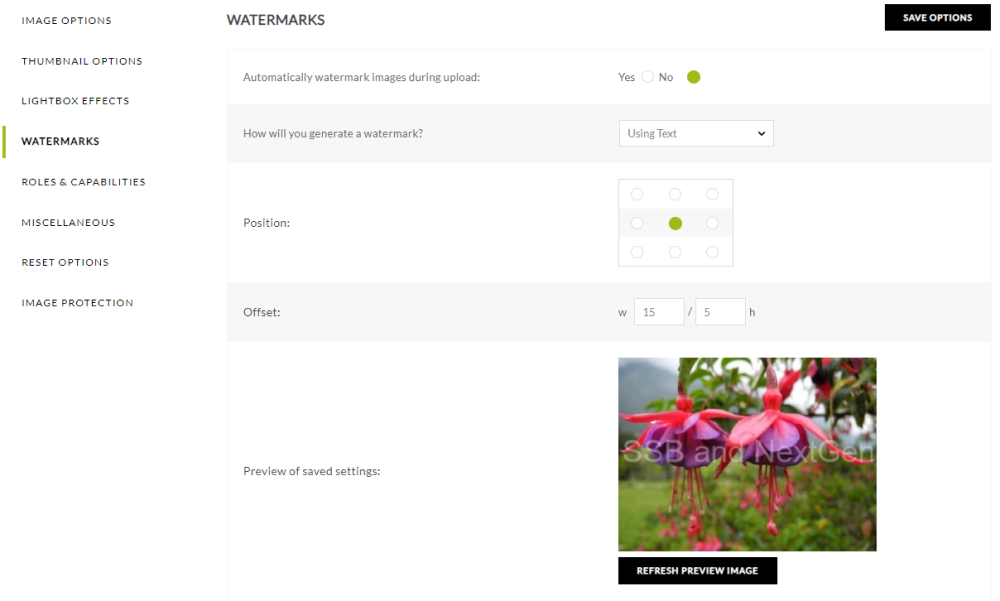
The plugin lets you easily add watermarks to your images.
Note: Now, you can share your gallery on social media platforms. How? See our guide, Social Share Buttons With NextGEN Gallery: A New Solution, for your answer.
Features:
- Gallery Management: The plugin lets you easily create, manage, and organize beautiful image galleries within WordPress.
- Display Options: There are different gallery displays, including thumbnail galleries, image browsers, and more.
- Customization: You can easily customize layouts, sizes, transitions, and effects to suit your website.
- Responsive Design: The plugin offers responsive designs and provides a consistent and user-friendly experience across desktops, tablets, and mobile devices.
- Social Sharing Integration: The plugin is fully compatible with sharing images across various social media platforms, i.e., Facebook, Twitter, etc.
2. Photo Gallery by 10Web

- Active installs: 100,000+
- Rating: 4.5/5 on WordPress.org
- Price: Free. Premium starts at $30, which includes 6 months of updates and support.
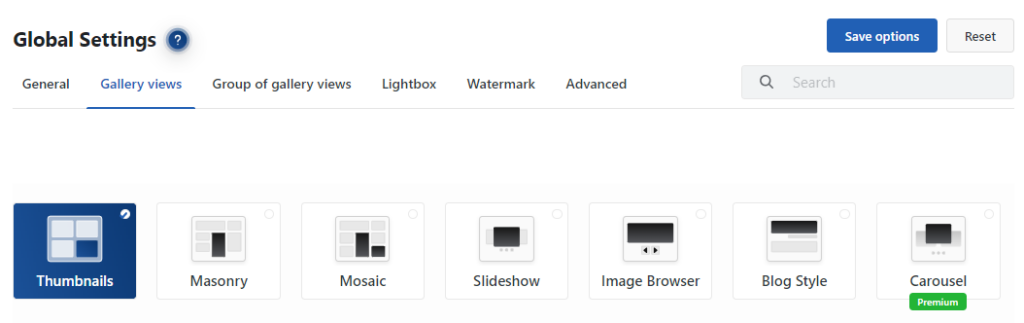
Photo Gallery by 10Web offers several gallery views and detailed lightbox settings.
The plugin lets you choose between different gallery views, including:
- Masonry
- Mosaic
- Slideshow
- Image Browser
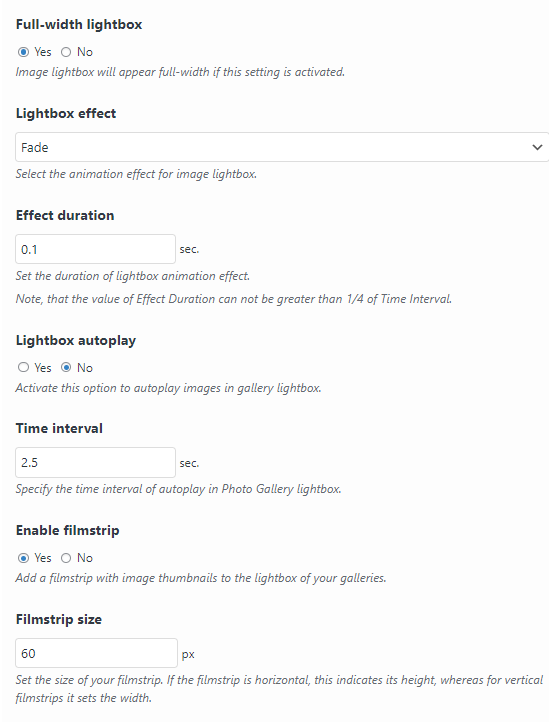
You can easily configure settings for your lightbox gallery, such as:
- Full-width lightbox
- Lightbox effect (fade, fan, random, etc)
- Effect duration
See the image below:
It can also add watermarks to your photos to discourage unauthorized use.

Features:
- Lazy Load: The plugin lets you activate lazy loading for images and improves the loading speed on your galleries.
- Preload Images: You can easily set preload for a specific number of images. It showcases images without loading delays.
- Custom Posts: You can easily activate custom post settings to display your Photo Gallery on custom posts.
- Responsive Design: The plugin ensures your galleries look great on all screen sizes.
- Auto-fill Meta Data: The plugin automatically fills in meta descriptions of photos into the Image Description.
- SEO Friendly: The plugin lets you optimize for search engines to help images rank better in search results.
3. Envira Photo Gallery
- Active installs: 100,000+
- Rating: 4.7/5 on WordPress.org
- Price: Free. Premium plans start at $39.50/year (first-year price; renews at $79/year).
Envira Gallery Lite is the free version of Envira Gallery, a drag-and-drop gallery plugin for photos and videos.
Its drag-and-drop builder lets you create and reorder galleries without touching code.
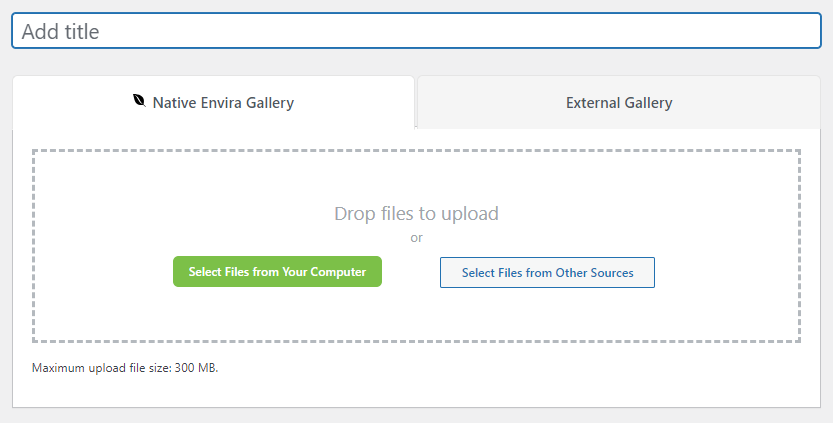
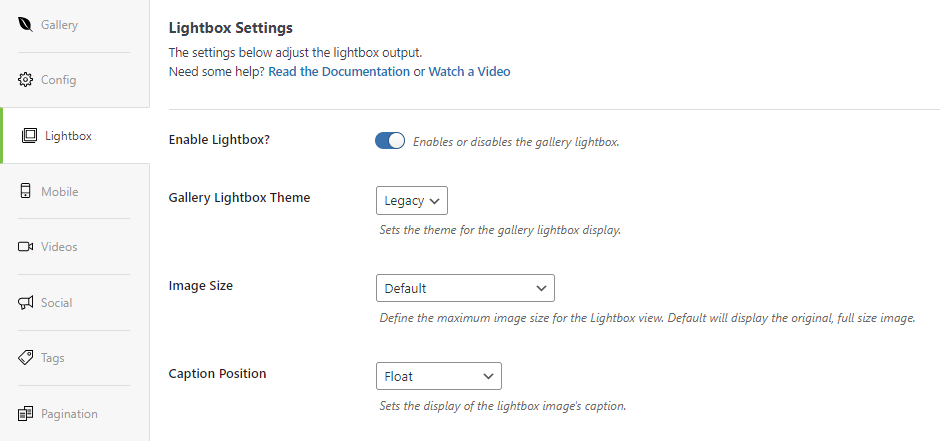
The plugin lets you adjust the gallery lightbox output using:
- Theme
- Image Size
- Caption Position.
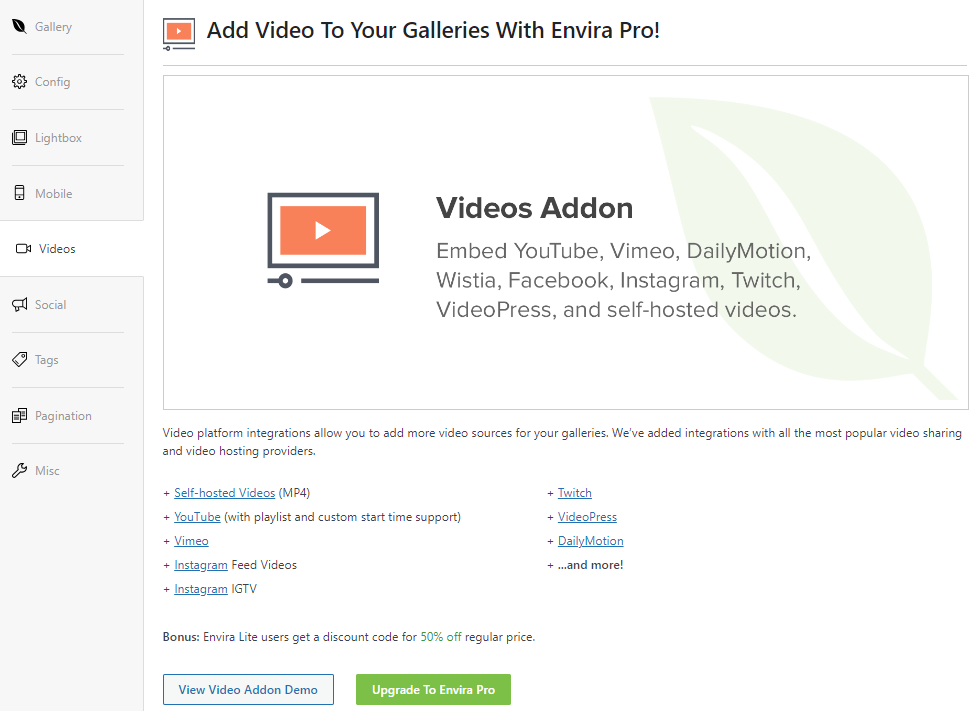
With Envira Pro, you can easily embed YouTube, Vimeo, DailyMotion, and other videos to your WordPress gallery.
Envira Pro also adds social sharing buttons, so visitors can share your images on Facebook and X (Twitter).

Features:
- Drag and Drop Gallery: The plugin brings a drag and drop feature that helps you create a desired WordPress gallery in no time.
- Multiple Gallery Layouts: The plugin lets you choose from various gallery layouts, including grid, masonry, justified, and more.
- Customization Options: You can easily customize your galleries to suit your website’s style. With numerous customization options for spacing, borders, colors, and more, you can create a cohesive visual experience.
- Mobile Responsive: The plugin lets you create a mobile responsive gallery.
4. FooGallery

- Active installs: 100,000+
- Rating: 4.8/5 on WordPress.org
- Price: Free. FooGallery PRO starts at $49.99/year.
FooGallery offers a wide range of gallery layouts that you can match to your site’s design, and it holds a 4.8 rating from almost 1,000 reviews.
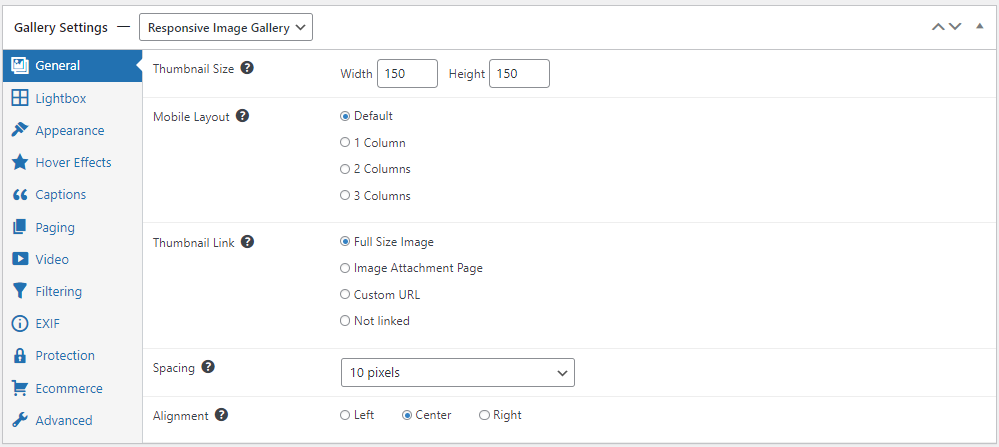
You can easily bring changes to the Thumbnails of the gallery, like:
- Thumbnail Size
- Mobile Layout
- Thumbnail Link
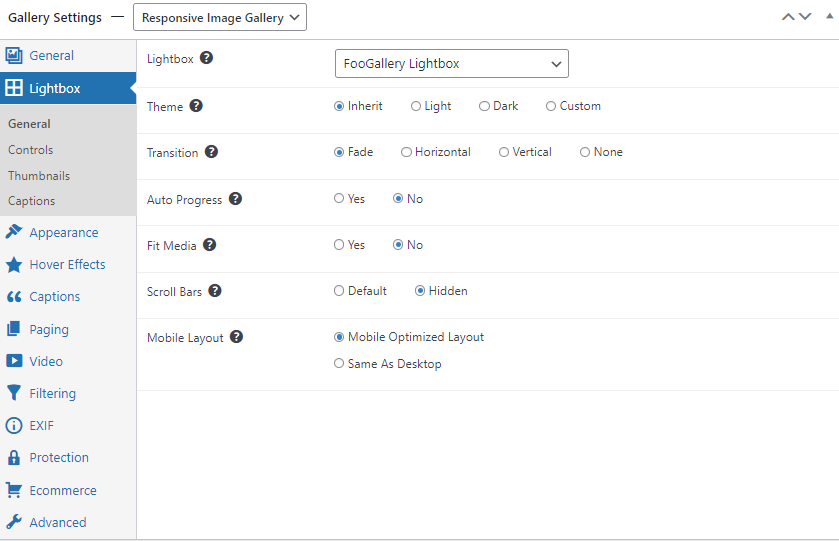
Other than this, you can uplift the FooGallery Lightbox in terms of theme, transitions, mobile layout, etc.
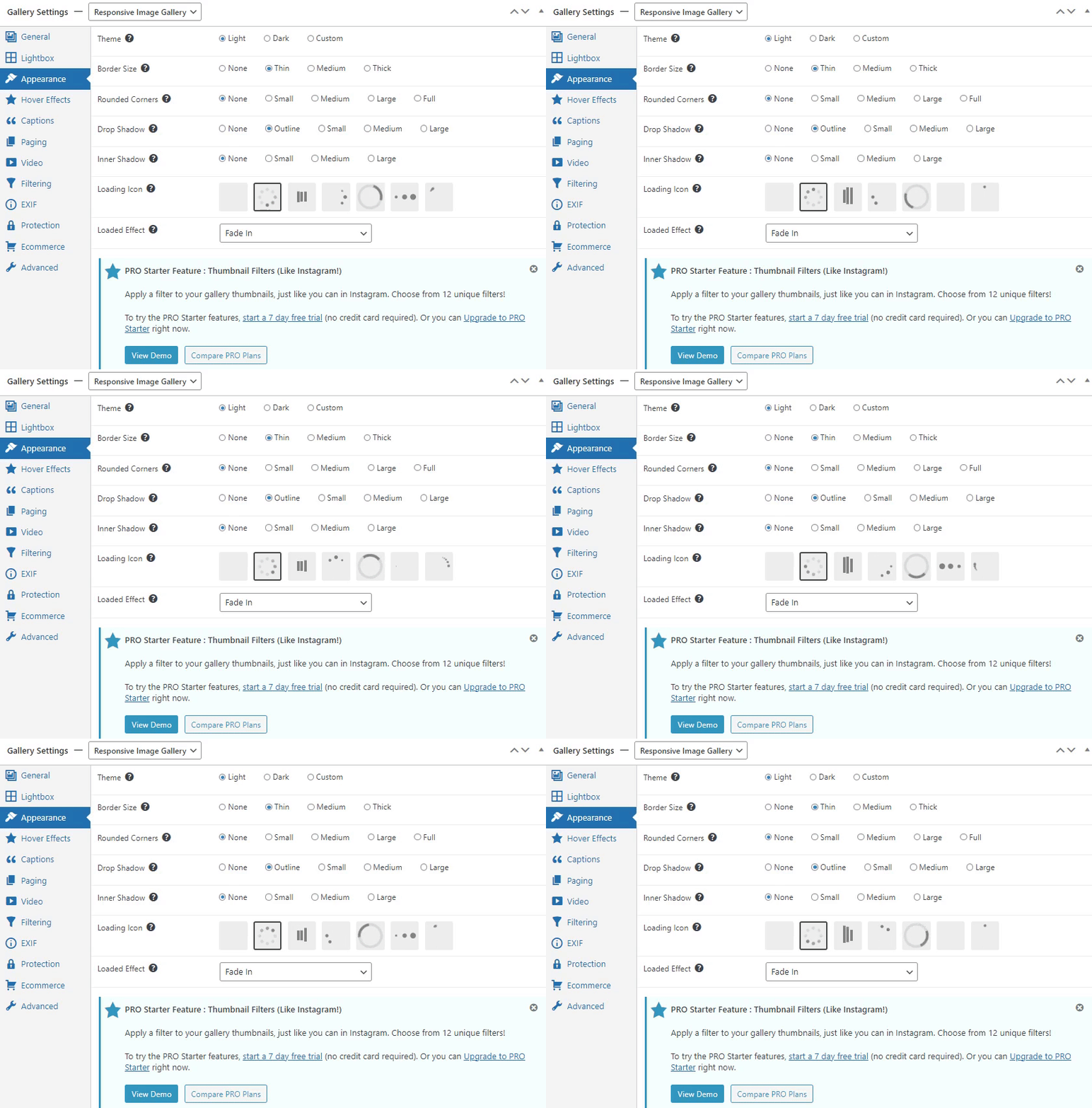
You can easily change the overall appearance of your images, such as choosing a suitable theme, border size, drop shadow, etc.
You can choose between 7 different loading icons.
See the image below:
Features:
- Hover Effect: The plugin offers a hover effect that helps you add a hover effect theme, color, scaling, and icons.
- Caption: There are numerous caption options available, i.e., Attachment Title, Caption, Alt, and Description. You can also limit the length of the caption.
- Mobile Responsiveness: The plugin creates a mobile responsive WordPress gallery.
- Paging: You can add paging for your gallery, i.e., dots, numbers, infinite Scrolls, and load more.
- Ecommerce Integration: FooGallery Pro is fully compatible with WooCommerce, allowing you to sell your photographs and make money.
5. Modula Image Gallery
- Active installs: 100,000+
- Rating: 4.7/5 on WordPress.org
- Price: Free. Premium plans start at $39/year (first-year price; renews at $78/year).
Modula is one of the easiest gallery plugins to use. You can drag and drop images into a gallery and drag them around to change their order.
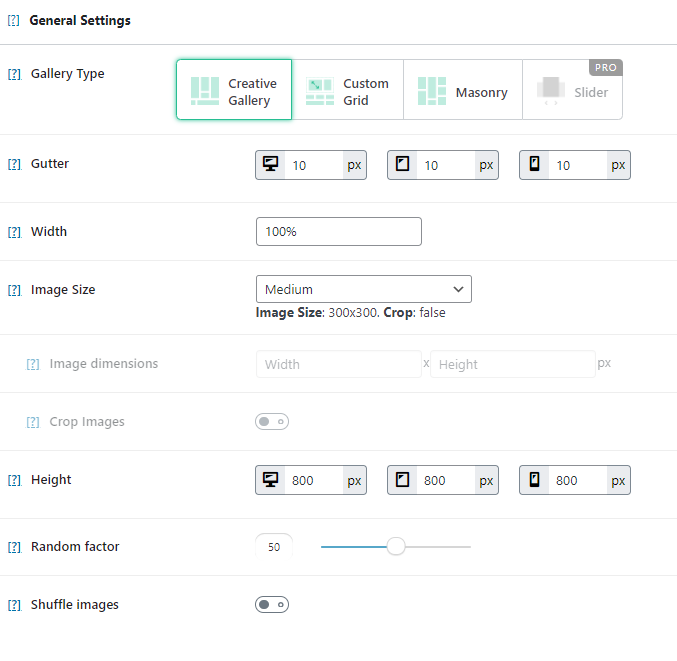
The plugin enables you to change the overall look and feel of your gallery, including:
- Gutter (to adjust the image space)
- Width
- Height
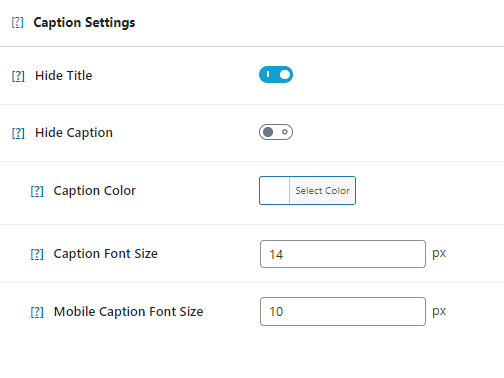
Besides this, you can easily set the caption settings for your gallery.
You can easily share your gallery across different social platforms, including Facebook, Twitter, WhatsApp, etc. In addition, you can customize the colors for your gallery icons.
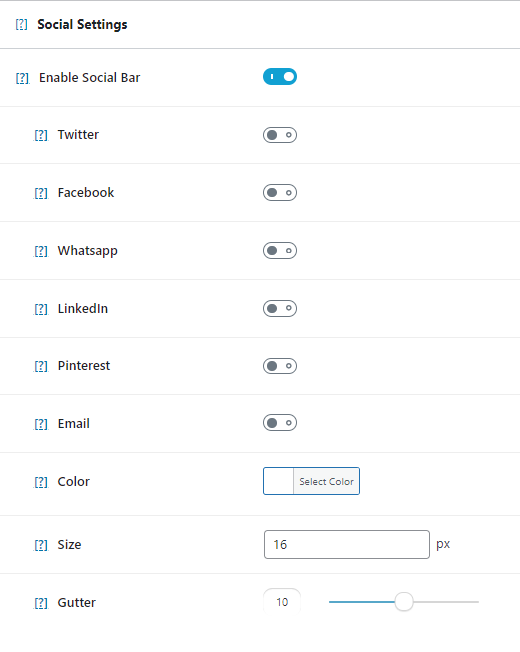
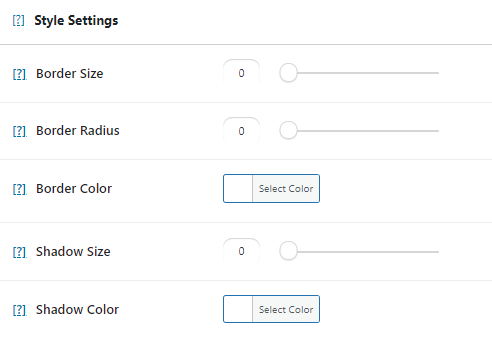
There is a separate “Style Settings” section within the plugin’s built-in functionalities where you can set the style for your gallery, like:
- Border Size
- Border Radius
- Border Color
Features:
- Gutenberg Compatibility: The plugin is fully Gutenberg compatible.
- Plugin Integration: Modula lets you integrate with popular WordPress site builders, i.e., Beaver Builder, Elementor, and Divi Builder.
- Gallery Types: You can choose a gallery, i.e., Creative, Custom grid, and Masonry.
- Image and Gallery Settings: The plugin lets you change the images and gallery settings regarding gutter size, width, image size, height, border size, and more.
- Mobile Responsive Galleries: The plugin lets you create mobile-responsive galleries.
- Custom CSS personalization: You can easily use custom CSS to personalize your WordPress galleries.
6. RoboGallery

- Active installs: 40,000+
- Rating: 4.3/5 on WordPress.org
- Price: Free. Robo Gallery Pro costs $30 one-time, with 6 months of updates and support.
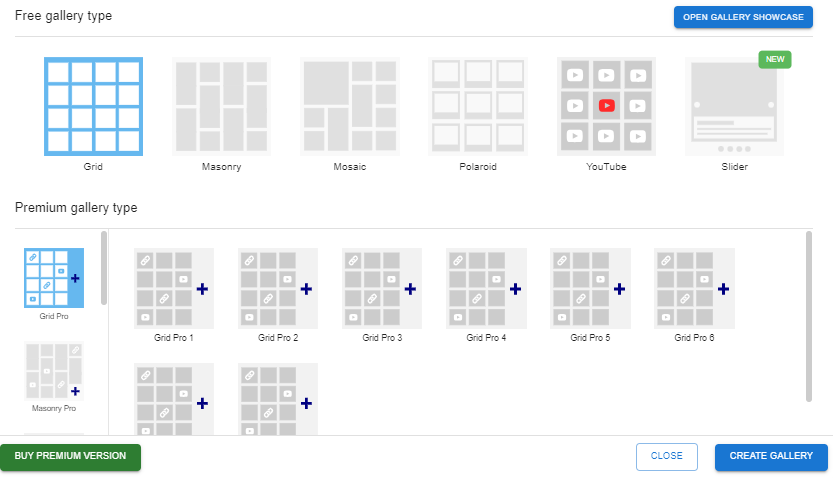
Robo Gallery lets you build image galleries in grid, masonry and mosaic layouts, with fine control over thumbnails and hover effects.
The plugin is optimized for speed, ensuring your galleries load fast and keeping your audience engaged without compromising performance.
There are different stunning gallery designs available for you. It is the best way to create a gallery layout that suits your content and style preferences, such as:
- Grid
- Masonry
- Mosaic
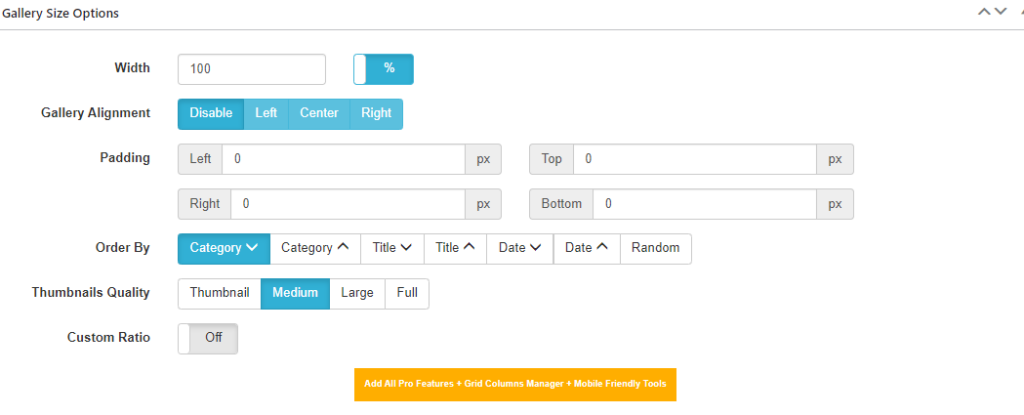
You can easily set gallery size options, including:
- Width
- Gallery Alignment
- Padding.
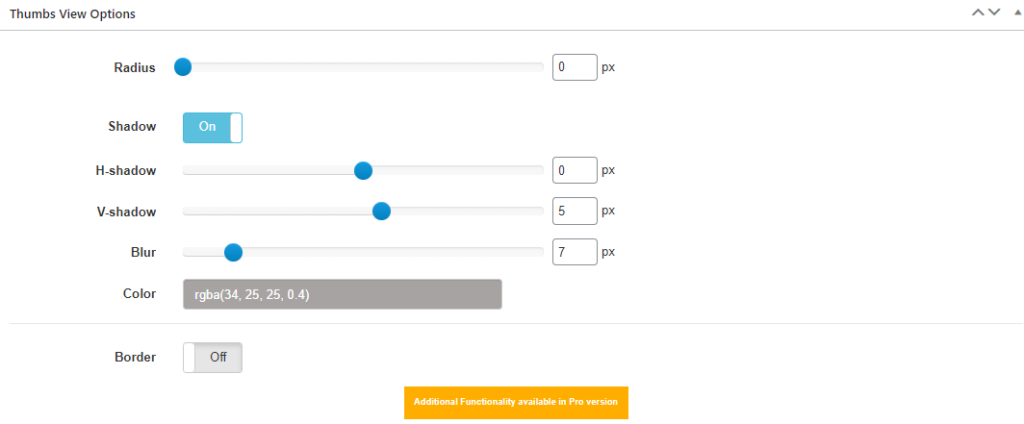
Besides this, you can adjust thumb view options, like Radius, Shadow, Blur, etc.
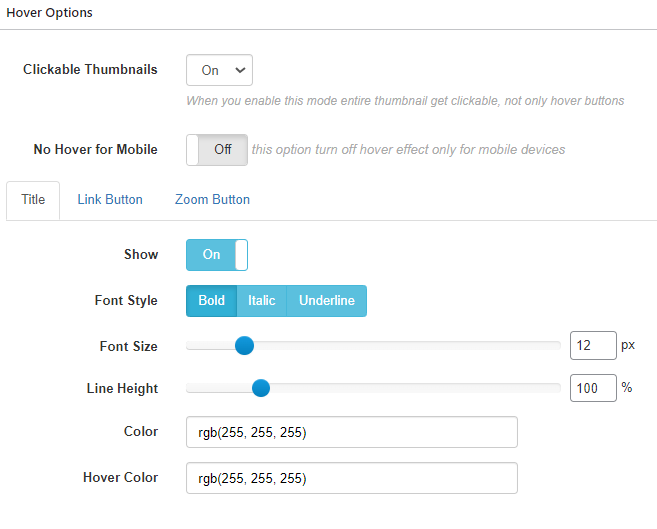
The plugin lets you bring changes to the gallery hover option.
See the image below:
Features:
- Content protection: The plugin cares about your gallery protection. Therefore, it lets you turn off copying of the gallery content for the users.
- Fully responsive: The plugin lets you create fully responsive galleries that fit all screen sizes.
- Auto-resizing for Thumbnails: The plugin automatically resizes your thumbnails. Other than this, you can manually do it, i.e., customizing rotation, flip, crop, etc, for your images.
- Lazy Loading: The plugin offers advanced lazy loading, waiting to load images on a webpage, and options for gallery images.
- Lightbox Social Buttons: The plugin lets you turn on/off social buttons for your WordPress gallery.
7. SimpLy

- Active installs: 40,000+
- Rating: 4.8/5 on WordPress.org
- Price: Free. SimpLy Gallery PLUS costs $24.99/year.
SimpLy Gallery is built around the block editor, so you add and style galleries as blocks.
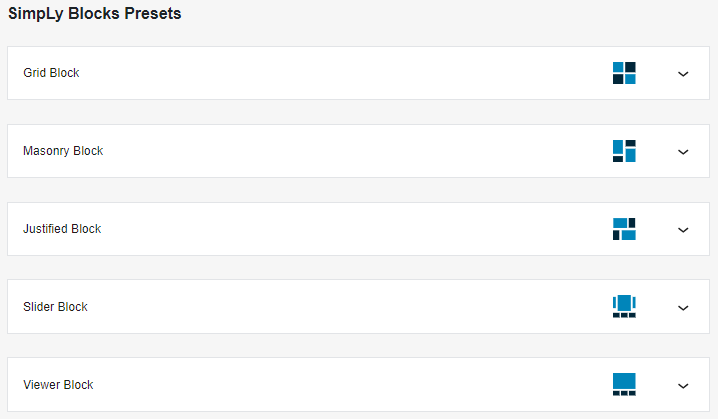
The plugin lets you choose block preset for your WordPress gallery, including:
- Grid Block
- Masonry Block
- Justified Block
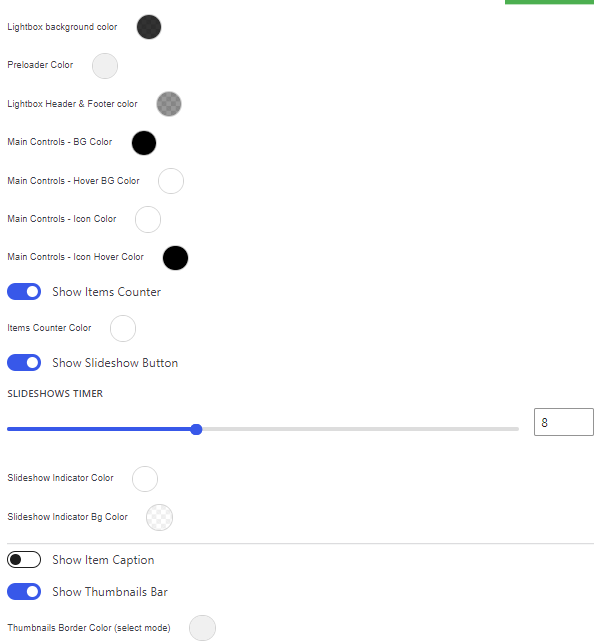
You can use Lightbox for the Native WP Gallery, where you can bring changes to:
- Background Color
- Preload Color
- Lightbox header and footer
.. and a lot more.
Features:
- Block Editor Compatibility: The plugin integrates gallery blocks into your posts or pages within the WordPress block editor.
- Responsive Design: The plugin offers fully mobile-responsive WordPress photo galleries.
- Multiple Gallery Layouts: You can select any layout and style for your WordPress gallery.
- Lightweight and Fast: Enjoy fast loading times and optimal performance, enhancing user experience without compromising site speed.
8. Portfolio Gallery

- Active installs: 20,000+
- Rating: 4.8/5 on WordPress.org
- Price: Free. A premium version adds more filters and layouts (see the developer’s site for current pricing).
Portfolio Filter Gallery displays portfolios with filter buttons, so visitors can sort items by category.
The plugin allows you to easily go for choosing gallery thumbnail size, i.e., large.
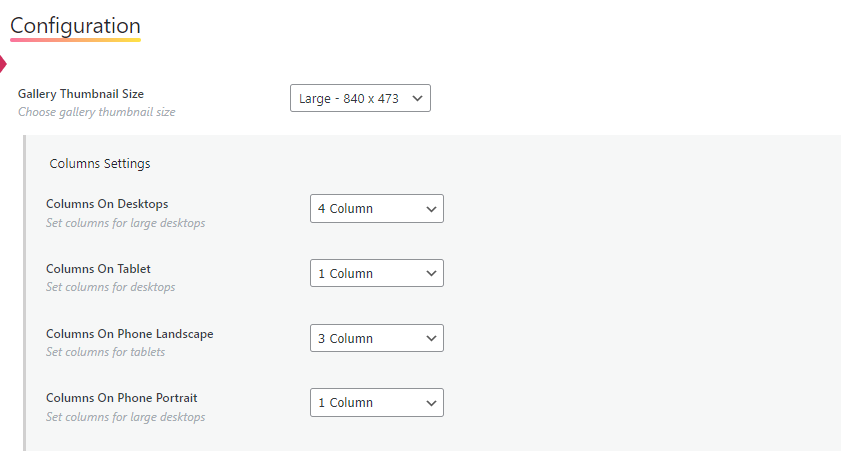
You can also easily enable or disable Lightbox for the gallery.
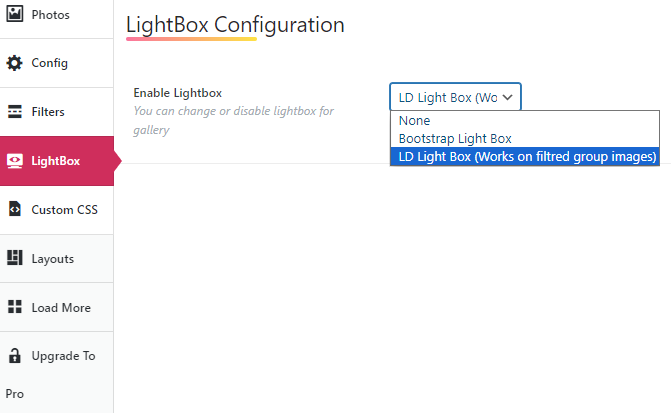
The plugin also makes it easy for you to bring desired changes to your WordPress gallery via custom CSS.
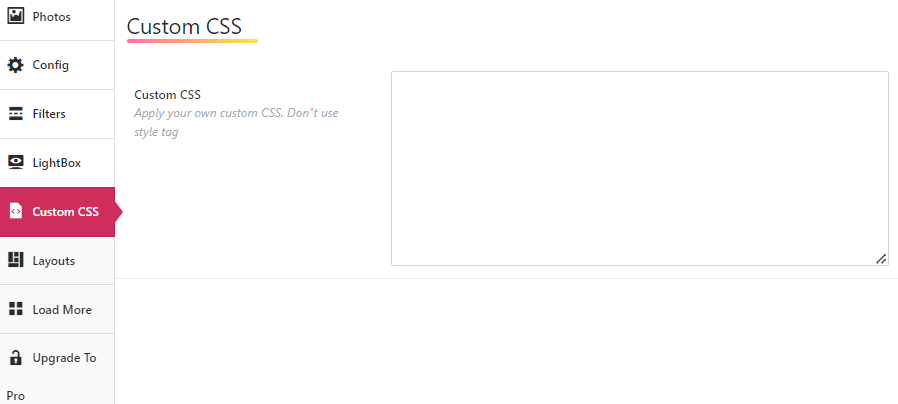
Features:
- Advanced Filter: This plugin offers filtering options to sort portfolio content based on categories or tags.
- User-Friendly Interface: The plugin offers a user-friendly interface that makes creating and managing portfolios easy.
- Responsive Design: The plugin adapts to different screen sizes, i.e., smartphones.
- Easy Integration: The plugin lets you easily integrate the Portfolio Filter Gallery plugin into your WordPress website.
9. Video Gallery

- Active installs: 10,000+
- Rating: 4.8/5 on WordPress.org
- Price: Free. A premium version adds more themes and effects (see the developer’s site for current pricing).
- Note: It hasn’t been tested with the latest WordPress release yet, so check compatibility on a staging site first.
Video Gallery turns YouTube, Vimeo and Wistia videos into responsive galleries.
There are multiple video gallery options available for you to choose from, including:
- Grid video gallery
- Lightbox video gallery
- Thumbnail video gallery
- Basic gallery

In addition, there are multiple options available for you to style your WordPress gallery.
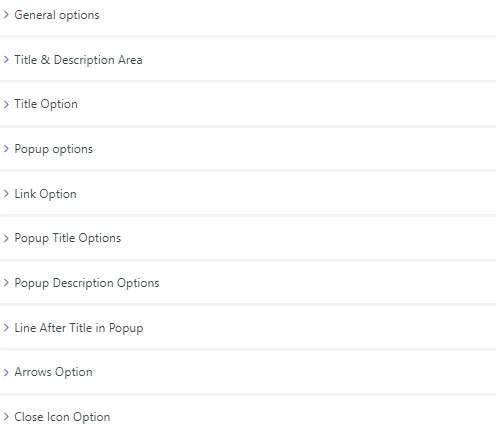
Features:
- User-Friendly Editor: The plugin offers a user-friendly editor that lets you design your WordPress gallery exactly how you want.
- Lightbox: A nice and sleek lightbox option exists for your gallery.
- Video Galleries Themes: You can select from 16 free video gallery themes.
- Hover Effect: Beautiful and Fantastic for the hover effects.
- Mobile Responsive: The plugin is mobile responsive.
- Layouts: You can choose from 9 gallery layouts.
- Video Lightbox effect: The plugin lets you add a video lightbox effect to your gallery.
10. Responsive Lightbox & Gallery
- Active installs: 100,000+
- Rating: 4.9/5 on WordPress.org
- Price: Free. Premium extensions start at $29, or $69 for the bundle.
Responsive Lightbox & Gallery by dFactory combines a drag-and-drop gallery builder with a lightbox for your images.
It’s a good fit if you want to keep using WordPress galleries and add a better lightbox, then grow into more gallery types through extensions.
Features:
- Gallery Builder: Create and customize galleries with drag and drop.
- Lightbox Styles: Choose a lightbox style and customize it per gallery.
- Lightweight: Built with page speed and SEO in mind.
- Extensions: Add more gallery and lightbox features with free and premium extensions.
11. Meow Gallery

- Active installs: 10,000+
- Rating: 4.9/5 on WordPress.org
- Price: Free. Meow Gallery Pro starts at $29/year.
Meow Gallery is a lightweight gallery plugin built for speed. It can replace the standard WordPress gallery’s layout, and you can switch back at any time.
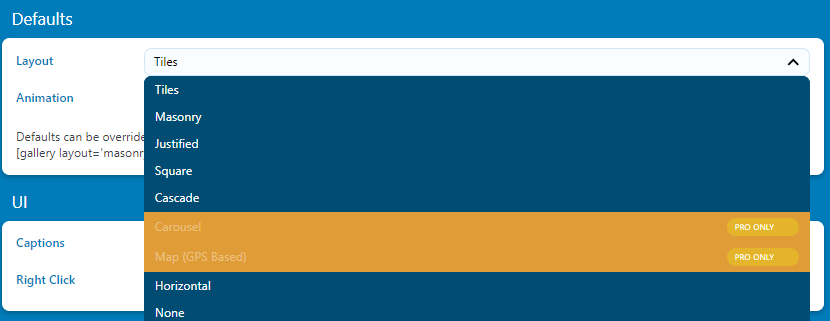
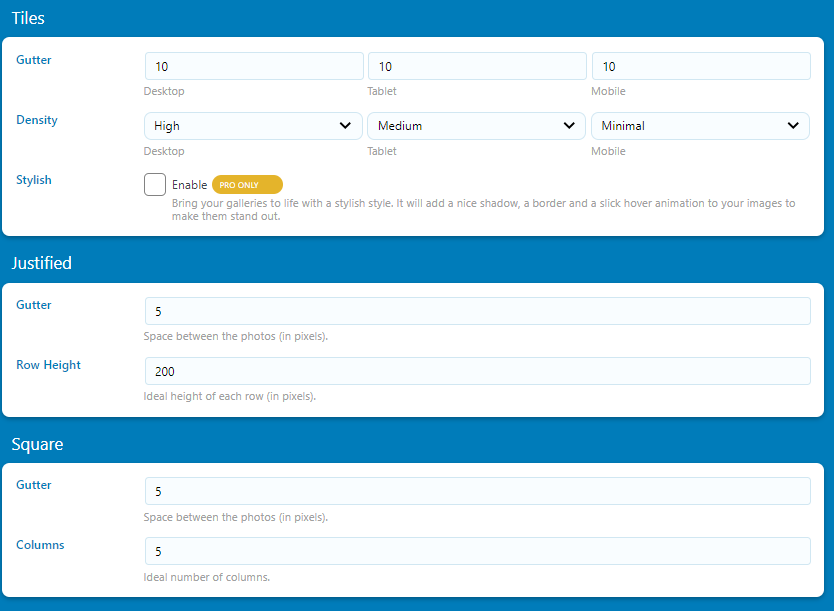
You can choose from Tiles, Masonry, Justified, Square, Cascade and Horizontal layouts. Pro adds Carousel and Map layouts.
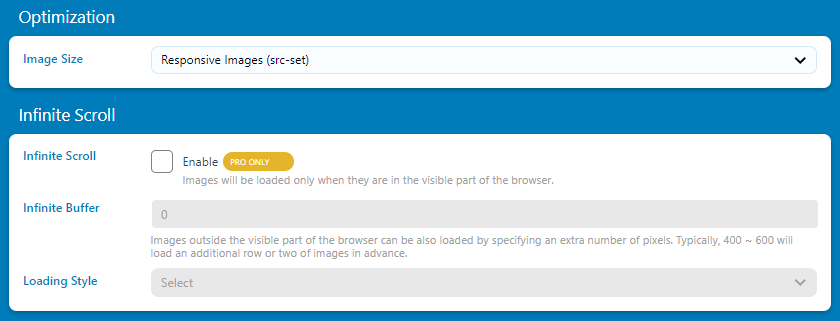
Besides this, you can optimize the size of your gallery images, i.e., thumbnail, medium, large, etc.
Features:
- Multiple Layouts: The plugin lets you choose between various gallery layouts.
- Responsive Design: The plugin looks perfect on any device, i.e., desktops, tablets, and mobile phones.
- Lightning-fast Performance: Meow Gallery is optimized for speed. It ensures the WordPress gallery loads fast without compromising on image quality.
- Customization Options: The plugin offers customization options to easily adjust spacing, hover effects, captions, etc.
- Developer-Friendly: Meow Gallery is developer-friendly.
Best WordPress Gallery Plugins (Feature Comparison)
Here’s how the three most installed plugins on this list compare:
| Features | NextGEN Gallery | Photo Gallery by 10Web | Envira Gallery |
|---|---|---|---|
| Easy to Use | ✓ | ✓ | ✓ |
| Responsive | ✓ | ✓ | ✓ |
| Watermark | ✓ | ✓ | ✓ |
| Drag-and-Drop Builder | ✓ | ✓ | ✓ |
| Content protection | ✓ | ✓ | ✓ |
| Mobile Responsive | ✓ | ✓ | ✓ |
| Lazy Load | ✓ | ✓ | ✓ |
| Preload | – | ✓ | – |
| Lightbox | ✓ | ✓ | ✓ |
| Pricing | $69.50/year | $30 (6 months of updates) | $39.50/year |
| Ratings | 4.3/5 | 4.5/5 | 4.7/5 |
| Active Installations | 300,000+ | 100,000+ | 100,000+ |
Which is the Best WordPress Gallery Plugin for You?
The best WordPress gallery plugin for you depends on what you show and how much you want to spend. Here’s how I’d choose:
| If you need… | I’d choose | Why |
|---|---|---|
| A fast, free gallery with good layouts | FooGallery | Highest-rated of the big four, with a generous free version |
| Albums, client proofing and print sales | NextGEN Gallery | The most installed option, with proofing and ecommerce in Pro |
| The easiest drag-and-drop builder | Envira Gallery | Simple builder, low first-year price |
| Galleries inside the block editor | SimpLy Gallery | Built around blocks |
| Video galleries from YouTube or Vimeo | Video Gallery | Made for video |
| A better lightbox for existing galleries | Responsive Lightbox & Gallery | Lightbox first, extensions when you need more |
WordPress Gallery Plugin FAQs:
Why should I use a gallery plugin instead of the default WordPress gallery?
By default, WordPress offers a basic gallery feature. A WordPress gallery plugin helps you extend gallery functionalities, i.e., advanced layouts, lightbox effects, sliders, and more.
Are WordPress gallery plugins responsive?
Most of WordPress gallery plugins are responsive. It ensures that your gallery best fits across various devices and screen sizes, such as laptops, desktops, and smartphones. It’s better to check the plugin details and reviews to confirm their responsiveness.
Do WordPress gallery plugins affect website speed?
There is the possibility that gallery plugins may impact website speed. It’s better to install a plugin to your WordPress site that prioritizes performance optimization to minimize loading times is better.
Can I integrate WordPress gallery plugins with social media platforms?
Some gallery plugins offer social sharing features, enabling visitors to share images or galleries on various social media platforms. You can also use a social sharing plugin with a gallery plugin for this purpose. For example, as they are fully compatible, you can use the NextGen Gallery and Simple Social Media Share Buttons plugins.
Can I switch between different gallery plugins without losing my content?
No! You can easily switch between plugins, but it might require some adjustments. Many WordPress gallery plugins can migrate content from one plugin to another without losing any content. However, it’s better to back up your gallery before making changes.
Why is my WordPress gallery not showing on the page?
The most common causes are a caching or lazy-loading conflict, a JavaScript error from another plugin, or a gallery shortcode or block that points to a gallery you deleted. Clear your cache first, then temporarily disable your optimization plugin’s lazy loading or JavaScript delay settings and reload the page. If the gallery appears, exclude the gallery plugin’s scripts from that optimization.
Conclusion
The right gallery plugin depends on your content and budget, and every plugin on this list has a free version you can try first.
Start with the free version, check your page speed with a full gallery on the page, and upgrade only when you need a premium feature such as albums, watermarks or proofing.
You may also like these guides to other useful WordPress plugins:
- Best WordPress SMTP Plugins
- Best ChatGPT Plugins
- Best WordPress GDPR Plugins
- Best WordPress 2FA Plugins
- Best WordPress Search Plugins
- Best WordPress AMP Plugins
- Best WordPress AI Plugins
- Best WordPress Membership Plugins
- Best WordPress Security Plugins
- Best WordPress SEO Plugins
Which gallery plugin do you use, and should another one be on this list? Tell me in the comments below.