8 Best WordPress Captcha Plugins to Stop Bot Attacks and Spam

The best WordPress CAPTCHA plugins are LoginPress CAPTCHA, hCaptcha, reCAPTCHA by BestWebSoft, Really Simple CAPTCHA, Friendly Captcha, Advanced Google reCAPTCHA, CAPTCHA 4WP and Login No reCAPTCHA. Each one stops spam bots on your login, registration and comment forms.
Spam bots drain server resources, slow your site down and flood your forms. A CAPTCHA asks visitors to pass a quick check, which keeps bots out and lets real people through.
This post explains how CAPTCHA works, compares the eight plugins side by side, and shows how to set up the LoginPress CAPTCHA add-on.
WordPress CAPTCHA Plugin (TOC):
What is CAPTCHA, and How Does it Work?
CAPTCHA is a verification test that tells real people apart from automated bots, and it blocks bots by analyzing behavior or asking for a simple challenge.
CAPTCHA (Completely Automated Public Turing test to tell Computers and Humans Apart) is a verification tool that helps websites differentiate between real human users and automated bots.
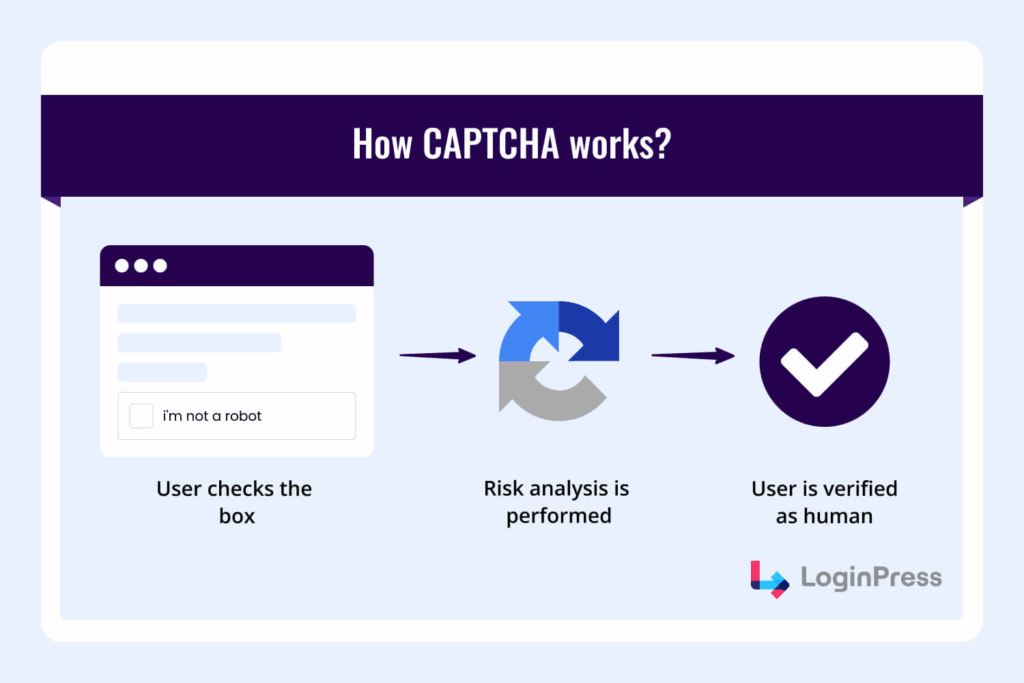
CAPTCHA filters out the bots from your site by running an analysis of your behavior on the site.
Here’s how CAPTCHA works to protect your site:
How CAPTCHA Evolved
Before CAPTCHA became almost invisible, working in the background, there were multiple versions of it, and in this section, I’ll examine some of the earliest versions of CAPTCHA.
- Early CAPTCHA: Simple distorted text images that users typed into a box.
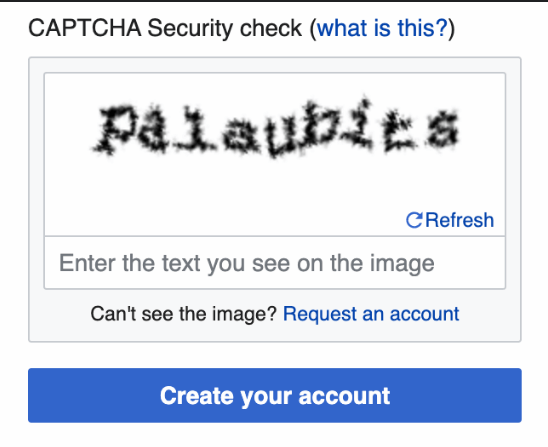
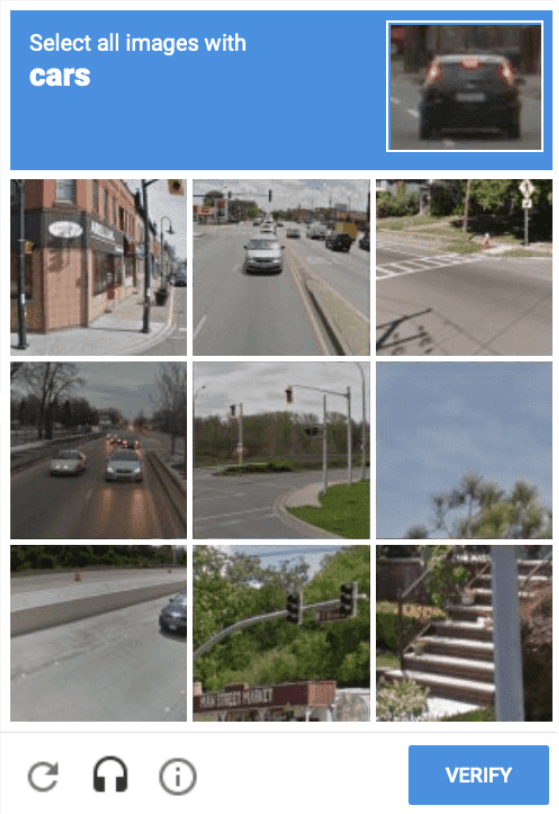
- Image CAPTCHA: Selecting specific objects (e.g., “click all the bridges”).
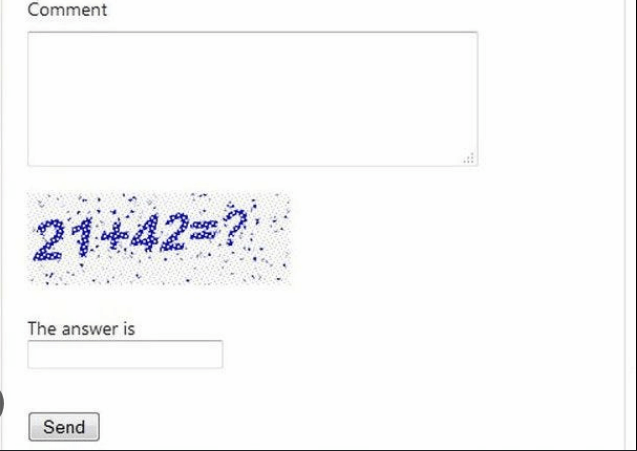
- Math CAPTCHA: Solving mathematical problems.
Advanced CAPTCHA:
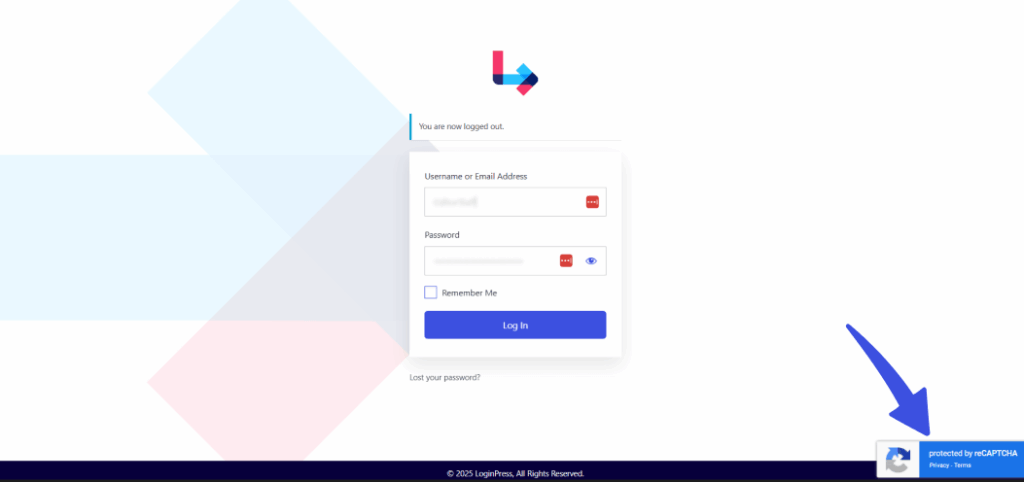
- Google reCAPTCHA v3: Invisible checks that analyze user behavior.
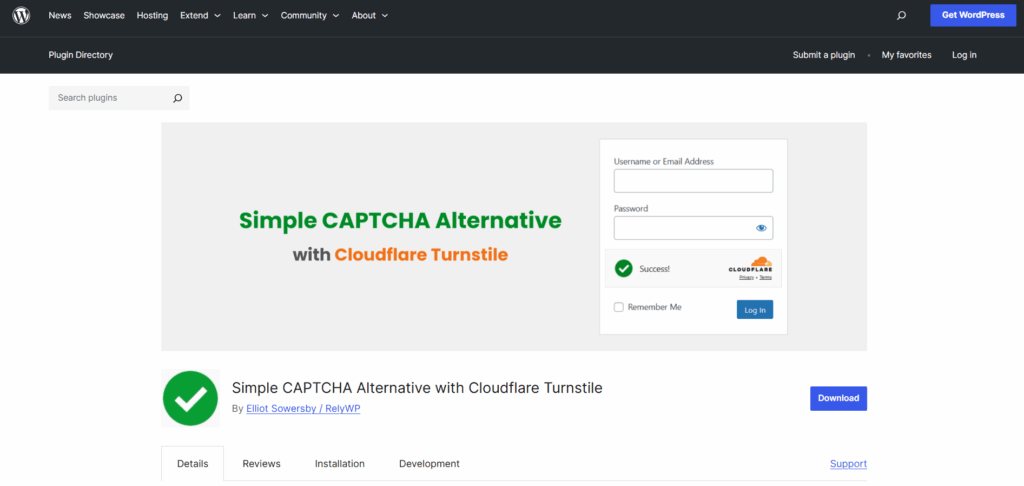
- Cloudflare Turnstile: frictionless, privacy-first, no clicks required.
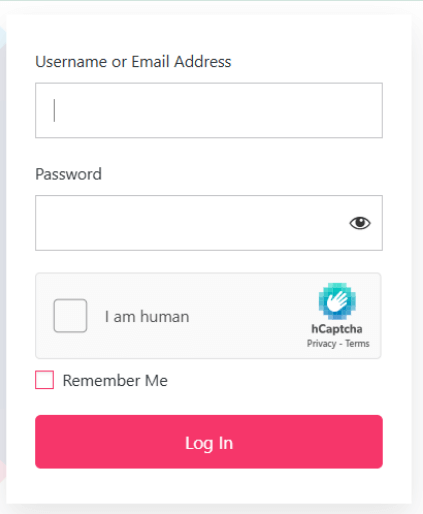
- hCaptcha: a privacy-focused alternative to Google.
Advantages of Implementing CAPTCHA
Here are some of the top advantages of implementing CAPTCHA on your sites today:
- Reduces Spam: Block automated spam comments, fake registrations, and bot traffic.
- Prevent Brute-Force Attacks: Add a strong layer of login protection.
- Enhance User Experience: Modern CAPTCHA is lightweight and smooth.
- Protect Resources: Reduce server load caused by bots.
If you want to learn more about which CAPTCHA is better, you can check our guide, hCaptcha vs ReCAPTCHA: Which One is Better in 2025?
Top 8 WordPress CAPTCHA Plugins
The top 8 WordPress CAPTCHA plugins are listed below, each with features, pricing and a short verdict.
1. LoginPress CAPTCHA Add-on (Recommended)
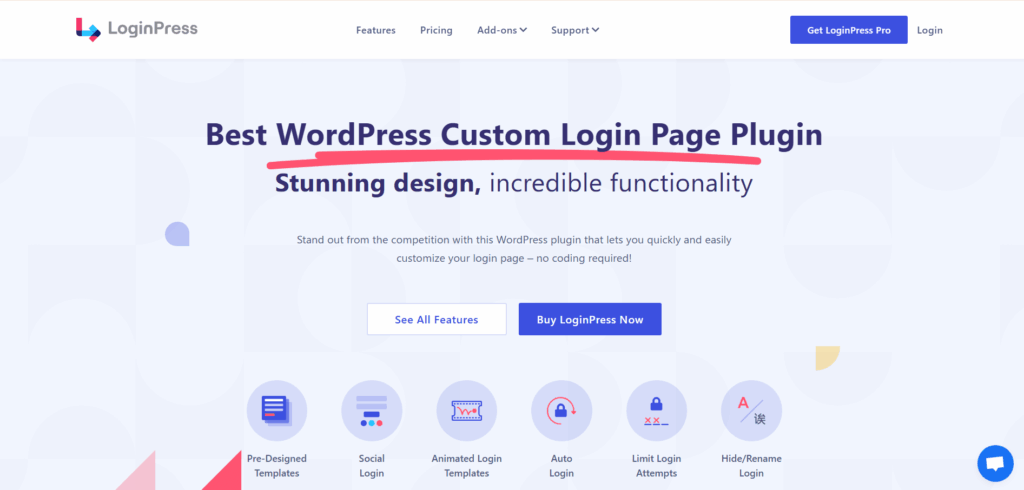
If you’re looking for a complete, flexible, and modern WordPress CAPTCHA solution, the LoginPress WP CAPTCHA plugin Add-on stands out in 2025.
Features:
- This WP CAPTCHA plugin features support for all major types of CAPTCHA, including Google reCAPTCHA, hCaptcha, and Cloudflare Turnstile.
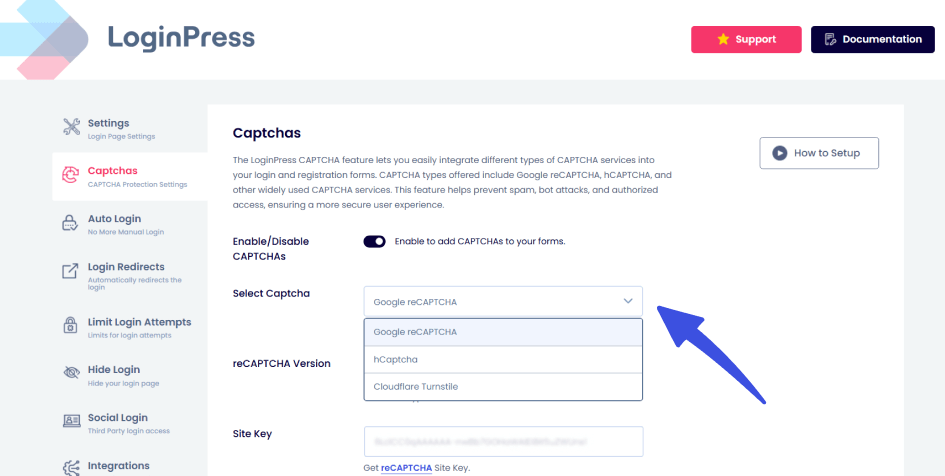
- This feature, when enabled, protects critical forms such as login, registration, and lost password. This ensures real-time bot prevention with invisible and interactive CAPTCHA.

Integration:
- Works effortlessly with the LoginPress plugin, making it a comprehensive all-in-one WordPress spam protection solution.
- Easy setup without coding.
Customization:
- Tailor the design to match your brand.
- Adjust challenge difficulty and error messages.
- Choose between light/dark modes, as well as multiple languages.
Why It’s Best:
Unlike other WordPress CAPTCHA plugins, LoginPress combines multiple CAPTCHA types into one add-on. Whether you prefer Google’s reCAPTCHA, Cloudflare’s Turnstile, or hCaptcha, you get flexibility and ease of use.
2. hCaptcha for WordPress

hCaptcha is known as the privacy-first alternative to Google reCAPTCHA. With rising concerns about data usage, many site owners prefer hCaptcha as one of the WordPress CAPTCHA plugins because it doesn’t track users in the same way Google does. The hCaptcha for WordPress plugin makes it easy to add this strong, privacy-friendly spam protection to your forms and WooCommerce checkout.
Features:
- Privacy-focused CAPTCHA plugin.
- Strong spam protection, GDPR-friendly.
Integration:
- Works with forms and WooCommerce checkout.
Customization:
- Configure challenge type and visual design.
3. reCAPTCHA by BestWebSoft
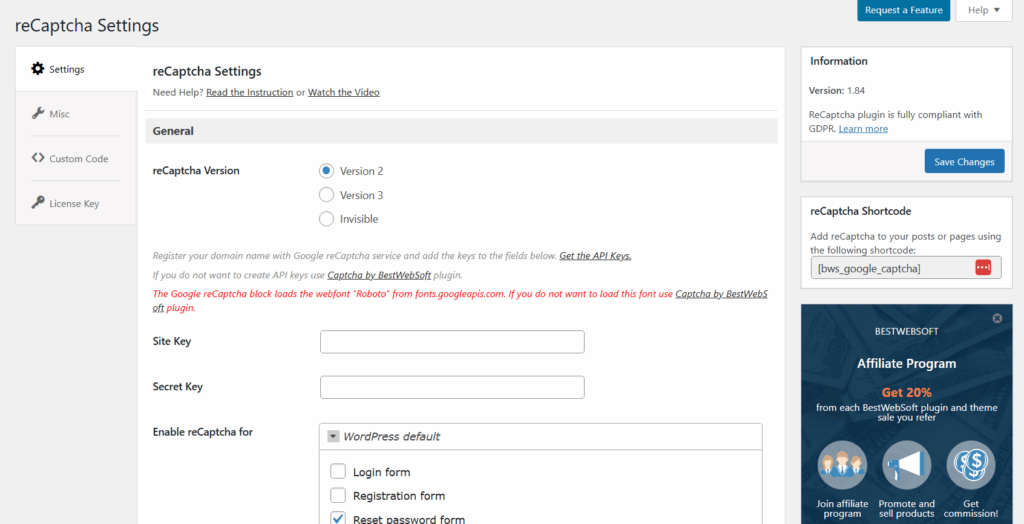
BestWebSoft has a long history of building lightweight, reliable WordPress CAPTCHA solutions, and their reCAPTCHA plugin is no exception. It integrates Google’s reCAPTCHA (both v2 and v3) into your WordPress site, making it easy to secure login forms, comments, and registrations without overwhelming your users.
Features:
- Adds Google reCAPTCHA v2 & v3.
- RTL language support for global sites.
Integration:
- Login, registration, password reset, and comments.
Customization:
- Theme styling and positioning options.
4. Really Simple CAPTCHA
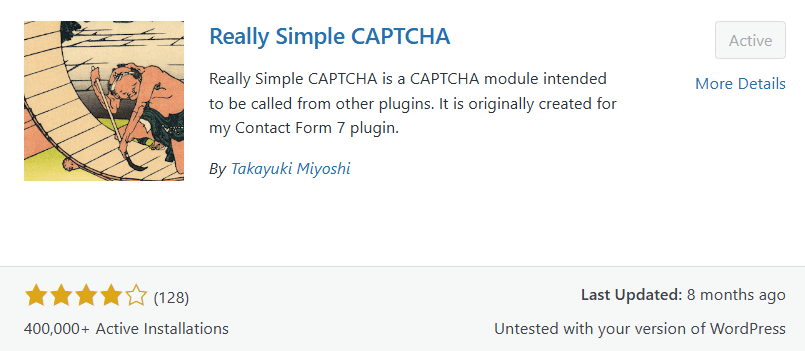
As the name suggests, Really Simple CAPTCHA is one of the WordPress CAPTCHA plugins for WordPress, designed to be straightforward and lightweight for users who require a basic spam-blocking option. It was initially created for Contact Form 7, but it can also work with other plugins. While it doesn’t offer the advanced bot detection of modern CAPTCHA, it’s still a solid option for small sites with minimal security needs.
Features:
- Lightweight, old-school text/image challenges.
Integration:
- Best paired with Contact Form 7.
Customization:
- Minimal, for basic needs only.
5. Friendly Captcha
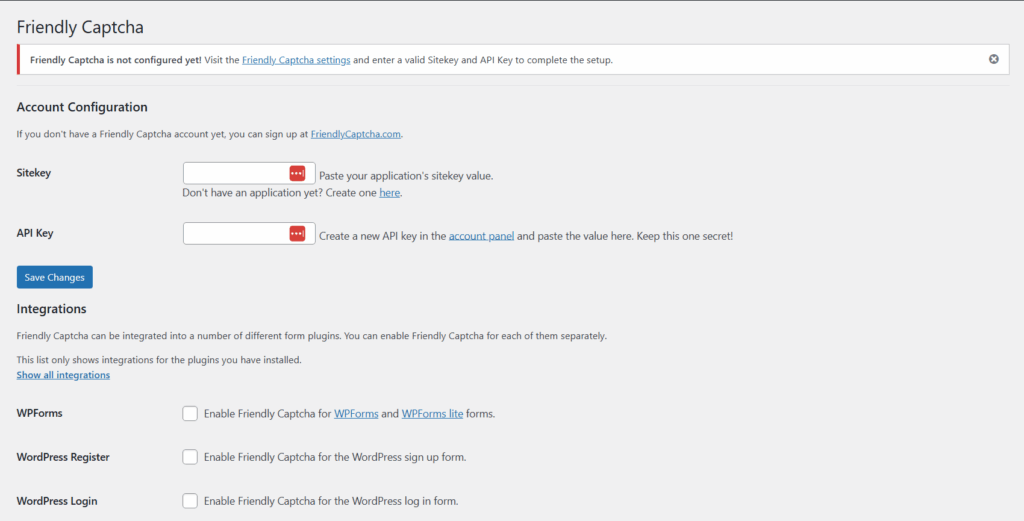
Friendly Captcha takes a fresh approach to bot protection by relying on proof-of-work challenges instead of puzzles or clicks. This makes it both effective against bots and less intrusive for real users.
Features:
- AI-powered challenges with minimal friction.
- Protects without relying on user clicks.
Integration:
- Supports WordPress and WooCommerce.
Customization:
- Adjust appearance and difficulty levels.
6. Advanced Google reCAPTCHA By WebFactory
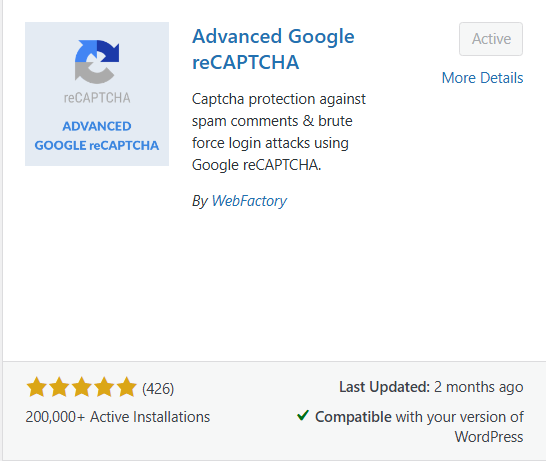
Advanced Google reCAPTCHA is a flexible plugin that allows you to add both v2 and v3 reCAPTCHA to various areas of your site. It’s an excellent fit for those who specifically prefer Google’s CAPTCHA system but want more control over where and how it’s applied among many WordPress CAPTCHA plugins.
Features:
- Adds reCAPTCHA v2 & v3 to WordPress forms.
Integration:
- Works on login, registration, comments, and password reset.
Customization:
- Language and theme adjustments.
7. CAPTCHA 4WP
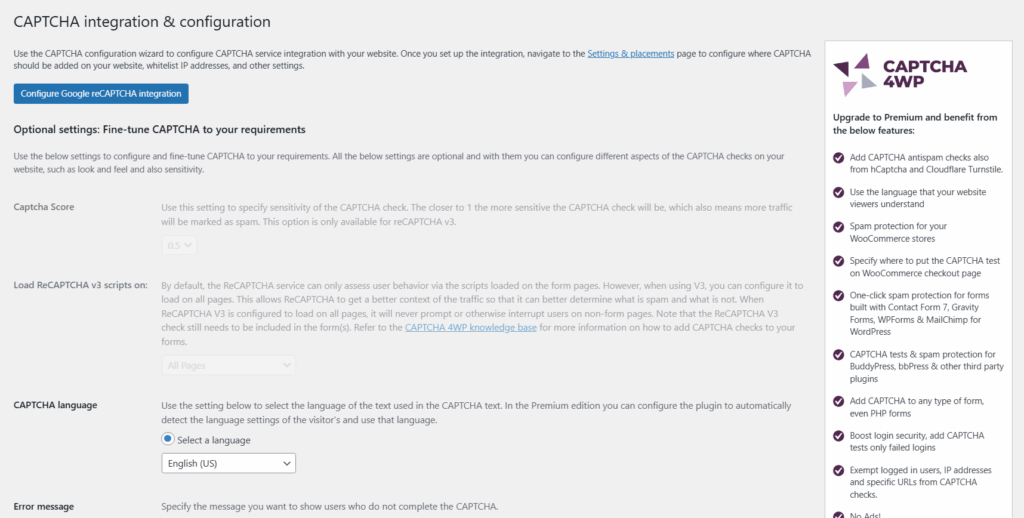
CAPTCHA 4WP (previously called Advanced noCaptcha & Invisible Captcha) is one of the most widely used WordPress CAPTCHA plugins. Whether you’re running a blog, a business site, or a WooCommerce store, CAPTCHA 4WP makes it easy to protect forms from spam without disrupting the user experience.
Features:
- Supports Google reCAPTCHA v2, Invisible reCAPTCHA, and reCAPTCHA v3.
- Offers site-wide protection against bots and spam.
Integration:
- Works with login, registration, password reset, comment forms, and WooCommerce checkout.
- Compatible with popular plugins like Contact Form 7, Gravity Forms, and WPForms.
Customization:
- Flexible control over where CAPTCHA appears.
- Options to adjust language, error messages, and styling.
8. Login No reCAPTCHA
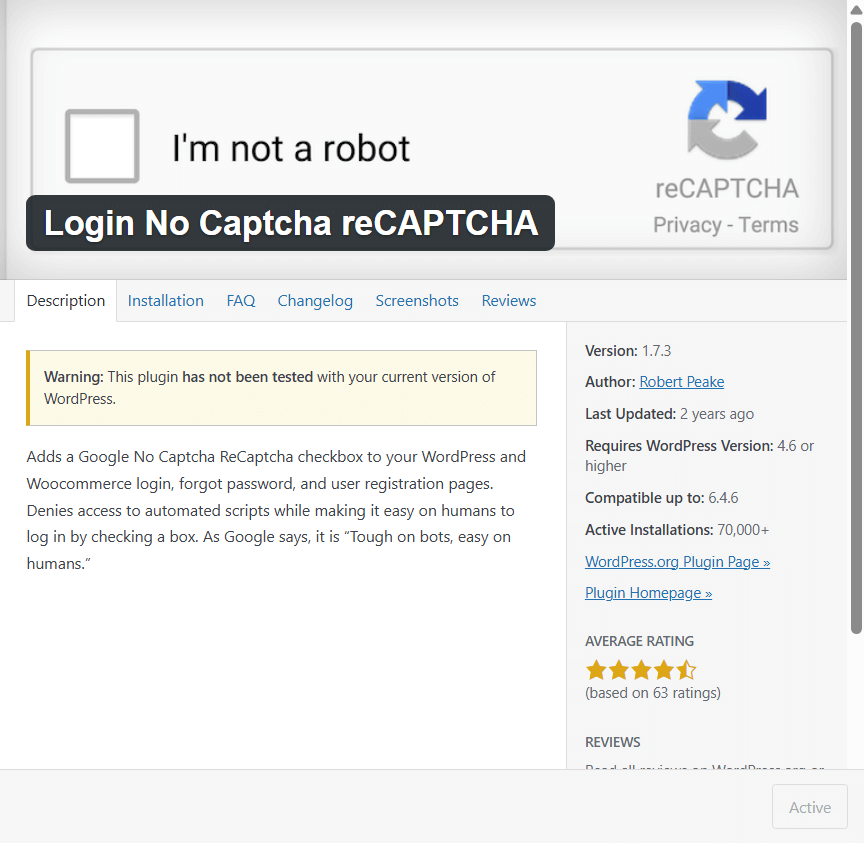
Login No reCAPTCHA is a lightweight WP CAPTCHA plugin explicitly designed to add Google’s popular “I’m not a robot” checkbox to your WordPress login and registration pages. It focuses on simplicity, providing an easy way to block bots without requiring complex configurations or additional features. Ideal for site owners who want quick protection without technical hassle.
Features:
- Adds Google reCAPTCHA checkbox (v2).
- Minimal setup with just the site and secret keys.
Integration:
- Login page
- Registration page
- Password reset
- WooCommerce login/registration
Customization:
- Basic placement options (above/below buttons).
- Works smoothly with most default WordPress themes.
Comparing CAPTCHA Plugins for WordPress
The table below compares the eight WordPress CAPTCHA plugins on type, ease of use and price.
| Plugin | Supported CAPTCHAs | Integration Areas | Customization | Best For |
| LoginPress CAPTCHA Add-on | All available CAPTCHA | Login, Registration, Lost Password (via LoginPress) | Extensive | All-in-one flexible security |
| hCaptcha for WordPress | hCaptcha | Forms, WooCommerce checkout, login | Good | Privacy-conscious site owners |
| reCAPTCHA by Bestwebsoft | Google reCAPTCHA v2 & v3 | Login, Registration, Comments, Password Reset | Good | Standard security |
| Really Simple CAPTCHA | Basic text/image challenges | Primarily Contact Form 7 | Low | basic spam protection |
| Friendly CAPTCHA | AI-based, proof-of-work challenges | WordPress forms, WooCommerce | Moderate | Modern AI-driven bot protection |
| Advanced Google reCAPTCHA | Google reCAPTCHA v2 & v3 | Login, Registration, Comments, Password Reset | Good | Users preferring Google-only solutions |
| CAPTCHA 4WP | All versions of Google reCAPTCHA | Login, Registration, Comments, WooCommerce, bbPress, CF7 | Extensive | Multi-form protection across WordPress |
| Login No Recaptcha | Google “I’m not a robot” (checkbox) | Login, Registration, Password Reset, WooCommerce | Low–Moderate | Simple setup for login & WooCommerce forms |
How to Implement LoginPress CAPTCHA Feature (Step-by-Step)
You set up CAPTCHA with LoginPress in a few steps, which is quicker than most other CAPTCHA plugins:
- Install and activate the LoginPress plugin.
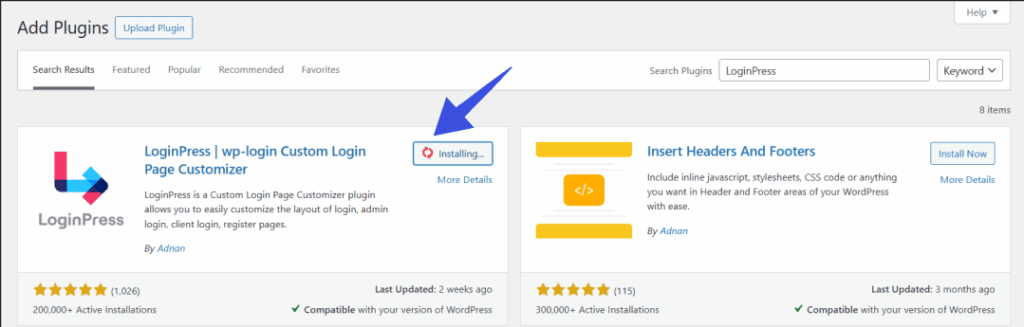
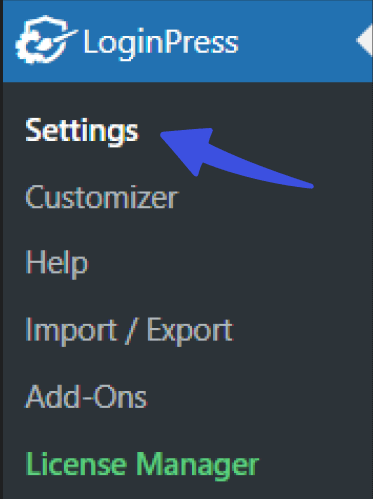
- Go to LoginPress >> Settings.
- Enable CAPTCHA protection.

- Choose your CAPTCHA type:
- Google reCAPTCHA
- hCaptcha
- Cloudflare Turnstile
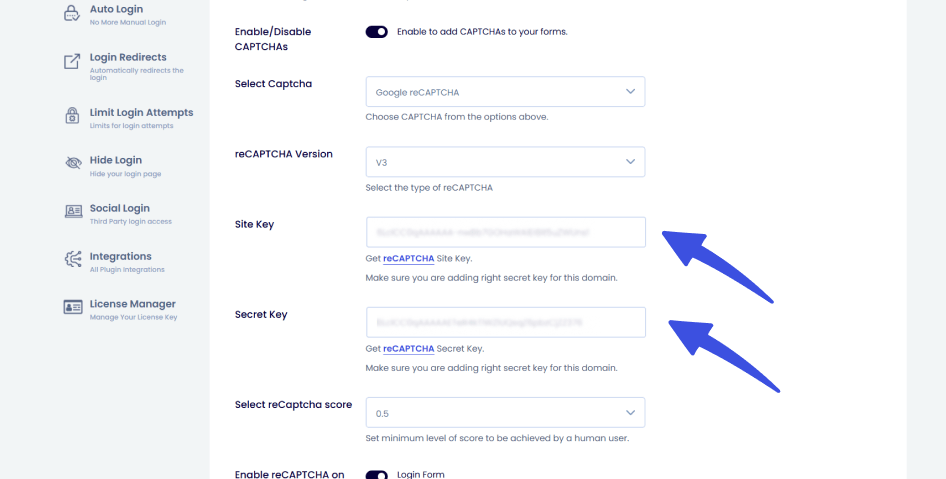
- Enter the site and secret keys (provided by each CAPTCHA service).
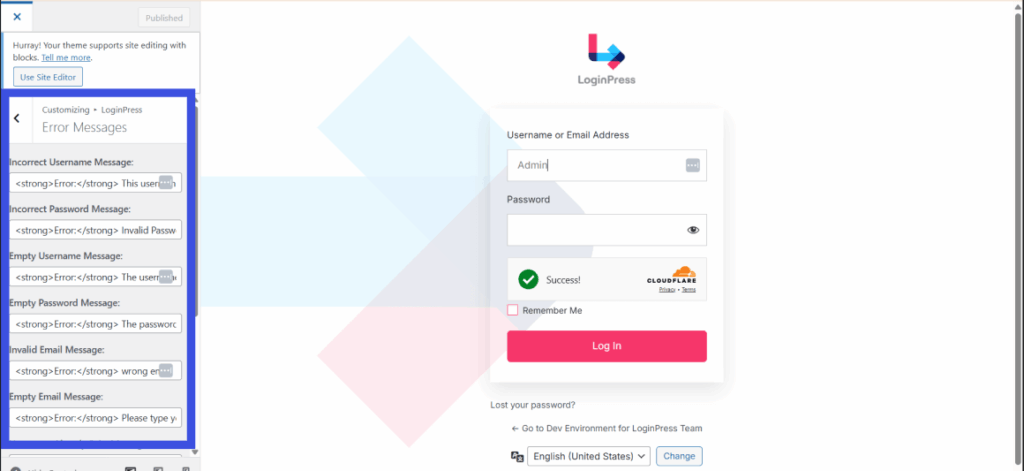
- Customize design, error messages, and placement.
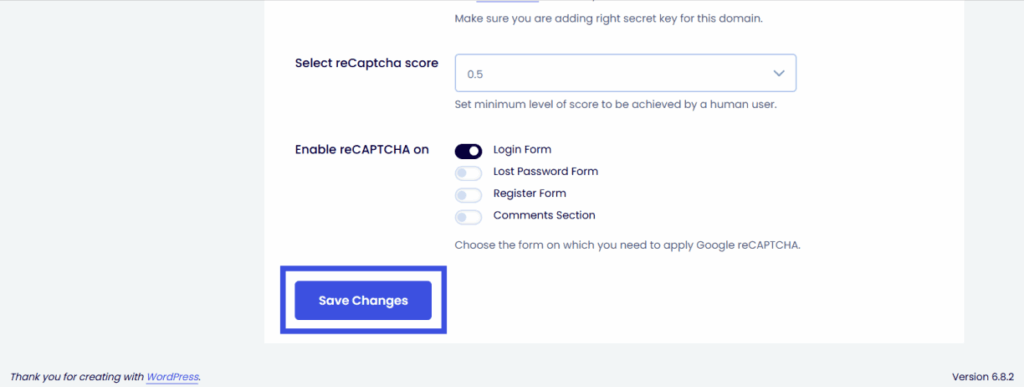
- Save changes and test by logging out and trying your login form.
Within minutes, your WordPress login and registration forms are protected with a modern CAPTCHA plugin for WooCommerce.
Best Practices for Using WP CAPTCHA Plugin on WordPress Sites
The best practices for using a CAPTCHA plugin are to place it on high-risk forms, match your brand, test it often and monitor results:
- Placement: Add CAPTCHA to high-risk areas (login, registration, WooCommerce checkout, comments). Avoid overusing it.
- Customization: Match CAPTCHA styling with your brand’s theme.
- Testing: Regularly test CAPTCHA forms for mobile-friendliness and accessibility.
- Monitoring: Check performance reports and user feedback to optimize settings.
FAQs on WordPress CAPTCHA Solutions
What is the best CAPTCHA plugin for WordPress?
The LoginPress CAPTCHA Add-On stands out as the best in 2025 because it combines three major CAPTCHA technologies, such as Google reCAPTCHA, hCaptcha, and Cloudflare Turnstile, all in one plugin. Instead of installing multiple tools, you get flexibility, stronger bot protection, and smooth integration with WordPress logins, registrations, and forms.
Can I add CAPTCHA to WooCommerce checkout?
Yes, you can easily secure your WooCommerce checkout with CAPTCHA. Plugins like hCaptcha for WordPress and Friendly CAPTCHA directly integrate with checkout fields to stop fake orders, spam bots, and card-testing attacks. This adds an essential security layer without disturbing genuine customers.
Does CAPTCHA slow down my site?
Modern CAPTCHA solutions are designed to be lightweight and performance-friendly. For example, Cloudflare Turnstile runs invisibly without heavy scripts, while reCAPTCHA v3 works in the background to detect suspicious activity. These options offer strong protection without significantly impacting site speed or user experience.
Is CAPTCHA enough for WordPress security?
CAPTCHA is great for blocking automated spam and brute force login attempts, but it’s not a complete security solution. To fully protect your site, you should also use a WordPress firewall, strong passwords, regular updates, and two-factor authentication (2FA) in conjunction with CAPTCHA. Together, these measures create a layered defense against hackers and bots.
WordPress Captcha: Final Words
Spam bots keep getting smarter, but so do CAPTCHA solutions. The right WordPress CAPTCHA plugin depends on your needs, whether that is login security, spam prevention or protecting WooCommerce checkout.
For flexibility, reliability, and ease of use, the WP CAPTCHA plugin LoginPress Add-On takes the lead as the best CAPTCHA plugin for WordPress. By combining Google reCAPTCHA, hCaptcha, and Cloudflare Turnstile, it ensures your site stays secure without frustrating real users.
Implement one of the WordPress CAPTCHA plugins today to ensure your site remains both secure and user-friendly. That’s all for this article. For more related posts:
- 7 Best reCAPTCHA Alternatives for WordPress
- How to Fix reCAPTCHA Not Working in WordPress
- How to Add CAPTCHA to WordPress Login and Registration Form
Which WooCommerce login security step will you take first? Share your thoughts in the comments below!