Customize Your Easy Digital Downloads Login Page with LoginPress

You customize the Easy Digital Downloads (EDD) login page by using LoginPress to add your branding, style the form and add security, with no code. A branded login builds buyer trust and makes the path from login to checkout smoother.
This post shows the five setup steps.
EDD Login Page Customization (TOC):
Why Customizing Your Easy Digital Downloads Login Page Matters

Customizing your EDD login page matters because the login and checkout experience directly affects sales and retention for digital products. The benefits are:
- Brand Consistency: Aligns the login page with your store’s theme, logo, and color palette for a smooth brand experience.
- Improved UX: Simplifies login and registration, reducing friction at checkout.
- Increased Trust: A branded and secure digital product login page reassures customers that their data is safe.
- Higher Conversions: With faster login options and smoother navigation, users are more likely to complete their purchases.
- Enhanced Security: Tools such as CAPTCHA, strong password enforcement, and limiting login attempts help protect your store from brute-force attacks and spam logins.
How to Customize the EDD Login Page with LoginPress (Step-by-Step)
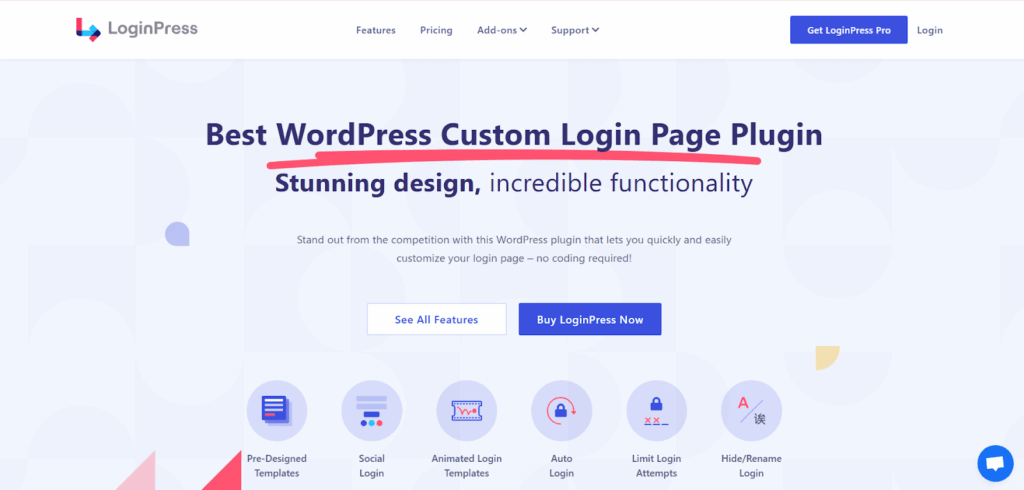
You can customize the EDD login page with LoginPress in five steps, with no code.
Step 1: Install and Activate LoginPress
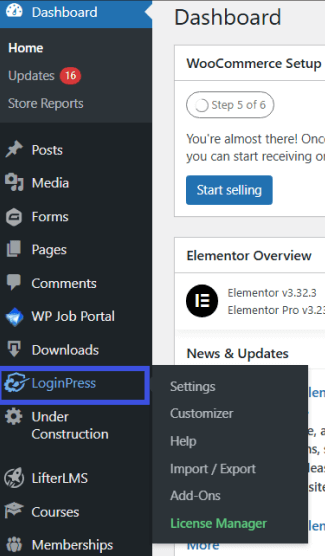
First, install and activate LoginPress PRO from the plugins directory. Once done, LoginPress adds a LoginPress menu to your admin sidebar.
Step 2: Enable the Easy Digital Downloads Integration
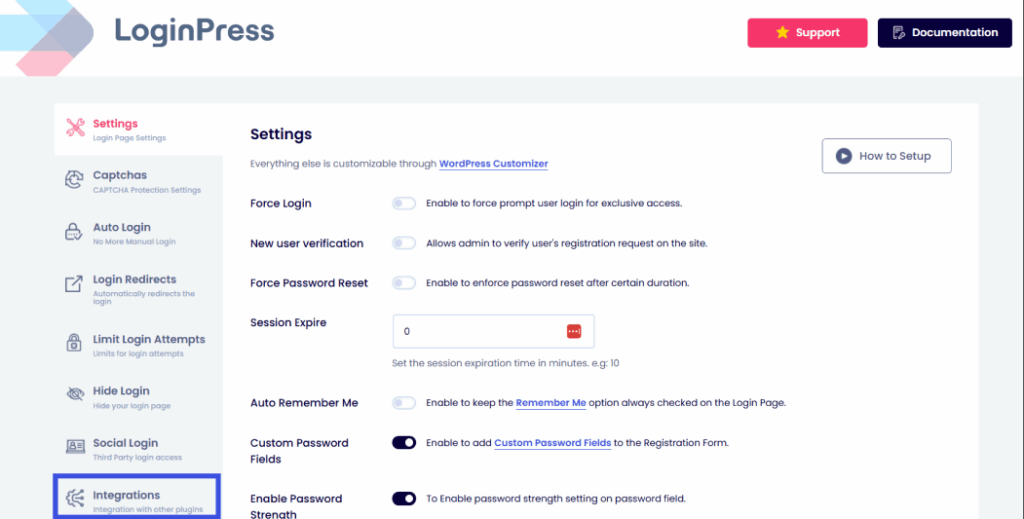
To enable LoginPress and EDD integration, go to LoginPress >> Settings >> Integrations.
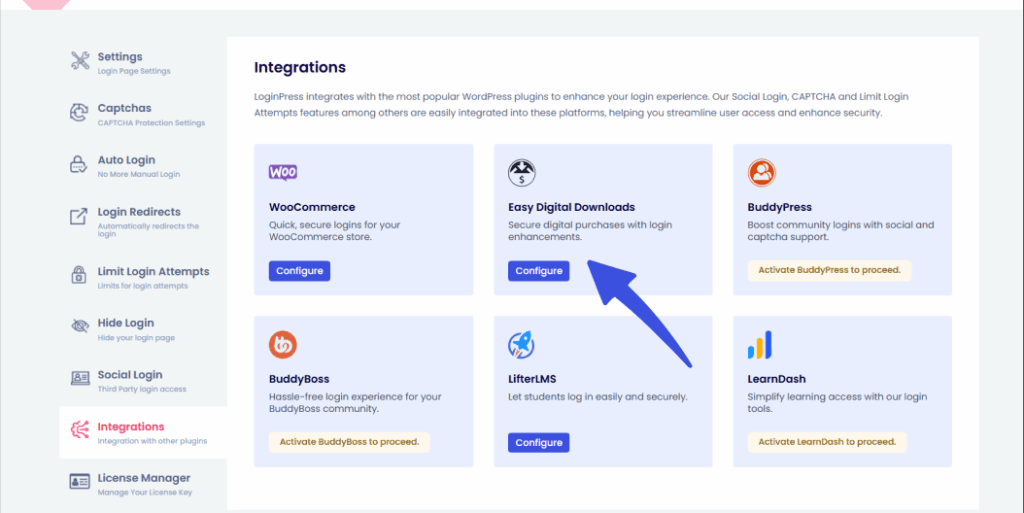
Then, find the Easy Digital Downloads option and click on Configure to add that integration to your LoginPress.
After you have configured the basic details for the connection between LoginPress and EDD, it will redirect you to this dashboard:
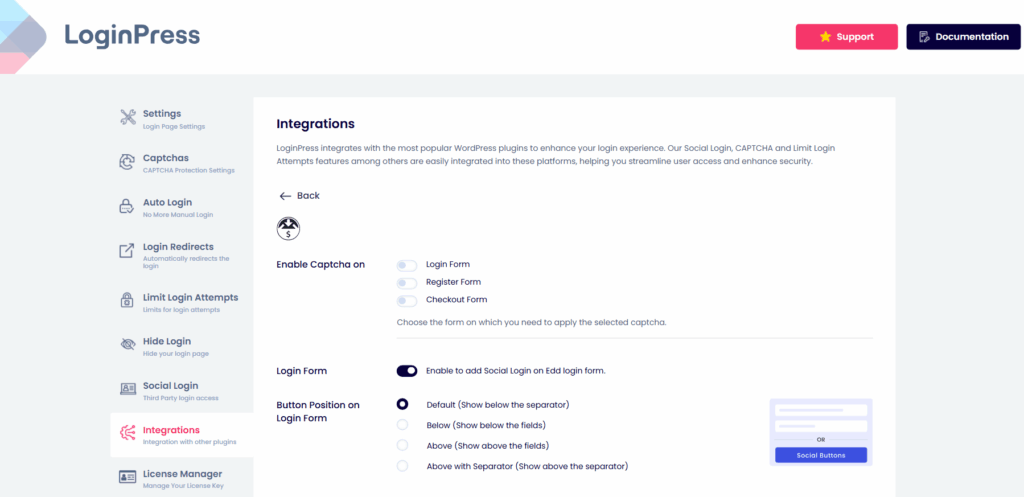
LoginPress lets you change button styles and further customize the login page right from your dashboard, without leaving WordPress. With these settings, you can:
- Enable CAPTCHA on the login/register and checkout forms to remove malicious bots from hammering your login or registration forms.

- Add social logins to your forms for optimized passwordless login and smooth UX.
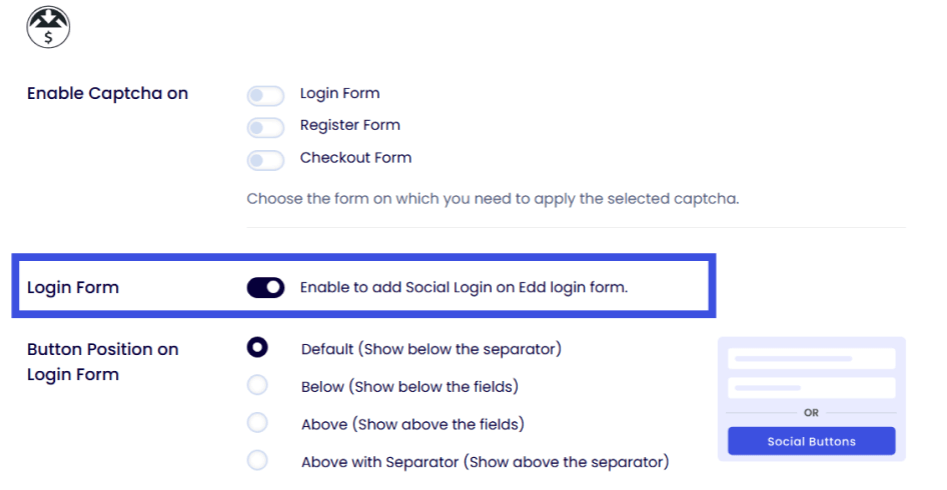
- Change the button positions in your forms to suit your needs.
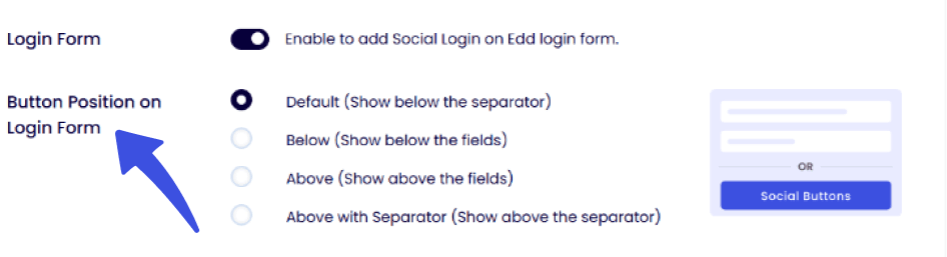
LoginPress provides a smooth login UX for your users, eliminating the need to navigate complex dashboards or switch between plugins for different functionalities. After making the suitable changes, click Save Changes.
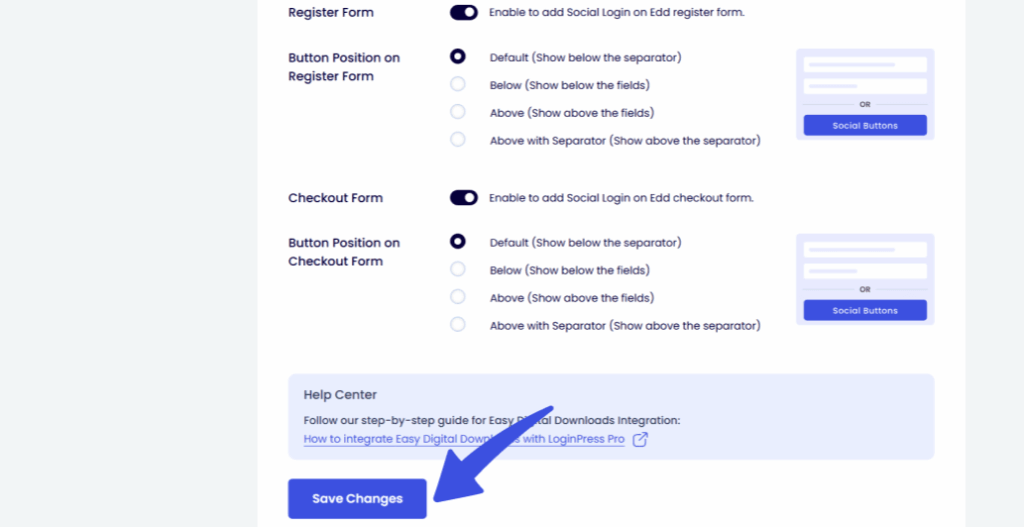
LoginPress will automatically sync with your Easy Digital Downloads login page, allowing you to customize it fully without affecting other login areas.
Step 3: Customize the Login look
To further customize your EDD login page, navigate to LoginPress >> Customizer to open the visual editor. Here’s what you can personalize:
- Logo & Branding: Upload your store logo and adjust its size and alignment.
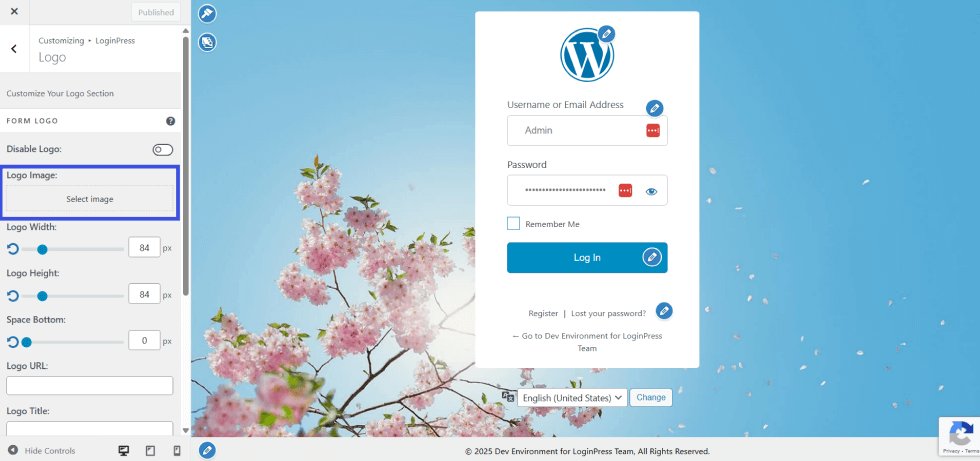
- Background: Choose a background image, color, or gradient that matches your site’s design.
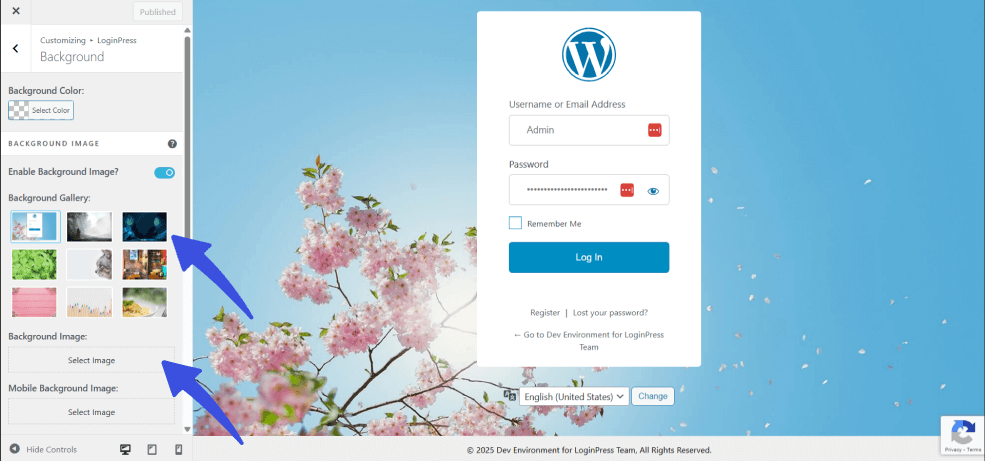
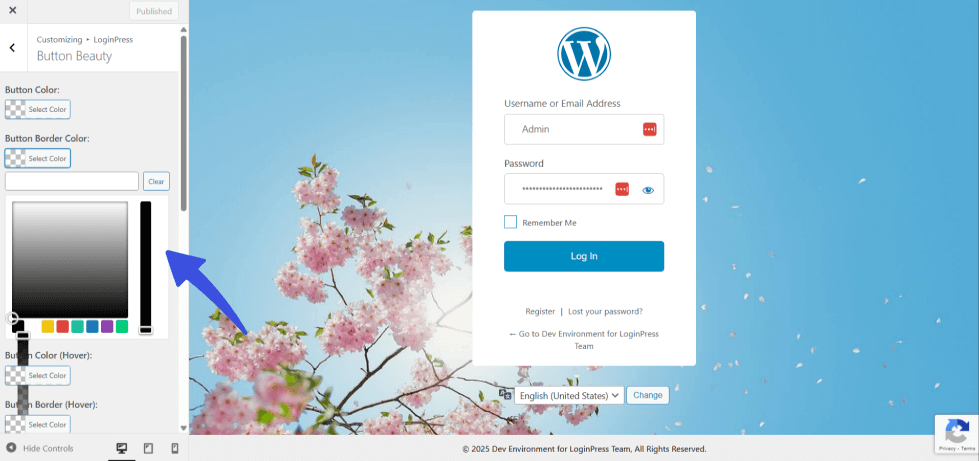
- Button Styling: Customize the Easy Digital Downloads login form, including button colors, borders, and hover effects.
- Custom Messages: Personalize welcome text or login hints to guide users during checkout.

Each change updates in real-time, so you can preview how your EDD login page customization looks before publishing.
Step 4: Add Custom Redirects (Optional)
You can also make your login experience smarter by redirecting users after login or logout. To do that, go to LoginPress >> Login Redirects.
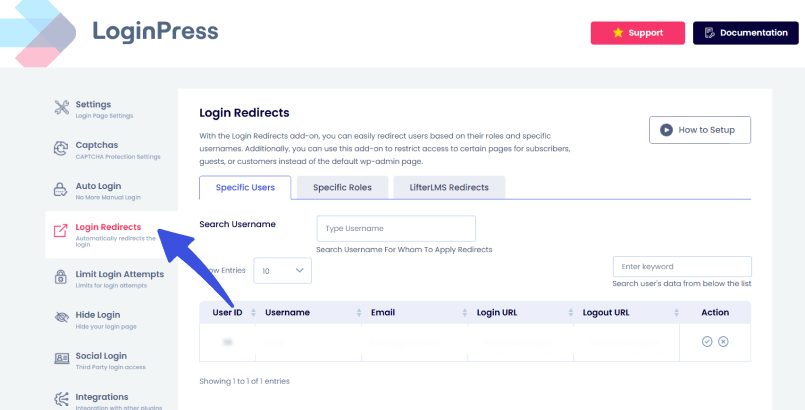
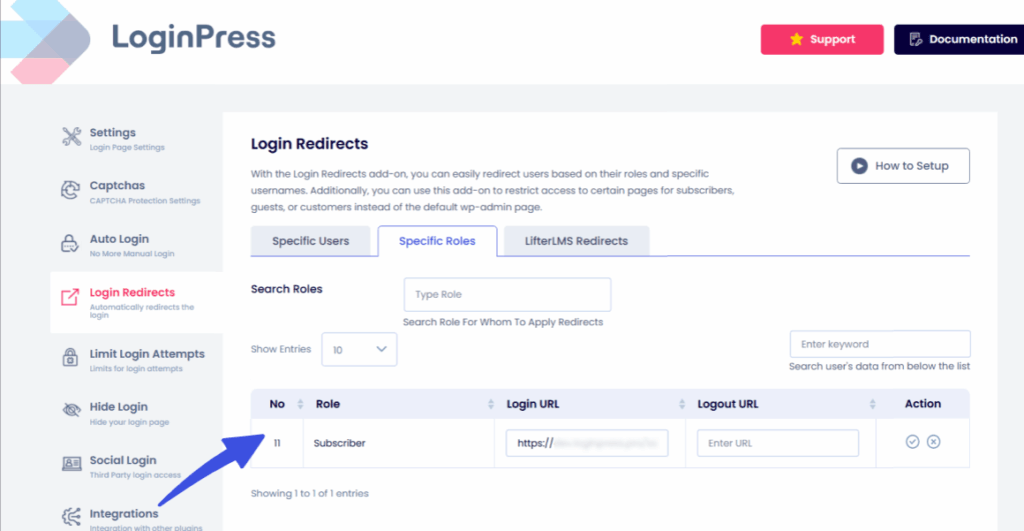
Then, set custom URLs for successful login or logout. This role-based redirection helps keep the admin and important pages secure and enhances the login experience for users.
Once satisfied with your digital product login page, click Publish to make it live. You can test it by visiting your EDD account or checkout pages.
Advanced Methods to Enhance Your EDD Login
You can improve convenience and security further with these LoginPress enhancements.
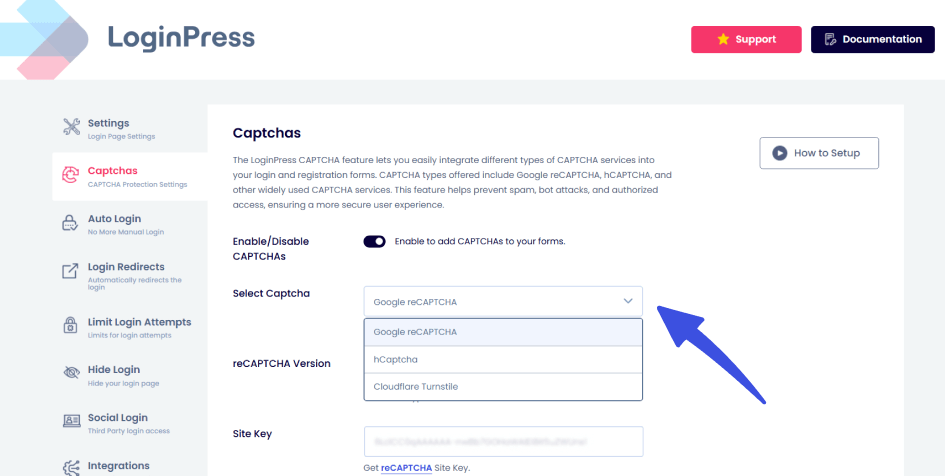
- Add CAPTCHA Protection: Integrate reCAPTCHA, hCaptcha, or Cloudflare Turnstile to block bots and automated login attempts.
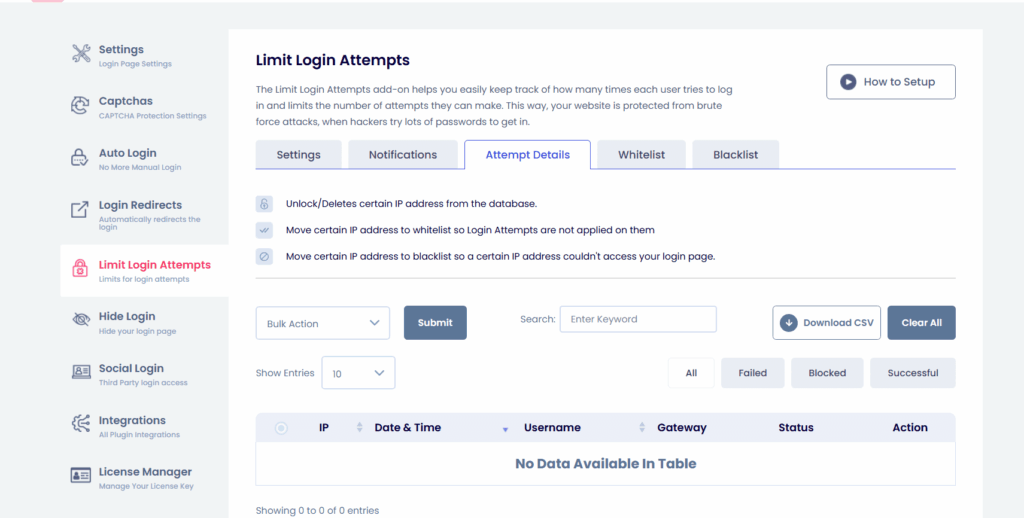
- Limit Login Attempts EDD: Restrict the number of failed login tries to prevent brute-force attacks.
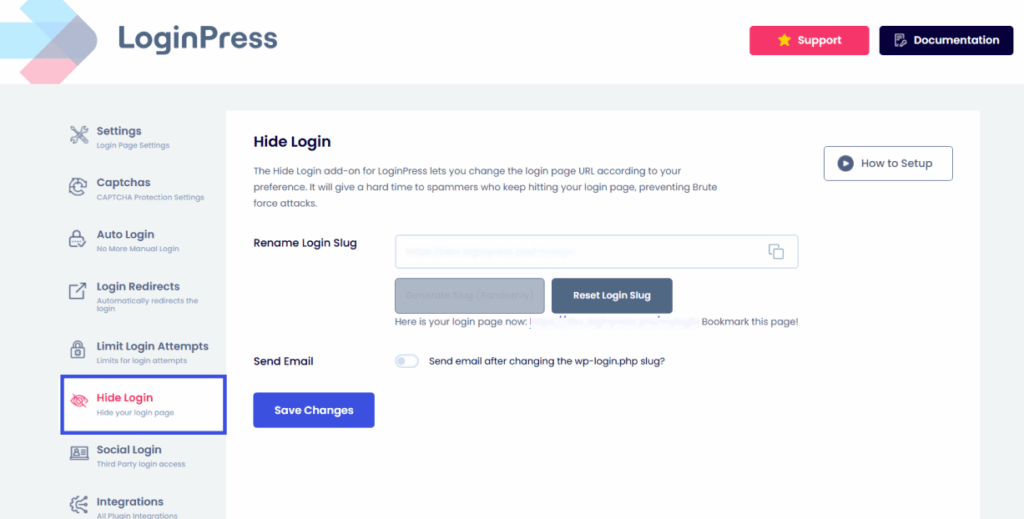
- Hide Login: Create a custom login URL for maximum protection against brute-force attacks.
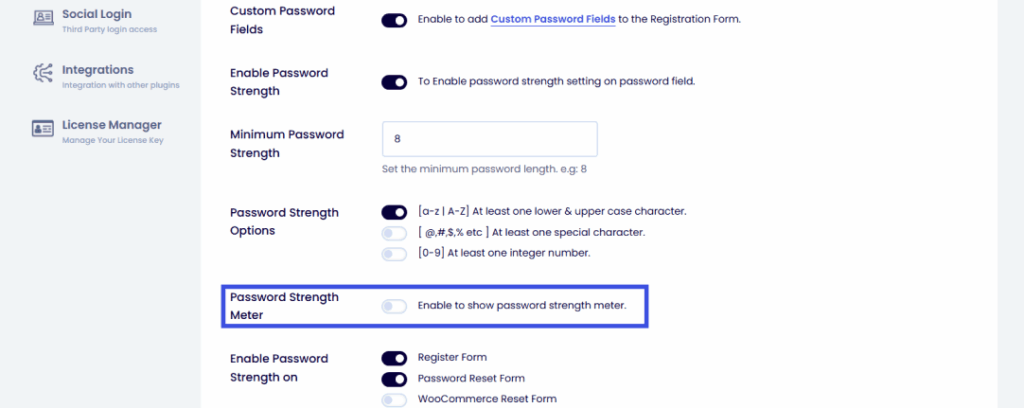
- Enforce Strong Passwords: Encourage customers to set strong passwords for added safety by adding a password strength meter.
Together, these advanced LoginPress features ensure that your Easy Digital Downloads login page is not only visually appealing but also secure and user-friendly with every login.
FAQs on Digital Product Login Page
How can I customize my Easy Digital Downloads login page without coding?
With LoginPress, you can completely design and personalize your Easy Digital Downloads login page using a simple visual customizer, with no coding required. You can change backgrounds, colors, logos, buttons, and even form layouts with real-time previews, making it easy to match your brand’s identity.
Can I add social login to EDD with LoginPress?
Absolutely! The LoginPress Social Login addon lets you add one-click login options through Google, Facebook, or LinkedIn. This feature enhances user convenience, helping them log in quickly and boosting your store’s checkout conversion rates.
Is LoginPress compatible with EDD checkout pages?
Yes, the LoginPress Easy Digital Downloads integration works smoothly with your EDD login, registration, and checkout pages. It ensures consistent design and functionality across every user touchpoint, creating a cohesive customer experience.
How do I prevent spam or bot logins on my EDD store?
LoginPress includes powerful security tools to keep your store safe. You can enable reCAPTCHA, hCaptcha, or Cloudflare Turnstile to block bots, limit login attempts to stop brute-force attacks, and enforce strong passwords to maintain account integrity.
EDD Login Page Customization: Recap
Customizing your EDD login page with LoginPress improves both design and security, and gives customers an easy way to reach their digital purchases.
From adding EDD social logins to enforcing strong passwords, LoginPress helps you create a login environment that’s not only professional but also secure for EDD checkout.
This is all for this article. For more related posts, check:
- Enhancing User Trust with Secure Login UX in WordPress
- How to Create a Smooth WordPress Login Experience for Your Users
- How WordPress Social Login Can Increase Sign-Ups on Your Site
- LoginPress + Easy Digital Downloads (EDD) Integration
So, what’s stopping you from turning your default EDD login into a polished, branded, and secure entry point for your digital store?