17+ Best WordPress Email Plugins (Categorized)

Are you looking for the best WordPress email plugin for your site?
If yes, you’ve landed on the right article!
Efficient email communication is integral for a WordPress site owner.
This is where WordPress email plugins come into play.
They help you manage emails straight from your WordPress dashboard.
These plugins enhance the deliverability of your emails, grow your email list, and much more.
But wait, with so many free and premium options, you might get confused about which suits you best, right?
Don’t worry! In this article, we’ll share a list of 17 of the best WordPress email plugins that will help you grow your business.
So, make sure to read this article till the end!
Best WordPress Email Plugins (Pricing Comparison)
Look at the pricing comparison table of the best WordPress Email plugins for a quick summary.
| Plugins | Pricing | Free Options |
|---|---|---|
| Mailchimp | $6.50/ year | ✓ |
| OptinMonster | $19/ month | ✓ |
| Mailster | $79/ year | ✓ |
| Newsletter | $79/ year | ✓ |
| MailPoet | $10/ month | ✓ |
| Brevo | $25/ month | ✓ |
| EmailOctopus | $8/ month | ✓ |
| Tribulant Newsletter Plugin | 70 USD (one-time) with one year of updates | ✓ |
| WP Mail SMTP by WPForms | $49/ year | ✓ |
| Easy WP SMTP by SendLayer | $49.50/ year | ✓ |
| FluentSMTP | – | ✓ |
| WP Mail Logging | – | ✓ |
| WP Mail Catcher | – | ✓ |
| Check & Log Email | – | ✓ |
| Subscribe2 | – | ✓ |
| Better Notifications for WP | $129/ year | ✓ |
| Manage Notification E-mails | – | ✓ |
| Postie | $29/ year | ✓ |
| POST SMTP Mailer | $49.99/ year | ✓ |
What is a WordPress Email Plugin?
A WordPress email plugin aims to optimize email handling for WordPress site owners.
They assist in creating and sending newsletters, managing subscriber lists, automating email responses and much more.
These plugins provide multiple customization options that help you send emails from your WordPress site.
Why Use A WordPress Email Plugin?
WordPress Email plugins help you with your email campaigns according to your brand’s style.
They ensure consistency across your site and emails.
No doubt, WordPress email plugins offer several advantages for website owners.
Here, we’ve created the main points for why you might want to add an Email plugin to your WordPress site:
- Email Automation: WordPress Email plugins often let you set up automatic email responses, scheduled newsletters, and much more.
- Subscriber Management: You can use these plugins to manage your subscribers. You can organize them into lists and segment them based on preferences.
- Analytics: These plugins enable you to track the performance of your email campaigns, i.e., open rates, click-through rates, and conversions.
- Integration: They can integrate with other essential plugins, such as CRM systems, e-commerce platforms, etc.
- Ease of Use: Most WordPress email plugins are designed to be user-friendly, making it simple for individuals without extensive technical knowledge to create and manage email campaigns effectively.
A WordPress email plugin makes it easier to manage your email marketing, connect with your audience, and build a loyal group of subscribers.
Best WordPress Email Plugins (Detailed List)
There are hundreds of free and premium WordPress Email plugins available.
Here, we’ve categorized Email plugins based on their main functionalities.
Let’s explore the features of the 17 best WordPress Email plugins.
Email Newsletter Plugins
1. Mailchimp

Mailchimp is a top WordPress email plugin that helps you connect your site with a leading email marketing platform.
This plugin makes it easy to connect with your audience.
You can manage your email lists, create subscription forms, and more right from your WordPress dashboard.
Features:
- User-friendly: The plugin offers an easy-to-use interface for the users making it beginner friendly.
- Responsive: This plugin can create responsive emails that fit all screen sizes.
- A/B Testing: The plugin offers A/B testing that lets you test and optimize your emails.
- Campaign Manager: The plugin offers a campaign manager feature that you can use to build campaigns across different channels.
- Email Builder: You can use this plugin to create and design your emails.
- Email Marketing: Mailchimp helps in email marketing.
Pricing:
The core plugin is Free. The premium version starts at $6.50/ year.
2. OptinMonster

OptinMonster is a top WordPress plugin that helps you grow your email list and bring more visitors to your website.
With this plugin, you can add newsletter signup forms directly into your blog posts or pages.
You can also place a custom call-to-action button right after your blog posts.
OptinMonster also lets you add a newsletter signup form to your blog’s sidebar, making it easier for more people to subscribe.
Features:
- Beginner Friendly: The plugin offers a user-friendly interface.
- Built-in Templates: It has so many useful built-in email templates.
- Responsive: The best part is that all newsletters are responsive enough to adopt every screen size.
Pricing:
The core plugin is free. The premium version starts at $19/ month.
3. Mailster

Mailster is a helpful WordPress email plugin that lets you send targeted campaigns such as newsletters, birthday greetings, auto-responders, and welcome emails.
You can pick from over 400 free and premium themes to use with your plugins.
See the image below:

Key Features:
- Effortless Lead Collection: You can easily use this plugin to collect leads.
- Drag-and-drop Email Campaigns: A drag-and-drop feature helps you create stunning email campaigns without writing a single line of code.
- Support Email Service Providers: Mailster supports many professional email service providers, i.e., Gmail, mailgun, SendGrid, and more.
Pricing:
The plugin is available at $79/ year.
4. Newsletter

Newsletter is another useful WordPress Email plugin that offers a drag-and-drop option to enable you to build responsive newsletters for your site.
The plugin lets you configure the General settings for your subscriptions, such as:
- Disable Antibot: If enabled, stop bots from accessing your emails.
- Akismet: This feature automatically filters spam emails.
- Antiflood: This option blocks repeated subscriptions with the same email or IP address.
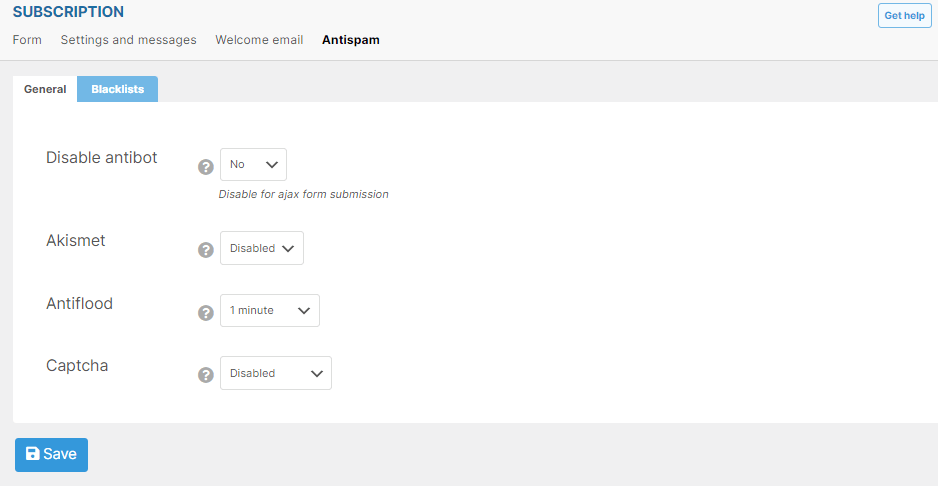
In addition, you can easily control delivery speed, i.e., 12 emails per hour.
Plus, you get advanced targeting with list combinations, including all in, at least one, not in, and more.
Features:
- Automated Emails: The plugin lets you create an automated newsletter based on your requirements, i.e., daily, weekly, and monthly.
- Reports: The plugin allows you to keep track of email reports.
- Autoresponder: The pro version lets you enable autoresponder against an email.
- WooCommerce Integration: The plugin fully supports a WooCommerce site.
- Multilingual Support: The plugin provides multilingual support. It helps the users to change the language according to their preferences.
Pricing:
Free. The premium is available at $79/ year.
Email Marketing Plugins
5. MailPoet

MailPoet stands out as a top email plugin for WordPress.
More than 700,000 websites trust MailPoet to make email campaigns easier.
Its drag-and-drop editor lets you create eye-catching newsletters without any hassle.
You can manage, create, and send newsletters right from your WordPress dashboard with ease.
MailPoet helps you grow your subscriber list, build better customer relationships, and increase engagement with personalized emails that match your audience’s preferences.
Key Features:
- Manage Subscription: The plugin lets you manage your subscribers and subscriber list straight from the WordPress admin dashboard.
- Newsletter: The plugin lets you build and send newsletters with WordPress.
- Automatic Email: The plugin offers an automatic email feature to send new post notifications automatically.
- Automated Emails: The plugin automates the process of sending welcome emails.
- Integration: The plugin is fully compatible with a WooCommerce site.
Pricing:
Free. The premium version starts at $10/ month.
6. Brevo
Brevo is another useful WordPress Email plugin.
This user-friendly WordPress plugin enhances your email marketing strategy to streamline the communication efforts with your audience.
With Brevo, you can easily manage your email campaigns.
Plus, you can create, send, and track emails directly from your WordPress admin dashboard.
Brevo is simple and easy to use. It offers an email builder and template customization to boost your email marketing efforts.
Moreover, you can enjoy SMS and WhatsApp marketing support.
Key Features:
- Ease of Use: The plugin offers an easy-to-use interface, making it beginner-friendly.
- WhatsApp Campaigns: The plugin helps you create WhatsApp campaigns.
- Responsive Campaigns: The best part is that your campaigns remain responsive and fit every screen size, i.e., desktop.
Pricing:
Free. The premium version starts at $25/ month.
7. EmailOctopus

EmailOctopus is a WordPress email plugin that helps users manage their email marketing campaigns right from the WordPress dashboard.
It makes it easy to send newsletters, updates, and promotional content to subscribers.
The plugin lets you add EmailOctopus subscription forms to your WordPress site.
See the image below.
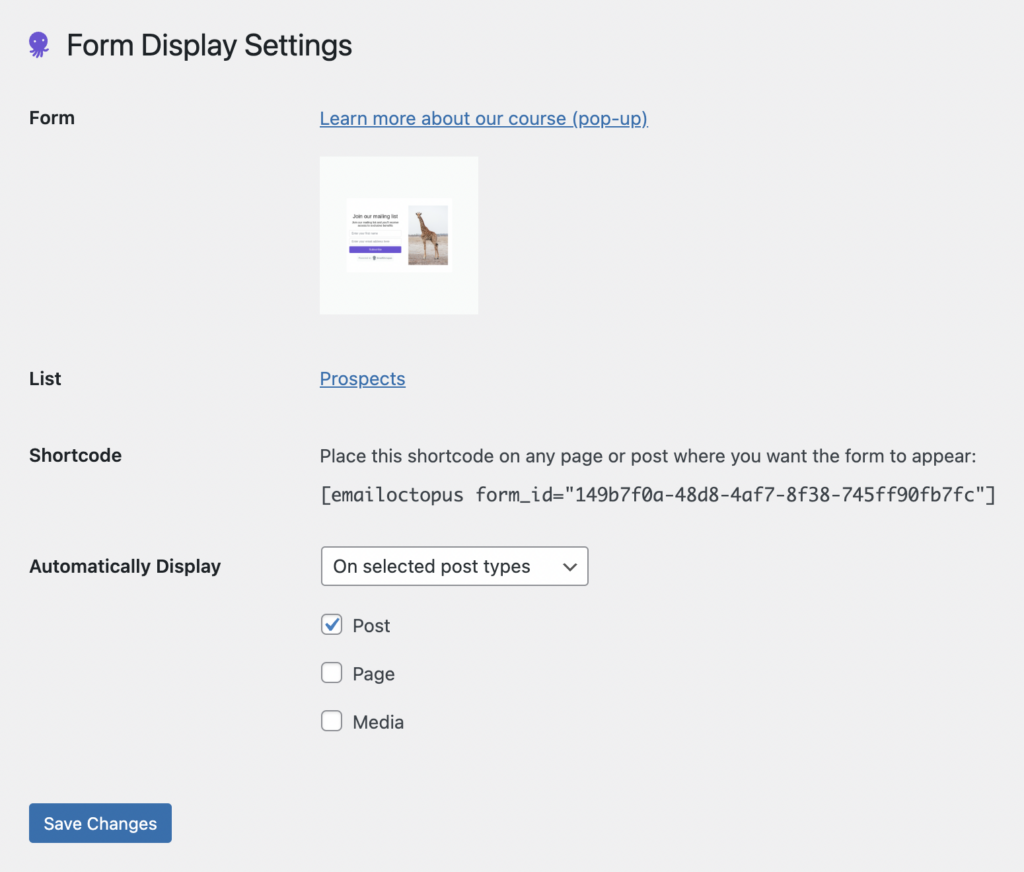
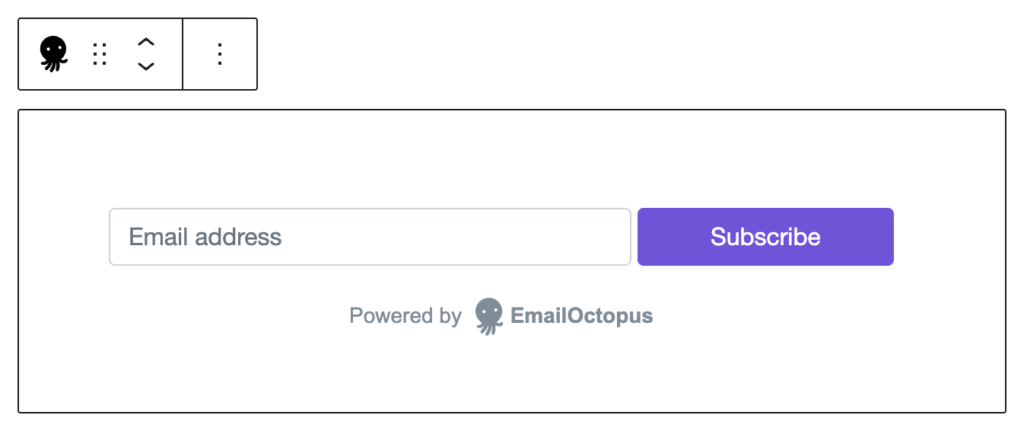
You can also easily add a subscription box to your posts and pages.
See the image below.
Key Features:
- Email Marketing: The plugin offers features that help you grow your business.
- Predesigned Templates: You can easily select from any pre-designed subscription templates.
- Campaigns Autopilot: The plugin enables you to set campaigns on autopilot.
- Analytics: The plugin offers campaign reporting that makes it easy to keep track of your open, click, and bounce rates.
Pricing:
Free. The premium version is available at $8/ month.
8. Tribulant Newsletter Plugin

The Tribulant Newsletter Plugin is a powerful tool for managing and sending newsletters, allowing you to handle your email marketing directly from your WordPress site. Here are some key features:
Features:
- Drag & Drop Newsletter Builder: Create beautiful newsletters and themes/templates without needing any coding skills. Or, import your own HTML design.
- Subscribe Form Builder: Easily build and customize subscription forms to fit your website’s design. Use pre-defined fields or create your own custom fields.
- Manage Subscribers & Lists: Efficiently import and manage your subscriber lists and segment them for targeted campaigns. Paid lists available. You can also set up autoresponders.
- SMTP, API & Local Sending: Send newsletters via SMTP server, sending API, or local mail server.
- Multilingual Ready: Supports multiple languages using plugins like WPML, qTranslate-X, and Polylang.
- Bounce & Unsubscribe Management: Handle bounces and unsubscribes effectively to maintain a clean subscriber list.
- Email Tracking & Analytics: Track opens, clicks, and other metrics to measure the effectiveness of your newsletters.
- Attachments & Images: Insert images and attach files to your newsletters for a more engaging experience.
- Online Version: Each newsletter has an online version available for easy access.
- Integration with WordPress: This tool works smoothly with WordPress and supports WooCommerce and other popular plugins. You can easily add a subscribe form anywhere on your site using widgets.
Pricing
Free on WordPress.org. The premium version costs 70 USD (one-time) with one year of updates. Can be used forever.
Email SMTP Plugins
9. WP Mail SMTP by WPForms
WP Mail SMTP is one of the best WordPress Email plugins.
The plugin offers an Email Log where you can see a detailed history of your emails sent from the WordPress admin dashboard using this plugin.
See the image below:
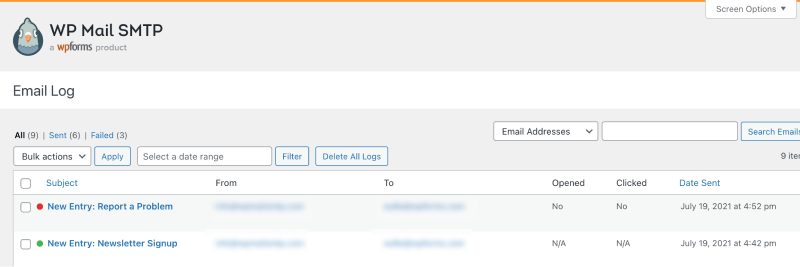
Besides this, the plugin makes tracking the sent and failed emails easy.
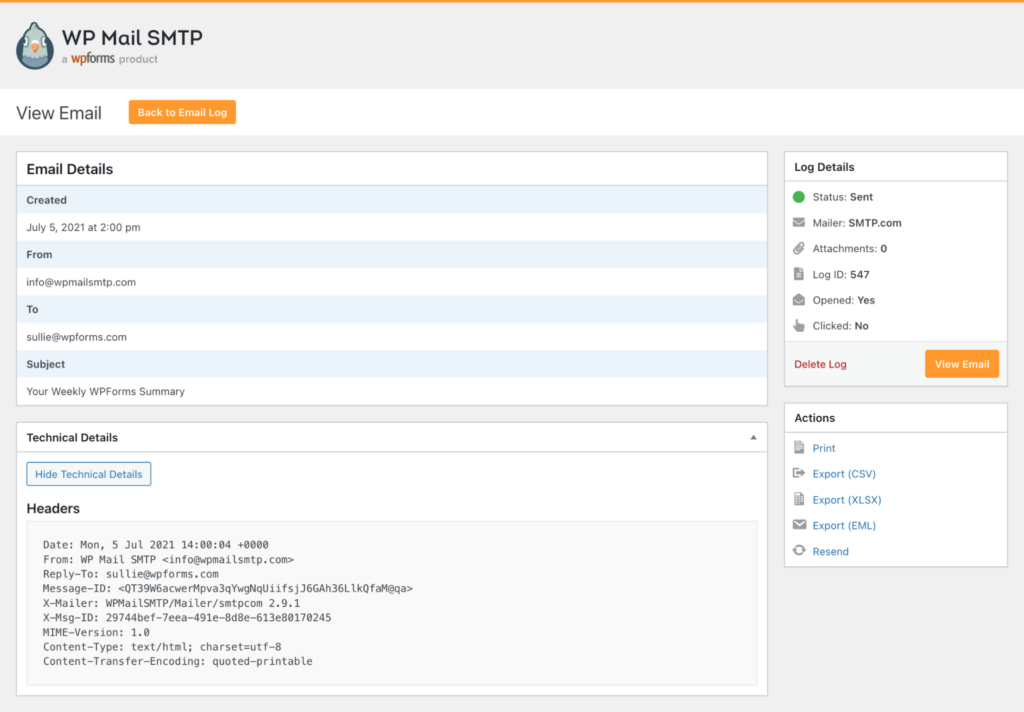
The plugin offers an Email View option where you can see Email details for an Email, including
- Status
- Mialer
- Attachment
Key Features:
- Email Resend Option: You can resend emails and attachments with a single click.
- Printin Emails: The plugin lets you print email logs and save them as PDFs.
- Export Feature: You can easily export email logs to CSV, XLSX, or EML.
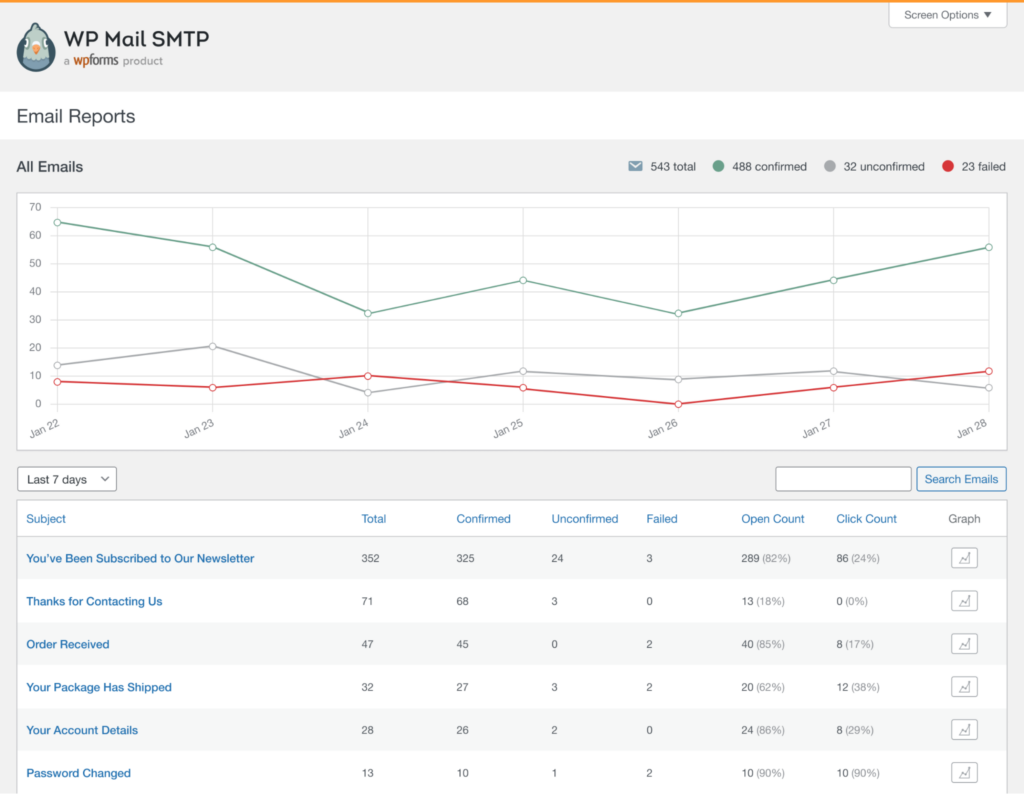
- Weekly Reports: You can quickly get weekly deliverability reports.
- Mailer Support: The plugin supports SendGrid, Zoho Mail, Mailgun, and many other SMTP mailers.
Pricing:
Free. The premium version starts at $49/ year.
10. Easy WP SMTP by SendLayer
Easy WP SMTP is another reliable WordPress email plugin that helps you configure and send all outgoing emails.
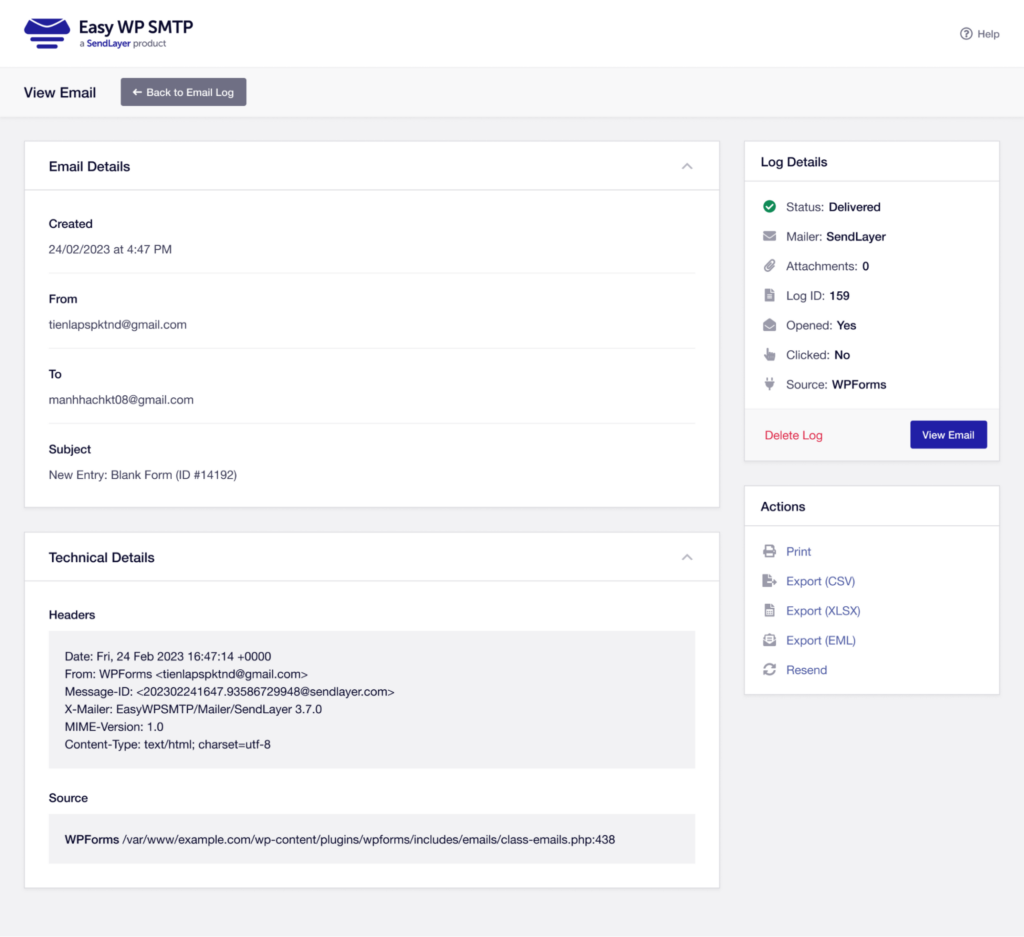
The plugin comes with a View Email option, where you can see a complete history of your email, such as:
- Mailer
- Attachment
- Log ID
- Opened
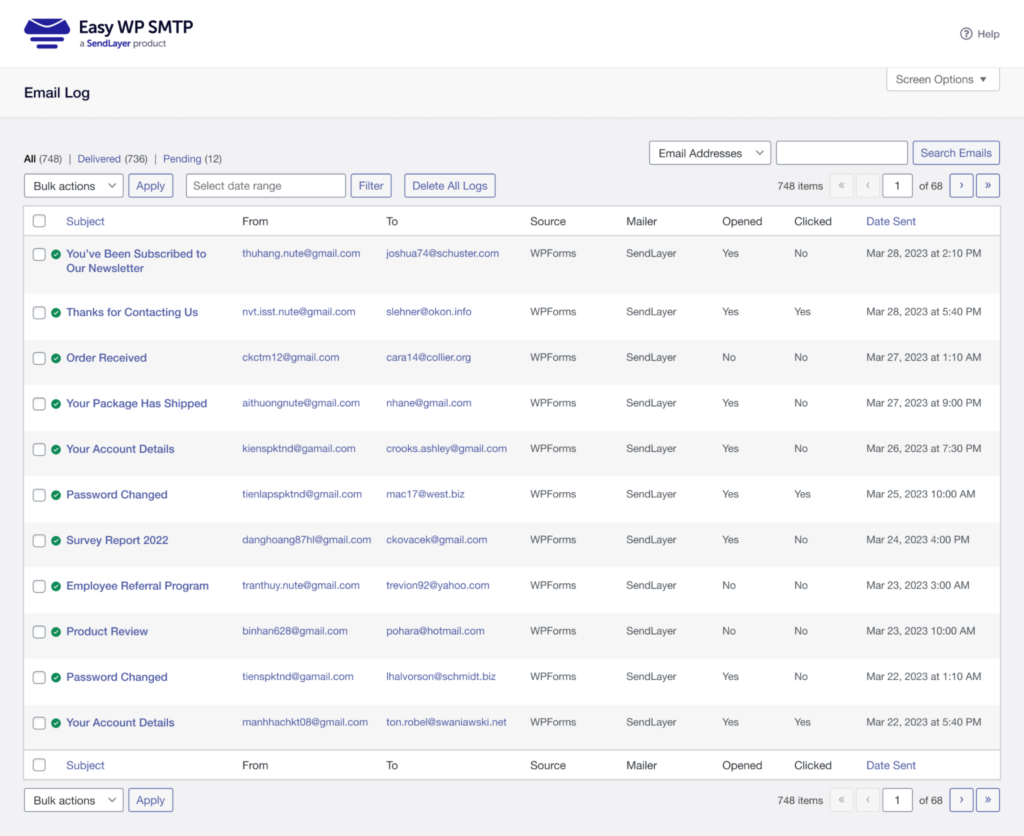
In addition, the plugin offers an Email Log option, where you can fully track your Emails that have been sent to your WordPress admin dashboard, such as:
- All
- Delivered
- Pending
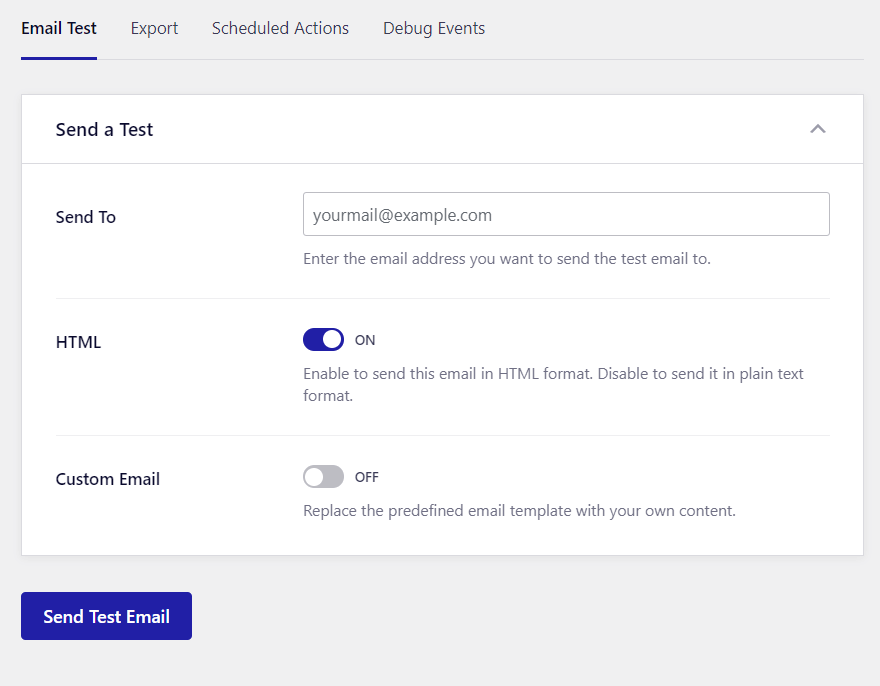
You can also send an Email test to see if the Email is working nicely straight from your WordPress admin dashboard.
Key Features:
- Resend: The plugin enables you to resend emails and attachments in no time.
- Click Tracking: You can keep track of emails that get clicks or are opened.
- Export Logs: The plugin enables you to export logs to CSV, XLSX, or EML.
- Mailer: The plugin supports multiple mailers, including Brevo, SMTP, PHP, etc.
Pricing:
Free. The premium version starts at $49.50/ year.
11. FluentSMTP
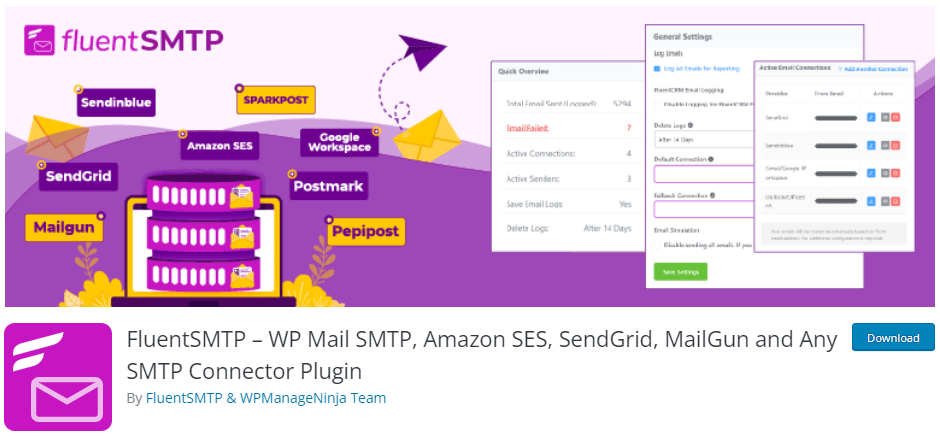
FluentSMTP is a WordPress email plugin that makes sure your emails are delivered easily and reliably.
The plugin lets you route emails through several different email connections.
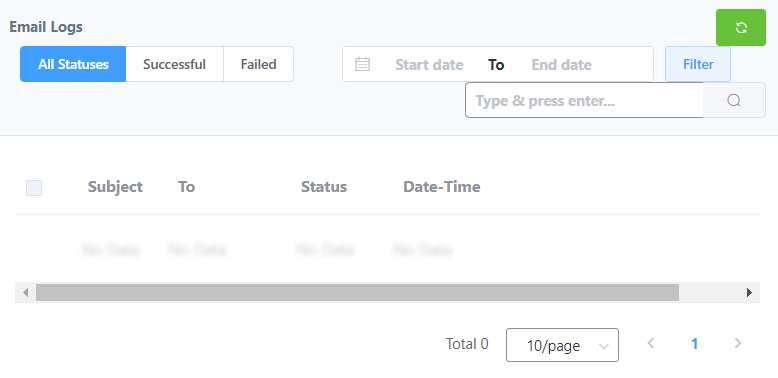
The plugin brings an Email Logs window for you where you can see the performance against your Emails, including:
- All Statuses
- Successful
- Failed
- Start/ End Date
… more.
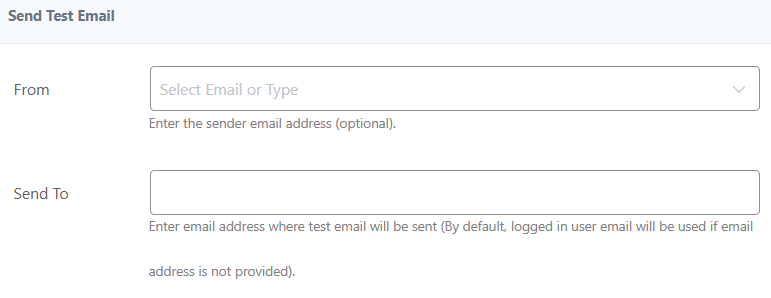
The plugin lets you send a test Email to see if your Emails are reaching the desired Email address well on time.
Key Features:
- Email Routing: The plugin lets you configure multiple email service provider connections, i.e., Mailgun, SendGrid, Brevo, PHP, and more.
- Daily/Weekly Notifications: The plugin enables you to get detailed daily or weekly notifications for your emails, i.e., which emails are getting broadcasted.
- Postmark: You can easily connect your Postmark account over REST API. It helps send all WordPress emails faster.
Pricing:
Free.
Logging Email Plugins
12. WP Mail Logging

WP Mail Logging is a helpful WordPress email plugin.
It keeps a detailed record of every email sent from your site, including information like the sender, recipient’s email address, and other details.
Once you install the plugin, it starts working right away without any extra setup.
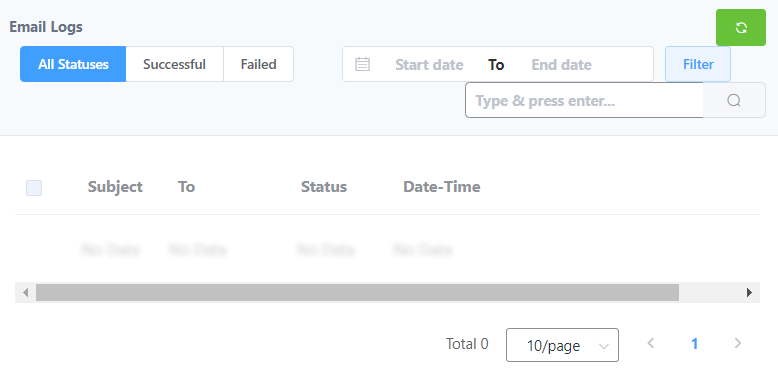
The plugin lets you keep an email log so you can check the status of your emails, such as:
- All Statuses
- Successful
- Failed
You can easily set the plugin as per your requirements.
See the image below:

The plugin enables you to send a test email to see if it works correctly.
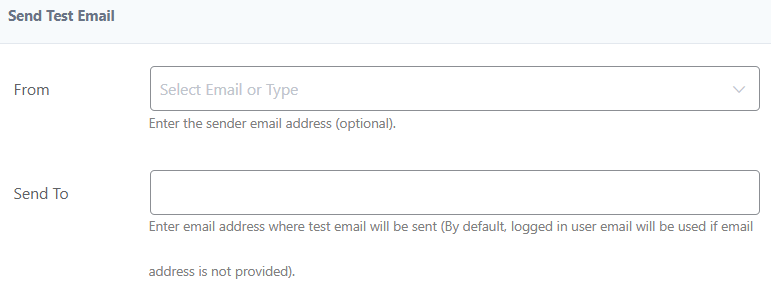
Key Features:
- Delivery Status: The plugin enables you to know the delivery status for your WordPress emails.
- Resend Emails: The plugin offers a resend email feature that helps you resend emails to a defined email address.
- View Original Email Content: The plugin lets you view the original content of your email.
- Click/Open Analytics: You can easily keep track of your Emails, i.e., open and click data.
Pricing:
Free.
13. WP Mail Catcher
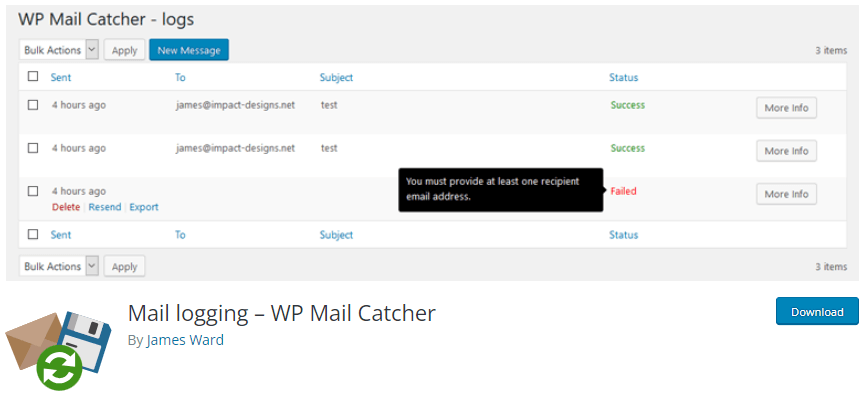
WP Mail Catcher is a WordPress email plugin that lets you manage your email logs directly from your dashboard.
One thing to note is that it keeps things simple and avoids unnecessary features.
With this plugin, you can view detailed email logs, including information about each email, such as:
- Successful
- Failed
- To
- Subject

WP Mail Catcher offers a separate area to handle all the Email related functionality, i.e., Auto delete logs.

Key Features:
- Email Creation: The plugin lets you create a new Email with the help of WordPress controls.
- Resend Emails: You can easily resend emails in bulk straight from your WordPress admin dashboard.
Pricing:
Free.
14. Check & Log Email

Check & Log Email is a helpful WordPress plugin that lets you view and keep a record of all emails sent from your site.
It stores these emails for auditing, and you can also use it to troubleshoot any email issues on your WordPress site.
You can also use this plugin with eCommerce sites built with WooCommerce or Easy Digital Downloads.
You can set limits on the Status shown on the Log Page based on user roles, such as:
- Editor
- Author
- Contributor
- Subscriber
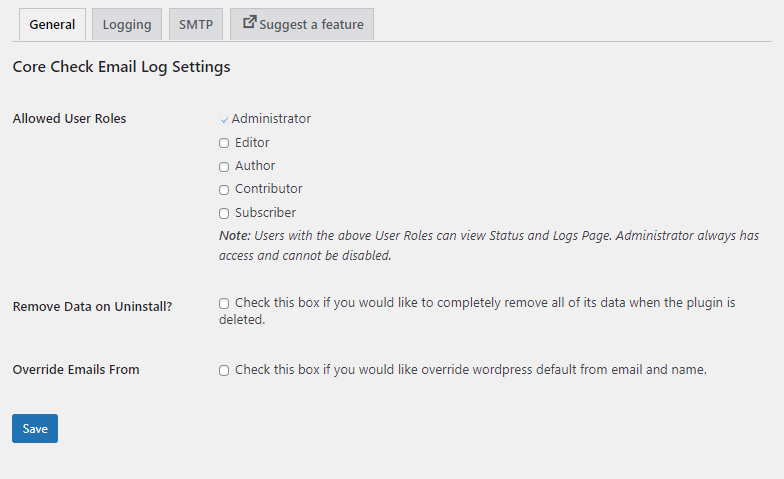
The plugin offers different Logging options. See the image below:
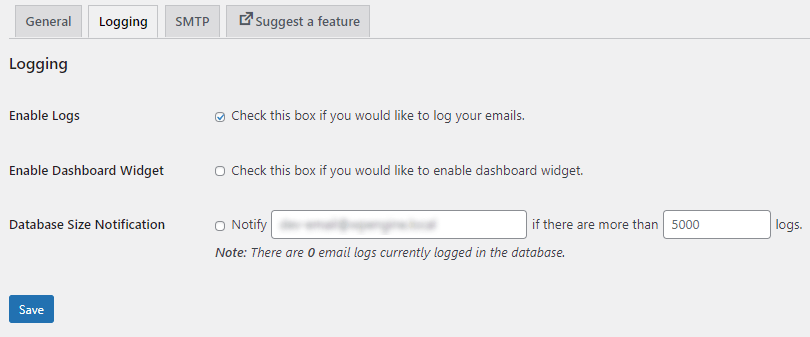
Features:
- Test Email: The plugin offers a test email feature that lets you send a test email to see if the plugin is working fine.
- Track Logged Emails: You can easily view logged emails straight from the WordPress admin dashboard.
- Deleting Logged Emails: The plugin lets you delete logged emails in less than a minute.
Pricing:
Free.
Email Notification Plugins
15. Subscribe2

Subscribe2 is an Email subscriber and newsletter plugin.
This plugin can efficiently manage subscriptions and email notifications for WordPress blogs.
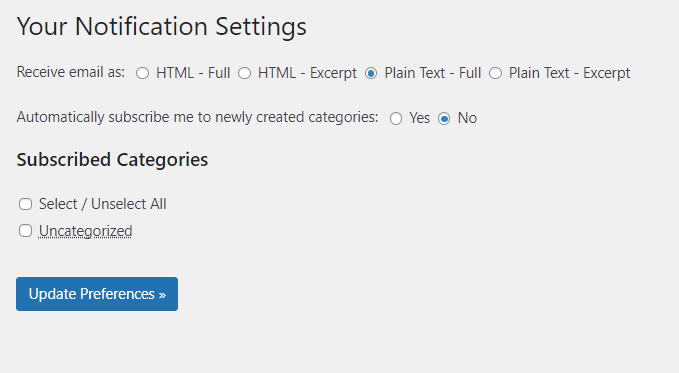
The plugin provides multiple options for you to receive emails, including:
- HTML
- Full
- HTML – Excerpt
- Plain Text
In addition, you can also enable automatic subscriptions to newly created categories.
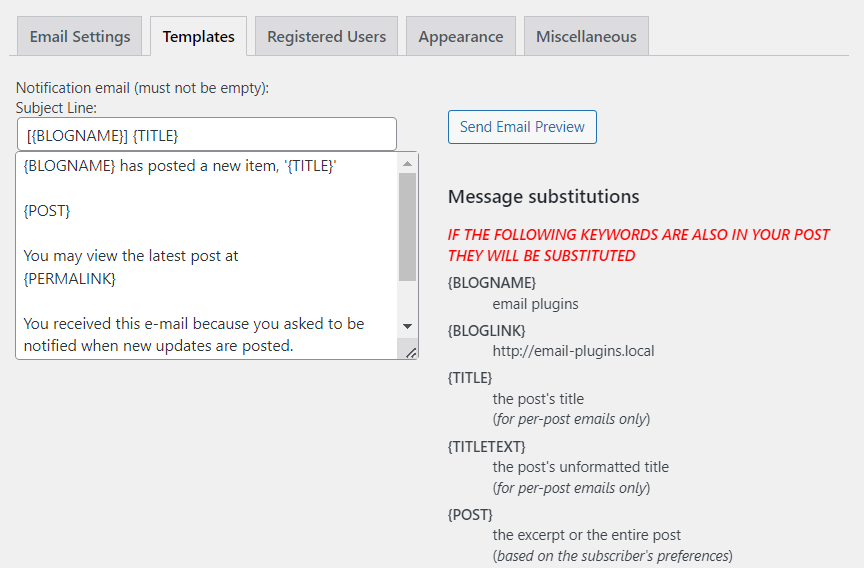
The plugin brings an Email template for you.
You can easily customize the Email text and even go for Email Preview.
Key Features:
- Automated Email Notifications: You can easily engage your subscribers with automated notifications for new content, newsletters, etc.
- Responsive Design: Enjoy a mobile-friendly and responsive design for your subscriber emails.
Pricing:
Free.
16. Better Notifications for WP
Best Notifications for WP is another useful WordPress Email plugin that lets you edit the default Email notifications in WordPress.
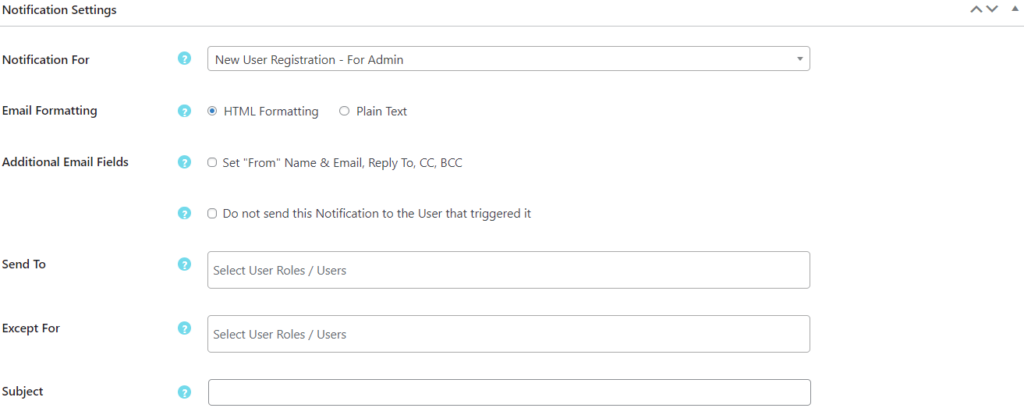
The plugin lets you make changes to the notification settings for:
- Notification for
- Email Formating
- Send to
- Except for
… and more.
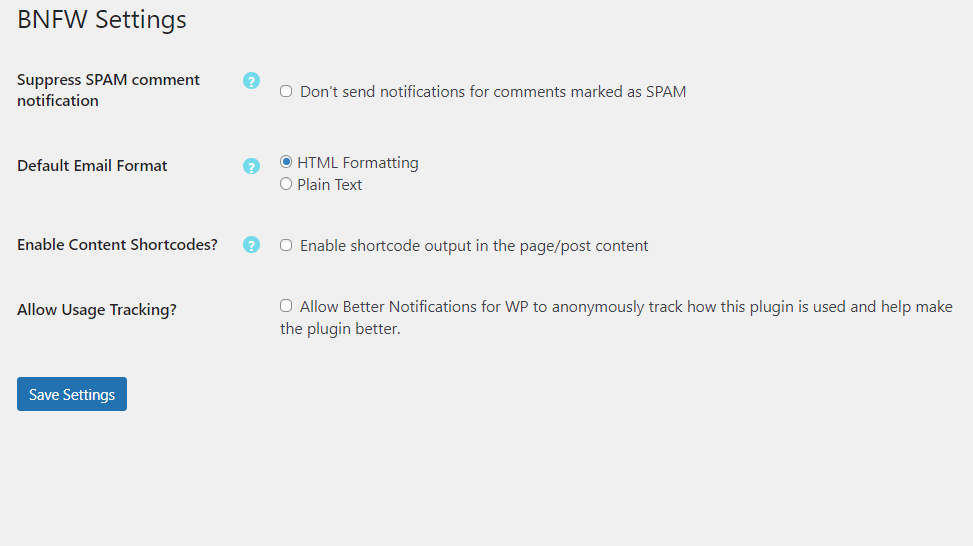
You can quickly set the plugin’s settings where you can define:
- Default Email format
- Content Shortcode
- Usage Tracking
You can quickly overview your sent emails using:
- Title
- Date
- Notification Type
- Enabled

Key Features:
- Default Content: You can use the default content for creating an email.
- Default Notification: The plugin lets you edit default email notifications.
- Disable Notifications: The plugin lets you turn off spam comment notifications for your site.
Pricing:
The core plugin is available for free. The premium version starts at $129/ year.
17. Manage Notification E-mails
Manage Notification E-mails is a WordPress email plugin that lets you fully manage WordPress Emails.
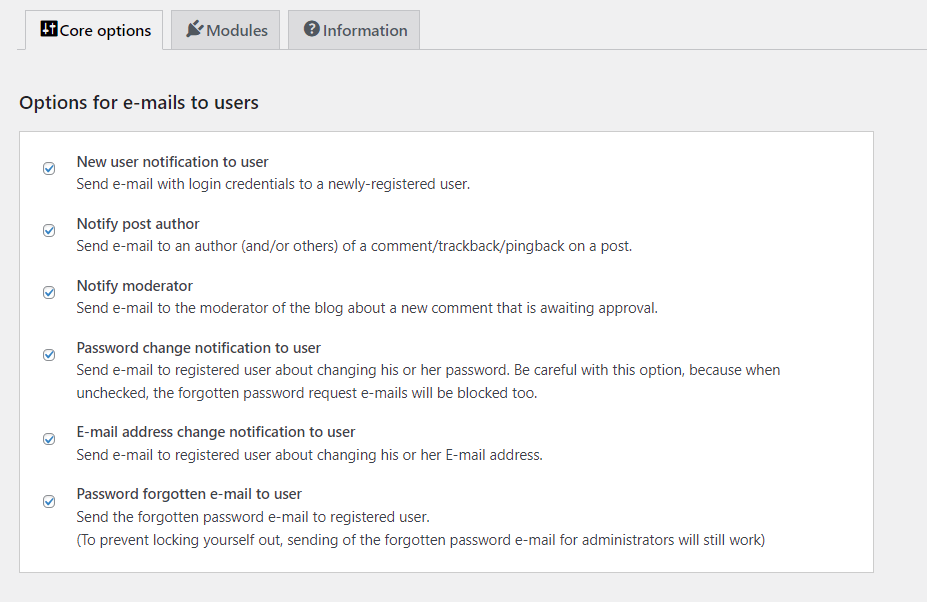
You can enable/disable Email notifications using multiple options such as:
- New user notification to user
- Notify post author
- Notify moderator
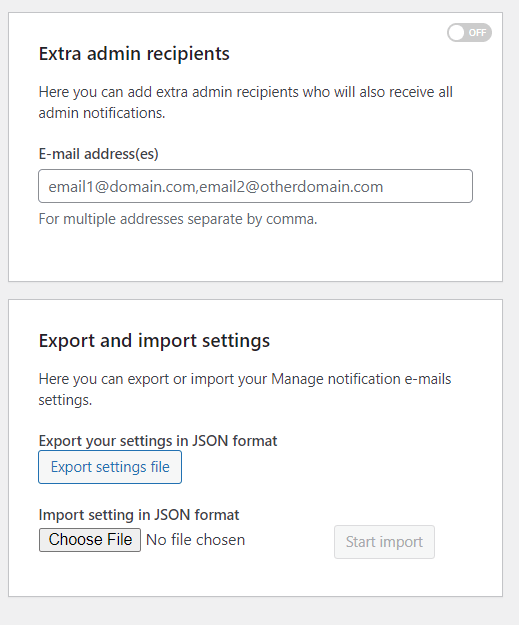
The plugin includes an Extra admin recipient option, so you can add more admin recipients.
This ensures that everyone you add will receive admin notifications.
Other than this, the admin can create a wide range of notifications, such as:
- E-mail address change notification to user
- Forgotten password e-mail to user and admin
- Automatic WordPress core, plugin, and theme update e-mail
Key Features:
- New User Notification: The plugin creates new user notifications for the admin and the users.
- Post Notification: This plugin helps generate post notifications for the author.
- Password/ Email Change Notification: The plugin helps generate the password and Email change notification for the admin and the user.
Pricing:
Free.
Email Post Plugins
18. Postie

Postie is a WordPress email plugin that enables you to create a post simply by sending an email.
The plugin offers so many useful options for you.
For example, you can set a time for checking an Email, such as:
- Weekly
- Daily
- Every 2 hours
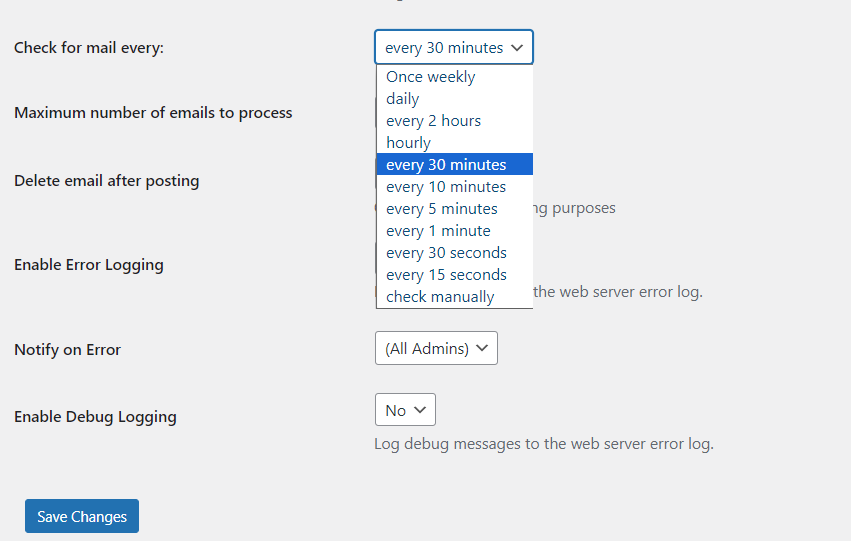
Moreover, you can select the preferred text type for your mail, i.e., Plain Text.
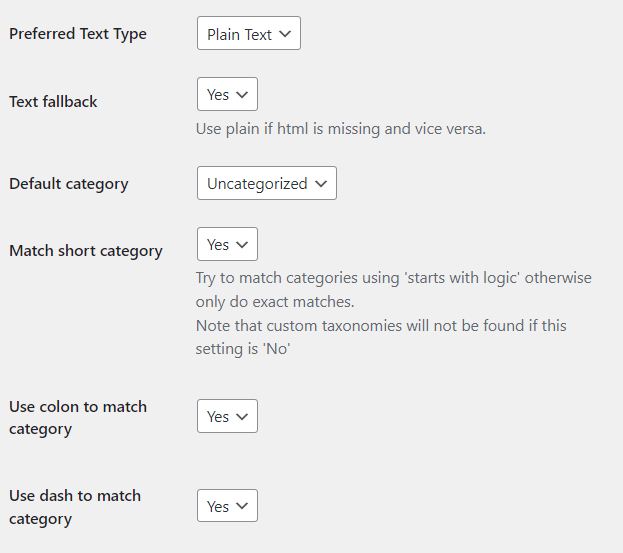
By default, the plugin allows the Admin to post.
However, you can manually select any other role who can post for your site, including:
- Editor
- Author
- Contributor
- Subscriber

Key Features:
- Mail Protocol: The plugin supports different mail protocols, including POP3, IMAP, POP3-SSL, and more.
- Mail Usrid: This feature is there to help the plugin automatically read and delete all the emails in this account.
- Ignore Email Date: This plugin helps you choose whether to publish an email with the system time or post date.
Pricing:
Free. Postie shortcodes Addon is available at $29/ year.
19. POST SMTP Mailer
Post SMTP Mailer is one of the best WordPress Email plugins that help you send Email log and delivery failure notifications.
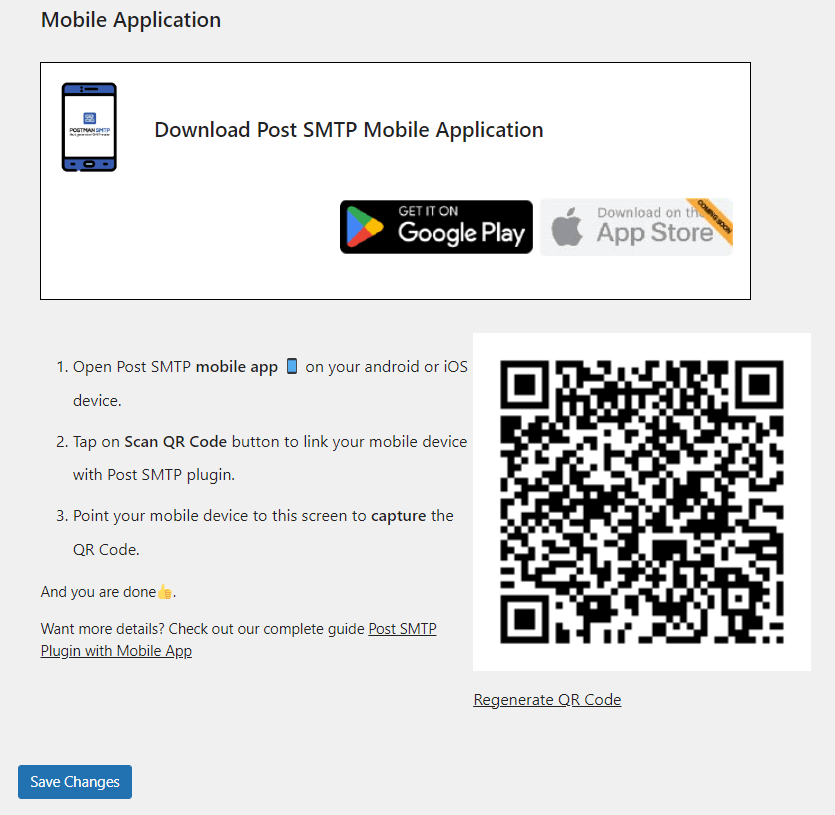
The plugin has also introduced a mobile application to track your SMTP data easily.
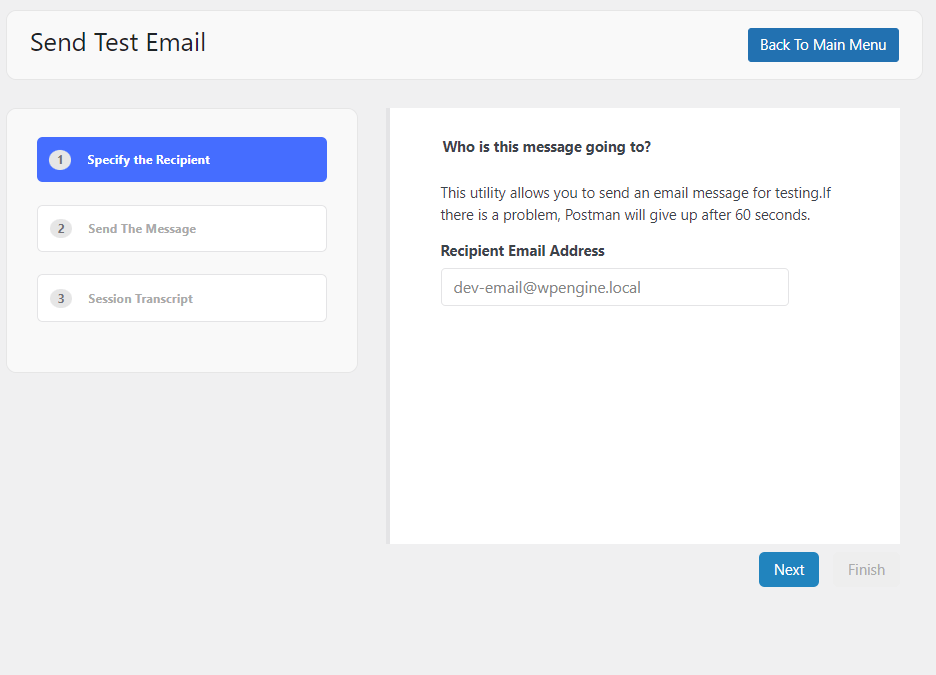
The plugin also offers a Send Test Email option to find out if your email is properly working.
Key Features:
- Support Options: The plugin supports multiple mail service providers, including Gmail API, Brevo, SendGrid API, and more.
- Email Log: You can easily keep track of Email details and find out the cause of failed emails via Email Log.
- Forced Recipient: You can easily set forced recipients, i.e., cc, bcc, etc., against an Email address.
Pricing:
The core plugin is available for free. The premium version starts at $49.99/ year.
Best WordPress Email Plugins (Feature Comparison)
Now explore the features comparison table below for the Top 3 WordPress Email plugins:
| Features | Mailchimp | Mailpoet | WP Mail SMTP Plugin |
|---|---|---|---|
| Mobile Responsive | ✓ | ✓ | ✓ |
| Ease of Use | ✓ | ✓ | ✓ |
| Multiple Email Service Providers | ✓ | ✓ | ✓ |
| Automatic Emails | ✓ | ✓ | ✓ |
| Email Management | ✓ | ✓ | ✓ |
| Contact Import | ✓ | – | – |
| WooCommerce Integration | ✓ | ✓ | ✓ |
| Ratings | 5/5 | 4.5/ 5 | 4 / 5 |
| Active Installations | 2+ Million | 700,000+ | 3+ Million |
| Pricing | $6.50/ year | $10/ month | $49.50/ year |
What is the Best Email Plugin for WordPress?
We’ve covered 17 of the best WordPress email plugins.
Each of these WordPress email plugins has its own strengths, so it can be hard to choose just one as the best.
Below are the top three plugins, highlighted for their main features:
Mailchimp: This plugin is easy for beginners to use. It lets you send and schedule emails, and it offers helpful analytics and reports.
MailPoet: This is a great choice if you want drag-and-drop email creation, easy subscriber management, and automated emails.
WP Mail SMTP Plugin: This plugin improves email deliverability by ensuring that WordPress emails are authenticated and sent using the right mail server.
We’ll recommend considering your requirements with reference to ease of use, automation features, subscriber management, etc., before making a choice.
You can also test each plugin to see which best suits your needs.
WordPress Email Plugin FAQs:
Why do I need an email plugin for my WordPress site?
WordPress Email plugins simplify managing a WordPress site’s email communications. They offer features like customizable templates, subscriber management, analytics, and automation. It best helps you to engage with your audience more effectively.
Are WordPress email plugins free?
There are hundreds of free email plugins available in the WordPress repository. You can also go for other premium plugins that offer even better functionalities. The choice depends on your specific needs and budget.
Can I use an email plugin to send automated emails?
Yes, most WordPress email plugins offer automation features, allowing you to set up scheduled emails, autoresponders, and drip campaigns based on user actions or predefined triggers.
Can I create custom email templates with a WordPress email plugin?
Yes, you can easily customize your WordPress email plugin’s overall look and feel. So many WordPress Email plugins provide drag-and-drop features to create custom email templates matching your brand’s identity.
Conclusion
To sum up, we’ve discussed 17+ WordPress Email plugins that stand out for their unique features, user-friendly interfaces, and proven track records.
Integrating an Email plugin enhances a WordPress site’s functionality and contributes to engaging an online community.
With the right plugin, users can easily communicate and convert their audience.
Here are the key takeaways:
- What is a WordPress Email Plugin?
- Why Use A WordPress Email Plugin?
- Best WordPress Email Plugins (Detailed List)
- What is the Best Email Plugin for WordPress?
That’s all for this article!
You may also like to read our articles about other useful WordPress plugins, including:
- Best WordPress Banner Plugins
- Best WordPress Video Plugins
- Best WordPress eCommerce Plugins
- Best WordPress Gallery Plugins
- Best Mailchimp Alternatives
- Best WordPress SMTP Plugins
- Best ChatGPT Plugins
- Best WordPress GDPR Plugins
- Best WordPress 2FA Plugins
Which WordPress Email plugin helped you manage your WordPress Emails most efficiently?
Are you using any other Email plugins that we’ve missed?
Let us know by leaving a comment below.