WordPress GDPR Compliance with LoginPress

LoginPress Social Login is built to support GDPR compliance. It takes only the username, email address and profile picture it needs to create or log in a user, and the social platform asks the user’s permission first. Your site is fully compliant when you also publish a clear privacy policy and respect your users’ data rights.
In this post, you will learn what GDPR asks of a WordPress site with social login, and which data LoginPress handles.
Social login moves personal data from a platform like Google to your WordPress site, so the General Data Protection Regulation (GDPR) applies whenever your visitors are in the EU. This guide explains how LoginPress handles that data. It isn’t legal advice, so check your own setup with a privacy professional.
Here are the key takeaways:
- What is GDPR?
- Where Does Your Privacy Policy Come into Play?
- LoginPress Social Login
- Is LoginPress Pro Social Login GDPR Compliant?
Table of Contents(TOC):
Here’s the data the LoginPress Social Login add-on takes from a user’s social account:
| Data | Why LoginPress needs it | How long it’s kept |
|---|---|---|
| Username | Sets the user’s WordPress username | As long as the WordPress account exists |
| Email address | Creates or matches the WordPress account | As long as the WordPress account exists |
| Profile picture | Shows as the user’s avatar | Saved only temporarily |
What is GDPR Compliance?
GDPR compliance means collecting and handling personal data the way the EU’s General Data Protection Regulation requires: with a lawful reason, openly, securely, and no more than you need. The GDPR has applied since 25 May 2018.
The GDPR gives people more control over their personal information. It requires organizations to have a lawful basis, such as consent, for processing data, to keep that data secure, and to report serious data breaches quickly.
Fines for serious breaches can reach €20 million or 4% of a company’s worldwide annual turnover, whichever is higher.
Social platforms add their own rule on top of the law: you must provide a privacy policy URL before you can use their login, because it’s part of their developer terms.
Why Does WordPress GDPR Compliance Matter?
WordPress GDPR compliance matters because it protects your visitors’ privacy rights and protects your site from fines and lost trust.
Here are some critical aspects of WordPress GDPR and why it matters:
- Consent: The GDPR emphasizes obtaining clear and explicit consent from individuals for data processing. It also grants individuals greater control over their data, including the right to access, rectify, and erase personal information.
- Data Protection: GDPR outlines several principles for processing personal data, such as lawfulness, fairness, transparency, purpose limitation, data minimization, accuracy, storage limitation, integrity, and confidentiality.
- Enhanced Rights for Individuals: GDPR strengthens the rights of individuals, including the right to be informed, the right to data portability, and the right to object to automated decision-making.
- Accountability: Organizations must implement measures to demonstrate compliance with GDPR.
Here’s how each GDPR requirement maps to a WordPress site with social login:
| GDPR requirement | What to do on your site |
|---|---|
| Transparency | Explain social login in your privacy policy and link it next to the login buttons |
| Lawful basis and consent | Let the social platform’s permission screen ask the user before any data is shared |
| Data minimization | Request only the data you need (LoginPress takes the username, email and avatar) |
| Right to access and erasure | Use the Export and Erase Personal Data tools under Tools in WordPress when a user asks |
| Security | Protect the login page with CAPTCHA, limited login attempts and two-factor authentication |
What are the Requirements of Social Platforms with WordPress GDPR?
Social platforms like Google, Facebook, X (Twitter) and LinkedIn ask developers for three main things before they allow social login:
- They want to see the Privacy Policy front and center, ideally, before users connect the two profiles.
- They want the Privacy Policy to comply with CalOPPA, the GDPR, and relevant legislation.
- They want you to follow the guidelines you write in your own policy.
If you add social login to your Website or App, you should also update your Privacy Policy to reflect this and send out an appropriate Privacy Policy update notice.
Let users know what kinds of data are shared on social media and whether they have control over it. The social media site will also let users know via a prompt based on information provided to the site during development, and when you add the login button.
Both the law and social platforms require you to ask for permission to access the user’s data when they log into your app with their application credentials.
When the user agrees, the platform shares only the data your app requested, such as the username, email address and profile photo.
Where Does Your Privacy Policy Come into Play?
Any Social Login platform wants a Privacy Policy that meets the following requirements:
- Publicly available
- Easily accessible
- Explains what data you collect
- Describes how you use the data
- Remains consistent with the platform policy.
Additionally, Social Platform requires that you:
- Add your Privacy Policy URL to the App Dashboard
- Include a link in any app store listings where your app is available
- Operate by your Privacy Policy
After setting up Social Login for the application, a user visits your site (s) and tries to log in.
On the first login, the platform asks the user if they want to access their information, like email, profile picture, etc.
On each login, the user is checked to see if:
- It gets logged in if it exists on the site as a registered user.
- If it doesn’t exist, it gets registered on the site first and then logs in to the user.
LoginPress only checks whether the user already exists on your site and acts on the platform’s response. The social platform handles the rest of the sign-in.
LoginPress Social Login
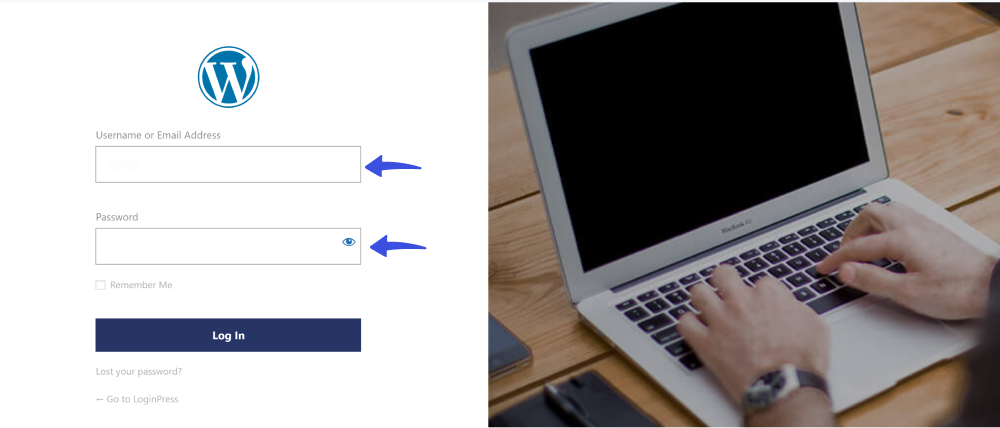
WordPress login requires users to manually enter information in the Username or Email Address and Password fields.
See the image below:
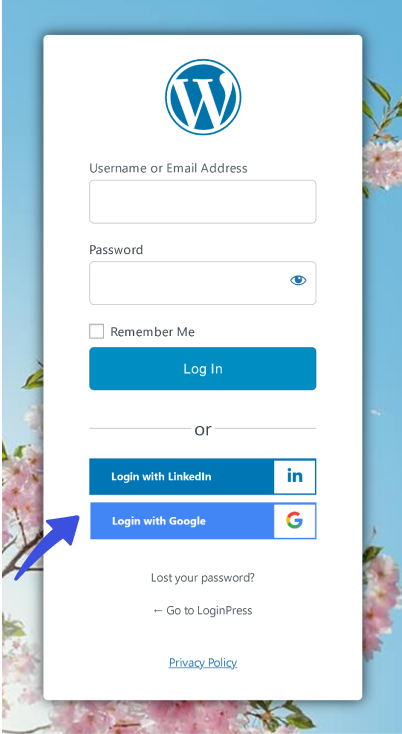
The LoginPress Social Login add-on lets visitors register or log in with their existing accounts on 15 platforms, including:
- X (Twitter)
- Microsoft and Apple
- GitHub, Discord, Amazon, Twitch, Reddit, Pinterest, Spotify, Disqus and WordPress.com
The social buttons sit alongside the normal username and password fields, so users can still log in the usual way.
Is LoginPress Pro WordPress GDPR Compliance?
LoginPress Pro is built to support GDPR compliance, and it treats two kinds of data separately: your own site details, which are shared only if you opt in, and your users’ social login data.
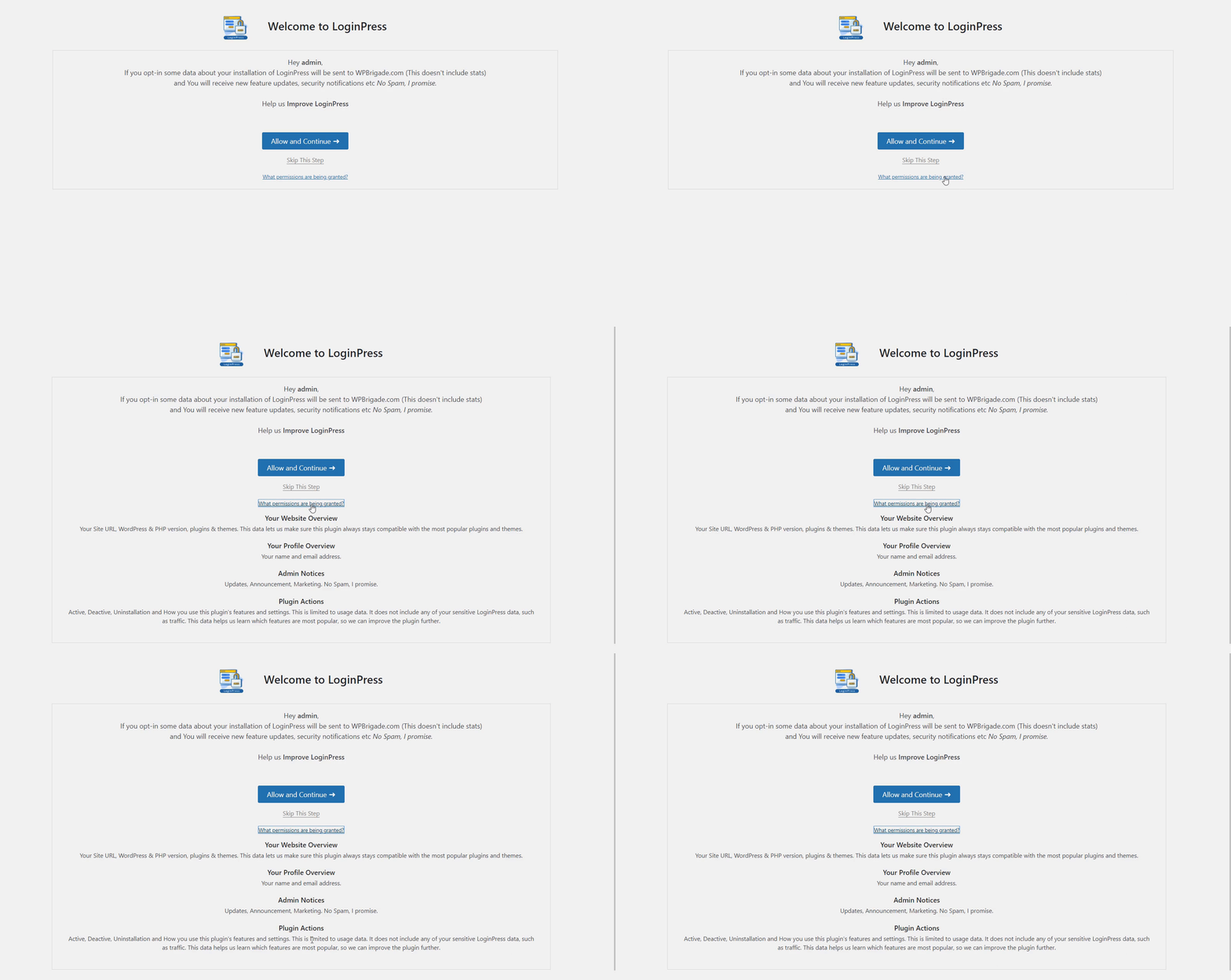
If you opt in when you activate LoginPress, these details are sent to your WPBrigade account:
- Overview of your site (i.e., site URL, WordPress & PHP version, plugins & themes)
- Profile (including your name and email address)
- Admin Notices (Updates, Announcements, Marketing)
- Plugin Actions (Active, Deactivate, Uninstall)
Note: Check the LoginPress Privacy Policy page to see what information LoginPress collects.
When you click Allow and Continue, you permit LoginPress to use the information above.
The same opt-in applies to the LoginPress Social Login add-on.
Social logins involve collecting and transferring personal information between social media platforms and WordPress sites that integrate social login buttons.
It requires the following things from a user’s social account who tries to sign or log in using the social platform with LoginPress:
- Username: sets the username on your site.
- Email: sets the required email address.
- Profile picture (avatar): saved only temporarily.
WordPress needs this information to create a user, so LoginPress takes only these three items.
LoginPress and WordPress GDPR Compliance FAQs
How do WordPress sites gather user information?
A WordPress site can collect personal data through comments, contact forms, user accounts, cookies, analytics tools and embedded content, as well as through social login.
What personal data does LoginPress collect, and for what purposes?
LoginPress does not collect personal data directly. However, during the login process, it may utilize personal data stored by WordPress, such as usernames and email addresses, to authenticate users.
What is cookie consent?
Cookie consent is a visitor’s permission to store and read cookies on their device. Under the GDPR, non-essential cookies that can collect personal data need consent first, and visitors must be able to refuse them.
How can I get support for any GDPR-related queries with LoginPress?
If you have any GDPR-related questions or issues with LoginPress, you can contact our dedicated support team. They are available to assist you with any concerns you may have.
Why are social login buttons not showing on my login page?
Usually, the platform isn’t fully set up yet. Each platform, such as Google or Facebook, needs its own app ID and secret saved in the LoginPress Social Login settings before its button appears. Also check that your site’s redirect URL and privacy policy URL are added in that platform’s developer console, because some platforms block the login until they are.
Conclusion
LoginPress Social Login gives you a GDPR-friendly starting point: it collects only the username, email address and profile picture it needs, and the social platform asks for the user’s permission first.
To finish the job, link your privacy policy next to the social login buttons, explain what data you receive from each platform, and delete a user’s account and data when they ask.
Add GDPR-friendly social login to your WordPress site with LoginPress.
Questions about GDPR and social login? Leave a comment below.