

When you upgrade to the LoginPress Pro, you will gain access to features that were previously unavailable in the free version.
You can use these features exactly the same way you were using other features in the LoginPress Free version ( i.e., easy configurations where you don’t need to touch a single line of code).
In this knowledgebase article:
So, without much ado, let’s get started!
How You Can Use LoginPress Pro
Once you’ve installed and activated LoginPress, go to the left sidebar of the WordPress admin dashboard and navigate to LoginPress.
Here are the main features of LoginPress: Settings, Customizer, and Add-Ons.
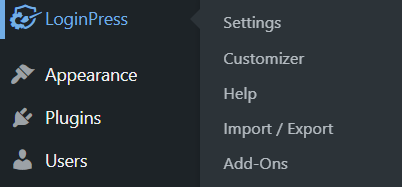
Let’s see what changes appear in the following sections when you upgrade to the premium version.
1. Settings Section
In the LoginPress Settings section, you’ll notice Force Login and reCAPTCHA are added automatically in the LoginPress Settings option.
If you want them on your WordPress site, toggle on the button.
Note: Force Login doesn’t need any further configuration. However, you’ll need to perform some minor steps to add reCAPTCHA to your WordPress login form. You can see our complete guide on How to Add reCAPTCHA On WordPress with LoginPress.
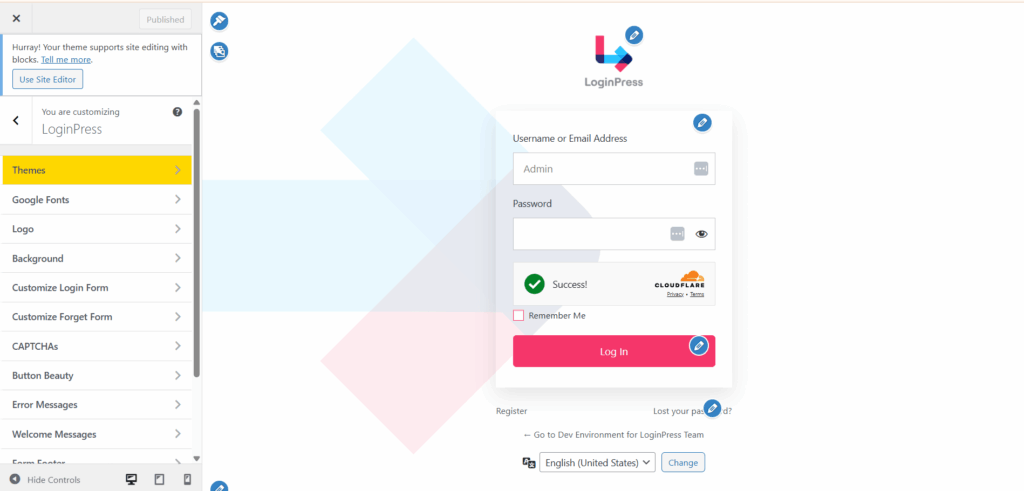
2. Customizer Section
Themes, Google Fonts, and reCAPTCHA options were available in the LoginPress free version. But you cannot use them as a premium subscription is required.
Once you upgrade to the premium version, these options will be available to you.
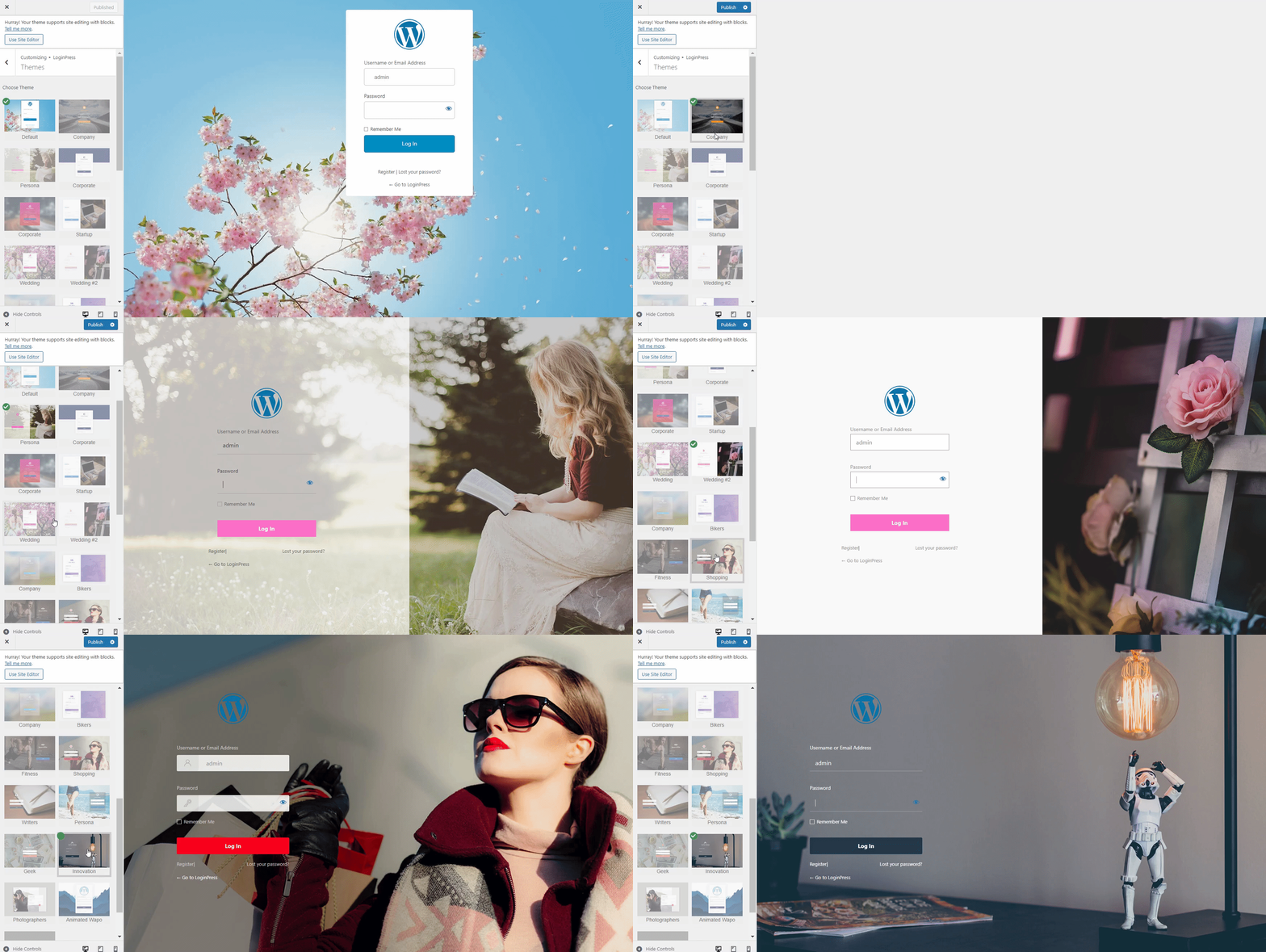
2.1. Themes
As soon as you install and activate the LoginPress Pro, premium themes become available. Simply select any theme of your choice and click the Publish button.
Note:You can see our detailed guide on LoginPress Themes to learn more about it.
2.2. Google Fonts
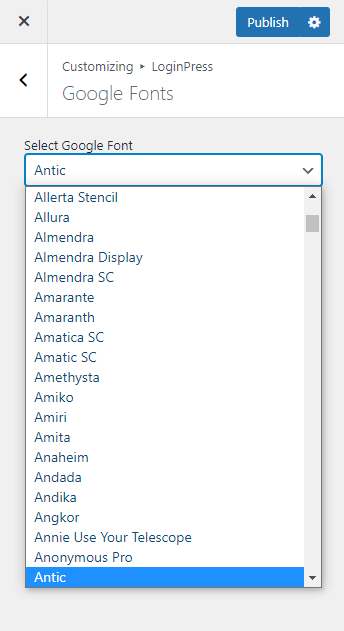
With LoginPress Pro, you can customize the font of your login page. All you need to do is select any font from the drop-down menu and click the Publish button.
Note: You can see our detailed guide on LoginPress Google Fonts.
2.3. reCAPTCHA
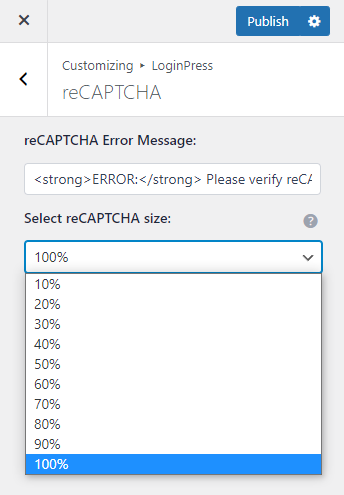
The reCAPTCHA option in the customizer section helps you customize the look and feel of reCAPTCHA.
You can customize the reCAPTCHA Error Message and Select reCAPTCHA size. When you are done, click the Publish button to publish the changes.
Note: You can see our detailed guide on LoginPress reCAPTCHA to learn more.
3. Add-Ons Section
Note: LoginPress offers a Login/Logout Menu Add-on for free.
With LoginPress Pro, all the Add-Ons are unlocked. All you need to do is select any available Add-on, configure the settings, and start using it.
Note: See the guide Everything You Need to Know About LoginPress Add-Ons to learn more about LoginPress Add-Ons.
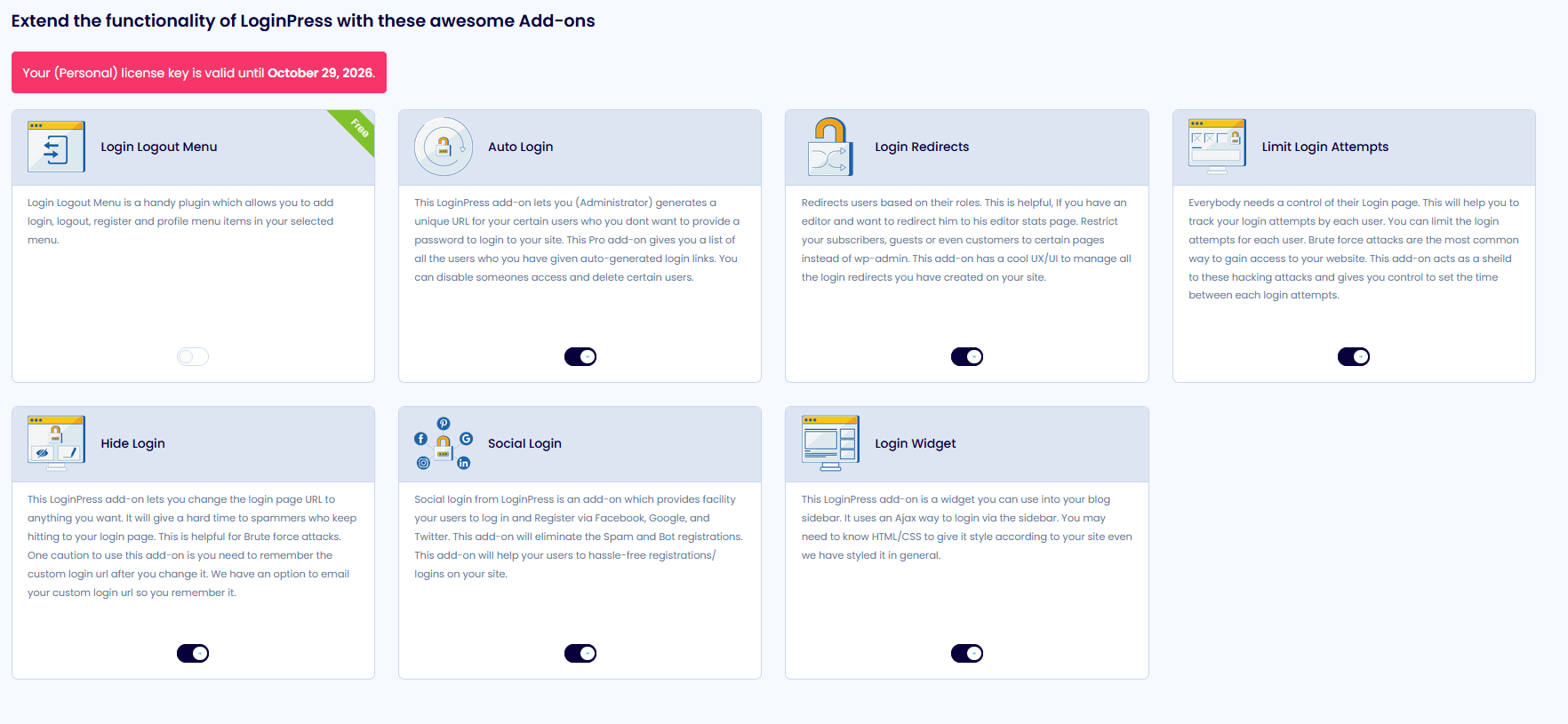
- Login Logout Menu (FREE) is a free add-on that lets you easily add Login, Log Out, Register, Profile, and User menu items to the selected menu of your WordPress website.
- Social Login is designed to increase user sign-ups by allowing them to easily register and log in to your website using their social media accounts, including Facebook, Twitter, Google, or LinkedIn.
- Login Widget Add-on is there to help you create a login widget for your WordPress sidebar. It encourages visitors to log in while reading your content or viewing your products. Etc.
- Login Redirects Add-on is there to help you create login redirects for your users. It restricts your users to specific pages. They can be limited to only those pages you wish to allow them. This fantastic add-on has a UX/UI that manages all the login redirects you have created on your website.
- Limit Login Attempts helps you to control the number of attempts one makes to get access to your site. It’s a good practice to help you secure your website against brute-force attacks.
- Hide Login enables you to change the default login URL of your WordPress login page. It enhances the security level and gives a hard time to spammers who keep hitting your login page.
- Auto Login lets you generate a unique URL for your users. It’s the best option if you don’t want to provide a password to log in to your site.
That’s it! We hope you now understand how to use LoginPress Pro.
If you have any doubts or questions related to this matter, please don’t hesitate to reach out to our support team.