7 Best Passwordless Authentication WordPress Solutions

The best passwordless authentication solutions for WordPress are LoginPress Social Login, Magic Login, miniOrange OTP, AwareID biometrics, ASD PassKey Login, Nextend Social Login and the Passwordless Login plugin. Each one replaces the password with a social account, an email link, a one-time code, a biometric check or a passkey.
Passwords are the weakest link in most login systems. Users forget them, hackers steal them, and support teams lose hours to “reset my password” requests. Strict password rules also push people to abandon signups.
In this post, I will go through each solution, what it is best at, and which one I’d pick for different kinds of sites, starting with LoginPress Social Login.
Best Passwordless Authentication (TOC):
7 Best Passwordless Authentication WordPress Solutions
According to statistics, “78% of people admit to reusing passwords,” suggesting that passwordless authentication solutions are what site owners really need to upgrade their site experience.
In this section, I have ranked these passwordless authentication WordPress plugins based on a mix of factors: ease of use, security level, setup process, integration with WordPress, and overall user experience.
Solution 1: LoginPress Social Login: Passwordless Authentication
When it comes to the best passwordless authentication plugin for WordPress, nothing beats LoginPress Social Login.
LoginPresscombines ease of use, customization, and multiple passwordless login methods. This makes it the perfect all-in-one solution for all WordPress sites.
Key Passwordless Features of LoginPress Social Login
Let’s explore some of the top features of Loginpress social login:
- One-Click Social Logins
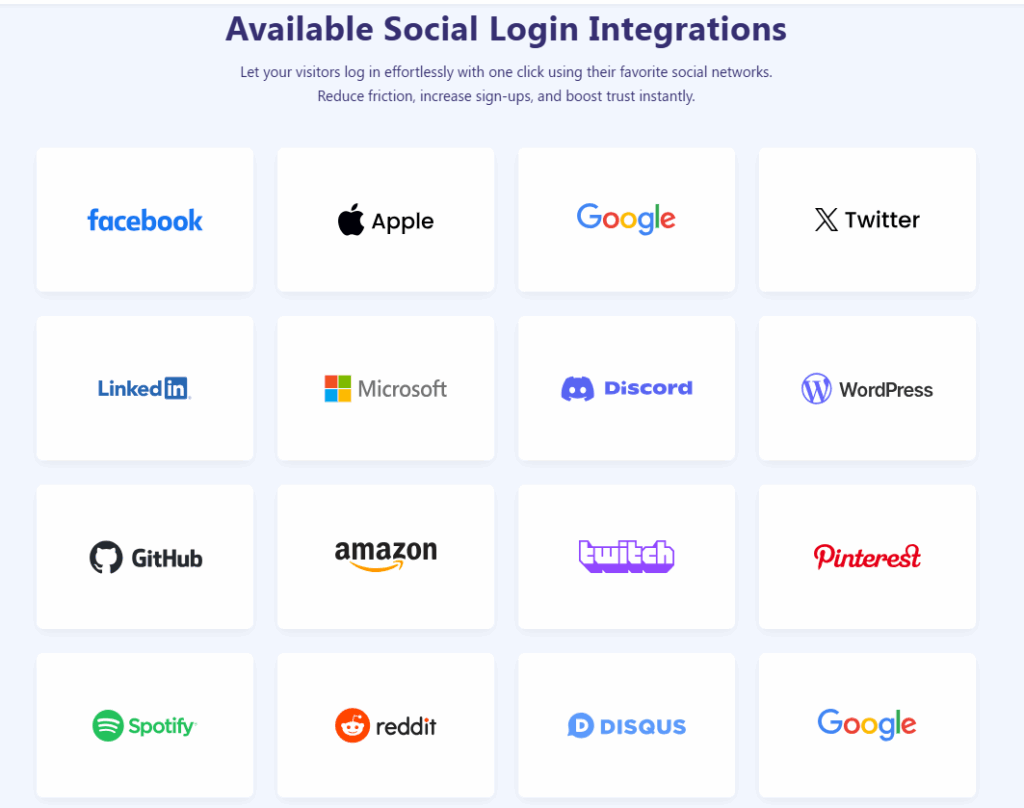
This feature enables users to log in instantly with Google, Facebook, Twitter, LinkedIn, GitHub, and other social media platforms without needing a password.
This is the smoothest WordPress passwordless login experience any plugin can offer.
For temporary access or test environments, LoginPress offers an Auto Login add-on.
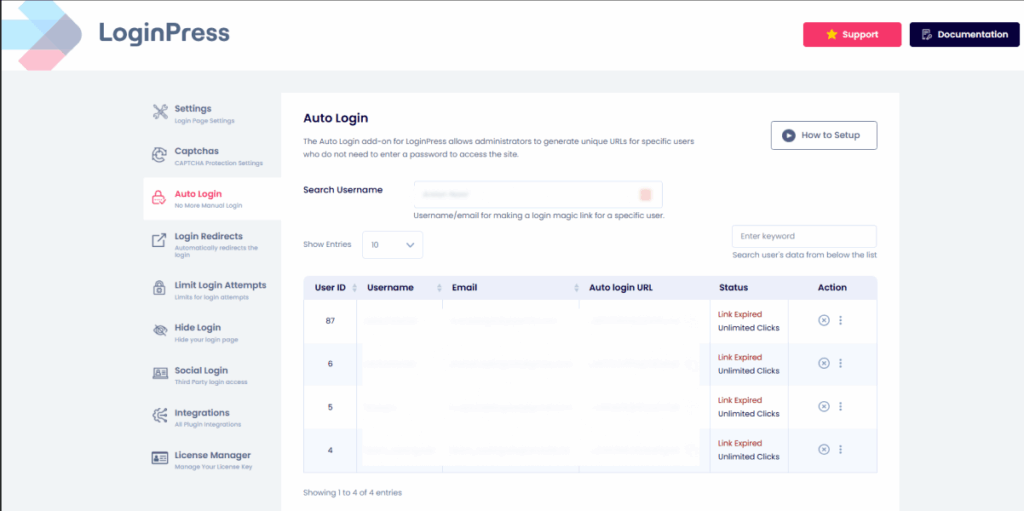
This feature lets you generate secure, shareable links for one-click login, which is perfect for client demos or guest access.
- Smooth Integrations with other plugins
Unlike other plugins, LoginPress Social Login integrates smoothly with other plugins in your WordPress.
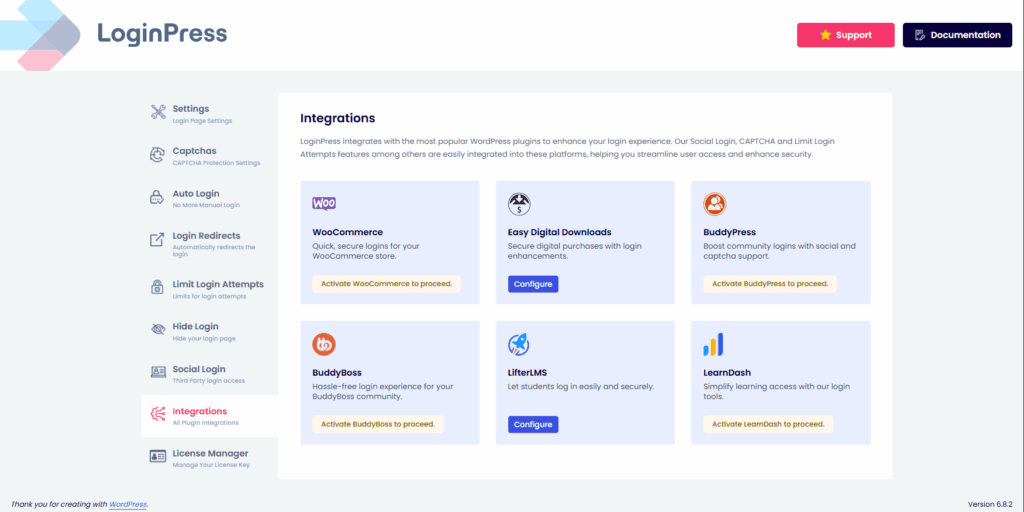
This means the experience feels native and clean. Currently, LoginPress offers plugin integrations of the most frequently used WordPress plugins.
How to Set Up LoginPress Social Login
In this section, I will show you how to set up passwordless login WordPress functionality with LoginPress, which is easy and fast. Here is how you can do it:
Step 1: Install and activate LoginPress Pro.
In your plugins section in WordPress, search for “LoginPress” to install it.
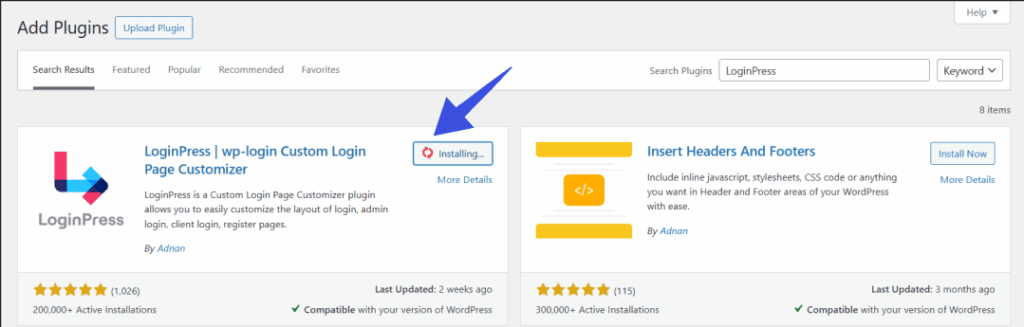
Step 2: Enable the Social Login add-on.
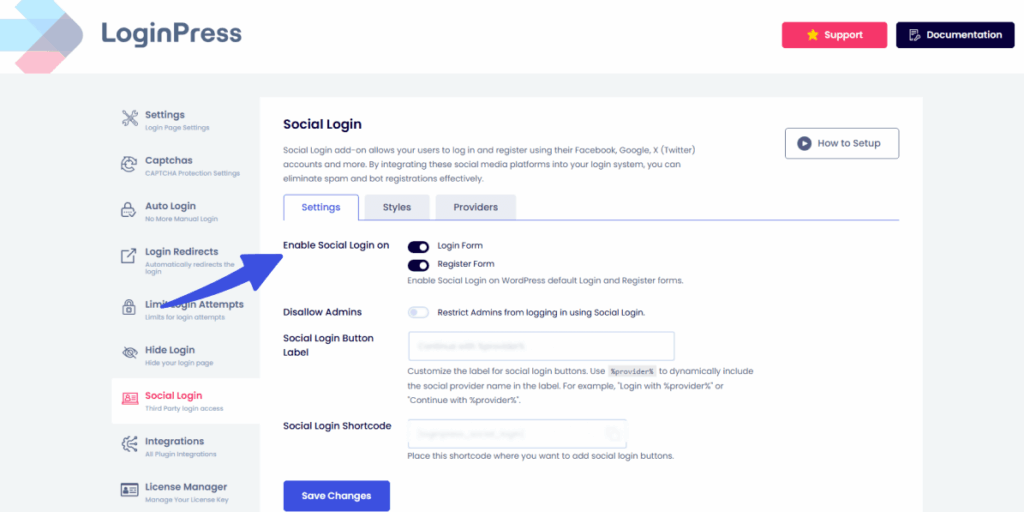
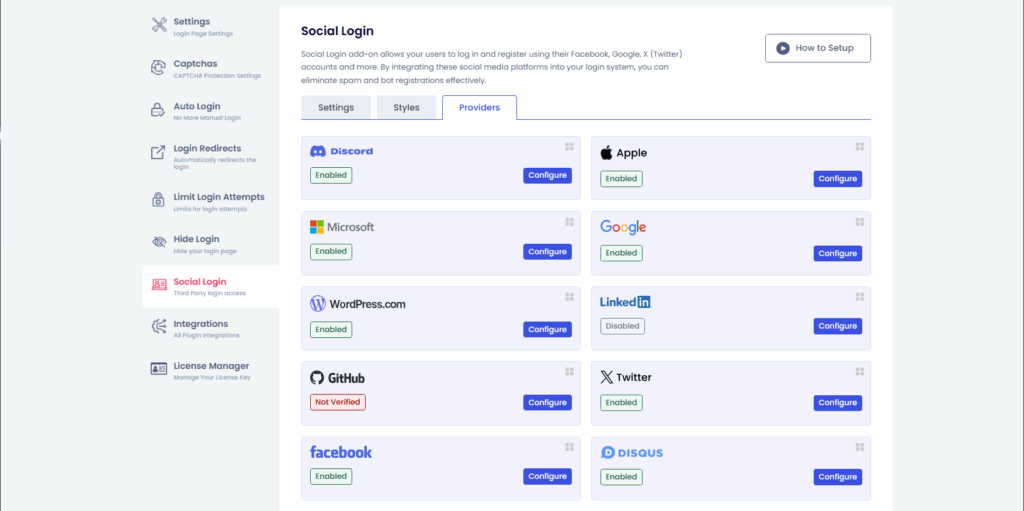
Step 3: Choose your preferred providers (Google, Facebook, GitHub, etc.).
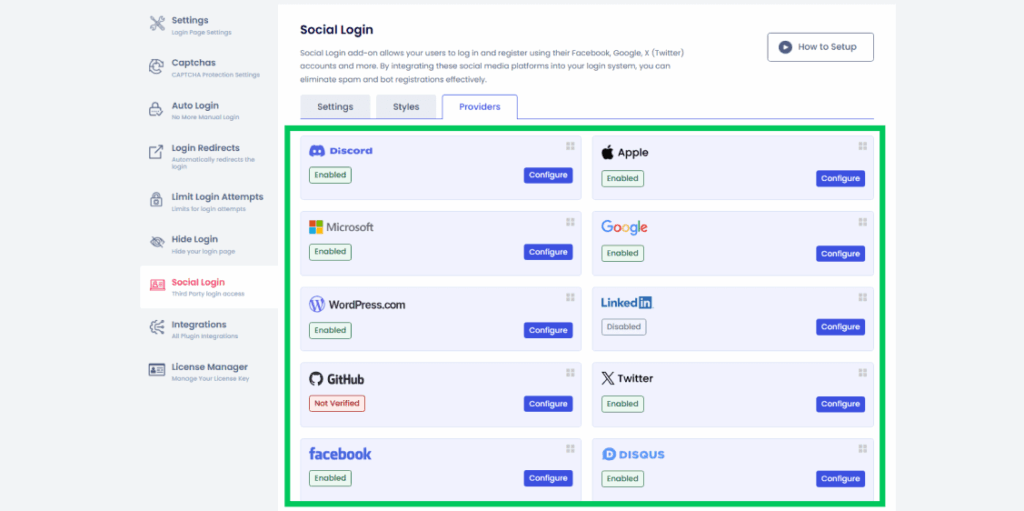
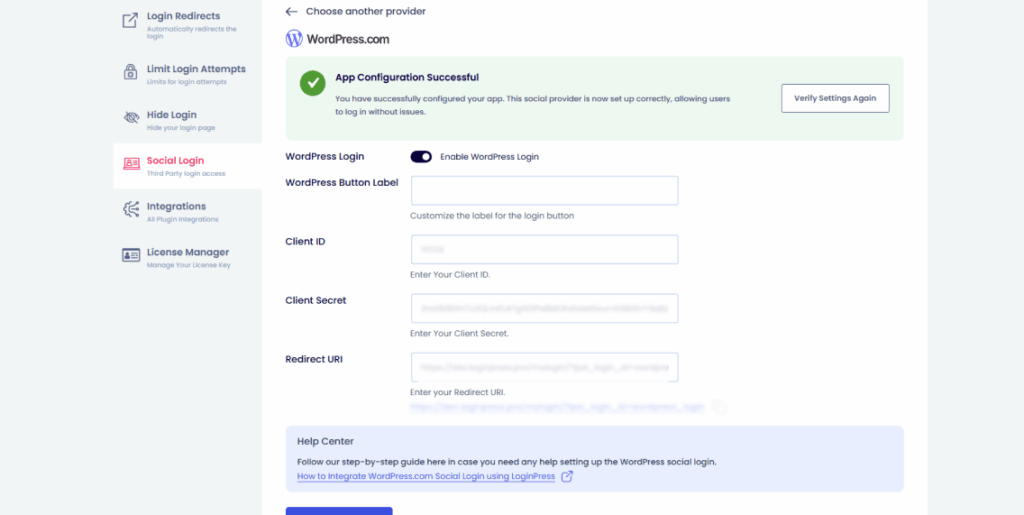
Step 4: Complete the steps given by the platform you have chosen. In the screenshot below, I have integrated WordPress.com social login.
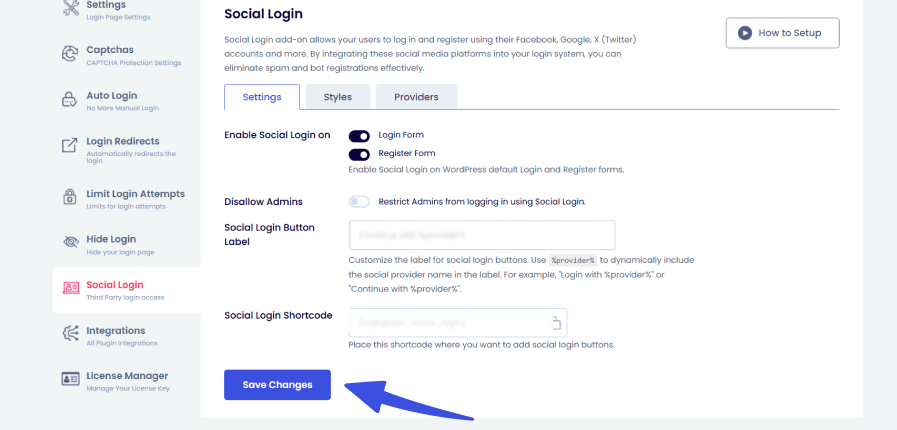
Step 5: Save, and you’re done!
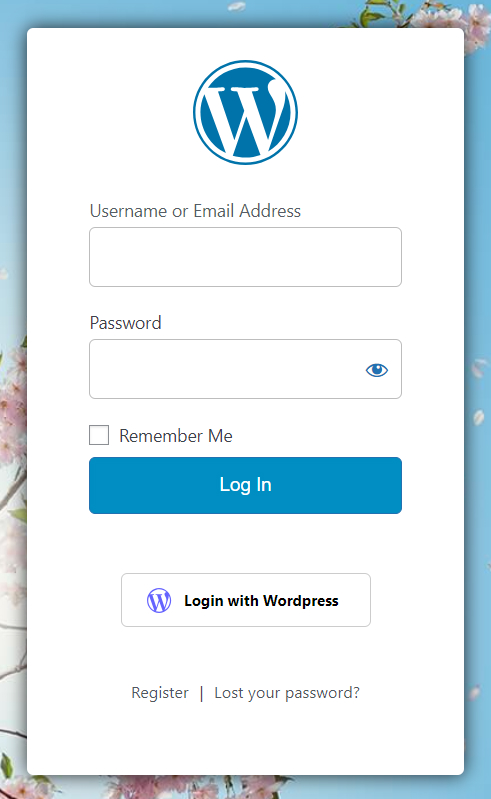
No coding required, just a simple, point-and-click setup.
Benefits for Your Business
LoginPress offers numerous benefits for your business that are worth considering if you are deciding on a passwordless social login plugin.
For businesses, LoginPress offers numerous benefits such as:
- Increases user registrations by making signups effortless.
- Reduces password reset requests, saving your support team time.
- Provides a modern, branded login experience that impresses users.
If you’re serious about utilizing passwordless login for WordPress, join the 250,000+ users who are loving this LoginPress Social Login today!
Solution 2: Magic Links By Magic Login Plugin
With magic links, users receive a unique, one-time login link directly in their email. Instead of typing or remembering a password, they click the link to access their account. This provides a smooth, passwordless login experience while keeping accounts secure, since each link can only be used once and expires after a short time. It’s especially convenient for users who frequently forget their passwords or prefer a faster, one-click sign-in method.
Pros:
- Extremely simple for users.
- No password to steal or forget.
Cons:
- Dependent on email delivery (may get delayed or lost).
- Less smooth than social logins for frequent users.
Best For: Blogs, communities, or sites where email is already the main communication channel.
Solution 3: OTP (One-Time Passcodes) By MiniOrange
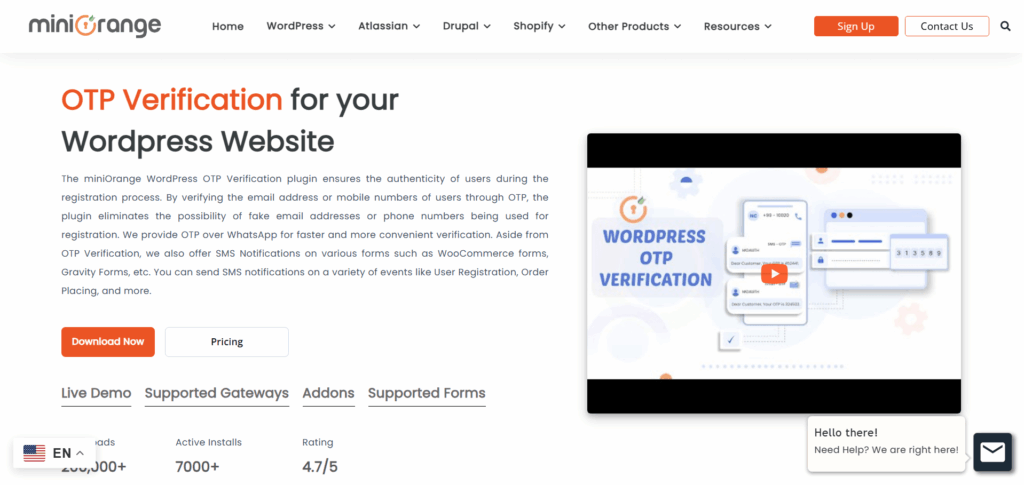
With the OTP by miniOrange plugin, users can log in using a temporary one-time code (OTP) sent to their email or mobile via SMS. Instead of relying on traditional usernames and passwords, they receive a secure code for each login attempt.
Pros:
- Stronger than traditional passwords.
- Familiar process (used by banks, apps, etc.).
Cons:
- Relies on external channels (email or SMS).
- It can be slightly slower than instant logins.
Best For: Membership websites, eCommerce stores, or any site handling sensitive transactions.
Solution 4: Biometric Authentication By AwareID
With AwareID, users can log in through biometric authentication methods like fingerprints, Face ID, Windows Hello, or even a device PIN, and that too without needing a password. Built on the FIDO2 standards, this approach ensures strong security while making the login process smooth and user-friendly.
Pros:
- Cutting-edge security.
- Phishing-resistant.
Cons:
- Requires compatible devices/browsers.
- Overkill for smaller sites.
Best For: Enterprise sites, healthcare, fintech, or platforms with strict compliance requirements.
Solution 5: ASD PassKey Login
Using the ASD plugin, users can authenticate their login either through FedCM (Federated Credential Management) or by using a standard passkey. FedCM enables secure sign-ins with identity providers like Google or Facebook, while passkeys offer a passwordless login method based on device-level security keys
Pros:
- Virtually unhackable.
- Perfect for high-security environments.
Cons:
- Users must own physical keys.
- Less user-friendly for casual websites.
Best For: Government sites, corporate intranets, or businesses with sensitive data.
Solution 6: NextEnd Social Login
Using the Nextend plugin, users can authenticate their login with third-party accounts such as Google Workspace, Microsoft, Apple, or GitHub. This means they don’t need to create or remember separate WordPress credentials. Instead, they can sign in with the accounts they already use daily, making the login process faster, more convenient, and secure
Pros:
- No need to manage credentials.
- Widely used and trusted.
Cons:
- Often requires a complex setup.
- Some plugins lock SSO behind premium versions.
Best For: Enterprise-level WordPress setups, eLearning platforms, or WooCommerce stores.
Solution 7: Passwordless Login Plugin
Using the Passwordless Login plugin, users can sign in without a password by simply entering their username or email. Instead of a password, the system generates a temporary authorization token, which is emailed to them. Once the user clicks the link in the email (which carries the token), the plugin validates it and creates the login session.
Pros:
- Specialized and straightforward.
- Easy to set up.
Cons:
- Limited customization compared to LoginPress.
- May not support multiple passwordless methods in one solution.
Which Passwordless Authentication Solution is Best for You?
The best passwordless authentication solution depends on your site’s needs: social login for ease of use, magic links for simple setups, OTP or biometrics for sensitive sites, and hardware keys for technical users.
- For maximum security and user ease, go with LoginPress Social Login.
- For minimal setups and email-based access, use Magic Links.
- For sensitive sites requiring enhanced security, consider using OTP or WebAuthn/Biometrics.
- For tech-savvy users who value strong security, use hardware keys.
Each method has its strengths. For most WordPress sites, I’d start with LoginPress Social Login, because it combines simple setup, multiple providers, custom branding and full WordPress integration.
WordPress Passwordless Authentication Frequently Asked Questions
What is passwordless authentication?
Passwordless authentication is a login method that replaces traditional passwords with secure alternatives like magic links, OTPs, biometrics, or social logins.
How do I implement passwordless authentication in WordPress?
You can use plugins like LoginPress Social Login or other passwordless login plugins. Setup usually involves installing the plugin, enabling the authentication method, and configuring providers.
Is passwordless login secure?
Yes. In fact, most passwordless authentication solutions are more secure than passwords since they prevent brute force, phishing, and credential-stuffing attacks.
Can WooCommerce support passwordless login?
Yes, most passwordless login WordPress plugins (including LoginPress) work smoothly with WooCommerce.
WordPress Passwordless Login: Final Thoughts
Traditional passwords are becoming outdated, insecure, and frustrating for users. By adopting passwordless authentication solutions, you not only protect your site but also create a smoother login experience.
Among all the options available, LoginPress Social Login stands out as the best passwordless authentication plugin for WordPress in 2025. It’s user-friendly, non-techy, and designed to help you boost registrations, reduce support tickets, and impress your users with a modern login experience.
That’s all for this article. For more WordPress security posts, check:
- 9 Best WordPress Security Plugins (Secure Your Site Today)
- 7 Best WordPress Limit Login Attempts Plugins
- 15 Most Common WordPress Security Issues (Solved)
If you’re ready to upgrade your WordPress login page, let us know which plugin you have tried in the comments below!