10 Custom Login Page WordPress Design Ideas That Actually Convert

The best custom login page WordPress design ideas include adding your brand logo and setting a full-screen background image.
You can also write a welcome headline, place trust microcopy below the button, or use pre-built layout themes.
This easy WordPress login customization takes under five minutes. They create a secure onboarding experience that perfectly matches your business identity.
In this post, each design idea comes with the reason it helps your users, so you can pick the ones that fit your site.
Yet, users still see the default gray login panel. That generic layout hurts user trust.
This guide reveals 10 practical design upgrades with clear user experience logic. Let’s examine why the generic design impacts your business.
Table of Contents (TOC):
Why Does the Default WordPress Login Page Hurt Your Brand?
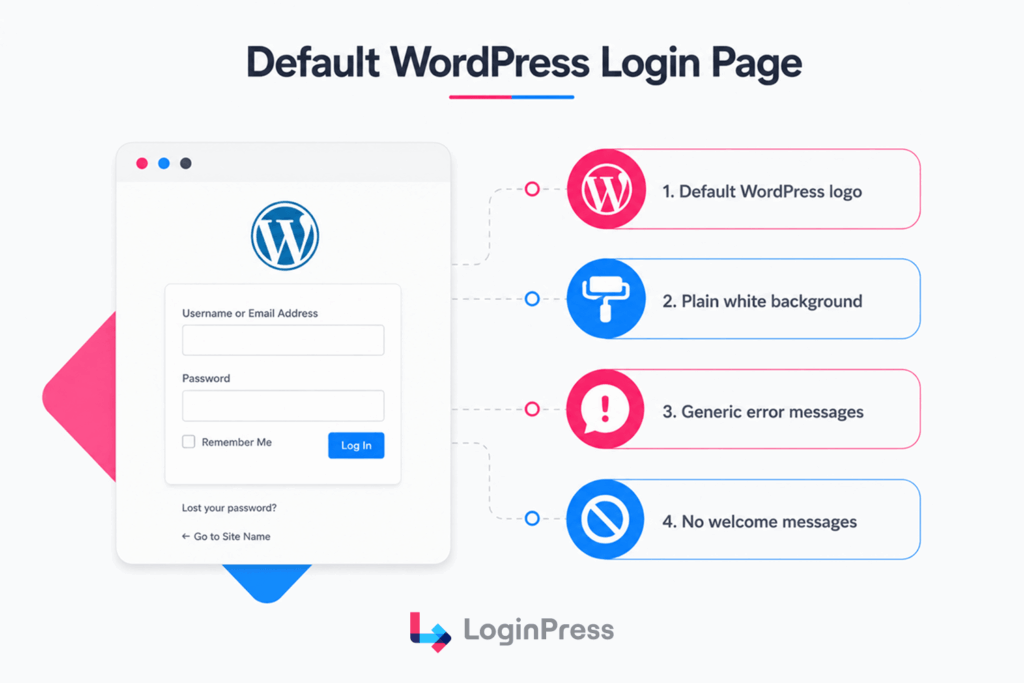
The default WordPress login page hurts your brand because it displays the same old WordPress branding and a generic form with no customized colors, welcome message, or visual context.
This creates a disconnected experience for members, customers, and clients who expect to see your brand the moment they arrive.
This unbranded template strips away your professional identity. It leaves users looking at a gray background and a third-party corporate graphic.
Instead of a default non-interactive system form, your audience should encounter a personalized login experience for better conversions. They expect a polite welcome headline and a branded layout background to feel secure.
A white-labeled login page customized with easy WordPress login customization feels far more reliable than a generic login box.
Standard forms actually make users question whether they remain on a safe application. This lack of visual continuity breaks the primary onboarding path.
According to recent stats, 52% of customers have stopped buying from a brand after a bad experience.
What is the Difference Between Default and Custom Login Pages?
| Element | Default WordPress Login Page | Custom Branded Login Page |
| Logo Type | Generic software icon | Your unique business logo |
| Canvas | Stark white and gray | Brand colors or imagery |
| Greetings | Zero welcome text | Personalized header notes |
| Error Copy | Clinical system warnings | Conversational brand voice |
| Trust Badges | None provided | Visible security seals |
| Footer Navigation | External core link | Useful support hyperlinks |
What are the Best Custom Login Page WordPress Design Ideas?
The best custom login page WordPress design ideas are:
- Replace the WordPress logo with your brand logo
- Add a full-screen branded background
- Write a personalized welcome headline
- Add a trust statement below the login button
- Use a pre-built template for an instant professional look
- Customize error messages to match your brand voice
- Add social login buttons to reduce friction
- Display a support or help link for locked-out users
- Add a mobile-specific background
- Enable reCAPTCHA or hCaptcha for visible security.
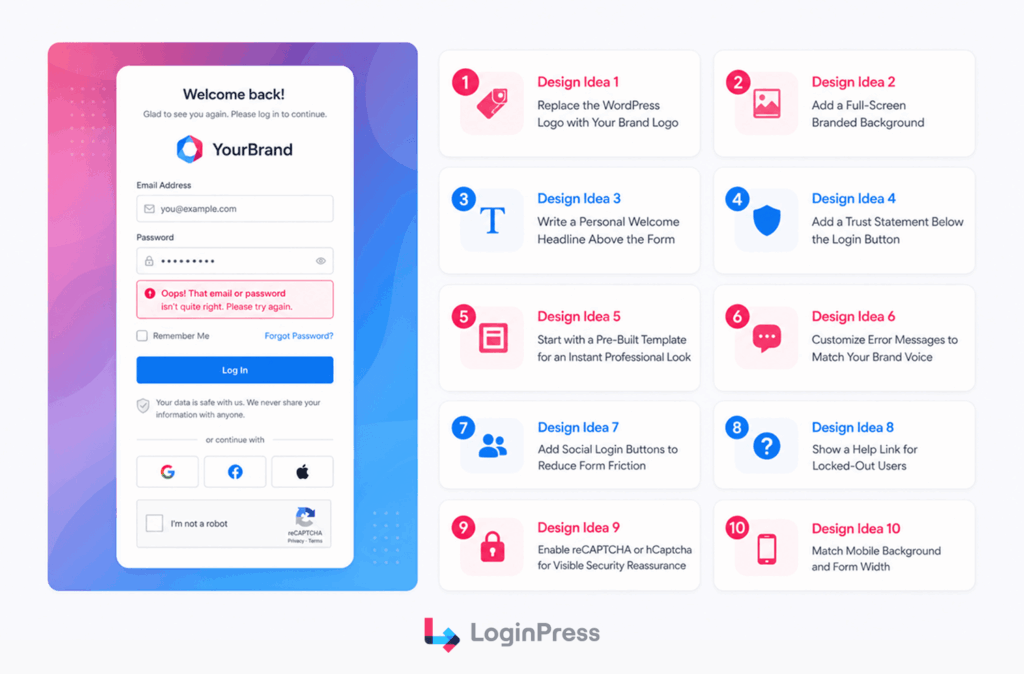
Implementing easy WordPress login customization fixes the main issues users face during onboarding.
Design Idea 1: Replace the WordPress Logo with Your Brand Logo
Every user who arrives at your custom login page must be able to verify your brand identity. The default template graphic lacks business context.
Upload your corporate logo in crisp PNG or SVG format. Most web developers link this image back to their main homepage.
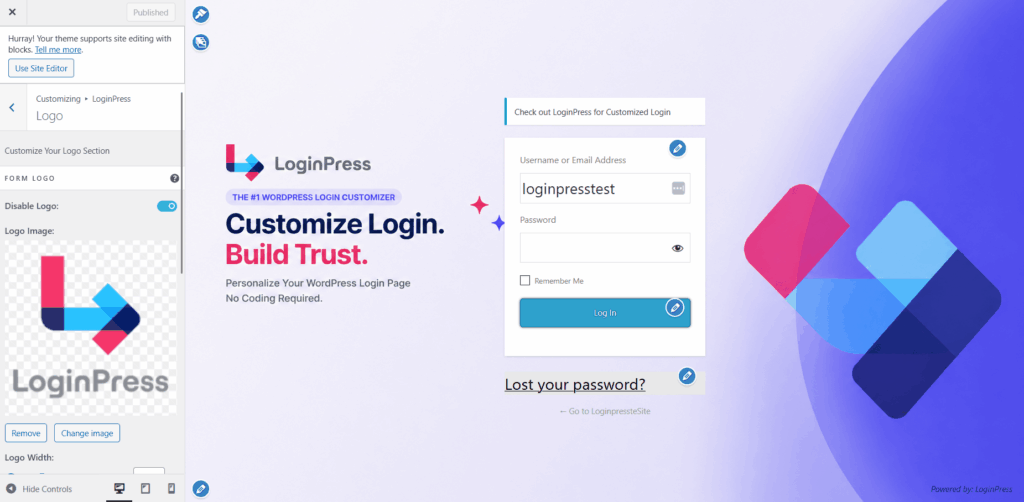
With a LoginPress Pro plan, you can replace the logo easily using the native customizer panel. You can adjust the custom logo’s width, height, and custom link destination using simple slider controls.
Design Idea 2: Add a Full-Screen Branded Background
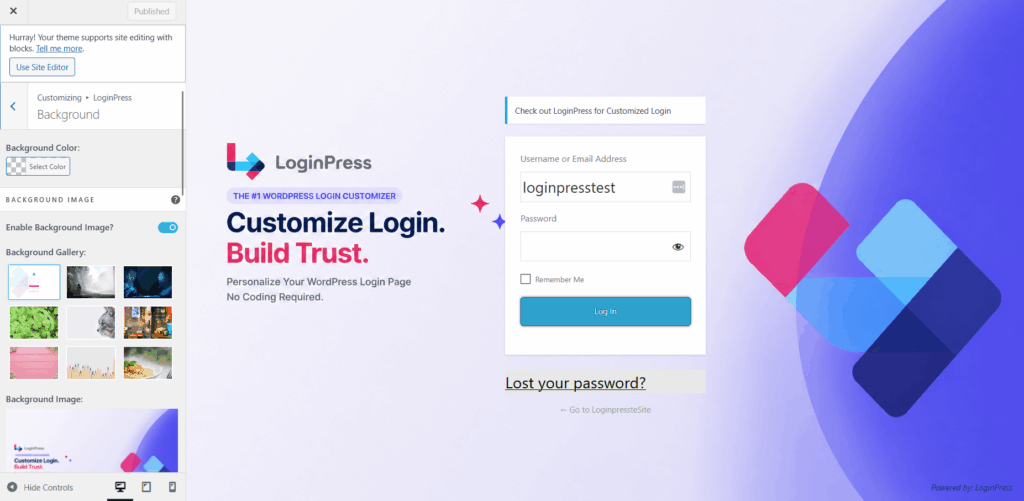
A brand-aligned background image builds immediate visual authority. A plain white canvas provides zero emotional connection.
Use high-resolution photographs or clean geometric gradients that match your main site palette. Avoid busy graphics that hurt text legibility.
Design Idea 3: Write a Personal Welcome Headline Above the Form
Adding an active header text block reduces user hesitation. Try to write a short, targeted greeting for your audience.
For example, use “Sign in to your account” for online stores. You can keep this welcome message under eight words.
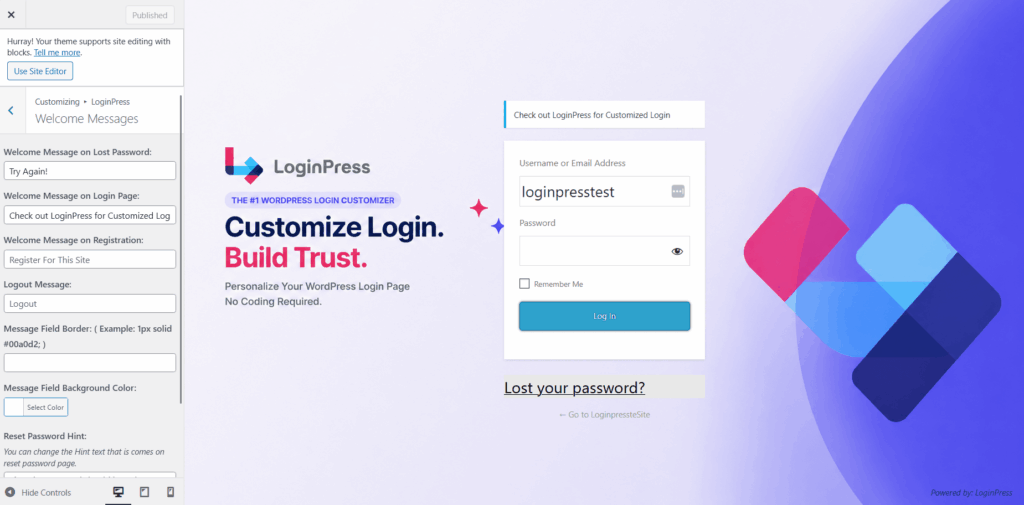
LoginPress handles custom welcome messages through a dedicated welcome text zone. You can change text values, font weights, and field positioning with zero coding.
Design Idea 4: Add a Trust Statement Below the Login Button
The moment right before submitting credentials often triggers user anxiety. Clear trust messaging helps secure your branded WordPress login experience.
Place a reassuring security note directly under your primary action button, as this helps to remind your audience that you protect their personal data and profiles.
Design Idea 5: Start with a Pre-Built Template for an Instant Professional Look
Building a layout from scratch demands considerable design time. Pre-built WordPress login page templates give you an immediate, balanced graphic foundation.
They offer pre-coordinated color schemes and form shadows. Select a layout that matches your specific market niche. The free version provides minimalist templates.
Design Idea 6: Customize Error Messages to Match Your Brand Voice
Standard system warnings sound mechanical and often reveal information to hackers. They also reveal sensitive account details to potential bad actors.
Craft user-friendly, secure feedback loops that clearly instruct users. Never expose exact username matches during failed entry attempts.
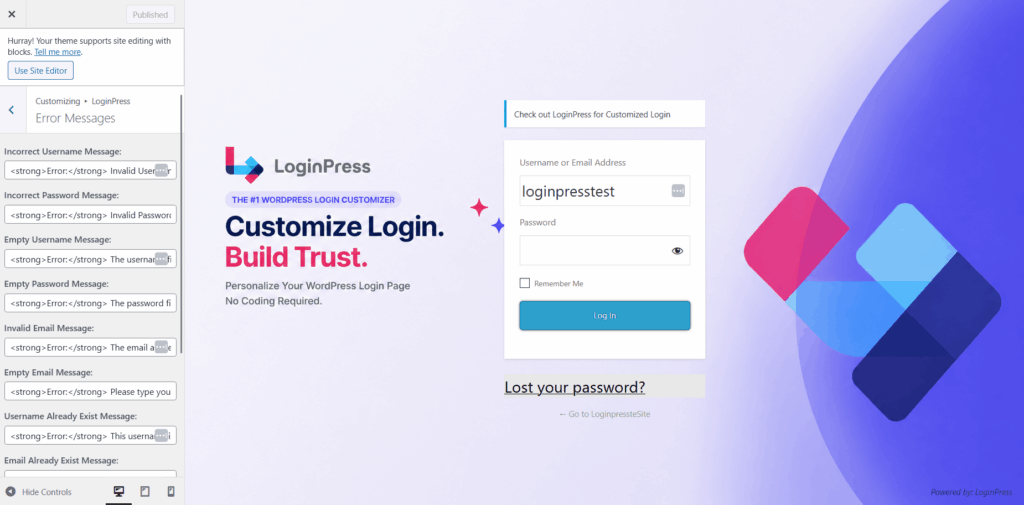
LoginPress controls system notifications inside the customizer error panel. You rewrite text inputs for invalid fields without altering core code files.
Design Idea 7: Add Social Login Buttons to Reduce Form Friction
Social verification steps let users connect via active external profiles instantly. Integrate popular social network APIs to streamline the custom WordPress login page.
Focus on major networks like Google or Facebook to prevent choice paralysis. LoginPress custom buttons options manage these secure connections using an integrated social login addon.
With one click, you can apply a completely different login page design.
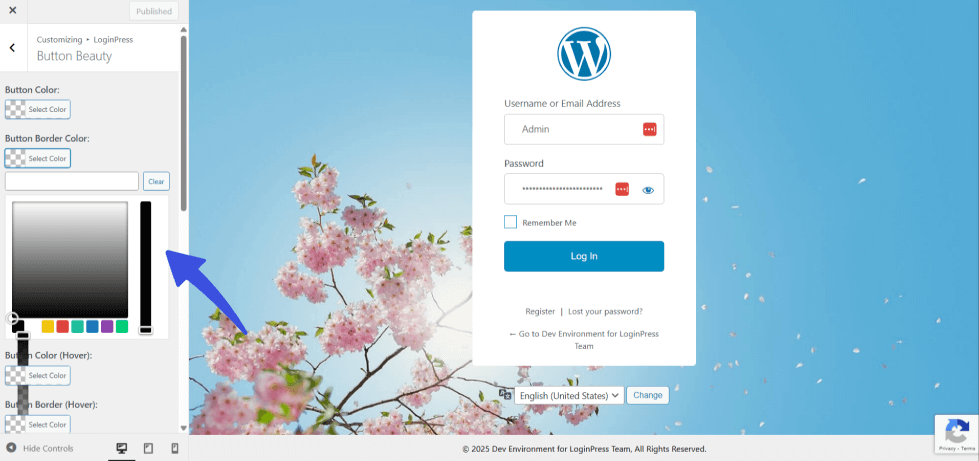
Design Idea 8: Show a Help Link for Locked-Out Users
Confused users who quickly lose their data drain client help desks. A prominent support link ensures they solve access bugs independently.
Place a self-service link inside the lower navigation margin. Direct users toward a helpful FAQ directory or an automated contact box.
LoginPress configures these routing strings using the custom footer customization feature. You drop custom text links into the layout safely.
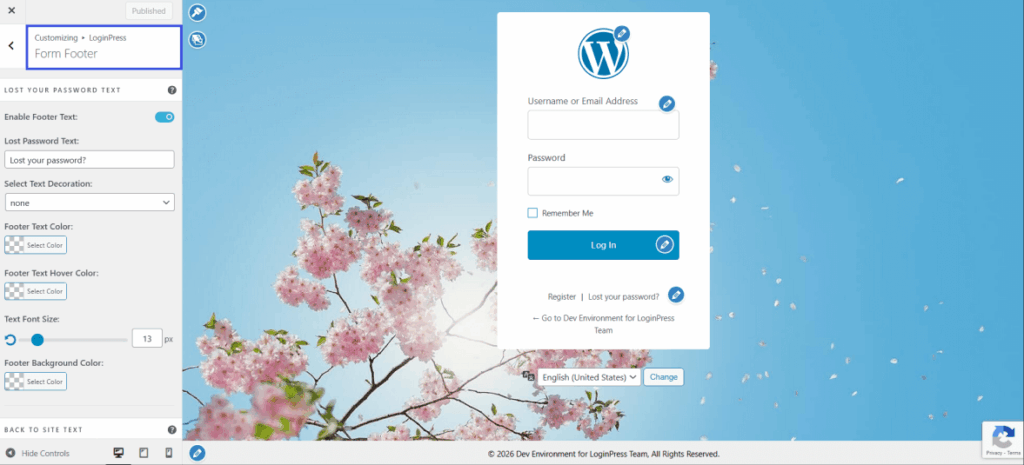
Design Idea 9: Enable reCAPTCHA or hCaptcha for Visible Security Reassurance
Visual verification walls block spam while demonstrating that you prioritize safety. Automated brute-force bots constantly threaten entry points.
Use invisible script tracking options to maintain clean layouts. LoginPress introduces an advanced Captcha option to your customization setup.
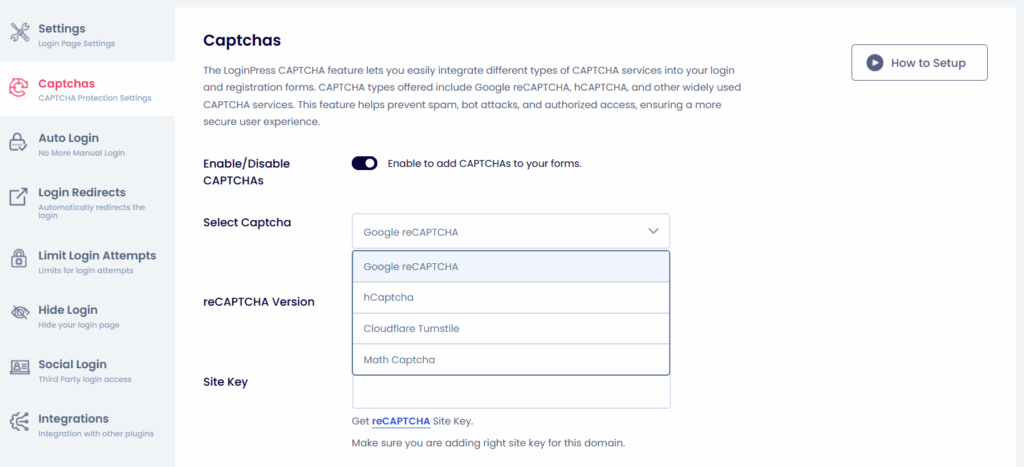
You can activate Google reCAPTCHA, hCaptcha, Cloudflare Turnstile, and Math CAPTCHA without adding extra heavy plugins. The tool automatically applies these filters to your main form box.
Design Idea 10: Match Mobile Backgrounds and Form Widths
Desktop layouts frequently become distorted when viewed on smaller touchscreens. Fully responsive login pages dynamically adjust proportions for mobile visitors.
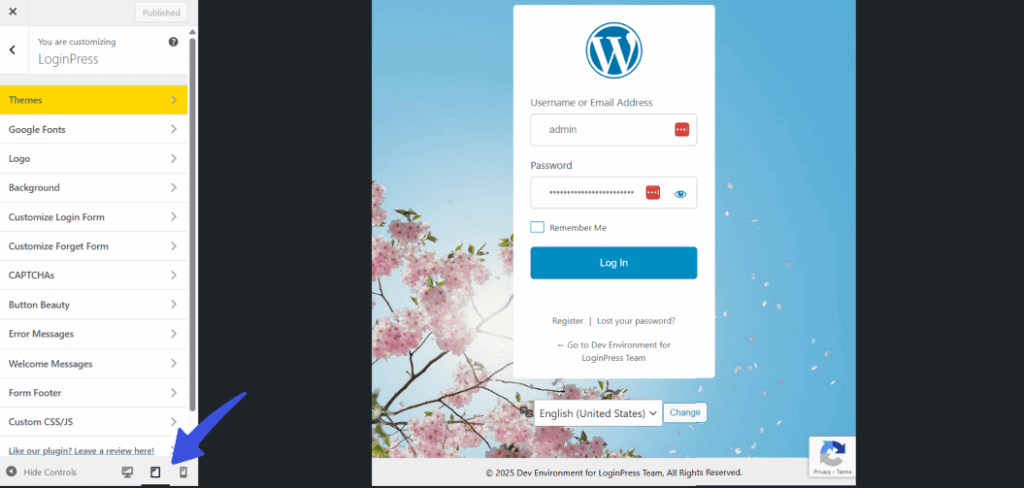
Keep input elements flexible instead of using fixed-width markers. LoginPress includes built-in mobile viewport adjustment tools. You can assign unique vertical background images specifically for smartphones.
Use the live responsive view tool to inspect alignments across varied screen resolutions and make sure your login page is responsive, as one of the custom login page WordPress design ideas.
How Do You Customize a WordPress Login Page Without Code?
You can customize a WordPress login page without code by installing a login page customizer plugin, connecting it to the WordPress live customizer, and adjusting visual elements directly in the preview window.
Your design changes apply instantly without touching a single line of HTML, CSS, or PHP code.
Pre-Requisites
- An active self-hosted WordPress website panel.
- Unique branding assets, including high-resolution transparent logos.
- Administrator access credentials to change core plugin settings.
How Do You Configure Your Custom Login Page Layout?
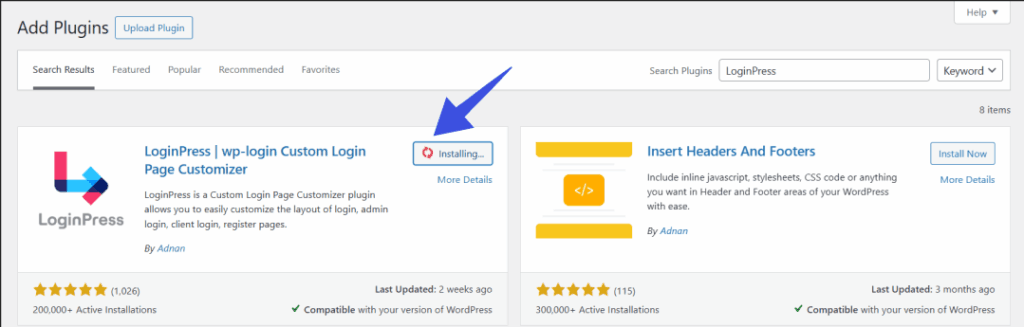
- Install LoginPress from the native core directory by visiting Plugins, clicking Add New, searching for LoginPress, and selecting Install and Activate.
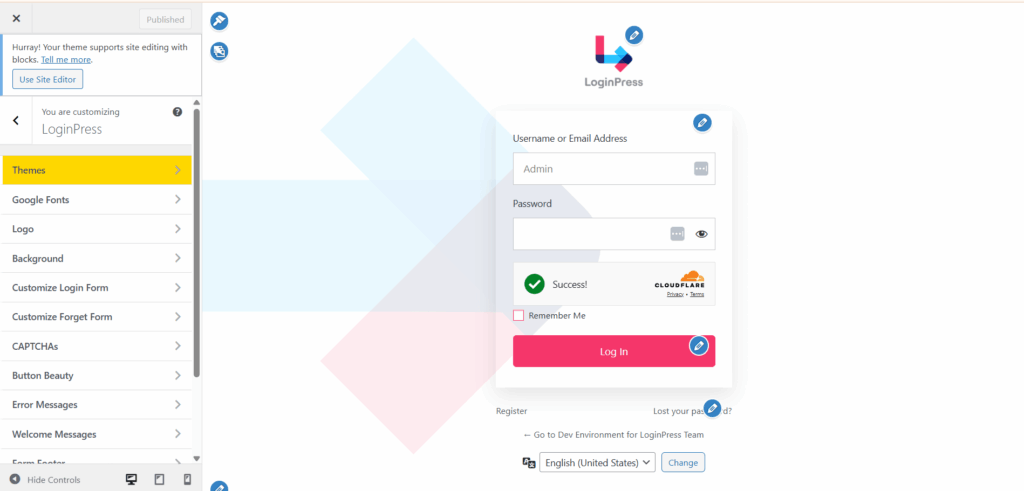
- Open the central styling dashboard by navigating to the LoginPress option and clicking Customizer in your sidebar menu.
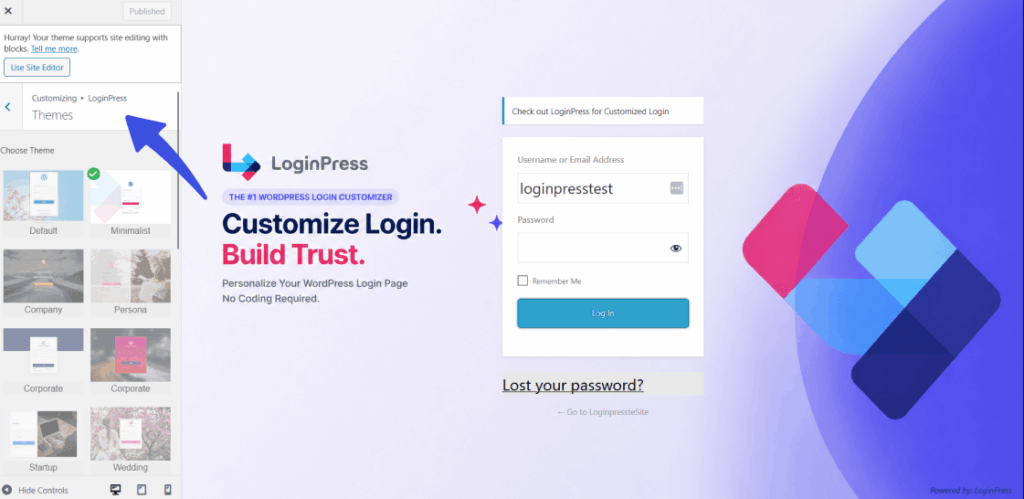
- Apply a pre-built layout template inside the Theme section, or start styling from the default canvas.
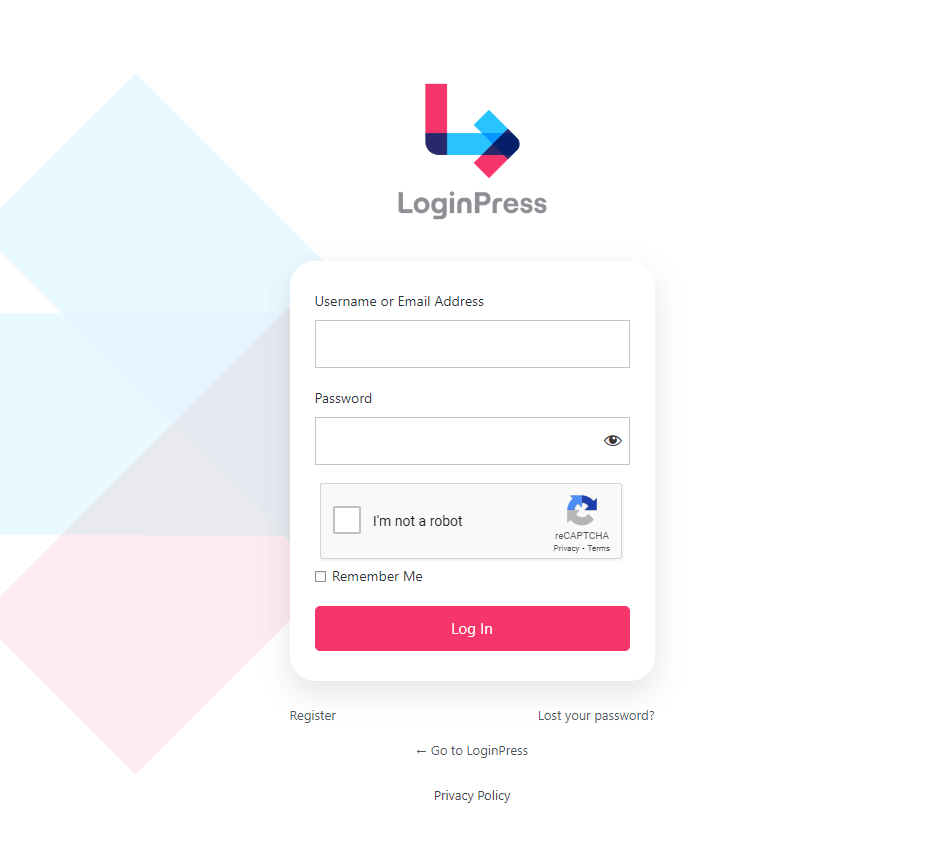
- Set your custom logo, background image, welcome messages, button beauty, and custom error messages for your custom login page design, while you can use the interactive preview panel. The image below shows a fully branded custom login page.
- Save your visual changes and test the live frontend layout directly at your site’s wp-login.php URL string.
Preview every change in real time before publishing.
Which Plugin Is Best for a Custom Login Page Design For WordPress?
LoginPress provides the best login customizer features for a custom login page WordPress design for most site owners.
It combines a no-code live customizer, pre-built templates, security features including reCAPTCHA and Limit Login Attempts, and much more, with over 200,000 active installations, making it the most complete option at its price point.
While alternative methods exist for modifying access portals, most developers choose between three primary pathways.
Understanding how these tools balance visual depth and core server security ensures you make an informed software choice.
Which Login Plugin Offers the Most Login Page Customization?
| Plugin Option | Ideal User Profile | Customization Depth | Core Security Features | Ready Layout Themes | Pricing Structure |
| LoginPressCustomizer | Membership platforms, online stores, digital agencies | Full: logos, backgrounds, forms, custom messages, buttons, custom CSS, and JS | Advanced: reCAPTCHA, Smart login redirects, login limit attempts, and auto login | Over a dozen pre-built styles | Free and Pro plans are available at LoginPress pricing |
| Alternative Page Builder | Site owners are building a separate custom landing page | Complete custom drag and drop layout design canvas | Basic setup: depends entirely on your active theme | Standard generic landing page designs | Paid commercial plans |
| Basic Free Modifier | Beginners wanting quick single adjustments | Limited: basic logo swaps and simple background colors | Zero automated brute force login defenses | No pre-designed themes included | Completely free option only |
LoginPress provides a dedicated styling space for a custom login page design
without demanding heavy page builder bloat. You gain layout power and login defense together, which helps eliminate the need to write fragile custom CSS snippets manually.
FAQs
What are the best custom login page WordPress design ideas?
The best custom login page WordPress design ideas are: replace the default WordPress logo with your brand logo, add a full-screen brand background image or color, write a welcome headline above the form, place a trust statement below the submit button, use a pre-built template for an instant professional look, customize error messages to match your brand voice, add social login buttons to reduce friction, show a help link for locked-out users, add CAPTCHA for security reassurance, and optimize the mobile background and form width. LoginPress enables all ten of these without writing code.
How do you make the WordPress login page match your brand?
You make the WordPress login page match your brand by replacing the WordPress logo with yours, setting a background image or color that uses your brand palette, writing a welcome message in your brand voice, styling the form button to match your primary brand color, and customizing error messages to use your brand’s tone. All of these are set in the LoginPress live customizer without editing any WordPress files. Changes are visible in the live preview before you save.
How do you use templates to create a custom login page in WordPress?
You use templates to create a custom login page in WordPress by installing LoginPress Pro, opening the customizer, selecting a template from the Theme section, and clicking Apply. The template applies a coordinated design instantly: background, form placement, typography, and colors are pre-configured. You then customize individual elements (your logo, welcome text, button color) from the template’s starting point. LoginPress Pro offers a dozen pre-built templates across visual styles and industries.
Which plugin is best for a custom login page WordPress design?
LoginPress is the best plugin for a custom login page WordPress design for most sites. It combines a no-code live customizer, pre-built templates, security features including reCAPTCHA, hCaptcha, and two-factor authentication, social login support, and over 200,000 active installations. The free version covers logo, background, and basic form customization. The Pro version adds templates, animated backgrounds, welcome messages, social login, 2FA, and integrations with WooCommerce, LearnDash, and BuddyBoss.
Does LoginPress work with WooCommerce?
Yes. LoginPress integrates with WooCommerce, Easy Digital Downloads, BuddyPress, BuddyBoss, LearnDash, and LifterLMS. The WooCommerce integration allows you to customize the login page that WooCommerce customers see when they access their account area. The integration is configured in LoginPress settings and does not require custom code. WooCommerce and other platform integrations are available in the Pro version.
Is LoginPress free?
Yes, LoginPress has a free version available on WordPress.org with over 200,000 active installations. The free version includes the live customizer, logo replacement, background image, and color controls, and basic form styling. The Pro version adds pre-designed templates, animated backgrounds, social login, two-factor authentication, reCAPTCHA, and hCaptcha, custom welcome messages, branded error messages, and integrations with WooCommerce and other platforms.
Conclusion
The default WordPress login page tells users nothing about your brand. Every custom login page design idea in this article turns that page into a moment of recognition. Your logo, colors, voice, and security promise become visible the first second a user arrives.
Follow these next steps to upgrade your site:
- Install LoginPress free from the WordPress plugin directory today. Replace the default logo and background in under five minutes to see the immediate difference.
- Pick the single design idea from this article that would have the most impact for your site type. Use a trust statement for membership sites, social login for WooCommerce, or templates for client-facing portals.
- Upgrade to LoginPress Pro if you want pre-built templates, animated backgrounds, reCAPTCHA, and social login without configuring separate plugins for each.
That is all for this post. For more related posts, check:
- Top 10 Best WordPress Customization Plugins in 2026
- Custom Fields Not Showing in WordPress (Fixed 2026)
- How to Customize the WordPress Reset Password Page (Explained)
Which custom login page design idea are you going to implement on your WordPress site first?