7 Best WordPress File Upload Plugins (Compared 2026)

Are you looking for the best WordPress file upload plugins for your website? If yes, you’ve landed on the right page.
As a website owner, sometimes you may want to collect additional information from the users, such as images, Word Documents, PDFs, videos, etc., to name a few examples.
This is where the WordPress file upload plugins help collect files through your WordPress site.
In this article, we’ve curated a list of 7 of the best WordPress file upload plugins to help you quickly upload any file to your site with just a few clicks.
WordPress File Upload Plugins (Pricing Comparison)
Look at the pricing comparison table of the best WordPress file upload plugins for a quick summary.
| Plugins | Pricing | Free Options |
|---|---|---|
| FileBird | $39 (1 client) | ✓ |
| Big File Upload | – | ✓ |
| Drag & Drop Multiple Upload | $34.99 (One-time payment) | ✓ |
| WordPress File Upload | – | ✓ |
| Checkout Files Upload for WooCommerce | – | ✓ |
| WP Forms | $49.50/ year | ✓ |
| Formidable Forms | $39.50/ year | ✓ |
What is a WordPress File Upload Plugin?
By default, WordPress lets you upload files to your site. However, a WordPress file upload plugin offers additional features and customization options that enhance the default file upload functionality provided by WordPress.
These plugins offer customizable forms that site visitors can use to upload files directly to the site.
They make managing uploaded files easier by organizing them into folders.
In a nutshell, WordPress file upload plugins are designed for sites that require user-generated content, such as document sharing, image galleries, or client file submissions.
They boost the process of collecting, managing, and organizing files within WordPress.
Why Use a WordPress File Upload Plugin?
Now that you know what a WordPress file upload plugin is, let’s see what makes them valuable additions to a site:
- User Engagement: These plugins enable user interaction by allowing visitors to submit content as files.
- Customization: WordPress file upload plugins provide customizable forms that let users upload files to your site, including adding fields, setting size limits, and more.
- File Management: They provide efficient file organization and management within WordPress. So users can easily access, download, or delete uploaded files.
- Enhanced Functionality: These plugins enhance the core WordPress by adding more complex features, including integration with cloud storage services.
- Saves Time: You can use these plugins to automate the file upload process, saving site admins’ and users’ time.
7 Best WordPress File Upload Plugins
1. FileBird

FileBird is a powerful organizational plugin designed to streamline and enhance your WordPress website’s media file management.
The plugin has a user-friendly interface that simplifies the often cumbersome task of organizing and accessing media libraries.
You can easily select the FileBird theme. Have a look:
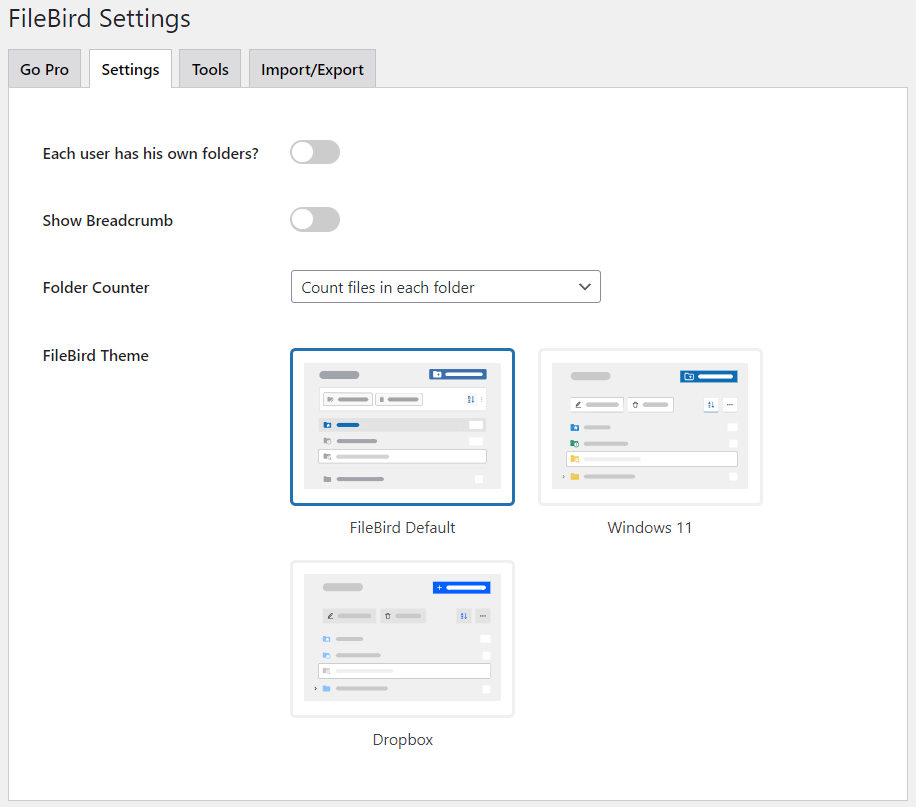
FileBird helps you import and synchronize media category/folder structure from the Enhanced Media Library.
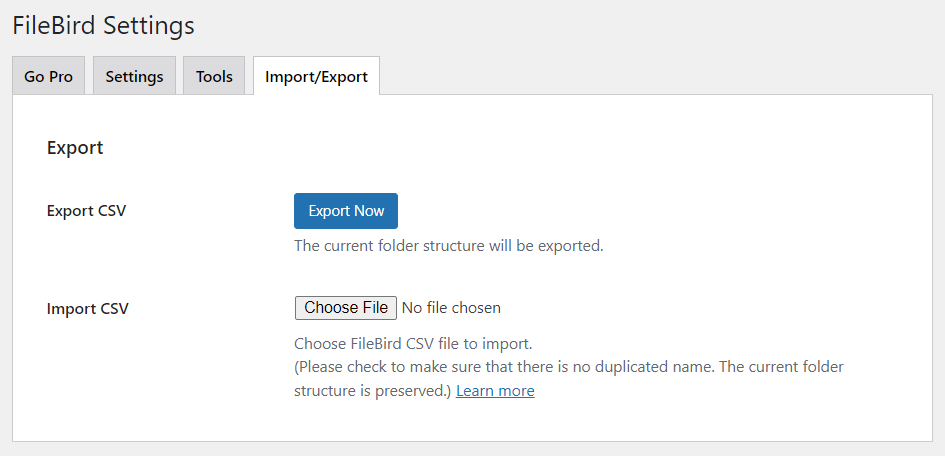
Features:
- User-friendly Interface: The plugin offers a user-friendly interface, making it the best choice for everyone.
- Startup Folder: You can easily choose a folder or any previously opened folder upon startup.
- File Location: The plugin lets you locate any file in its details modal. You can also go to change its containing folder.
- Context Menu: Birdfile lets you quickly create a subfolder >> rename it >> customize the color >> cut, paste, or delete exactly how you do on your computer.
- Powerful Search Feature: You can sort and search for files and folder names in the Media library while browsing images through the page/post editor.
- Responsive Design: FileBird is designed to work flawlessly across multiple screen sizes, including desktops, tablets, and mobile phones.
Best For:
Firebird is the best plugin for WP media management straight from your WordPress admin dashboard.
Pricing:
The core plugin is free. The premium version is available at $39 (1 client).
2. Big File Uploads

Big File Uploads is another of the best WordPress file upload plugins. It is designed to tackle the challenge of uploading large files inside your WordPress media library and ensure a seamless upload experience.
See the image below:
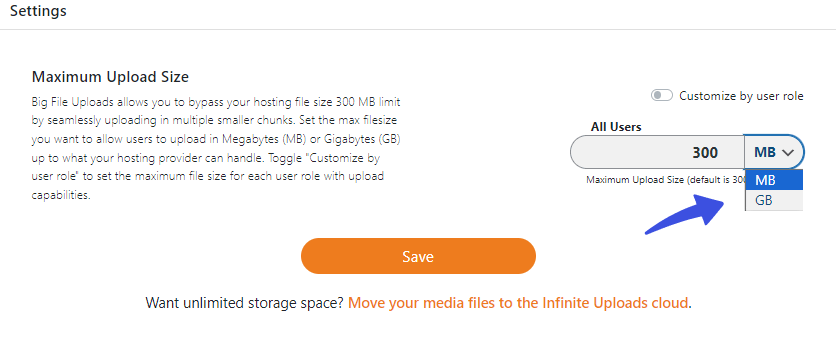
You can keep track of storage available for uploading media files.
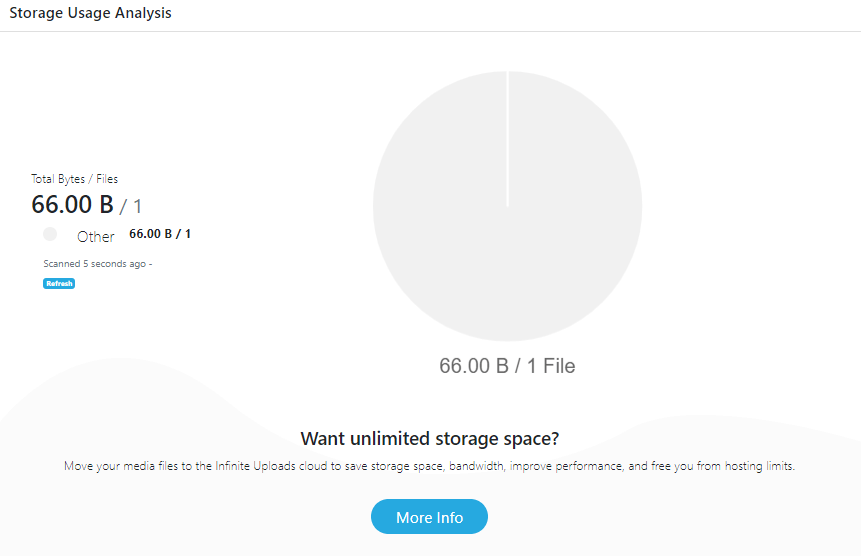
The plugin makes it easy to upload large videos, audio, graphics, and other media files in under a minute. Cool, right?
Features:
- Set Maximum File Size: You can easily set the maximum file upload size in Megabytes (MB) or Gigabytes (GB) for each user role with upload capabilities, including Admin, Editor, and Author.
- Upload Large Files: The plugin lets you upload large files to your media library without requiring FTP or SFTP.
- Supported Server/Host: It fully supports almost every server or hosting provider.
Best For:
This is the right plugin for uploading large media files directly to the WordPress media library.
Pricing:
Free.
3. Drag and Drop Multiple File Upload
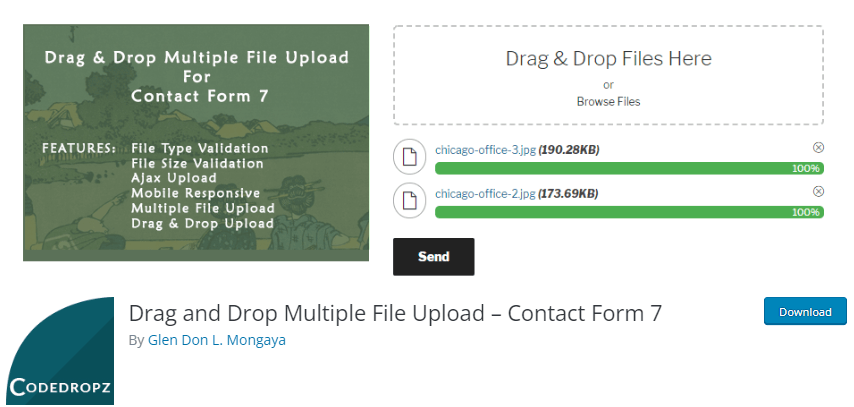
Drag and Drop Multiple File Upload is a powerful WordPress plugin that integrates with Contact Form 7.
The plugin is designed to collect multiple files from your users through a user-friendly drag-and-drop interface.
See the image below:
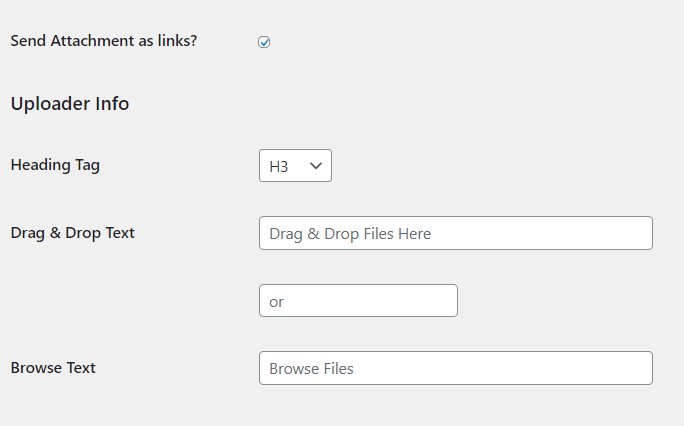
The plugin also offers advanced, valuable features, including:
- Auto Delete Files
- Spam Filtering Issues
- Use jQuery
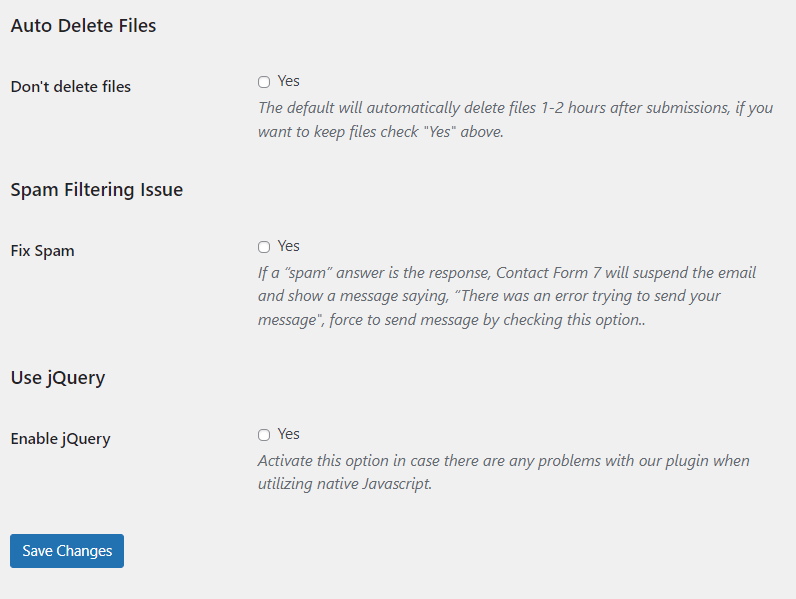
Features:
- Validation: The plugin lets you go for File Type and File Size Validation.
- Limit Uploads: You can easily limit uploads based on file size for each field.
- Multiple Messages Management: The plugin allows you to manage Text and Error messages in the admin settings.
- File Upload Deletion: This plugin enables you to delete uploaded files (before originally being sent).
- Multilingual Support: Drag-and-drop multiple file upload supports multiple languages.
- Mobile Responsive: The plugin is fully responsive on mobile devices. It ensures smooth file upload via mobile phone.
Best For:
The plugin lets you easily drag and drop multiple files for upload.
Pricing:
The core plugin is free. The premium version is available at $34.99 (One-time payment).
4. WordPress File Upload

WP File Upload is another useful WordPress file upload plugin that simplifies uploading files to a WordPress site.
With WP File Upload, you can easily create customizable upload forms that allow visitors to submit files securely and conveniently.
The plugin is the easiest solution for collecting user submissions, sharing files with clients, or managing documents within your organization.
You can easily sync the database to update the status of uploaded files.
See the image below:
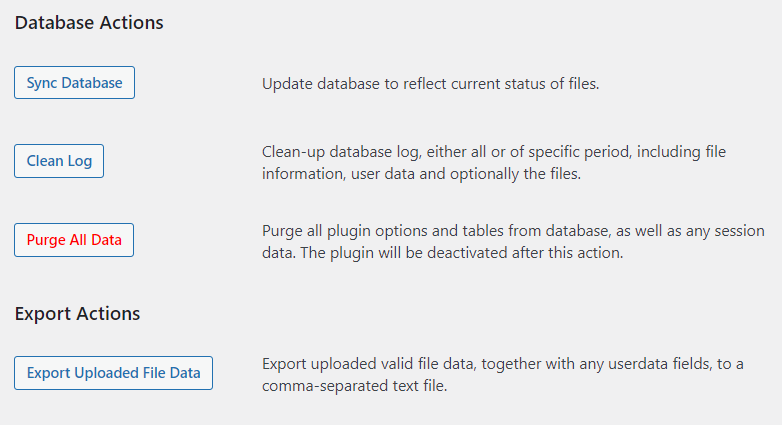
Features:
- Responsive: The fully responsive plugin lets you download files in older browsers and on mobile phones.
- GDPR Compliant: Compliant with the European Union’s General Data Protection Regulation (GDPR).
- Multiple Locations: You can use the file upload option across multiple locations for your site, i.e., posts, pages, or sidebars as a widget.
Best For:
The plugin is best for uploading files to your WordPress site from any page, post, or sidebar.
Pricing:
Free.
5. Checkout Files Upload for WooCommerce

Checkout Files Upload for WooCommerce is a powerful plugin that enhances your WooCommerce store’s functionality by allowing customers to upload files at checkout.
The plugin offers a user-friendly interface for file submission, providing a seamless experience for both customers and merchants.
Its robust features empower businesses to manage and collect necessary files or documents from buyers, streamlining the purchasing journey.
Features:
- File Upload Capability: The plugin lets you upload files directly from the checkout page. This feature allows for versatile file submissions, whether images, documents, or other file types.
- Multiple File Uploads: Customers can upload multiple files per order, offering flexibility and convenience.
- File Restrictions and Limitations: Set specific file types, sizes, and the number of files allowed per upload to meet your store’s requirements and ensure smooth processing.
- Customizable Labels and Messages: Tailor instructions, labels, and messages that are displayed on the checkout page to guide customers effectively through the file upload process.
Best For:
This plugin is designed specifically for a WooCommerce site, allowing customers to upload files directly during checkout.
Pricing:
Free.
6. WP Forms
WP Forms is another powerful WordPress plugin. It enables you to add a file upload to your site. It is the best way to collect additional user information, i.e., images, videos, Word Documents, PDFs, and more.
With this plugin, you can easily upload multiple file types, including:
- Images – .png, .gif, .jpg
- Documents – .doc, .xls, .ppt, .pdf
- Audio – .wav, .mp3, .mp4
- Video – .mpg, .mov, .wmv
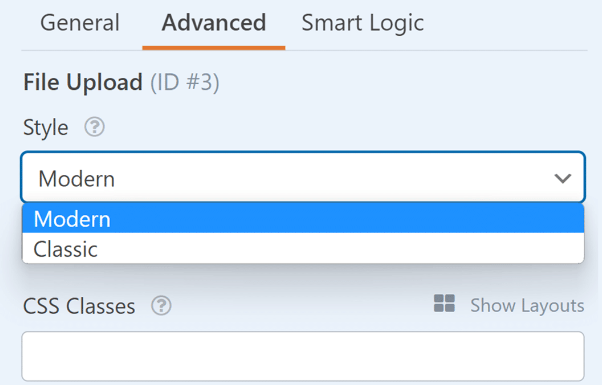
In addition, you can choose between two styles for your File Upload: Classic and Modern.
Features:
- User-friendly Interface: The plugin offers a user-friendly interface that best fits the users.
- Drag-and-Drop: WP Forms offers a drag-and-drop feature that lets you add a file upload field anywhere on your site, such as a post, page, or sidebar.
- File Support: The plugin supports almost all types of file uploads, including Images of various types, i.e., .png, .gif, .jpg.
- Maximum File Size: You can easily upload files up to 300 MB.
Best For:
The plugin enables you to upload any type of file, i.e., .gif, .doc, and more, to your WordPress site with just a few clicks.
Pricing:
The core plugin is free. The premium version starts at $49.50/ year.
7. Formidable Forms

Formidable Forms is a useful WordPress file upload plugin that lets you manage and collect multiple file uploads for your site, including documents, images, videos, and more.
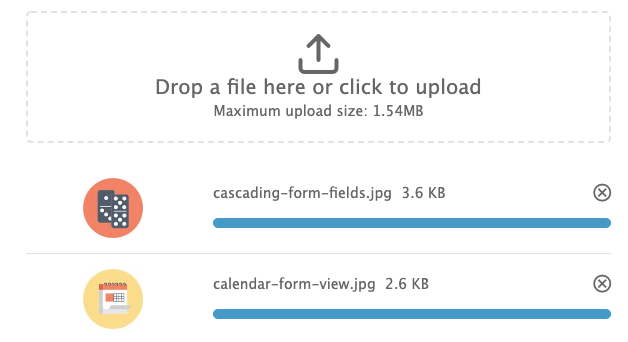
The plugin allows users to simply drop a file to upload to your site, with a maximum file size of 1.54 MB.
See the image below:
Features:
- User-friendly Interface: The plugin has a user-friendly interface that makes it easy to use.
- Drag-and-Drop: You can add a file upload field to your form using a simple upload box on your site.
- Responsive: The plugin creates a responsive file upload field for your site, ensuring smooth file uploads across almost every screen size.
Best For:
You can easily create a custom, user-friendly WordPress file upload field for your site.
Pricing:
The core plugin is free. The premium version is available for $39.50/year.
Best WordPress File Upload Plugins (Feature Comparison)
Now, explore the features comparison table below for the Top 3 WordPress file upload plugins:
| Features | FileBird | Big File Upload | Drag & Drop Multiple File Upload |
|---|---|---|---|
| User-Friendly | ✓ | ✓ | ✓ |
| Theme for Fields | ✓ | ✓ | ✓ |
| File Search | ✓ | ✓ | ✓ |
| Multiple File Support | ✓ | ✓ | ✓ |
| Secure File Upload | ✓ | ✓ | ✓ |
| Large File Size | – | ✓ | – |
| Expiration | – | – | ✓ |
| Pricing | $39 (1 client) | Free | $34.99 (One-time payment) |
| Ratings | 4.5/5 | 5/5 | 5/5 |
| Best For | WP media management | Large Media Files | Drag-and-Drop File Upload |
| Active Installations | 100,000+ | 80,000+ | 50,000+ |
Which is the Best File Upload Plugin For WordPress?
Each plugin mentioned above lets you add a file-upload field to your site.
The best choice depends on your priorities, such as file organization, large-file handling, or a user-friendly upload experience.
Here are the top 3 picks for you:
FileBird: The plugin primarily focuses on organizing files in the WordPress media library. It’s the right choice if you want to add an efficient file organization to WordPress.
Large File Upload: The plugin lets you upload larger files. That’s why it’s the best choice for you to deal with large file sizes.
Drag-and-Drop Multiple File Upload: It’s the right choice for you if you are looking to upload multiple files to your site at once, with a user-friendly interface.
What’s Next?
Other than adding a file upload field to your site, you’ll want to customize the default WordPress login page. If yes, this section is particularly for you!

Customize a WordPress Login Page
Stand out from the competition with this WordPress plugin that lets you quickly and easily customize your login page – no coding required!
LoginPress is the best WordPress login page customizer plugin that helps you transform the default WordPress login page into a more branded experience for users without writing a single line of code.
Note: See the guide Explore LoginPress Settings (Free and Pro Version).
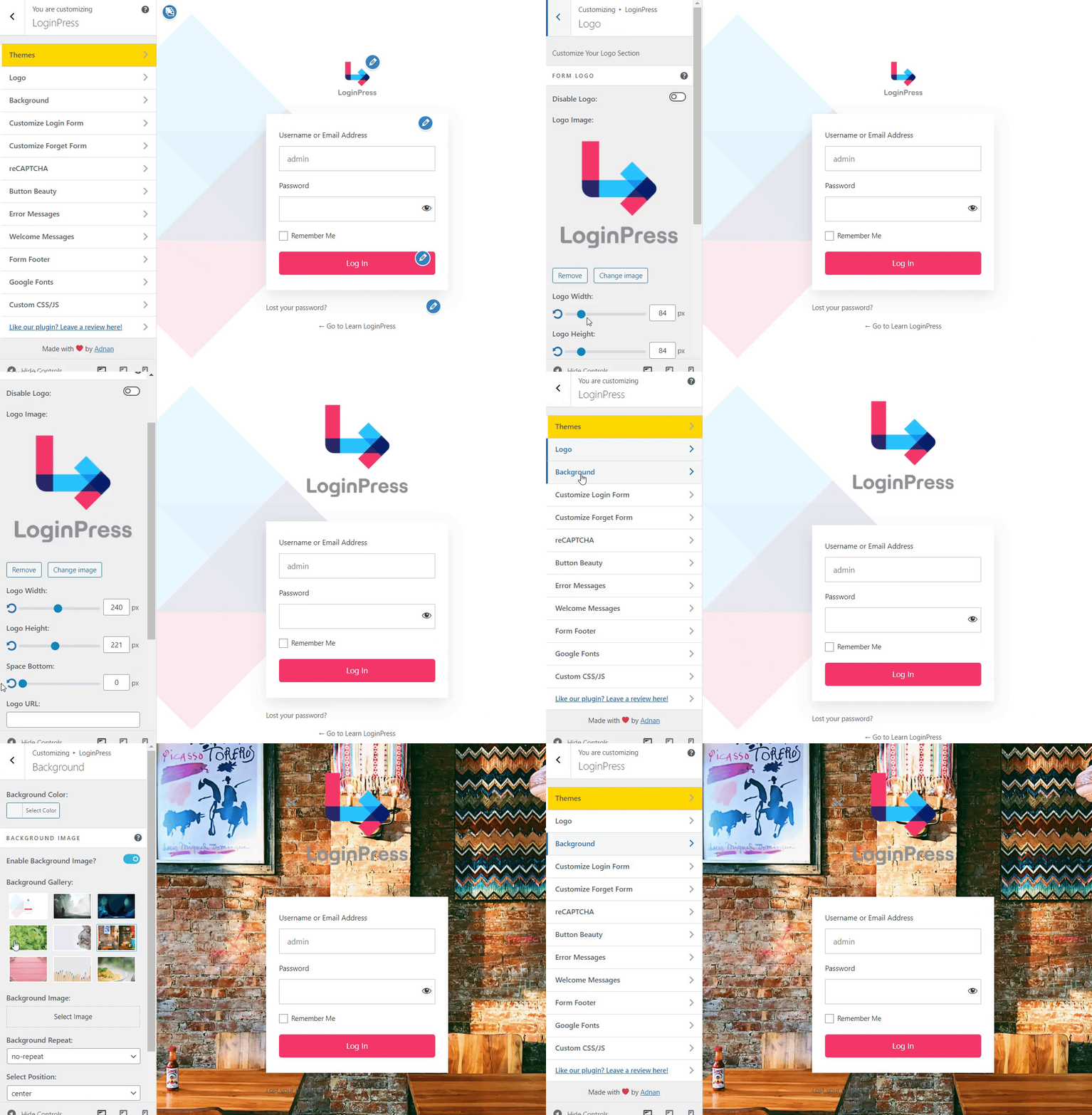
The plugin offers multiple customization features and a powerful preview option to track real-time changes.
See the GIF below:
Note: For more details, see our guide on A Comprehensive Guide to LoginPress Customizer (Free and Pro Versions).
WordPress File Upload FAQs
Conclusion
In conclusion, WordPress file upload plugins enhance the file upload process for WordPress sites.
These plugins are designed to meet the ever-changing demands of the online world, elevating your WordPress experience.
That’s all for this article!
Here are the key takeaways:
- What is a WordPress File Upload Plugin?
- Why Use a WordPress File Upload Plugin?
- 7 Best WordPress File Upload Plugins
- Which is the Best File Upload Plugin For WordPress?
You may also like to read our articles about other useful WordPress plugins, including
- Best WordPress Product Review Plugins
- Best WordPress Calendar Plugins
- Best WordPress Email Plugins
- Best WordPress Banner Plugins
- Best WordPress Video Plugins
- Best WordPress eCommerce Plugins
- Best WordPress Gallery Plugins
- Best ChatGPT Plugins
Which WordPress file upload plugin worked the best for you? Is there any other useful plugin that we may have missed?
Let us know by leaving a comment below.