15 Most Common WordPress Security Issues (Solved)
The most common WordPress security issues are outdated core, plugins and themes, weak login security, brute force attacks, malware, DDoS attacks, phishing, poor hosting, SQL injections and SEO spam. Each issue below comes with a fix.
In this guide, I will cover 15 common WordPress security issues and how to solve each one.

How to Add Social Media Icons to WordPress
To add social media icons to WordPress, use a plugin, the Social Icons block in the block editor, or a widget. The block editor method is the fastest on block themes and needs no plugin.
In this post, I will show you the steps for all three methods, plus design tips and how to add social icons to your login page with LoginPress.

9 Best WordPress Menu Plugins
Are you looking for the best WordPress menu plugins for your site? We’ve got you covered!
A well-designed menu undoubtedly makes it easier for visitors to explore your site, improves engagement, and reduces bounce rates.
WordPress provides menu plugins to help you do it with ease.
In this article, we’ve gathered a list of the 9 best WordPress menu plugins for you to help create responsive menus for your site.

How to Add a Login Button to Your WordPress Menu
To add a login button to your WordPress menu, install LoginPress, activate its Login Logout Menu add-on, then add the login item under Appearance > Menus.
This guide shows you each step, plus how to redirect users after login and add more buttons to your menu.

QUICK SUMMARY:
Adding a dynamic login/logout button to your navigation menu improves user experience by allowing members to access accounts smoothly from any page on your site.
● The Methods: Implement it natively via custom WordPress menu links, utilize theme settings, use shortcodes, or automate it completely via dedicated plugins.
● Dynamic Behavior: Setting up links that dynamically flip from “Log In” to “Log Out” depending on whether the user is already authenticated.
● What You’ll Learn: The simplest manual configurations, shortcode implementations, and how to smoothly control navigation display rules.
Supercharge Your Custom WordPress Login Experience! Why stop at just a button?
With LoginPress, you can fully redesign your entire login page layout.

Top 9 WordPress Image Slider Plugins (Compared)
Are you looking for the best WordPress image slider plugins for your site? If yes, we’ve got you covered.
WordPress image slider plugins are famous for adding engaging images, videos, etc., to showcase a portfolio, promote products, and more.
With a variety of plugins available, it is somewhat difficult to choose one that meets your site’s needs.
In this article, we’ve gathered the 9 best WordPress image slider plugins and compared them in detail.
How to Fix “Error Establishing a Database Connection” in WordPress
To fix the “Error establishing a database connection” in WordPress, check your database server, then your database credentials and host in wp-config.php, repair corrupted files, and update your site URL.
In this post, I will walk you through all five methods and how to prevent the error in future.

7 Best reCAPTCHA Alternatives for WordPress
The best reCAPTCHA alternatives for WordPress are hCaptcha, Simple Cloudflare Turnstile, LoginPress reCAPTCHA, Honeypot Anti-Spam, Lemin CAPTCHA, Friendly Captcha and ALTCHA. They block spam bots with less friction for visitors and fewer privacy concerns than Google reCAPTCHA.
reCAPTCHA is the most common anti-spam tool, but not everyone likes it. Site owners cite user friction, performance cost and Google’s data collection as the main reasons to look elsewhere.
In this post, I will compare seven alternatives on features and pricing, then say which one I’d pick for different needs.
In this article, we’ll introduce you to a diverse range of 7 best reCAPTCHA alternatives, empowering you to choose the one that best suits your needs.
reCAPTCHA Alternatives (Pricing Comparison)
This table compares the pricing of the seven reCAPTCHA alternatives.
| reCAPTCHA Alternatives | Pricing | Free Options |
|---|---|---|
| hCAPTCHA for WP | $99/ month | ✓ |
| Simple Cloudflare Turnsite | Custom Pricing | ✓ |
| LoginPress reCAPTCHA | $49.00/ year | ✓ |
| Honeypot Anti-Spam | – | ✓ |
| Lemin CAPTCHA | $0.001 per puzzle image | ✓ |
| Friendly Captcha for WordPress | $10/ month | ✓ |
| ALTCHA Spam Protection | – | ✓ |
What is reCAPTCHA?
reCAPTCHA is a free Google security tool that separates real users from bots, using challenges or background risk analysis.
It uses various challenges, such as image recognition or simple checkbox interactions, i.e., I’m not a robot, to verify if the user is a human.
reCAPTCHA comes in different versions:
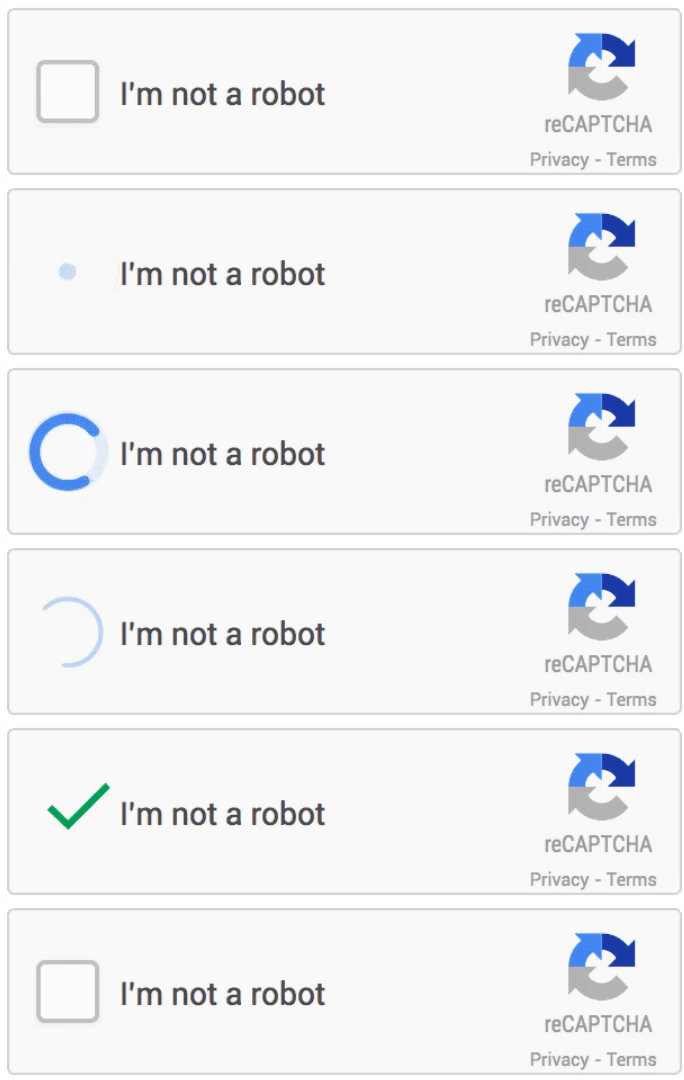
reCAPTCHA v2 that includes the I’m not a robot checkbox.
See the image below:
reCAPTCHA v3 provides a score based on the user’s interactions with the site. The score determines whether the user is a bot or a human.
For example, 0.0 (more likely a bot) to 1.0 ((is very likely a good interaction).

The invisible reCAPTCHA automatically checks whether a user is human or bot without requiring them to solve a challenge.

Why Look for reCAPTCHA Alternatives?
You might look for reCAPTCHA alternatives for four main reasons:
- User Experience: reCAPTCHA adds friction to user interaction. It can be frustrating for users.
- reCAPTCHA Challenges: reCAPTCHA can be challenging for users with disabilities.
- Privacy Concerns: reCAPTCHA is a Google product, and some site owners are wary of Google’s data collection practices.
- False Positives/Negatives: reCAPTCHA isn’t always perfect. Some users are flagged as bots and forced to solve multiple puzzles, while bots may sometimes bypass it.
- Bot Advancements: With advancements in bot technology, some argue that reCAPTCHA’s methods are becoming less effective. Exploring other tools can offer new, more innovative ways to protect against bots.
These reasons motivate many site owners to explore alternative solutions that suit their needs or preferences better.
7 Best reCAPTCHA Alternatives
1. hCAPTCHA for WP
Ratings: 4.5/5 – Stars
Active Installations: 60,000+
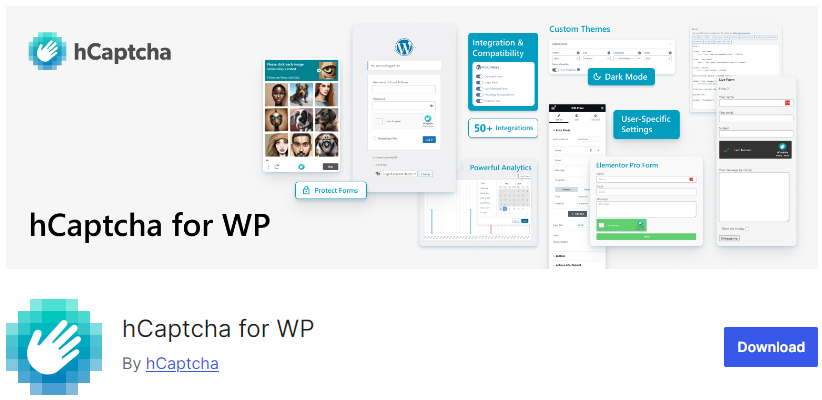
hCAPTCHA for WP is one of the best WordPress reCAPTCHA alternatives that triggers image-based challenges to verify human users.
The plugin offers so many useful options that strengthen your site’s security, such as:
- Turn it off when logged in
- Login attempts before hCaptcha
- Delaying showing hCaptcha
- Failed Login attempt intervals
- Allowed IPs
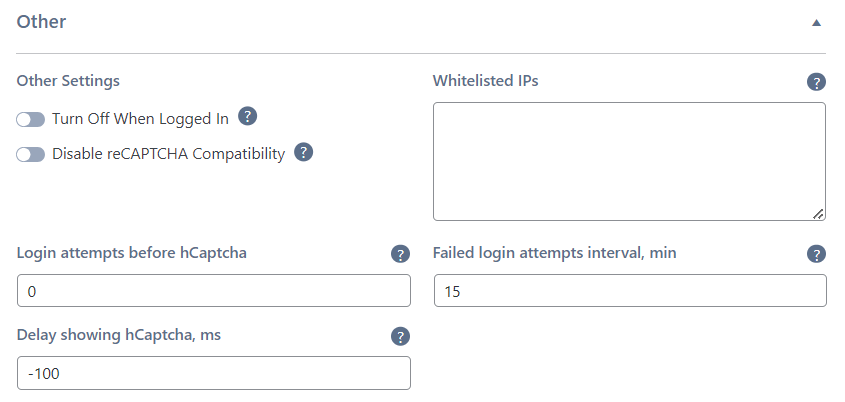
With this plugin, you get a powerful statistics area where you can track statistics for CAPTCHA, such as:
- Failed login attempts
- Successful login attempts

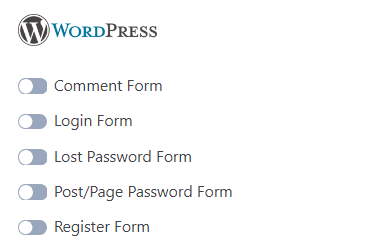
The best part is that the plugin allows you to enable CAPTCHA for different forms of your site, including:
- Comment Form
- Login Form
- Lost Password Form
- Post/ Page Password Form
- Register Form
Features:
- CAPTCHA Theme: You can select a light or dark theme for your CAPTCHA.
- CAPTCHA Size: The plugin enables you to select hCaptcha size, i.e., compact, invisible, etc.
- Multilingual Support: By default, hCaptcha will automatically detect the user’s local and localize widgets accordingly.
- Force hCaptcha: The plugin enables the force hCaptcha check before submitting.
Pricing:
The core plugin is free. The premium version starts at $99/ month.
2. Simple Cloudflare Turnsite
Ratings: 4.5/5 – Stars
Active Installations: 50,000+
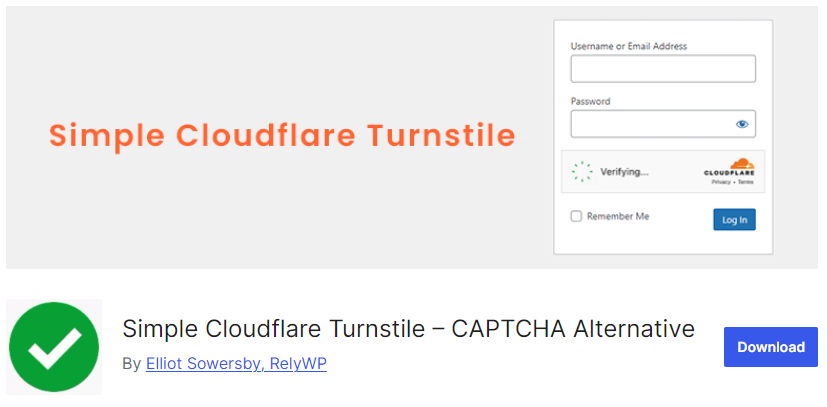
Simple Cloudflare Turnstile is a user-friendly CAPTCHA alternative. It enhances WordPress site security while improving the user experience.
This is what Simple Cloudflare Turnstile looks like:

You can enable it on multiple parts of your WordPress site, including:
- Login Form
- Registration Form
- Password Reset Form
- Comments Form
It’s a privacy-focused solution that ensures no sensitive data is collected during the validation process, making it a perfect fit for security-focused businesses.
Features:
- WooCommerce Support: The plugin lets you enable CAPTCHA for WooCommerce checkout, pay for orders, login forms, and more.
- Compatibility for Form Plugins: This plugin fully supports multiple form plugins, such as WPForms, Fluent Forms, Contact Form 7, and more.
- Language Selection: The plugin lets you set the default language for your site’s CAPTCHA.
- Disable Submit Button: You can easily disable the submit button on your forms until the users complete the Turnstile challenge.
Pricing:
The core plugin is free. The premium version offers custom pricing (billed annually).
3. LoginPress reCAPTCHA
Ratings: 5/5 – Stars
Active Installations: 200,000+
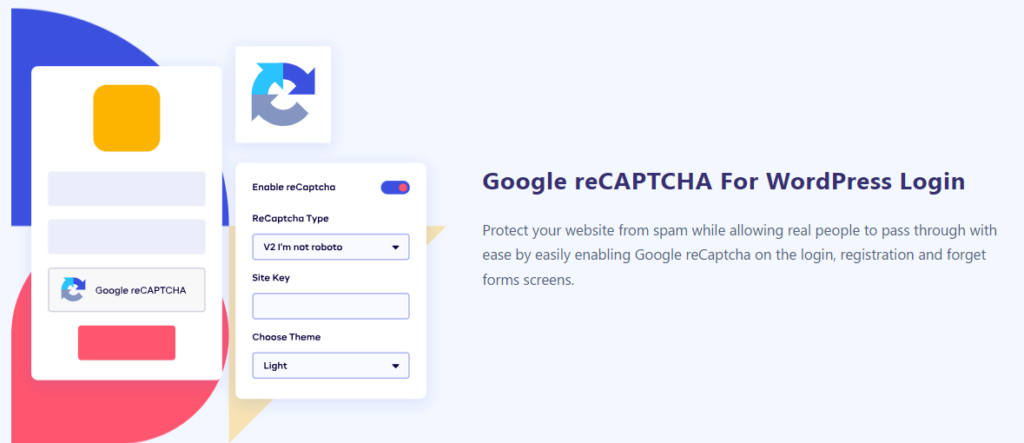
LoginPress reCAPTCHA is the best reCAPTCHA alternative for your WordPress site. It makes it easy to add reCAPTCHA on different areas of your site, such as:
- Login Form
- Lost Password Form
- Register Form
- Comments Section
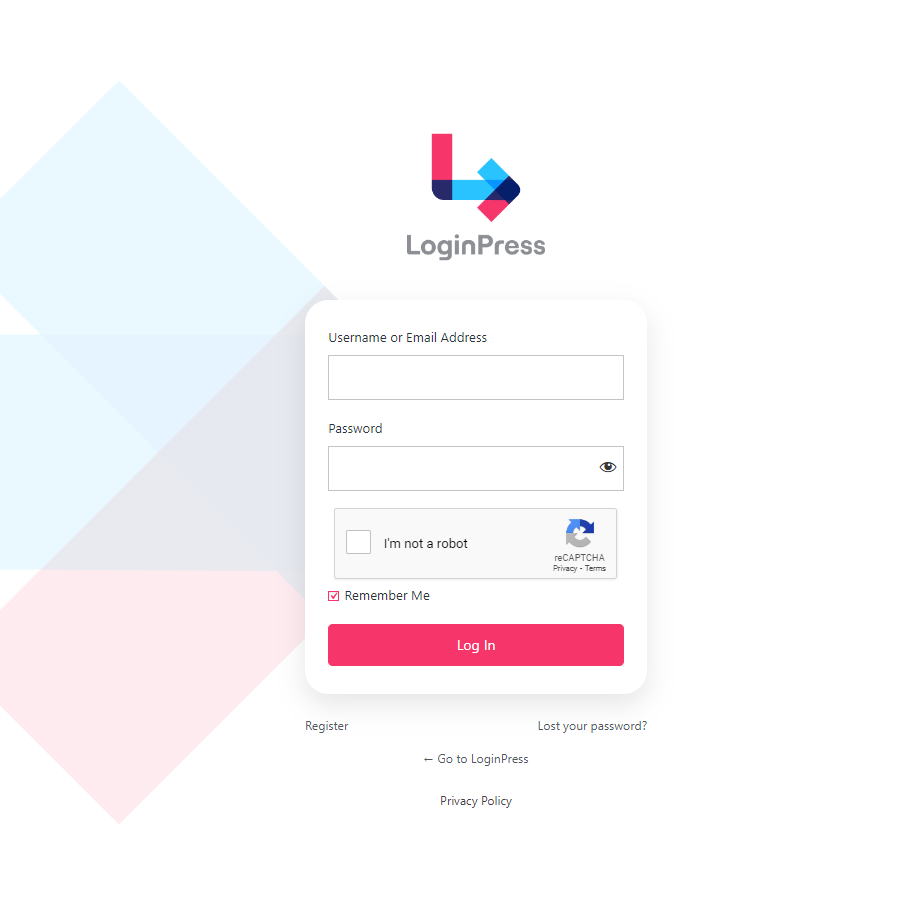
Here is what LoginPress reCAPTCHA looks like on the login form:
LoginPress Addition Features
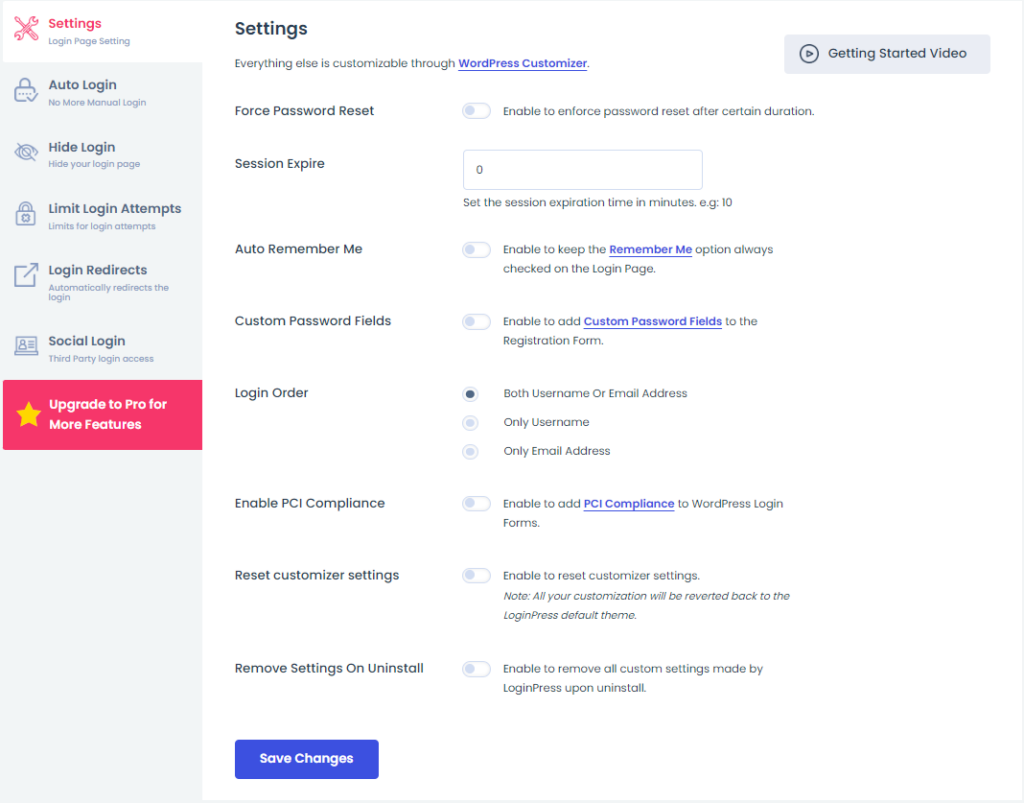
Other than LoginPress reCAPTCHA, there are a lot more powerful features that help you change the behavior of the default WordPress login, register, and forget page, including:
- Force Password Reset
- Session Expire
- Auto Remember Me
- Custom Password Fields
- PCI Compliance
- Math CAPTCHA
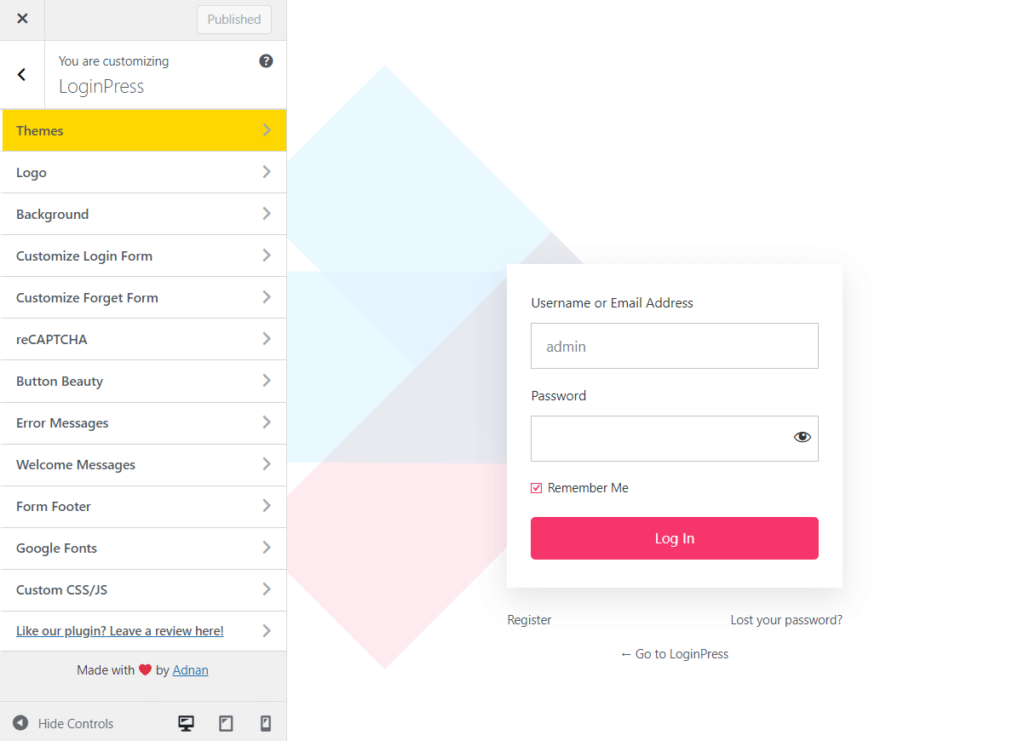
In addition, multiple customization features of LoginPress let you change everything on the default WordPress login, register, and forget page, including:
- Themes
- Logo
- Background
- Customize Login Form
- Customize Forget Form
- reCAPTCHA
- Button Beauty
- Error Messages
- Welcome Messages
- Form Footer
- Google Fonts
- Custom CSS/JS
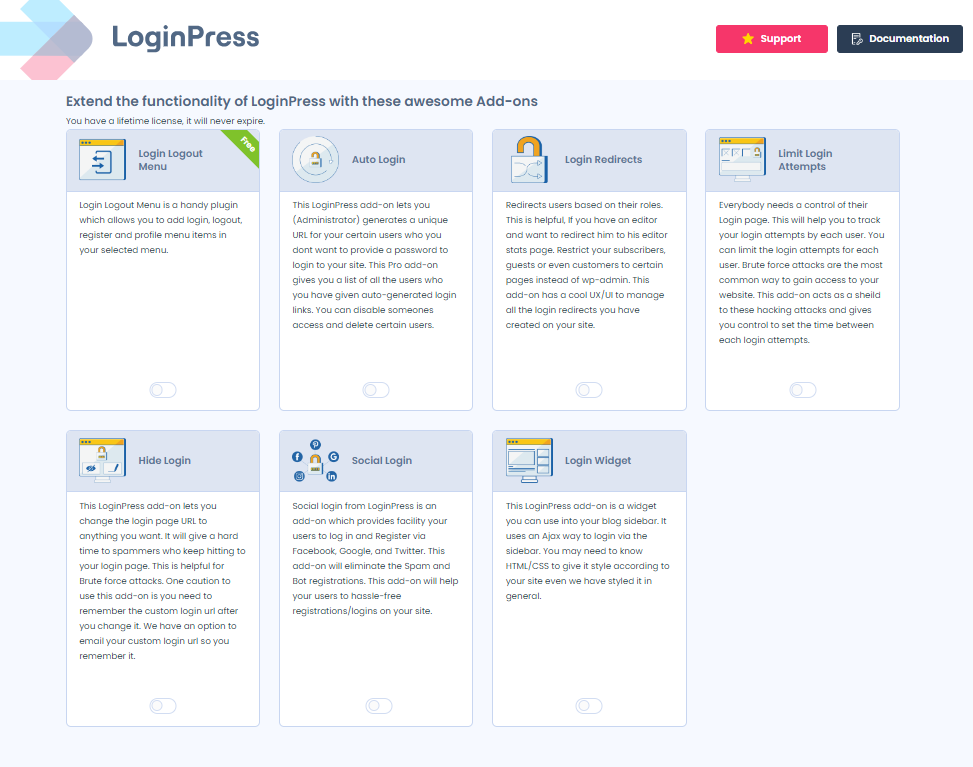
Wait, there are multiple powerful Addons packed with LoginPress Pro that are best to secure your site from online attacks, including:
Features:
- reCAPTCHA V3: LoginPress reCAPTCHA lets you add reCAPTCHA V3 to your site that validates users without any visual puzzle or human interaction, significantly improving the user experience.
- reCAPTCHA Theme: The plugin supports dark and light themes for your reCAPTCHA.
- Multilingual Support: LoginPress reCAPTCHA is fully compatible with multiple languages, including English (US), Arabic, Urdu, and more.
- GDPR Compliant: The plugin complies with the GDPR standards that make it more secure and privacy-friendly than reCAPTCHA.
Pricing:
The core plugin is free. The reCAPTCHA is available at $49.00/ year.
4. Honeypot Anti-Spam

Ratings: 4.5/5 – Stars
Active Installations: 10,000+
Honeypot Anti-Spam is another useful antispam WordPress plugin that serves as another reCAPTCHA alternative for your site.
This plugin helps you protect your comment forms against cybercriminals.
Using the Honeypot technique means that if you install Honeypot Anti-Spam, you won’t need to include an annoying captcha in your WordPress.
The best part is that the honeypot remains utterly invisible to genuine users. Only spam bots can see and pass through it, so the comment or post is immediately classified as spam.
Features:
- Invisible Honeypot Fields: The plugin lets you add an invisible honeypot field to your contact form that automatically detects bot submissions.
- Submission Time Check: This plugin automatically checks the submission time. If it is too quick, it takes that as a bot submission and blocks it immediately.
- User-friendly: The plugin offers a user-friendly interface.
- GDPR Compliance: The plugin provides GDPR compliance for collecting IP addresses and data processing.
Pricing:
Free.
5. Lemin CAPTCHA
Lemin CAPTCHA is another useful reCAPTCHA alternative that helps protect your site from automated threats, such as brute-force attacks.
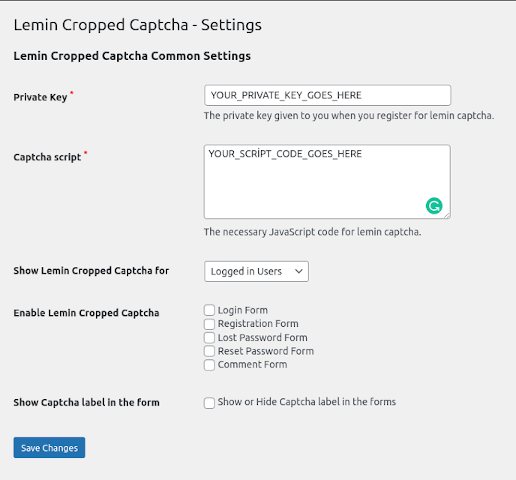
You can add it to different areas of your site, including:
- Login Form
- Register Form
- Lost Password Form
- Reset Password Form
- Comments Section
See the image below:
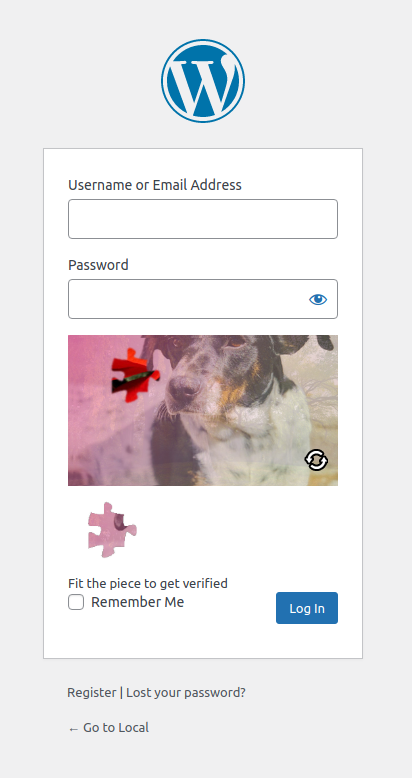
It adds a puzzle within these areas. The user must complete the puzzle to get access to the stated areas of your site.
This is how it appears on the login form:
Features:
- User-friendly: The plugin offers a user-friendly interface that makes it easy to configure puzzles for your site.
- Customization for CAPTCHA: You can customize the overall look and feel of the CAPTCHA to match your site.
- Anonymized User ID: The plugin cares a lot about users’ privacy, so it automatically anonymizes user IDs.
Pricing:
The core plugin is free. The premium version is available at $0.001 per puzzle image.
6. Friendly Captcha for WordPress
Ratings: 4/ 5 – Stars
Active Installations: 8,000+
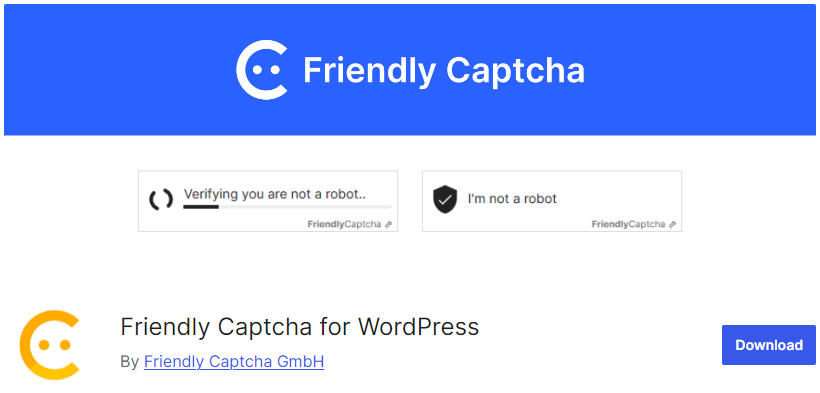
Friendly Captcha for WordPress is another powerful reCAPTCHA alternative that protects your site against spam and abuse.
The plugin adds a crypto puzzle to each user’s login, register reset password, and comments form. They must solve the puzzle first to get access to your site.
Friendly Captcha for WordPress don’t store personal data and use no cookies. It means that the plugin protects your end users from being tracked.
Features:
- Defend Against Bots: Friendly Captcha for WordPress automatically detects spam and abuse against a site.
- User-friendly Interface: The plugin offers a user-friendly interface that makes it easy to add it across your WordPress site.
- Supported Sections: You can add this anti-spam plugin for different areas of your site, i.e., login, register resetpPassword, and comments form.
- Supported Plugins: It works without any compatibility issues for a wide range of plugins, such as CoBlocks, Contact Form 7, Elementor Pro Forms, and more.
- WooCommerce Support: You can use this plugin to protect your WooCommerce login, register reset Password, and comments forms.
Pricing:
The core plugin is free. The premium version starts at approximately $10/ month.
7. ALTCHA Spam Protection
Ratings: 4.5/ 5 – Stars
Active Installations: 100+
ALTCHA, an open-source Captcha alternative, is there to protect your WordPress site against unwanted content.
See the image below:
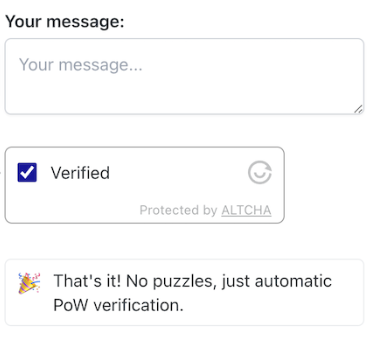
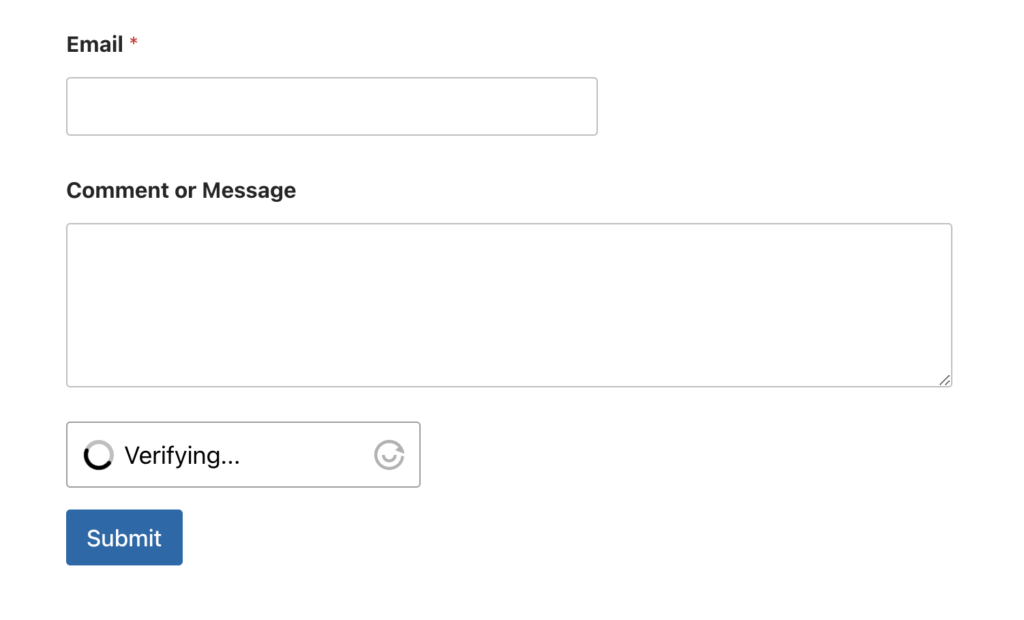
The plugin is designed to protect your comment section without compromising user privacy.
See the image below:
Features:
- Spam Filter: The plugin offers invisible spam protection where no Captchas are on your server.
- Email Validation: This plugin detects a fake email address.
- IP Address Validation: ALTCHA finds out on its own if an IP address is linked with a data center, proxy, etc.
- No Cookies: The plugin avoids the use of cookies to ensure user privacy.
- GDPR Compliance: It is fully compliant with GDPR regulations.
- Supported Integrations: The plugin offers smooth integration with Contact Form 7, Elementor Pro-Forms, Forminator, and other popular WordPress plugins.
Pricing:
Free.
reCAPTCHA Alternative (Feature Comparison)
This table compares the features of the seven reCAPTCHA alternatives side by side.
| Features | hCAPTCHA for WP | Simple Cloudflare Turnsite | LoginPress reCAPTCHA |
|---|---|---|---|
| User-friendly | ✓ | ✓ | ✓ |
| Privacy-Focused | ✓ | ✓ | ✓ |
| Multiple Forms Support | ✓ | ✓ | ✓ |
| Force CAPTCHA | ✓ | – | – |
| GDPR-Compliance | ✓ | ✓ | ✓ |
| Ratings | 4.5/5 – Stars | 4.5/5 – Stars | 5/5 – Stars |
| Active Installations | 60,000+ | 50,000+ | 200,000+ |
Which is the Best reCAPTCHA Alternative?
The best reCAPTCHA alternative depends on your needs: hCaptcha for privacy, Cloudflare Turnstile for WooCommerce checkout and LoginPress reCAPTCHA for a simple login setup.
Here are the top 3 picks for you:
hCAPTCHA for WP – is the best option if you are looking for privacy-focused anti-bot protection, as it doesn’t track users like Google does.
Simple Cloudflare Turnsite – is best for those looking to integrate a reCAPTCHA alternative for their WooCommerce checkout, pay-for-orders, login forms, etc.
LoginPress reCAPTCHA – is the best solution for those who want a user-friendly solution for bot-free login and registration for their site.
However, the final choice is all yours.
reCAPTCHA Alternatives FAQs
Can I stop spam without having CAPTCHA for WordPress?
Yes, you can easily stop spam without CAPTCHA for WordPress with an advanced bot protection solution.
Why do I need a CAPTCHA alternative?
By default, CAPTCHAs are not privacy-focused, secure, or user-friendly. Consequently, you may fall victim to bot attacks. So, you’ll need to choose a CAPTCHA alternative to have a more focused, secure, and user-friendly solution that can detect bots more accurately.
What other ways prevent bots from getting access to your site?
Other ways to prevent bots from accessing your site include using unique pass keys for each user, limiting login attempts, adding 2FA, and much more.
How can I secure my login page without CAPTCHA?
You can easily secure your login page without CAPTCHA with the help of LoginPress Limit Login Attempts. Once cybercriminals reach your login page, they use bots to guess your login credentials. As there is no set login attempts limit by default, bots succeed in gaining access to your site. So, LoginPress Limit Login Attempts help limit the number of attempts, and bots fail to try again and again to guess your login credentials. As a result, you get a more secure login form.
Can AI defeat CAPTCHA?
A CAPTCHA usually contains an image or distorted text that users need to interpret to prove themselves human. Artificial intelligence (AI) is certainly powerful enough to solve CAPTCHA images easily.
Final Thoughts
reCAPTCHA is still a good option for stopping bots, but its friction and privacy limits push many site owners to alternatives. Any of the seven above is a solid replacement.
We’ve walked you through the 7 best reCAPTCHA alternatives, which offer more useful features for strengthening your site, including privacy compliance, ease of use, and more.
Try it now, and enhance your WordPress security.
That’s all for this article!
Here is a quick recap:
- What is reCAPTCHA?
- Why Look for reCAPTCHA Alternatives?
- 7 Best reCAPTCHA Alternatives
- Which is the Best reCAPTCHA Alternative?
You can also check out our other listicle articles, including 9 Best WordPress Popup Plugins and 7 Best WordPress Image Optimizer Plugins.

11 Best Mailchimp WordPress Plugins
Are you looking for the best Mailchimp WordPress plugins for your site? If yes, we’ve got you covered!
Mailchimp integration with WordPress can impact email campaigns, grow audiences, and more. However, with numerous plugins available, you might get confused about which one can help you better manage your email lists and engage with your subscribers.
Don’t worry! In this article, we’ve gathered a list of the 11 best Mailchimp WordPress plugins to choose from for growing your email marketing efforts.

How to Hide Page Title in WordPress
To hide the page title in WordPress, use the theme Customizer, custom CSS, the block editor, Elementor or a title remover plugin. Custom CSS and the block editor work on most themes.
This post explains all five methods step by step and covers the SEO points to check before you hide a title.

15 Best SEO WordPress Themes
Are you looking for the best SEO WordPress themes for your site? If yes, you’ve landed on the right page.
An SEO-optimized WordPress theme is required for your online success. It can enhance your site’s visibility and help you rank higher in search engine results.
In this article, we’ve handpicked the 15 best SEO WordPress themes to help you maximize your site’s SEO.

