
To make the plugin extra easy and functional as per the requirements, here comes the detailed documentation regarding the plugin. All about educating the things related to the plugin.

Do You Need Coding Skills to Use LoginPress? Here’s the Answer!
Are you wondering if you need any coding skills to use LoginPress? If the answer is yes, you’ll find it here!
LoginPress is a WordPress login page customizer plugin.
It enables you to customize every element on the login page without writing complex code to achieve the exact look you want.
Note: LoginPress has a Custom CSS/JS option that lets you add any desired functionality to the login page without hurting your WordPress site. You can use this feature to elevate your login page if you have some coding knowledge.
Here we’ll show you how you don’t need coding skills to use LoginPress. We’ll cover:
Table of Contents (TOC)
Let’s get started!
No Coding Skills to Use LoginPress?
LoginPress lets you customize the login page straight from the WordPress admin dashboard.
Once you’ve installed and activated LoginPress, go to the left sidebar of the WordPress admin dashboard and navigate to LoginPress.
Here are the main features of LoginPress: Settings, Customizer, and Add-Ons.
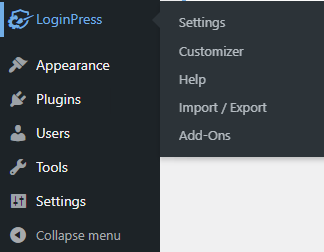
1. Settings Section
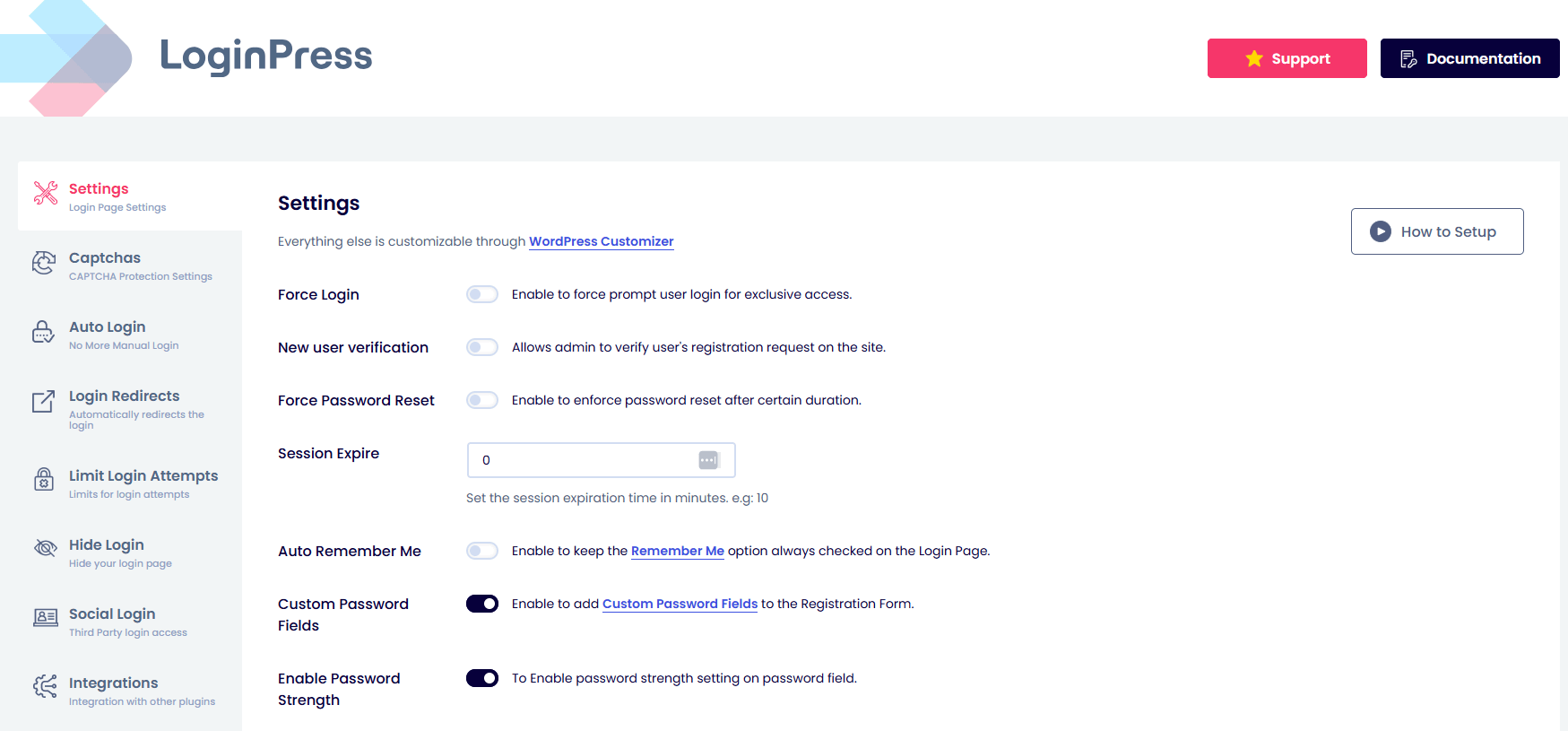
The Settings option lets you control the login form’s overall behavior. Like controlling the Session Expire time, auto-checking the Remember Me checkbox on the login form, and adding the Custom Password Field to the Registration form.
Moreover, you can change the default login order, i.e., Username or Email Address, to Only Username, Only Email Address, or continue with the default WordPress login order.
Note: You can upgrade to the premium version anytime to enjoy unique features, including Force Login and reCAPTCHA. Force Login helps you improve user engagement on your site, and reCAPTCHA helps secure your site against targeted attacks and automated brute-force attempts.
To use the following options, enable the desired option and click Save Changes.
2. Customizer Section
LoginPress has high-quality features that give your login page advanced design and functionality, and are easy to configure.
For example, you’d typically need to know some CSS to customize your login page.
But with LoginPress, you can use the no-code options to create a flexible, custom login page, including Theme, Logo, Background, Customize Login Form, Customize Forgot Form, Error Messages, Welcome Messages, and more.
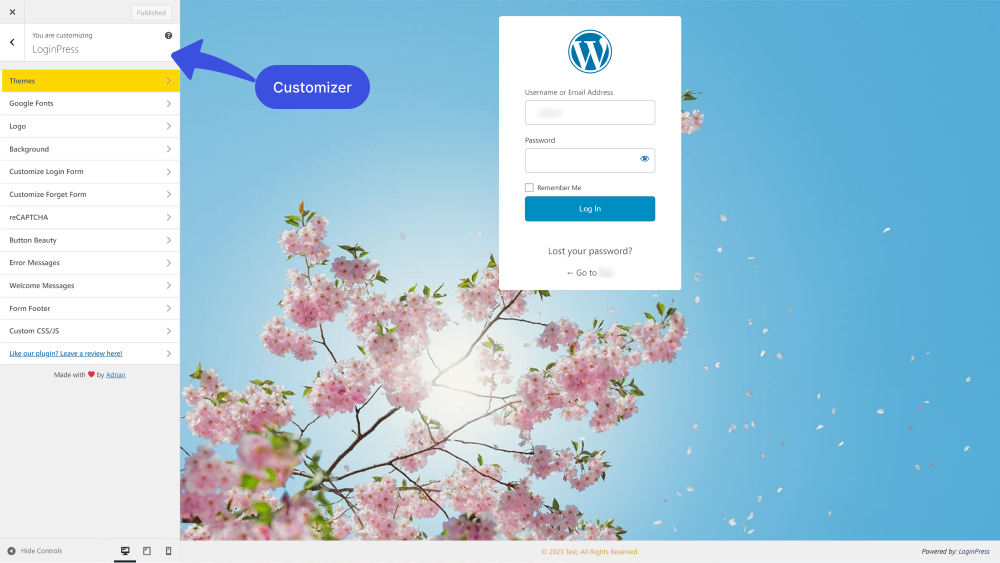
All you need to do is select an option, make changes, and click the Update button to apply them live.
Suppose you want to customize the Log In button. All you need to do is go to the left sidebar of the WordPress admin dashboard. Navigate to LoginPress and click on the Customizer option.
Note: Learn more about the LoginPress Customizer option. See our complete guide on the topic.
A new screen with all the Customization Options will open. Click the Button Beauty option.
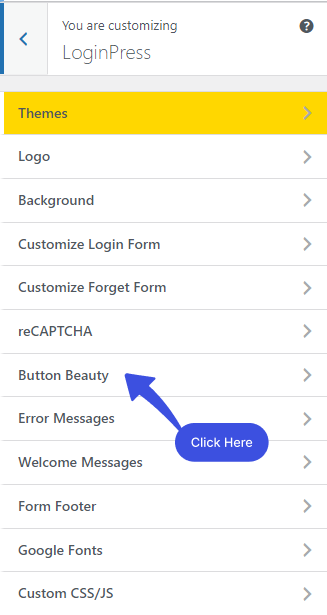
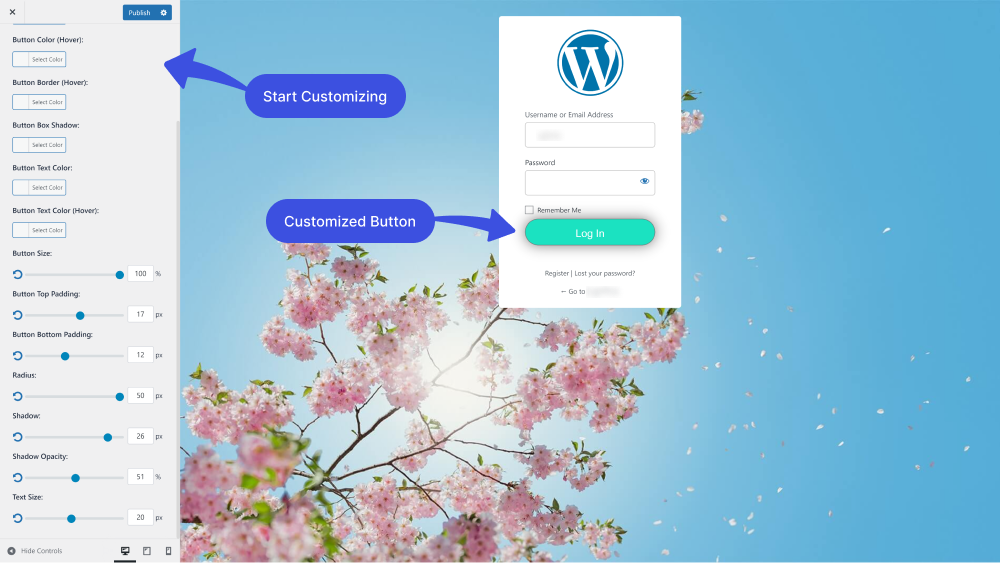
After clicking on the Button Beauty option, a new window will open, where you’ll have several options to customize the Button Beauty precisely the way you want.
3. Add-Ons Section
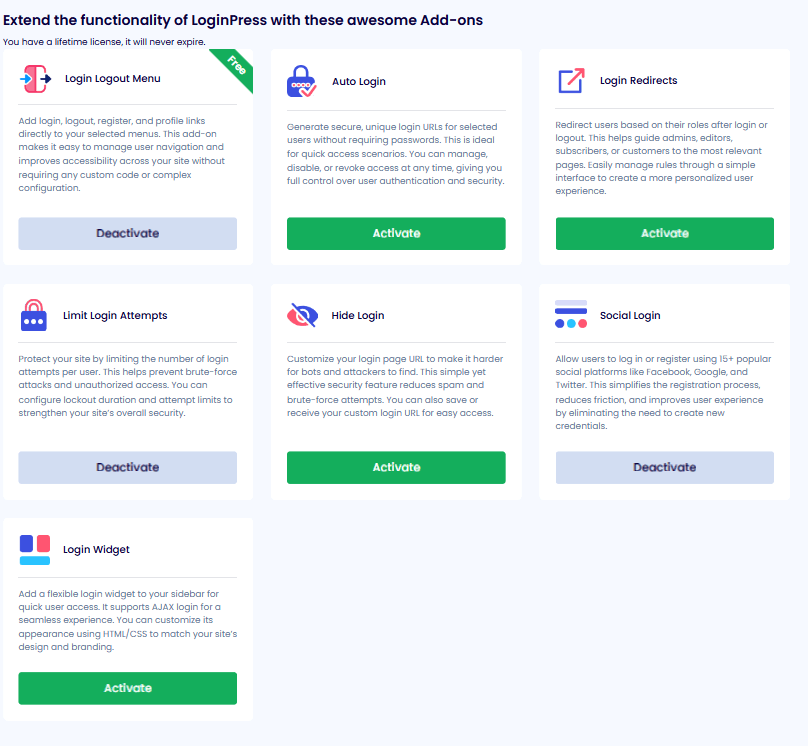
LoginPress has powerful Add-Ons. All you need to do is upgrade to LoginPress Pro.
Note: If you are using LoginPress free and want to upgrade to the premium version but don’t know how, you can see our guide.
If you want to use any of the following Add-Ons, enable them. The desired Add-on will be added to the Settings section.
Open the Add-on and start using it.
That’s it! We hope you now understand that no coding skills are needed to use LoginPress. Your custom WordPress login page is just a click away with LoginPress.
If you have any questions or concerns about this matter, please don’t hesitate to contact our support team.
Find solutions to your LoginPress customization challenges in our directory of helpful docs about customization using LoginPress.
Frequently Asked Questions (FAQs)
These FAQs answer the most common questions about our WordPress custom login page plugin.

Where can I get support for LoginPress?
If you need help with LoginPress, you can contact us here. We’ll be happy to answer any questions about the plugin.
Do you have an affiliate program?
Yes, we have an affiliate program that you can sign up for here. As an affiliate, you’ll earn a commission on every sale you refer to us.
Do you offer refunds?
Yes, we offer a 14-day money-back guarantee on all of our plans. If you’re unsatisfied with LoginPress, simply contact us within 14 days of your purchase, and we’ll process a refund.
Can I upgrade my license after my initial purchase?
Yes, you can upgrade your LoginPress license at any time. Simply log into your account and go to the My Downloads page. From here, you can upgrade your license and download the latest version of the plugin.
Will LoginPress slow down my website?
No, LoginPress will not slow down your website. The plugin is lightweight and only loads the necessary files when someone tries to access your login page.

If you Still have Questions?
Get In Touch