
To make the plugin extra easy and functional as per the requirements, here comes the detailed documentation regarding the plugin. All about educating the things related to the plugin.

How To Exclude The Pages/Posts From Force Login Feature (Hook)
Force Login is a premium feature of LoginPress.
It requires users to log in before viewing your site’s content.
When you enable Force Login, users are redirected to the login page before they can view your site’s content.
It is designed to create a membership feel to your WordPress site, making users log in to get inside the WordPress website.
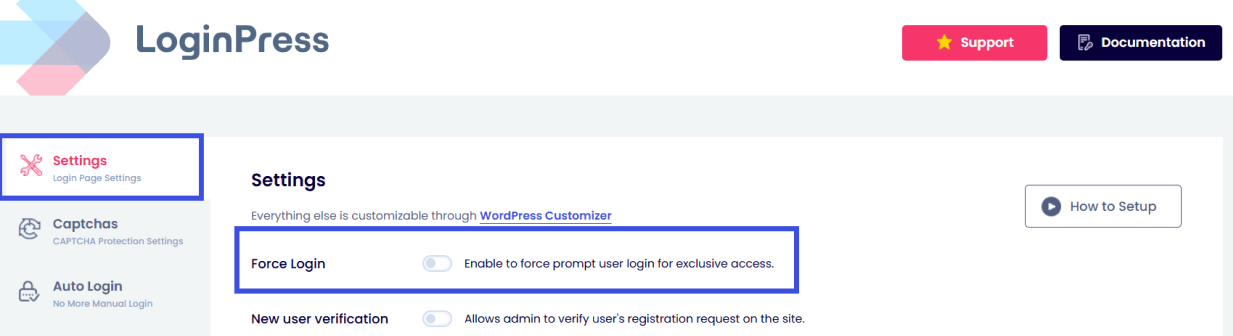
Note: You can learn more about the Force Login feature to understand how it works.
Suppose you want to exclude a specific page, i.e., Privacy Policy, from the Force Login. What would you do?
This knowledge base provides an action hook to exclude specific pages/posts from the Force Login feature, thereby improving the user experience.
Make sure to read this doc till the end. Let’s get started!
Exclude Pages/Posts from Force Login Feature Using a Hook
Suppose you want to exclude the specific pages or posts, i.e., the Privacy Policy, from the LoginPress Force Login feature.
To do this, update the code in your website theme’s functions.php file (see the file provided below in this documentation).
It will enable users to view the Privacy Policy page without logging in to the website or blog.
To do this, go to the left sidebar of your WordPress admin dashboard, navigate to Appearance, and click the Theme File Editor option.
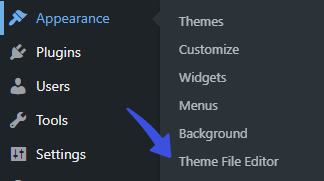
On the next screen, click the Theme Functions on the right-hand side. Scroll to the bottom of the functions.php file, paste the code, and click Save Changes.
Note: It’s recommended to use a child theme to edit the functions.php file instead of the parent theme. There is a risk of losing the modified code when you update your theme. It might cause some adverse effects on your website.
Here is the code for you:
function loginpress_exclude_forcelogin_callback() {
    return array( 'privacy-policy', '1' );
    // Here '1' is the ID of the post and 'privacy-policy' is slug of the page.
}
add_filter( 'loginpress_exclude_forcelogin', 'loginpress_exclude_forcelogin_callback' );
Note: Here, ‘privacy-policy’ is the slug of a post or page, and ‘1’ is the ID of the post/page. This means you can provide both slugs and IDs for posts/pages in this comma-separated array.
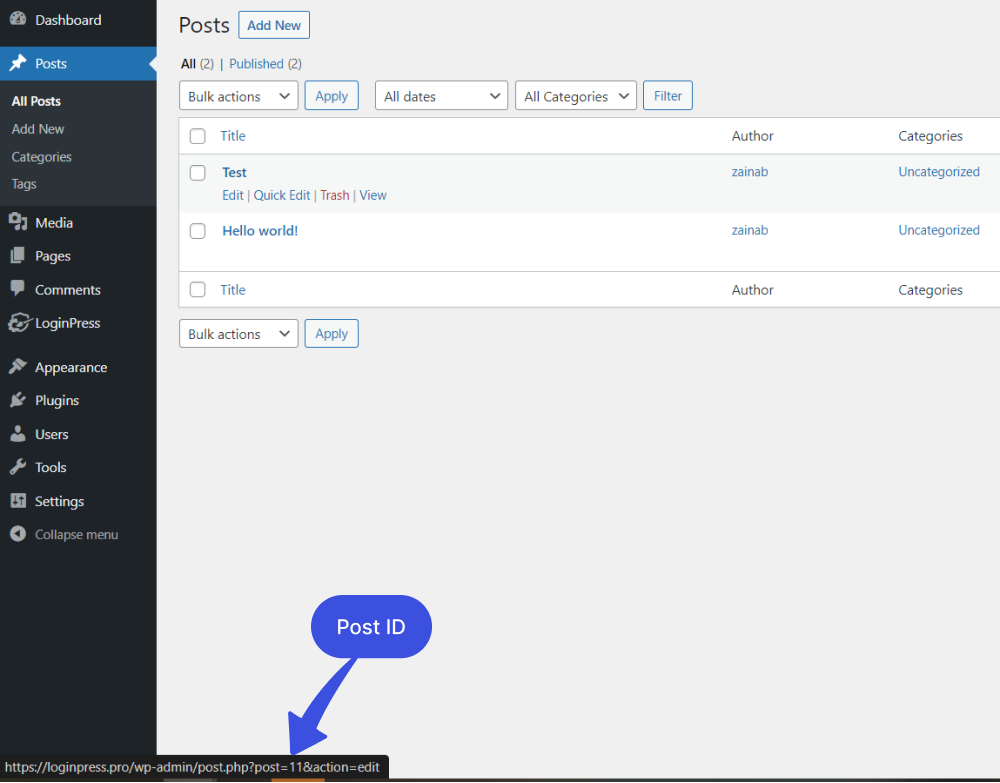
To return a single value or an array. You can return either the post slug or the post ID. With the help of the loginpress_exclude_forcelogin hook, you can prevent pages/posts from Force Login features.
That’s all! We hope you now understand how to exclude posts and pages from the Force Login feature of LoginPress using the hook provided above.
If you have any doubts or questions, please don’t hesitate to contact our support forum. We will be happy to help you with it.
Frequently Asked Questions (FAQs)
These FAQs answer the most common questions about our WordPress custom login page plugin.

Where can I get support for LoginPress?
If you need help with LoginPress, you can contact us here. We’ll be happy to answer any questions about the plugin.
Do you have an affiliate program?
Yes, we have an affiliate program that you can sign up for here. As an affiliate, you’ll earn a commission on every sale you refer to us.
Do you offer refunds?
Yes, we offer a 14-day money-back guarantee on all of our plans. If you’re unsatisfied with LoginPress, simply contact us within 14 days of your purchase, and we’ll process a refund.
Can I upgrade my license after my initial purchase?
Yes, you can upgrade your LoginPress license at any time. Simply log into your account and go to the My Downloads page. From here, you can upgrade your license and download the latest version of the plugin.
Will LoginPress slow down my website?
No, LoginPress will not slow down your website. The plugin is lightweight and only loads the necessary files when someone tries to access your login page.

If you Still have Questions?
Get In Touch