
To make the plugin extra easy and functional as per the requirements, here comes the detailed documentation regarding the plugin. All about educating the things related to the plugin.

Introduction to LoginPress – Custom Login Page Customizer
Are you hosting a WordPress website for your blog or business and wondering how to polish your Login page?
You are in the right place, as a refined login page URL better reflects your brand and morale.
To make it easy and achievable, we offer LoginPress for those who want to spruce up their WordPress login pages without getting into the nitty-gritty of coding.
What is LoginPress?
LoginPress is a WordPress plugin and login page customizer developed by WPBrigade to create a Custom Login Page for your WordPress site based on your requirements.
Not limited to rebranding your login page, LoginPress also secures your customized login pages.
It helps to modify the look and feel of your login page without writing code or hiring developers.
How Does LoginPress Work?
The LoginPress plugin is built using the WordPress Customizer API, which is increasingly popular for live previewing changes to WordPress layouts.
With LoginPress, you can instantly preview your customizations to the login page.
Additionally, it saves time by eliminating the need to repeatedly load and unload minor or major changes.
With that ease, LoginPress lets you customize every element on your Login page, from error messages to login fields.
If you have a membership site or a site where users create profiles and log in/log out, this login management plugin rebrands the entire login URL with simple yet powerful features.
How to Use LoginPress?
Since there is no need to write complex code, LoginPress is very easy to use and manage.
Once installed and activated on your WordPress website, you can track it in the left-hand menu of the WordPress admin dashboard.
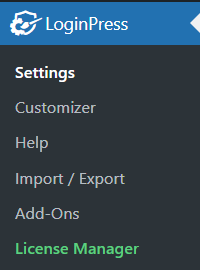
You can download LoginPress for free, and check the detailed documentation to set up and activate LoginPress
What are the Features of LoginPress?
LoginPress is well-equipped with features, including Settings and Customizer options with exclusive features for customizing the Login page.
To learn more about each, we’ll dive into the LoginPress features in two sections: Settings and Customizer.
1. Settings
In the Settings section of LoginPress, we offer a range of options and fields for the login page.
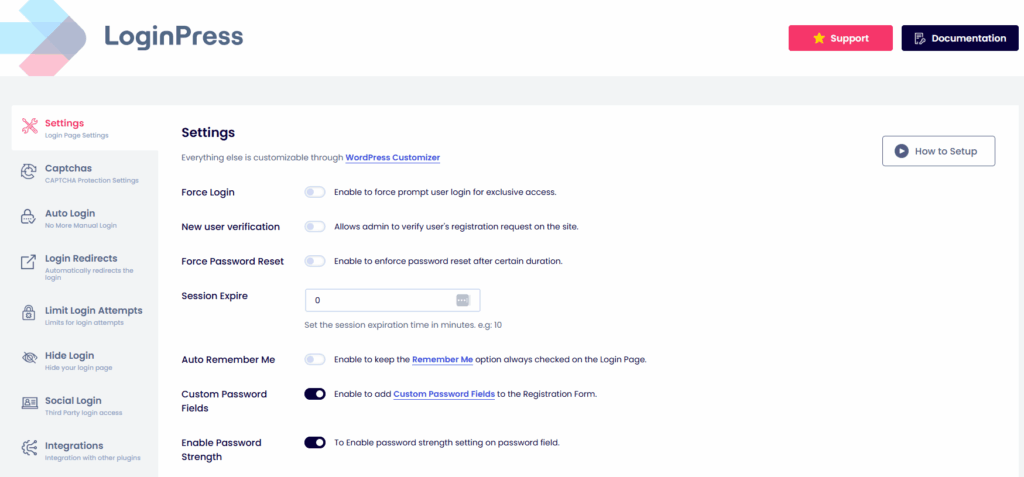
All of them are listed below with a functionality briefing:
1.1 Force Login (Premium)
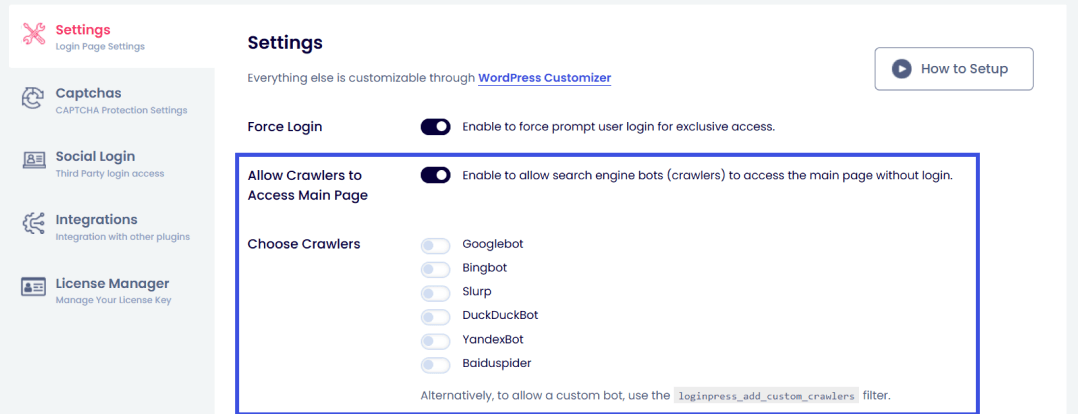
Force users to log in before viewing your site’s content. If this option is enabled, the user will be redirected to the login page.
It is designed to give your WordPress site a membership feel, prompting users to log in to access the site.
Regardless of the force login option, you can still allow crawlers to access the page for best seo optimization. Learn more about force login exclusions here: How to Configure Force Login Exclusions with LoginPress Pro
1.2 Enable reCAPTCHA (Premium)
reCAPTCHA is a free service from Google that helps protect websites from spam and abuse.
In LoginPress, it’ll help you to customize the reCAPTCHA on your login form in terms of Error Message and reCAPTCHA Size, providing security to your WordPress site against robotic invading actions.
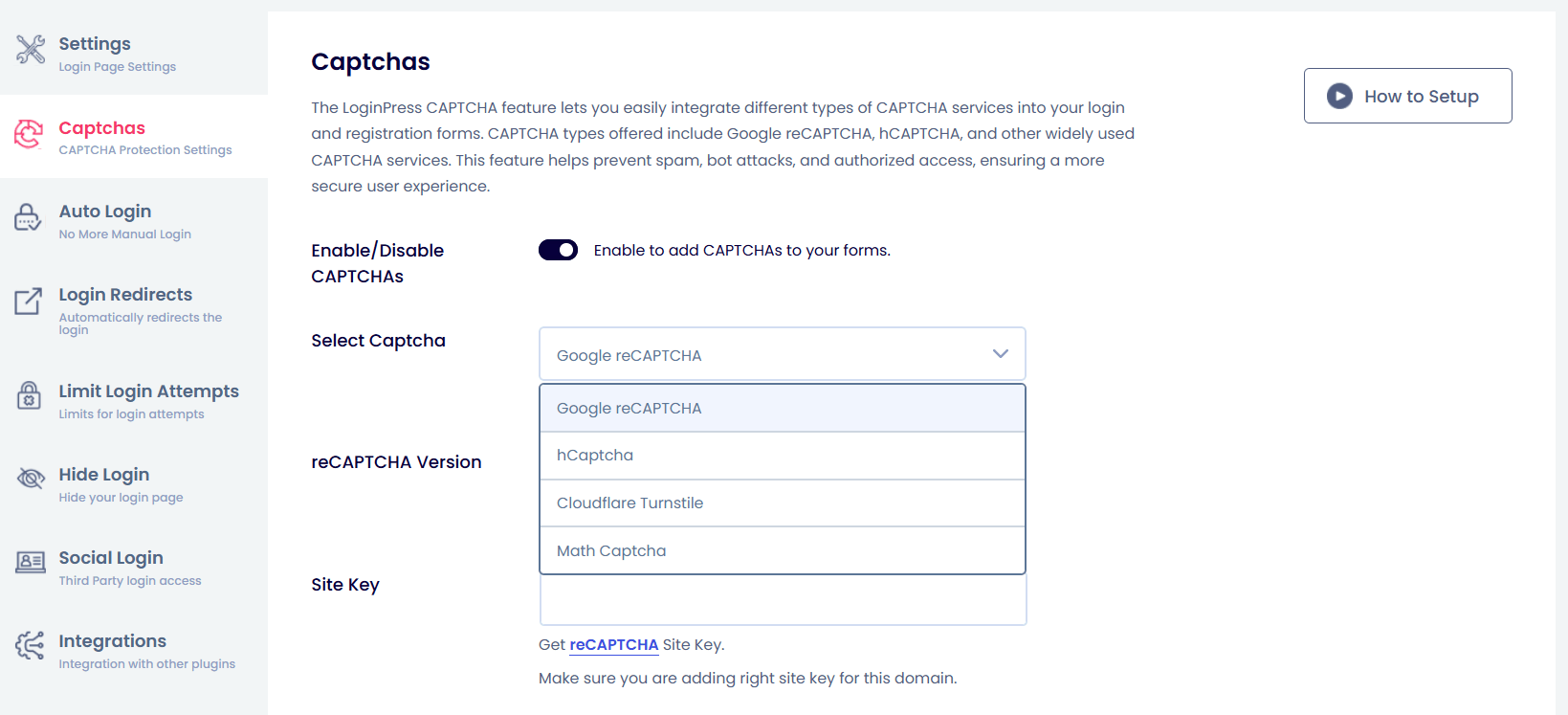
You can learn more about enabling reCAPTCHA to understand how it works in LoginPress.
1.3 Session Expire
By default, the behavior of WordPress is that your login session cookie expires within 48 hours (if you don’t check the box), or 14 days if you check the “Remember Me” box.
With LoginPress, Session Expire fields allow you to customize the Expiration Time of the login session in minutes.
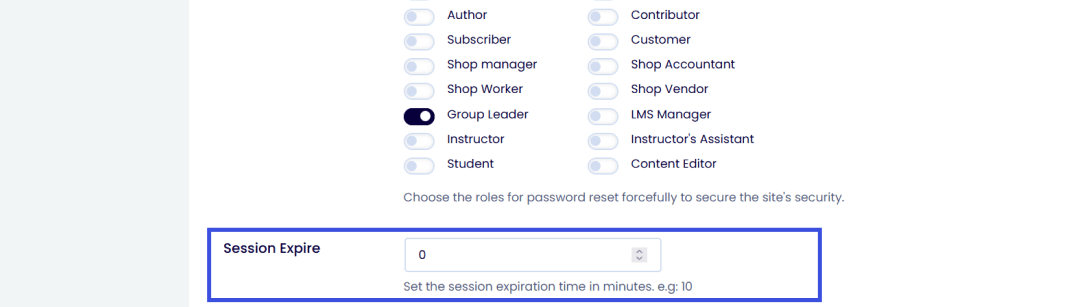
You can check out our documentation on Session Expire to see how it works in LoginPress.
1.4 Auto Remember Me
Auto Remember Me option keeps you logged in for 48 hours, or 14 days if you check it.
It lets you save your website’s login page, including your username/email and password, in your browser.
With this option, you can easily log in to your website without entering your username or password on the login page.
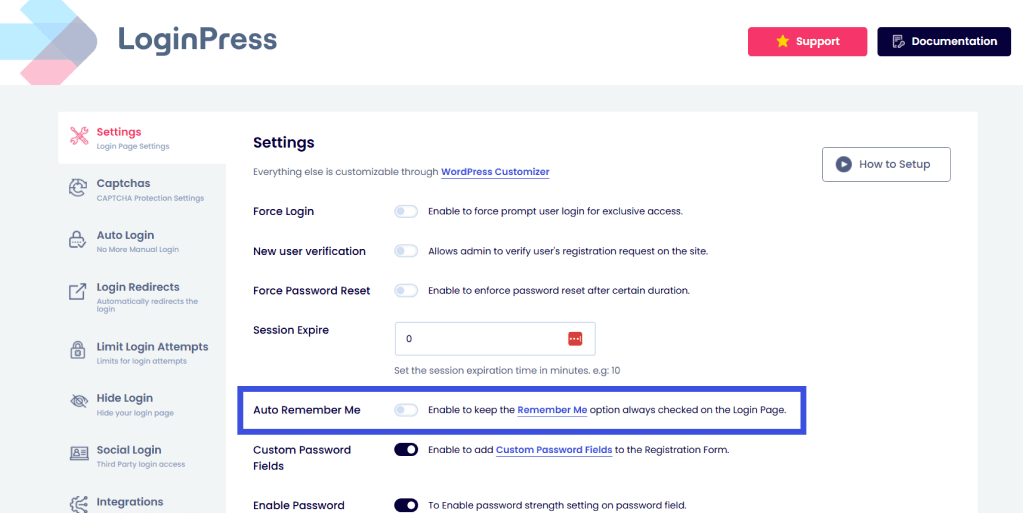
You can check the detailed article on How to keep the “Remember me” option checked with LoginPress.
1.5 Custom Password Fields
It makes you create custom password fields on the registration form.
Moreover, it allows users to create a password during registration on your WordPress website without requiring confirmation via email.

1.6 Login Order
Giving users the option to log in with their username and email address, or both at once.
LoginPress offers this customization, whereas WordPress defaults to username or email address fields for login.
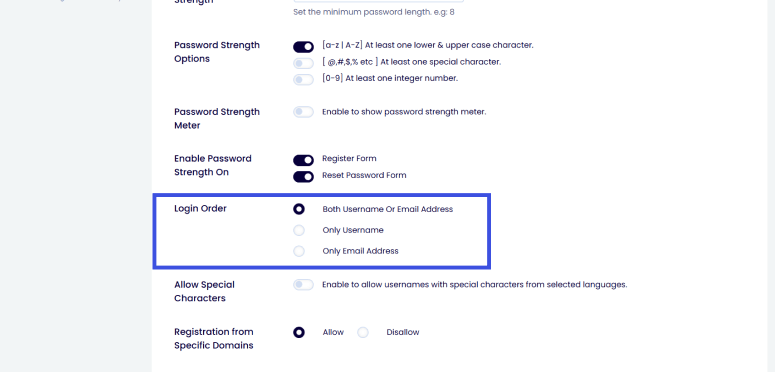
1.7 Password Strength Options
This feature lets you implement strong password policies for users to protect against password-guessing attacks.
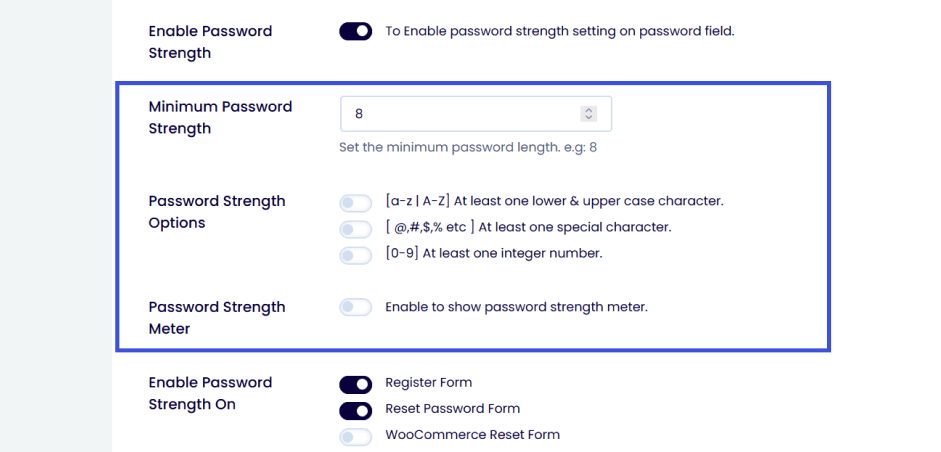
1.8 Reset Default Settings
You can reset the default settings of LoginPress.
1.9 Remove Settings on Uninstall
You can remove all LoginPress settings upon uninstalling the plugin.
2. Customizer
LoginPress Customizer is a full-featured editor with prebuilt features and options to enhance your login page.
From customizing branded logos to themes, there is so much more for rebranding your WordPress site’s login page, covering almost every element.
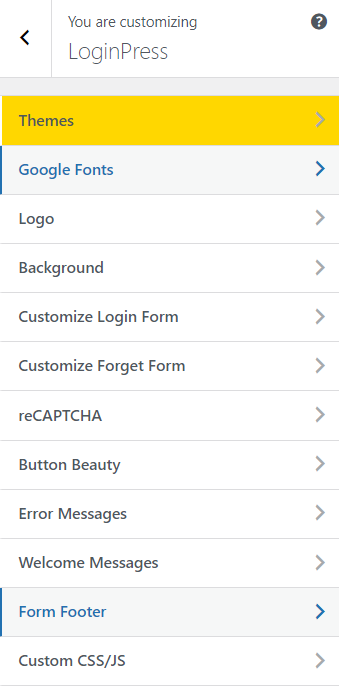
Let’s take a deep dive into LoginPress features available in the Customizer section.
2.1 Themes
Themes are a built-in feature of the LoginPress plugin that let you customize and change the overall look of your WordPress website’s login page, giving it a unique identity.
It advances the look of your standard login page without writing a single line of code.
The free version includes one theme, Default, while the Pro version offers dozens of luxurious pre-made templates/themes.
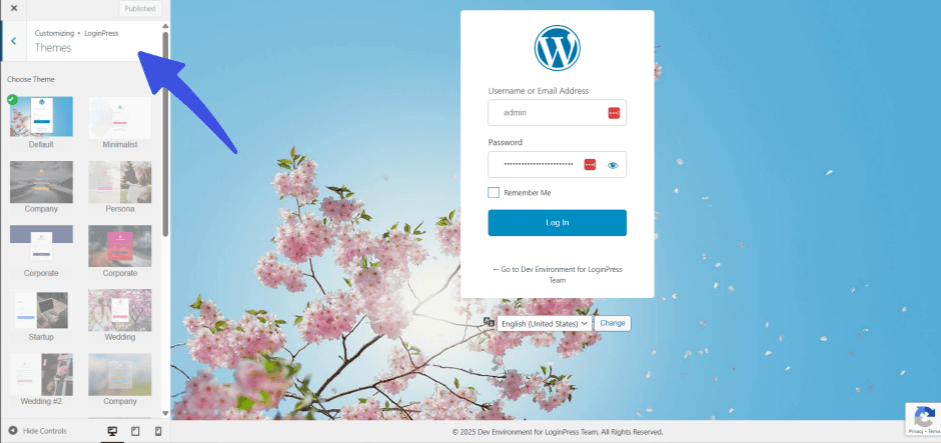
You can learn more about it in our detailed documentation on LoginPress Themes Premium
2.2 Google Fonts (Premium)
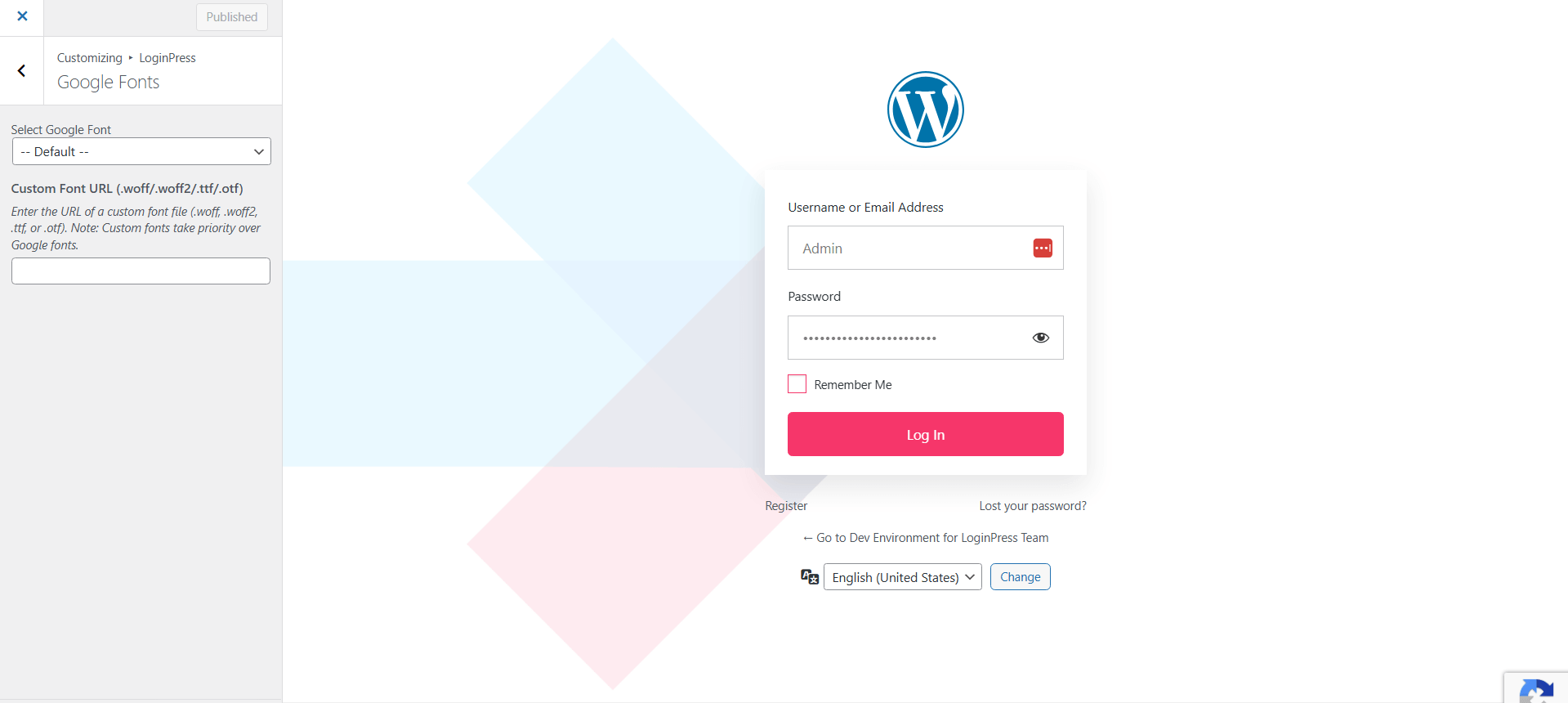
To change the basic Google Fonts on the login page, LoginPress offers a premium feature that lets you access hundreds of Google Fonts to add an extra personal touch to your WordPress website’s login page.
2.3 Logo
The logo lets you customize your blog or business logo on your login form, so it stands out from the boring default WordPress logo.
It not only changes or customizes the logo but also adjusts the sizes, colors, and content of login logos to match your WordPress website’s branding.
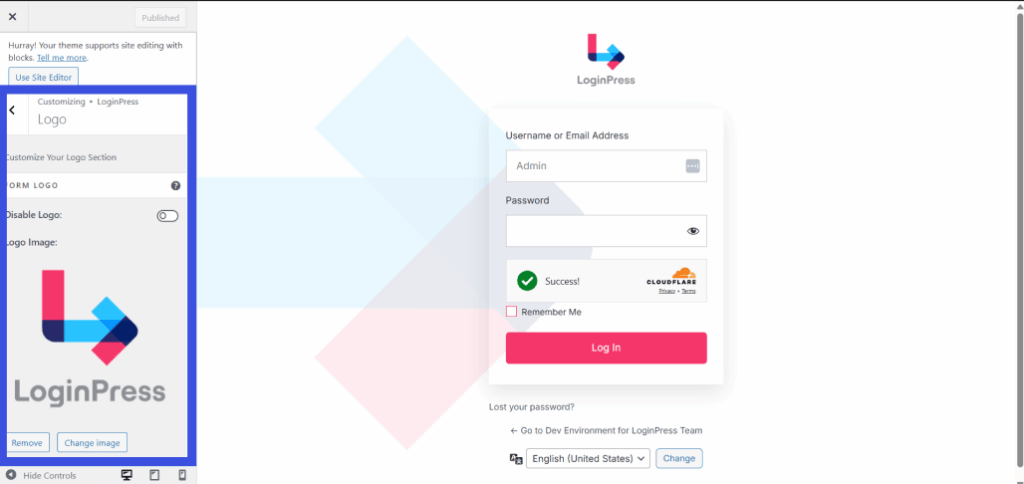
You can check our detailed documentation here to know its usage.
2.4 Background
Background enables you to change the background of your login page, in which you can upload any background image or set your favorite background color and even a video in the background of your login page according to your choice.
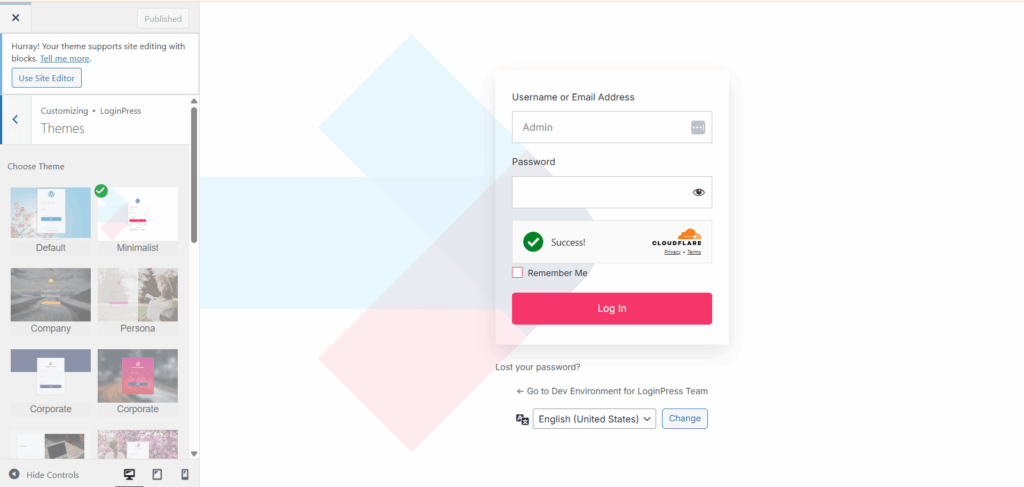
You can review the Background documentation for more details.
2.5 Customize Login Form
It focuses on customizing the login form to your requirements for transparency, images or colors, width, height, radius, shadow opacity, padding, and border.
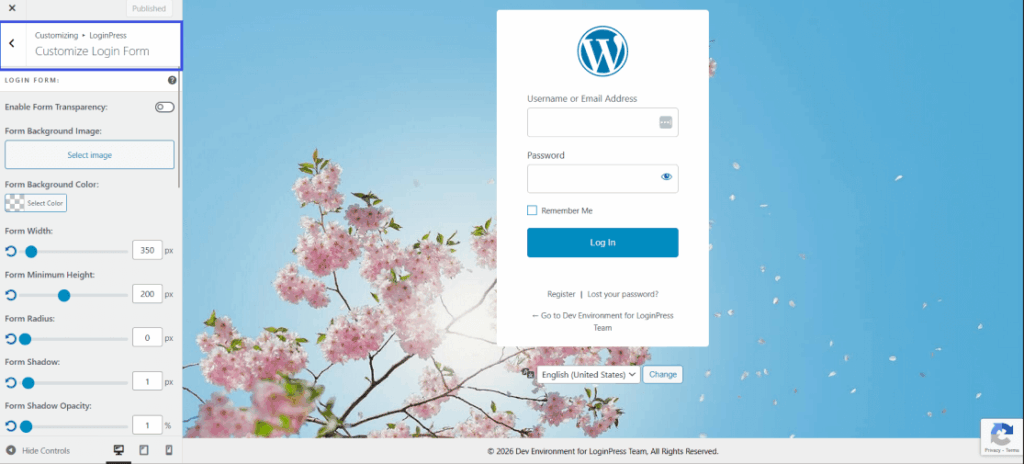
You can know more about Customize Login Form for its maximum use.
2.6 Customize Forget Form
This allows you to customize the background color and image of the forget form page, easily adjusting them to your requirements.
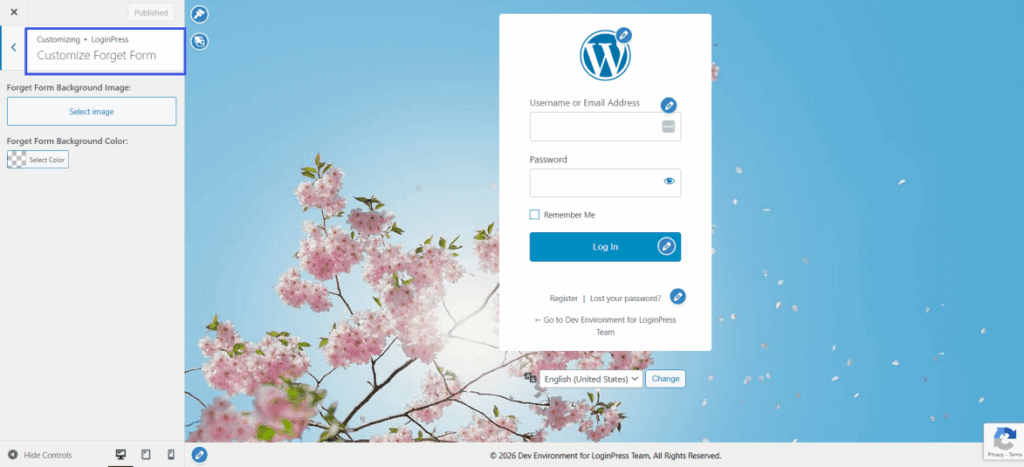
You can learn more about Customize Forget Form here.
2.7 reCAPTCHA (Premium)
In LoginPress’s Settings, reCAPTCHA lets you customize its size and error messages.
You can learn more about reCAPTCHA, including its security and features.
2.8 Beauty Button
Beauty Button lets you customize the Log In, Register, and Password Reset buttons on your login, registration, and password reset forms, including color and text.
You can learn more about Beauty Button to know its details.
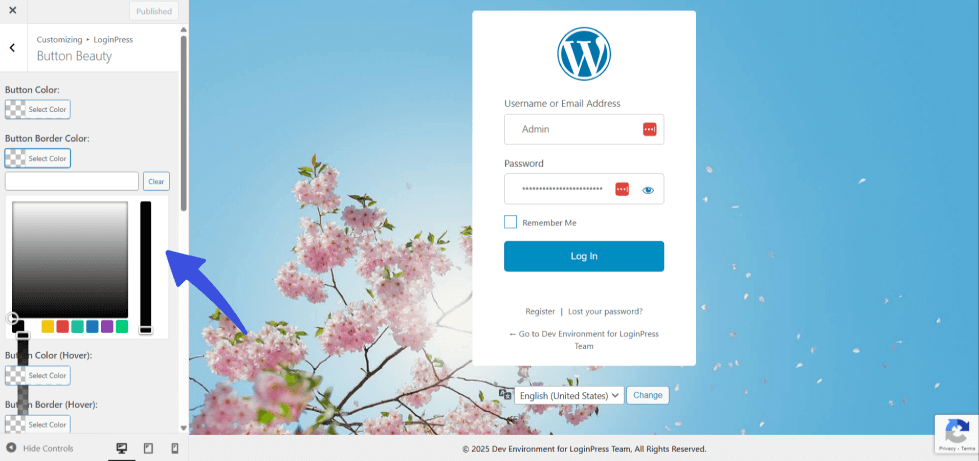
2.9 Error Messages
Creating custom error messages in the LoginPress customizer is simply a few clicks away. This will change every error message the user receives, depending on the outcome of login, registration, or forget attempts.
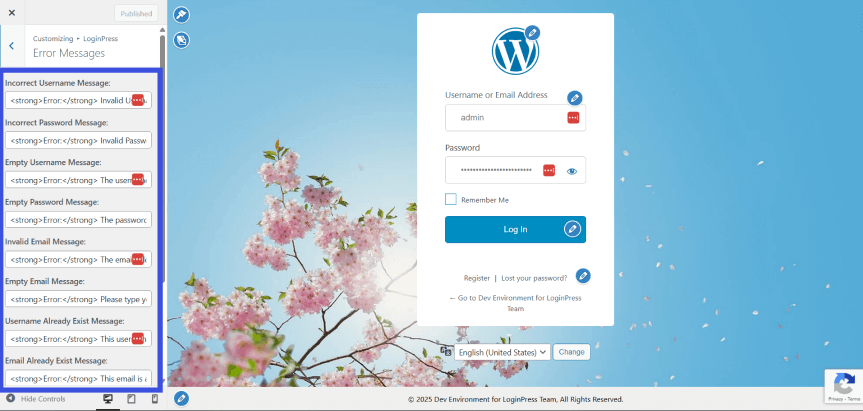
You can explore more in detail about Error Messages, click Error Messages article.
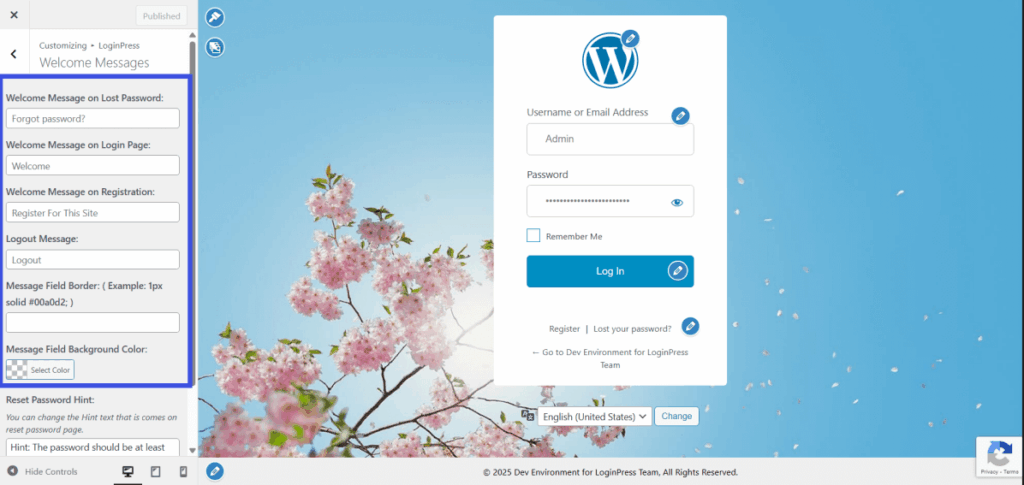
2.10 Welcome Messages
It helps to set a customized welcome message on your website’s login screen.
2.11 Footer Text
The footer text in the login form is basically the copyright information of your business or brand, displayed on your website.
To customize it and give the brand its own identity, the Footer Text option in the LoginPress Customizer is helpful.
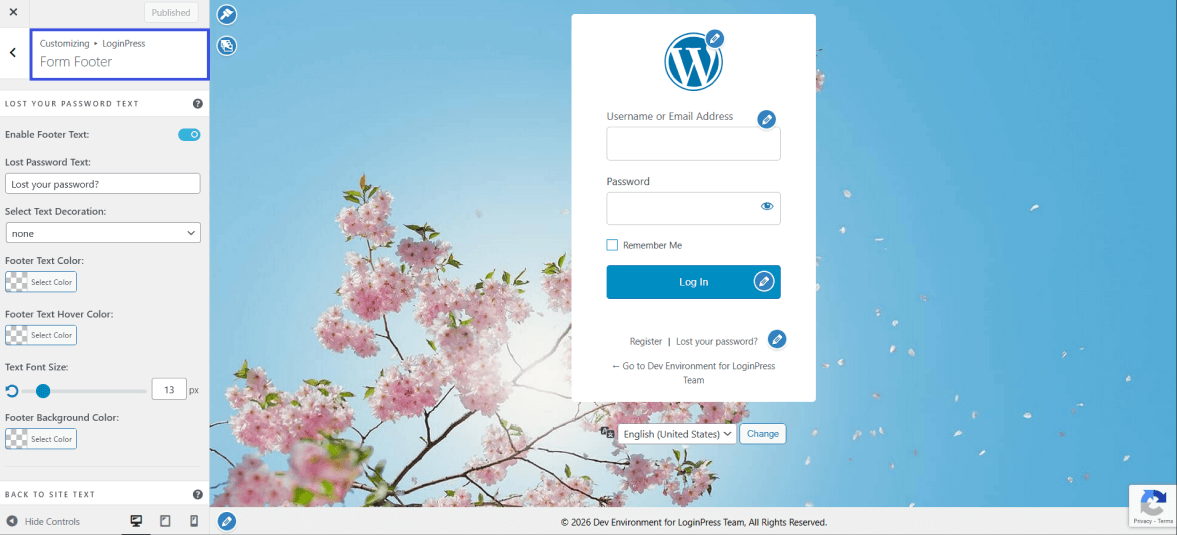
You can know more details about the Footer Text.
2.12 Custom CSS/JS
Enabling you to further customize, LoginPress offers the Custom CSS and JS feature, which lets you use LoginPress classes and style them as you see fit.
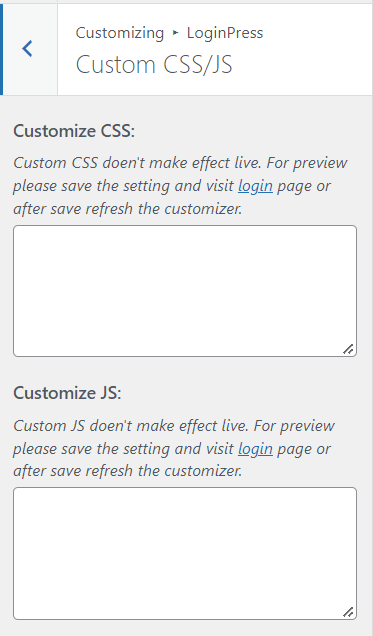
You can know more about the work of Custom CSS/JS.
What are LoginPress Add-Ons?
LoginPress includes a comprehensive collection of add-ons in both the free and pro versions, designed for maximum usability and security, not just for styling the login page.
Let’s dive into each of them.
1. Login Logout Menu (Free)
Login Logout Menu is a handy plugin integrated as an add-on for LoginPress that lets you add login, logout, register, and profile menu items to your selected menu.
2. Social Login (Premium)
Social Login allows your users to log in and register via Facebook, Google, and Twitter.
This add-on will eliminate Spam and Bot registrations. Additionally, third-party integrations help your users with hassle-free registration and login on your site.
3. Auto Login (Premium)
Auto Login allows you (the administrator) to generate a unique URL for users you don’t want to require a password for when logging in to your site.
Additionally, it provides a list of all users to whom you have sent auto-generated login links.
Moreover, you can disable access for specific users and delete them.
4. Login Widget (Premium)
The Login Widget allows you to add a blog sidebar, and with a bit of HTML/CSS knowledge, you can style it according to your WordPress website’s soul. It uses an Ajax way to log in via the sidebar.
5. Limit Login Attempts (Premium)
Preventing brute-force attacks on login pages is now easier than ever.
By limiting the number of login attempts per user and setting the interval between attempts.
6. Hide Login (Premium)
Hide Login allows you to change the login page URL to anything you want. It will make it difficult for spammers who keep hitting your login page.
It acts as a shield against brute-force attacks. One caution to using this add-on is that you need to remember the custom login URL after you change it.
We can email your custom login URL so you remember it.
7. Login Redirects (Premium)
Login Redirects enables redirecting users based on their roles. It is very helpful to have an editor and to redirect them to their editor stats page.
Restrict your subscribers, guests, or even customers to certain pages instead of the WP-Admin. This add-on offers a streamlined UX/UI for managing all login redirects on your site.
To have a professional, rebranded login page instead of the default WordPress login page, use LoginPress.
It enhances the style and functionality of the WordPress login page and provides multiple powerful add-ons to level up the Security of your WordPress websites in a few clicks. Without writing a single line of code.
For more information on getting started with LoginPress, please visit our LoginPress getting started guide section
If you have any doubts or questions related to this matter, please don’t hesitate to reach out to our support team.
Frequently Asked Questions (FAQs)
These FAQs answer the most common questions about our WordPress custom login page plugin.

Where can I get support for LoginPress?
If you need help with LoginPress, you can contact us here. We’ll be happy to answer any questions about the plugin.
Do you have an affiliate program?
Yes, we have an affiliate program that you can sign up for here. As an affiliate, you’ll earn a commission on every sale you refer to us.
Do you offer refunds?
Yes, we offer a 14-day money-back guarantee on all of our plans. If you’re unsatisfied with LoginPress, simply contact us within 14 days of your purchase, and we’ll process a refund.
Can I upgrade my license after my initial purchase?
Yes, you can upgrade your LoginPress license at any time. Simply log into your account and go to the My Downloads page. From here, you can upgrade your license and download the latest version of the plugin.
Will LoginPress slow down my website?
No, LoginPress will not slow down your website. The plugin is lightweight and only loads the necessary files when someone tries to access your login page.

If you Still have Questions?
Get In Touch