

To make the plugin extra easy and functional as per the requirements, here comes the detailed documentation regarding the plugin. All about educating the things related to the plugin.

How to Upgrade to LoginPress Pro?
Are you considering upgrading from the LoginPress free version to the Pro one?
LoginPress Pro offers a range of advanced features and functionalities. It will help you create a more personalized login experience and fortify your website's security.
Thank you for choosing LoginPress! We greatly appreciate your decision to upgrade to LoginPress Pro.
In this knowledgebase article, we’ll provide all the information you need in a few easy steps to upgrade to LoginPress Pro.
Let’s get started!
1. Upgrade From LoginPress Free to LoginPress Pro
Note: We assume you’ve already installed and activated LoginPress and want to upgrade to LoginPress Pro. In case you need help with installing and activating LoginPress, see our detailed guide on How to Install And Activate LoginPress (Free).
To get started, you’ll need to visit our Pricing Page.
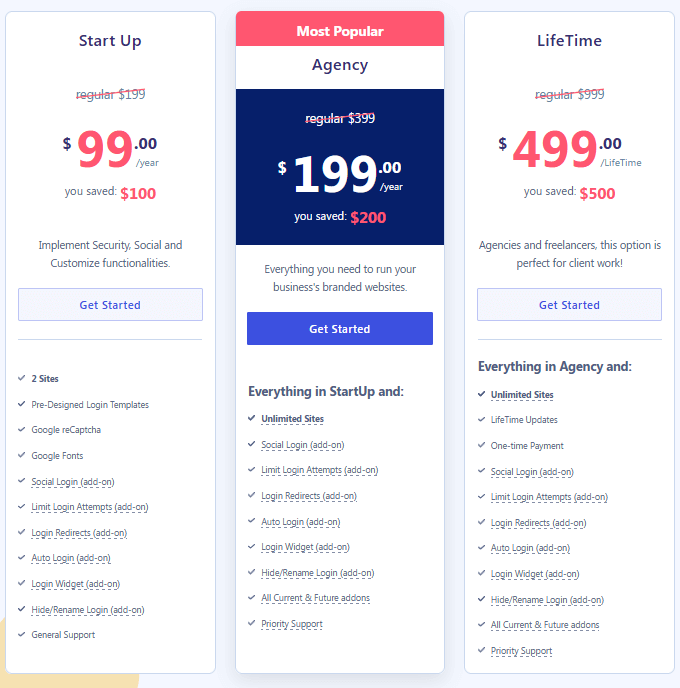
Here, you'll find 4 pricing plans to suit every WordPress user looking to enhance the appearance and security of the default WordPress login page.
Each pricing plan in LoginPress has additional features and Add-Ons.
Note: We’ve selected the Agency package here.
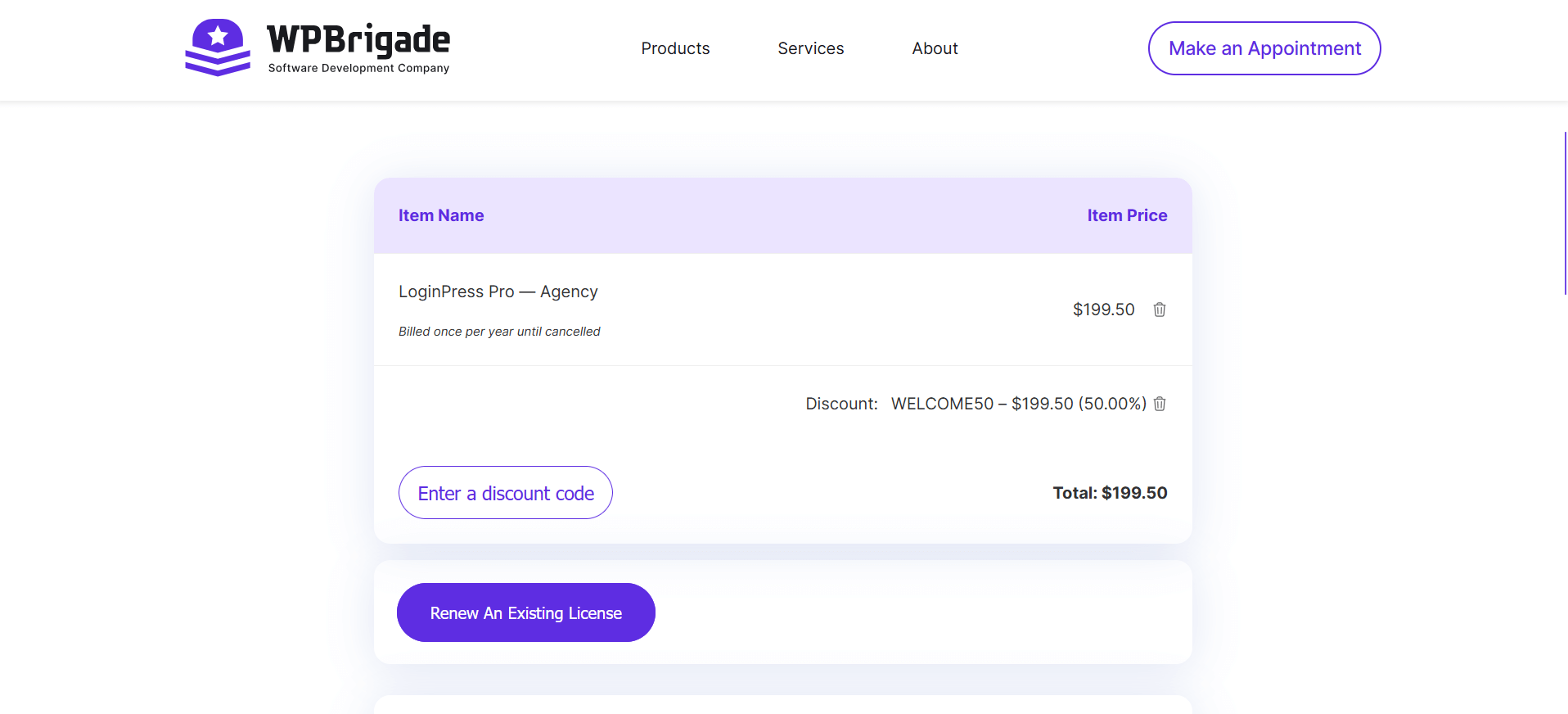
- On the checkout page, click the Complete Your Purchase button.
- Next, enter your payment details, i.e., Email Address, First Name,
Last Name, Phone Number, and Payment Method.
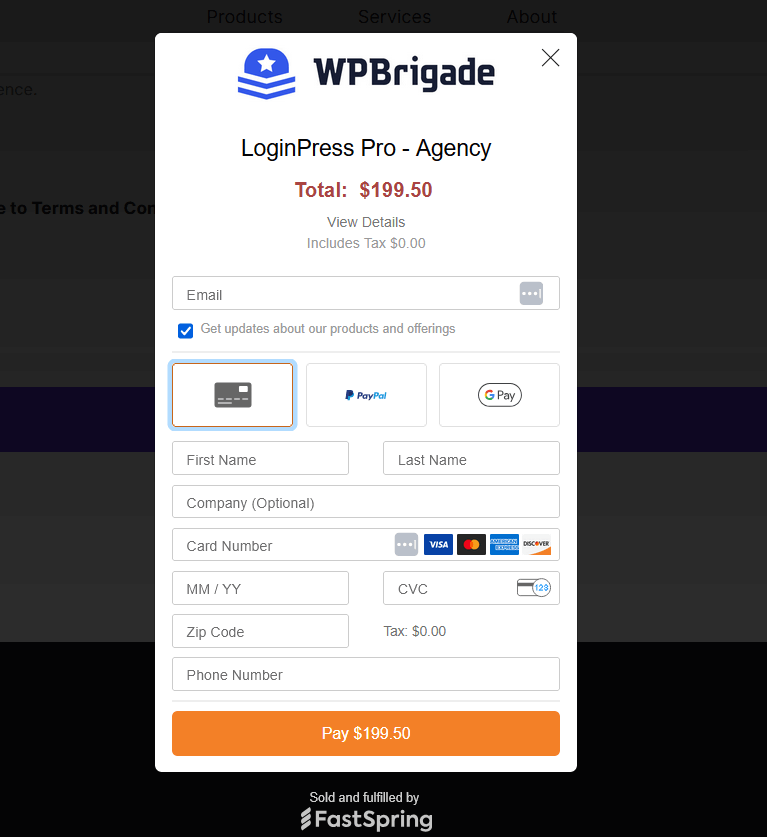
- Once you are done, click on the Pay button.
- When you are done, you’ll be taken to the confirmation page.
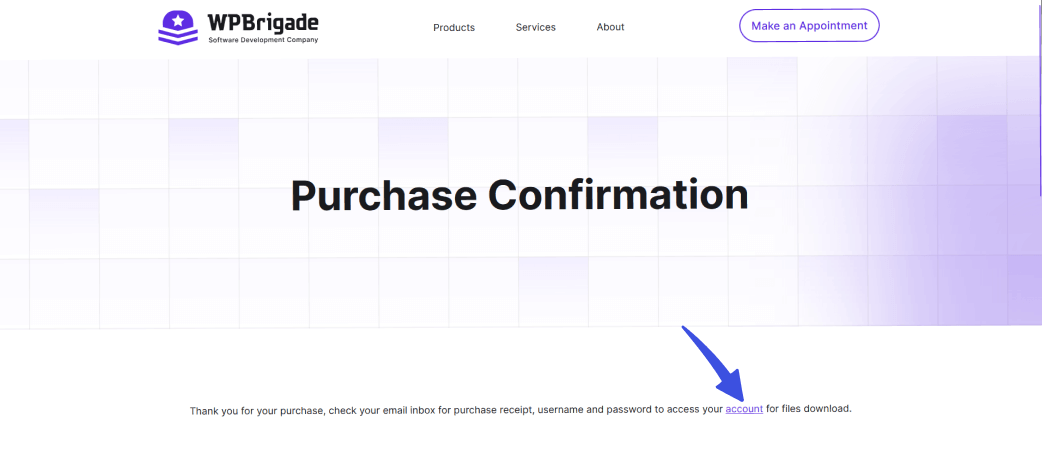
- You’ve upgraded to the LoginPress Pro.
Note: Your account will provide access to your paid plugin downloads, so you’ll need your login credentials. Once you complete the steps mentioned above, go to your purchased email inbox, and there you’ll find your login information, i.e., Username or Email and Password, for your premium WPBrigade Account. If you need help, see our guide on How To Install And Activate LoginPress PRO Version?
2. Upgrade LoginPress Plan
Suppose you already use any of our plans, i.e., Personal, and want to switch to any other plan, i.e., Start Up, Business, or Agency. What would you do?
We're thrilled to offer you the flexibility to upgrade to any other plan at any time. To initiate this process, you are required to follow these steps:
- First off, log in to your WPBrigade Account. Once logged in, click on the "Purchase History" tab.
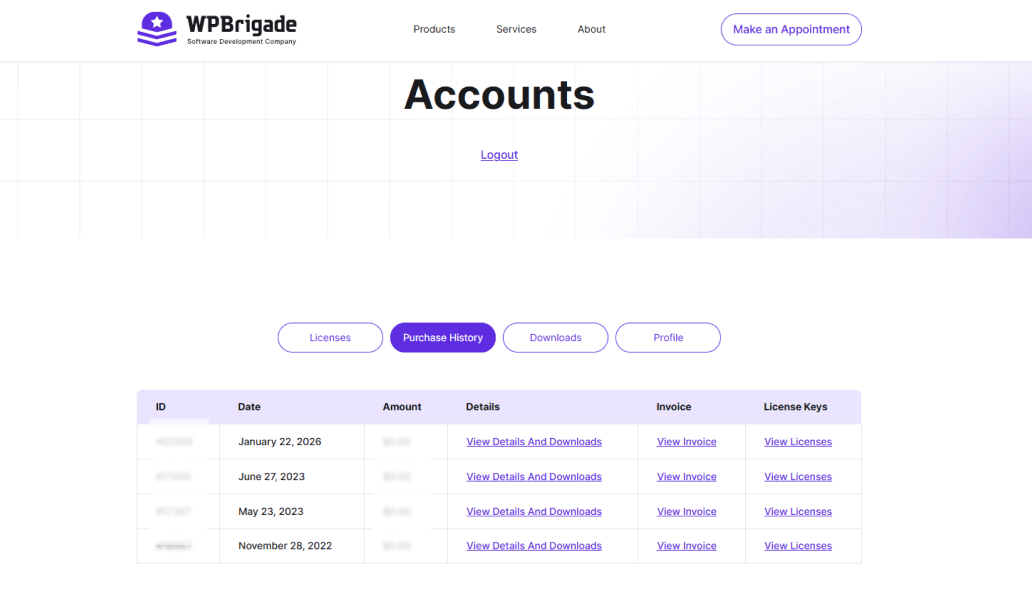
- On the Purchased History page, you’ll see your current license details. Simply click on the View Licenses option.
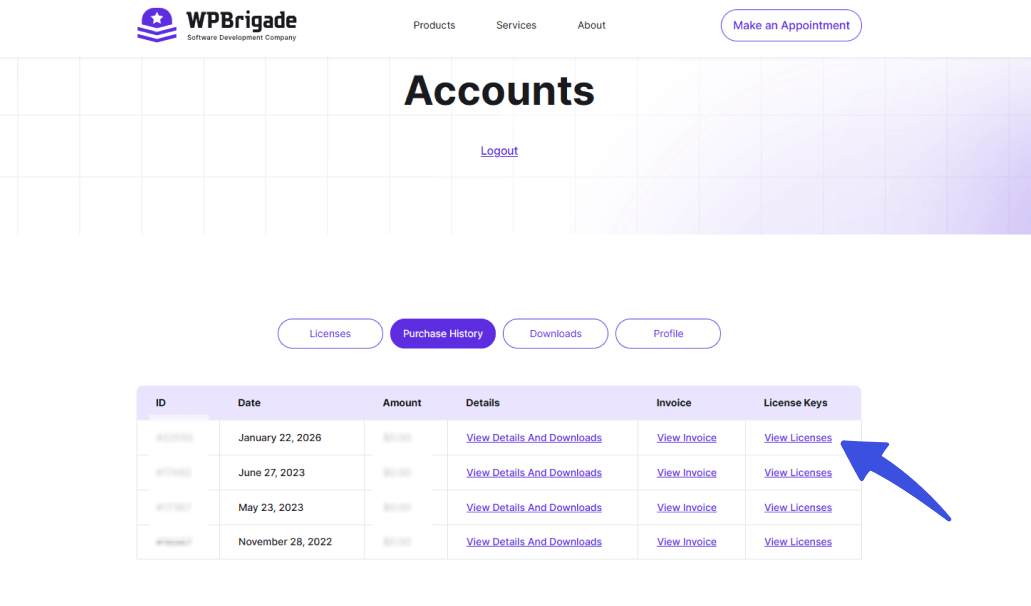
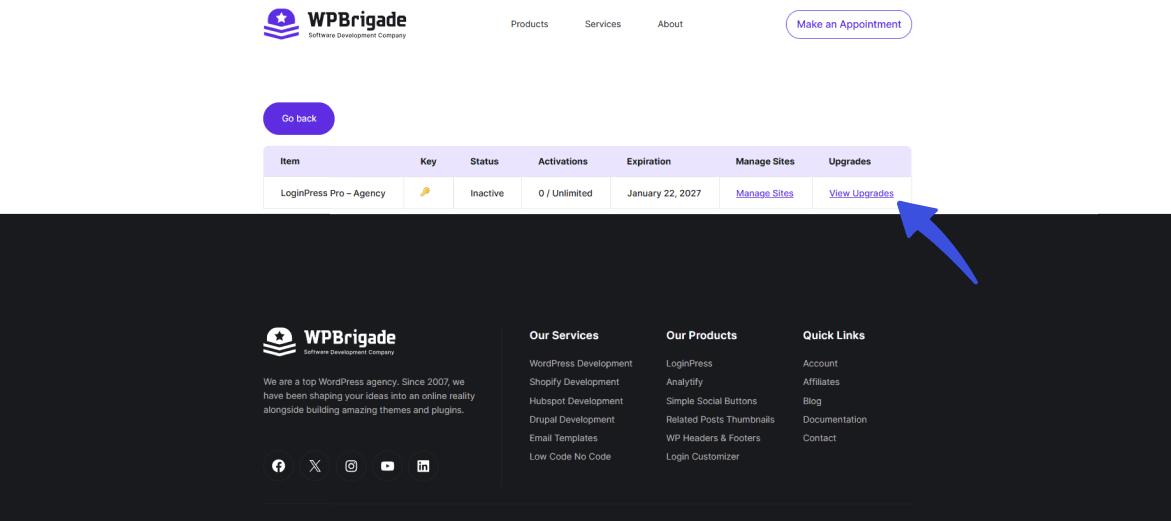
- Here, you’ll find all the information about your current License. Simply select the View Upgrades option.
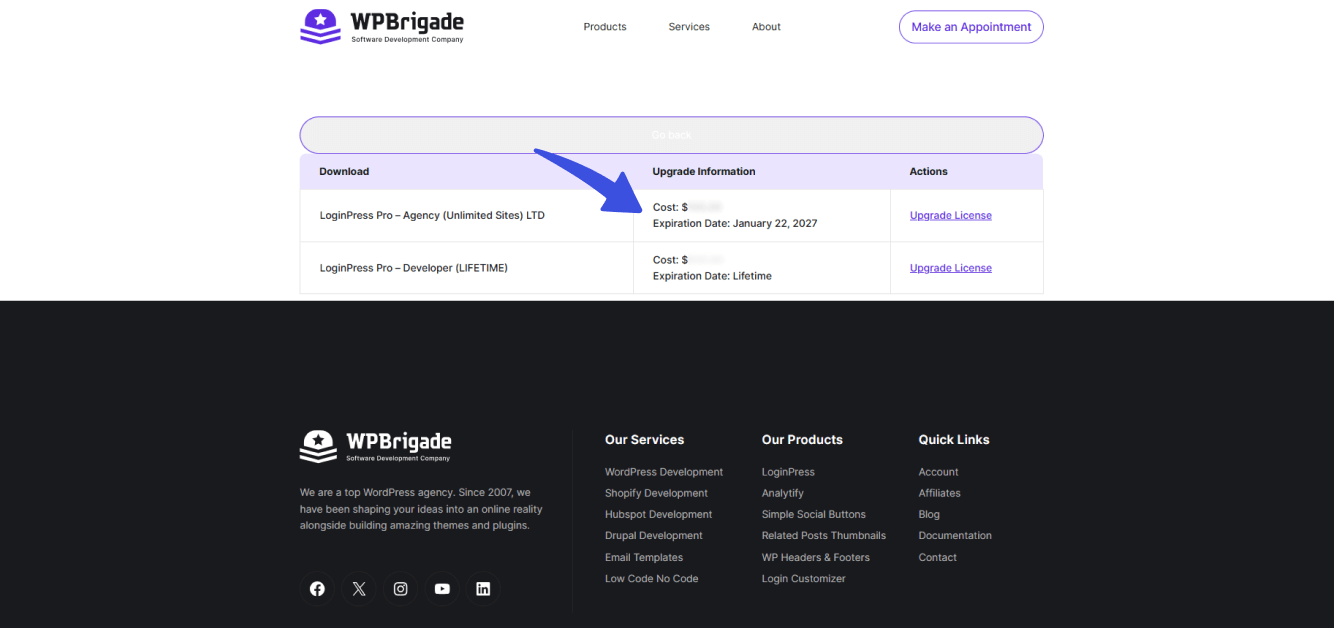
- On the next screen, you can see all the options for your Upgrade. Simply select your plan, then click the Upgrade License option for that plan. Here, we select LoginPress Pro - Startup Plan (1 Site).
Note: You can see the Upgrade Cost against each plan. The good news is that the upgrade cost is lower than the plan's actual price.
- Now, you’ll be redirected to the checkout page, where you can confirm your plan and click the Complete Your Purchase button.
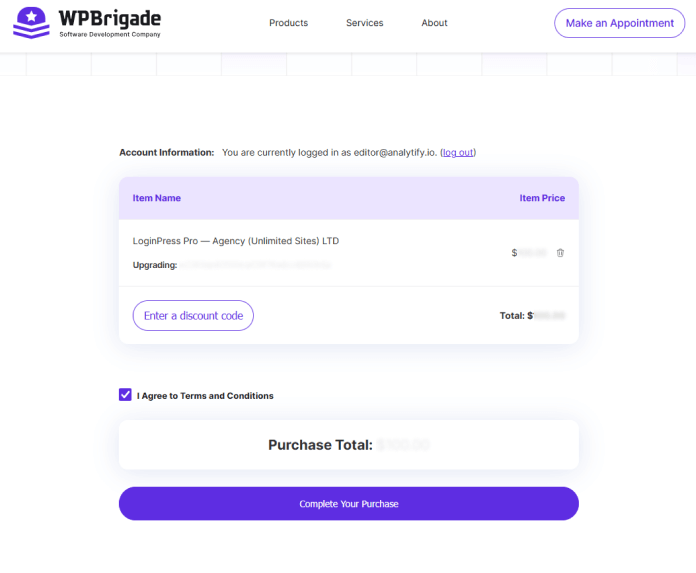
- A pop-up will open; you must provide your details and click the Pay button.
- All done. You can now see that your newly purchased Plan has been added to your Purchase History tab.
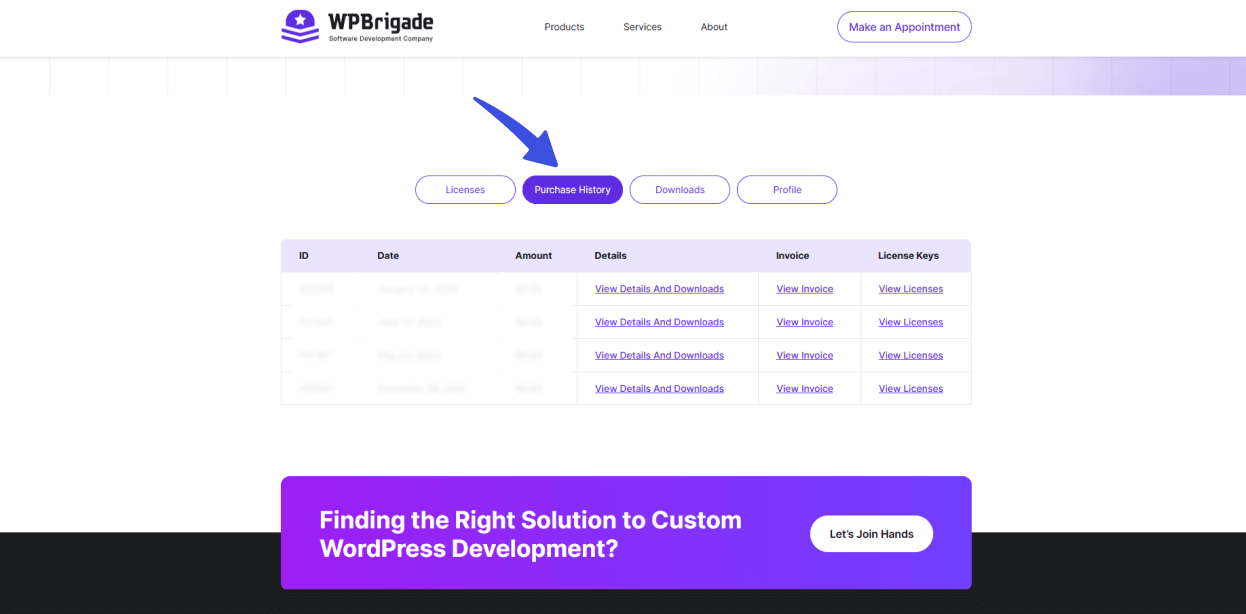
That’s it; you’ve upgraded your LoginPress Plan!
If you have any doubts or questions, please don’t hesitate to contact our support team. We will be happy to help you.
Frequently Asked Questions (FAQs)
These FAQs answer the most common questions about our WordPress custom login page plugin.

Where can I get support for LoginPress?
If you need help with LoginPress, you can contact us here. We’ll be happy to answer any questions about the plugin.
Do you have an affiliate program?
Yes, we have an affiliate program that you can sign up for here. As an affiliate, you’ll earn a commission on every sale you refer to us.
Do you offer refunds?
Yes, we offer a 14-day money-back guarantee on all of our plans. If you’re unsatisfied with LoginPress, simply contact us within 14 days of your purchase, and we’ll process a refund.
Can I upgrade my license after my initial purchase?
Yes, you can upgrade your LoginPress license at any time. Simply log into your account and go to the My Downloads page. From here, you can upgrade your license and download the latest version of the plugin.
Will LoginPress slow down my website?
No, LoginPress will not slow down your website. The plugin is lightweight and only loads the necessary files when someone tries to access your login page.

If you Still have Questions?
Get In Touch